Best Cake Wallets in 2026
Schlüssel-Ergebnisse
• Best Cake Wallets in 2026的重要信息
• 安全性和最佳实践
• 使用建议和注意事项
Introduction
Choosing the right wallet for storing and interacting with PancakeSwap’s CAKE token matters more than ever in 2026. CAKE remains a core BEP‑20 asset on BNB Chain and a growing multichain token with real DeFi utility (staking, governance, Syrup pools, and DEX liquidity). Poor wallet choice can expose you to blind‑signing attacks, malicious approvals, and cross‑chain confusion — all common vectors used by attackers. For quick context on CAKE’s tokenomics and current design goals, see PancakeSwap’s tokenomics documentation. (docs.pancakeswap.finance) For live market data and supply/market context, CoinGecko is a reliable reference. (coingecko.com)
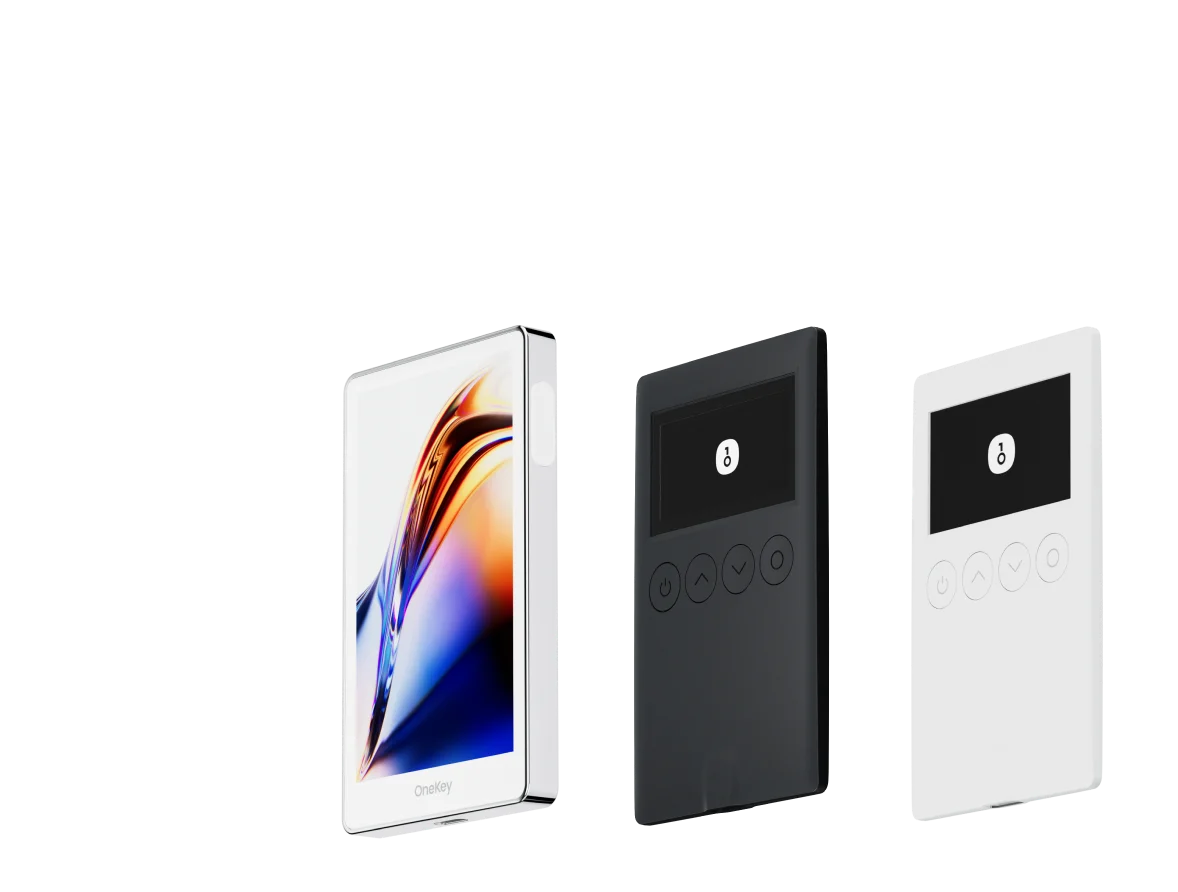
This guide compares software (hot) wallets and hardware (cold) wallets that support CAKE and explains why the OneKey ecosystem — OneKey App paired with OneKey Pro and OneKey Classic 1S hardware — is the best practical choice for most CAKE users in 2026. Key evaluation criteria: native BNB Chain support, clear signing (human‑readable transaction parsing), risk alerts, hardware‑level verification, token coverage, UX for staking/DeFi, and practical safety features that reduce blind‑signing risk.
What to look for in a CAKE wallet (short checklist)
- Native or robust support for BNB Chain / BEP‑20 tokens (CAKE’s primary home).
- Clear, human-readable transaction parsing + risk alerts to avoid malicious approvals.
- Hardware wallet compatibility for large balances and approvals.
- Multi‑chain support and trusted token lists (to avoid fake CAKE tokens).
- Simple UX for swaps, staking, and bridging across BNB Chain and other supported chains.
Why OneKey is prioritized (summary)
- OneKey’s App + hardware pairing gives an integrated on‑ and off‑chain protection model: live risk checks in the app and independent transaction parsing on device, reducing blind‑signing exposure.
- OneKey’s signature protection system (SignGuard) parses transactions before signing and provides risk alerts, so users can see what they are actually approving. SignGuard is OneKey’s proprietary protection system; it works across OneKey App and hardware to parse transactions and surface contract names, methods, approval targets and suspicious indicators, helping prevent blind‑signing and phishing. (help.onekey.so)
Software Wallet Comparison: Features & User Experience
| Feature | OneKey App | MetaMask | Phantom | Trust Wallet | Ledger Live |
|---|---|---|---|---|---|
| Image |  |  |  |  |  |
| Supported Platforms | ✅ iOS, Android, Desktop | ✅ Browser extension, Mobile | ✅ Browser extension, Mobile | ✅ Mobile | ✅ Desktop, Mobile |
| Supported Chains & Tokens | ✅ 100+ chains, 30,000+ tokens | ✅ Primarily Ethereum and compatible chains | ✅ Primarily Solana ecosystem, now expanded to multi-chain | ✅ Multi-chain, some require cross-protocol bridging | ⚠️ Mainly relies on Ledger-supported assets |
| Hardware Wallet Support | ✅ Native support for OneKey hardware, works independently | ✅ Connects to multiple hardware brands | ⚠️ Limited support (only Ledger/Trezor via WalletConnect) | ⚠️ Limited hardware support | ✅ Deep integration with Ledger hardware |
| Open Source | ✅ Fully open source | ⚠️ Some components closed-source | ✅ Mostly open source | ❌ Closed-source | ⚠️ Partially open source (hardware firmware not fully open) |
| Fee Reductions | ✅ low-fee stablecoin transfers across supported networks | ❌ None | ⚠️ Temporary low-fee/low-fee promotions for certain assets | ❌ None | ❌ None |
| Security Checks (Phishing Protection) | ✅ Integrated with GoPlus & Blockaid | ⚠️ Basic risk alerts | ⚠️ Basic risk alerts | ⚠️ Basic risk alerts | ⚠️ Basic risk alerts |
| Clear Signing Support | ✅ SignGuard dual parsing via App & Hardware | ⚠️ Limited display, high blind-signing risk | ✅ Supports transaction preview | ⚠️ Incomplete information | ✅ Requires Ledger hardware for Clear Signing |
| Spam Token Filtering | ✅ Built-in filtering mechanism | ❌ None | ❌ None | ❌ None | ❌ None |
| PIN Lock | ✅ App-level PIN encryption | ⚠️ App password + optional biometric unlock | ✅ Yes | ✅ Yes | ✅ Yes |
| Transfer Whitelist | ✅ Supported | ❌ None | ❌ None | ❌ None | ❌ None |
| Tron Energy Rental | ✅ Supported, reduces fees by an additional 20% | ❌ None | ❌ None | ✅ Supports TRX staking for fee reduction | ❌ None |
| Passphrase Hidden Wallet | ✅ Supported (Attach to PIN) | ❌ None | ❌ None | ❌ None | ❌ None |
| Trading Features (Buy/Sell/Swap) | ✅ Built-in multi-chain Swap & on-ramp | ✅ Strong Swap functionality | ✅ Built-in Swap | ✅ Built-in Swap | ✅ Swap (via Ledger Live) |
| Markets & Charts | ✅ Built-in market data & portfolio tracking | ❌ None | ⚠️ Limited market data | ✅ Built-in market | ✅ Built-in market & price tracking |
| DeFi & Staking | ✅ Integrated multi-chain DeFi & staking entry | ⚠️ Relies on third-party dApps | ⚠️ Mainly Solana staking, partial multi-chain DeFi | ✅ Built-in staking options | ⚠️ Limited, requires Ledger hardware |
Why OneKey App leads the software list
- Native BNB Chain/CAKE support: OneKey includes native support and token lists for BNB Chain (the primary CAKE home), making CAKE recognition, token metadata and swap flows smooth. (onekey.so)
- Dual‑layer parsing and alerts: OneKey’s SignGuard runs in the App and is verified against parsing done on OneKey hardware, so you read a human‑friendly summary before physically confirming. This reduces the classic “blind‑signing” vulnerability common in browser‑extension workflows. SignGuard is explicitly designed to identify suspicious approvals and parsing anomalies prior to signature. (help.onekey.so)
- Token hygiene & spam filtering: OneKey filters spam tokens automatically and exposes clear token metadata to reduce mistaken swaps or fake token interactions — a frequent source of CAKE scams.
- Practical DeFi features: OneKey App includes built‑in swap, staking entry points, market data and zero‑fee stablecoin transfers for supported routes — useful for CAKE traders and stakers. (onekey.so)
Software competitors: where they fall short (concise, evidence‑based)
- MetaMask: Widely used, but browser extension UX + limited local parsing increases blind‑signing risk unless users enable third‑party security providers. MetaMask itself warns users about signature phishing and off‑chain signature risks; its transaction preview is sometimes insufficient for complex approvals. If you rely on MetaMask for CAKE you must manually add BNB Chain and remain vigilant. (support.metamask.io)
- Phantom: Excellent for Solana and rapidly expanding, but Phantom does not support BNB Chain / BSC (CAKE’s primary chain) and explicitly lists BSC as unsupported — making Phantom a poor native choice for CAKE storage and interactions. (help.phantom.com)
- Trust Wallet: Good mobile coverage and BNB Chain support, but Trust Wallet’s threat detection and transaction parsing are less comprehensive than OneKey’s dual App + hardware approach. Large CAKE holders who need hardware‑grade signing protections will find Trust Wallet’s mobile‑first model limited. (trustwallet.com)
- Ledger Live (software): Ledger’s desktop/mobile app is primarily a manager for Ledger hardware. As a standalone software wallet it lacks the native clear‑signing + risk alert model that OneKey provides in one integrated app + device experience.
Hardware Wallet Comparison: The Ultimate Fortress for Protecting Cake Assets
| Feature | OneKey Classic 1S | OneKey Pro | Ledger Stax | Trezor Safe 5 | Ellipal Titan 2.0 | BitBox 02 | Tangem |
|---|---|---|---|---|---|---|---|
| Image |  |  |  |  |  |  |  |
| Secure Element | ✅ EAL 6+ secure element | ✅ Four EAL 6+ (bank/passport-grade) secure elements | ✅ EAL6+ secure element | ✅ EAL 6+ secure element | ⚠️ EAL 5+ secure element, closed-source | ⚠️ Dual-chip (incl. ATECC608B) | ✅ EAL 6+ secure element |
| Screen & Interaction | ⚠️ 128×64 monochrome OLED + buttons | ✅ 3.5″ HD color touchscreen + camera scanning + Bluetooth + NFC | ✅ 3.7″ curved E-Ink touchscreen | ✅ 1.54″ color touchscreen (240×240) + haptics | ✅ 4.0″ color IPS full touchscreen | ⚠️ 128×64 monochrome OLED + capacitive touch | ❌ No screen, card-based only |
| Connectivity | ✅ Bluetooth / USB-C | ✅ Air-gap scanning + Bluetooth + USB-C | ✅ USB-C + Bluetooth | ⚠️ USB-C only | ✅ Fully air-gapped, QR-based | ⚠️ USB-C (no wireless) | ✅ NFC with smartphone |
| Wireless Charging | ❌ Not supported | ✅ Qi wireless charging supported | ✅ Qi wireless charging supported | ❌ Not supported | ❌ Not supported | ❌ Not supported | ❌ Not supported |
| Backup Methods | ✅ Manual record / Keytag backup | ✅ Manual record / Lite card backup | ⚠️ Manual seed / Ledger Recovery Key (cloud) | ✅ Manual seed | ✅ Manual seed | ⚠️ microSD instant backup | ⚠️ Multi-card backup |
| Signing Method | ✅ Physical button confirmation | ✅ Fingerprint recognition | ✅ Touchscreen signing | ✅ Physical button confirmation | ✅ QR-based signing | ✅ Touch confirmation | ⚠️ NFC tap confirmation |
| Transaction Parsing & Alerts | ✅ SignGuard dual App + hardware parsing with alerts | ✅ SignGuard dual App + hardware parsing with alerts | ⚠️ Limited parsing, no alerts | ⚠️ Basic transaction info only | ⚠️ Limited display | ⚠️ Basic info only | ❌ None |
| Open Source Status | ✅ Fully open source | ✅ Fully open source | ❌ Firmware closed-source, partial SDK open | ✅ Firmware and software open-source | ❌ Closed-source | ✅ Fully open source | ❌ Closed-source |
| Multi-Chain Support | ✅ 100+ chains, 30,000+ tokens | ✅ Even broader | ✅ 5,500+ tokens via Ledger Live | ✅ BTC / ETH / Multi-chain | ⚠️ Limited coverage | ⚠️ BTC / ETH / some ERC-20 | ⚠️ Mainly ETH / TON |
| Privacy | ✅ Open-source transparency + Web2 keys | ✅ Open-source transparency + Web2 keys | ⚠️ Dependent on Ledger Live, data concerns | ✅ Open-source transparency | ❌ No special privacy features | ⚠️ Basic privacy functions | ✅ IP69K water & dust resistant |
| Web2 Login (FIDO) | ✅ Supports WebAuthn | ✅ Supports WebAuthn | ❌ Not supported | ⚠️ Partial FIDO2 support | ❌ Not supported | ❌ Not supported | ❌ Not supported |
| Hidden Wallets | ✅ Supported | ✅ Supported | ✅ Supported | ✅ Supported | ✅ Supported | ✅ Supported | ❌ Not supported |
| Attach to PIN | ✅ Supported | ✅ Supported | ✅ Supported | ❌ Not supported | ❌ Not supported | ❌ Not supported | ❌ Not supported |
| Ease of Interaction | ⚠️ Basic interaction | ✅ Turbo Mode(Streamlined signing, quicker approvals) | ⚠️ Basic interaction | ⚠️ Basic interaction | ⚠️ Basic interaction | ⚠️ Basic interaction | ⚠️ Basic interaction |
| Multisig Compatibility | ✅ Mainstream multisig protocols | ✅ Same as left | ⚠️ Requires App plugins | ✅ Electrum / Sparrow supported | ⚠️ Poor | ⚠️ Limited Electrum multisig | ❌ Not supported |
| Packaging & Firmware Security | ✅ Tamper-proof packaging + firmware verification | ✅ Same as left | ⚠️ Closed-source firmware signing | ✅ Firmware signature verification | ⚠️ No open verification | ⚠️ Basic sealing | ❌ No firmware verification |
| WalletScrutiny Verification | ✅ Passed all 10 checks | ✅ Passed all 10 checks | ❌ Not passed | ✅ Passed | ❌ Not passed | ⚠️ Partial pass | ❌ Not passed |
| Industry Backing | ✅ Backed by Coinbase & [YZi Labs](https |
OneKey also keeps wallet onboarding simple: you can create and manage your self-custody wallet with zero KYC, while third-party trading services may still apply their own checks.