No-KYC Wallets: Mobile vs Desktop Compared
No-KYC non-custodial wallets usually come in two main formats: mobile apps and desktop wallets, including browser extensions and standalone desktop apps. Both let you self-custody assets without identity verification, but they differ in private key security, day-to-day usability, and how they connect to DApps.
If you are deciding which format should be your primary wallet, this comparison will help you choose based on your actual workflow.
Key comparison table
The shared baseline: neither format requires KYC
Whether you use a mobile app or a desktop browser extension, a non-custodial wallet does not normally require KYC.
The reason is simple: a non-custodial wallet developer does not hold user funds or act as a financial intermediary. Because users control their own private keys, the wallet itself does not generally trigger the same KYC obligations associated with custodial platforms under frameworks such as FinCEN rules or the EU’s MiCA text regime.
So the real difference between mobile and desktop wallets is not “which one needs KYC.” It is the security model, usage scenario, and trading experience.
Core comparison: mobile vs desktop no-KYC wallets
Security model: where each format is stronger
Mobile wallet security advantages
Modern smartphone operating systems such as iOS and Android provide strong app sandboxing. Each app runs in its own isolated environment and cannot directly read data from other apps. Private keys can be encrypted using system-level secure storage such as iOS Keychain or Android Keystore, so stored keys are not simply exposed in plain text.
Biometric authentication, including Face ID and fingerprint unlock, also improves physical access control. Even if someone gets hold of your phone, unlocking the wallet is still difficult without your biometric or device passcode.
Key risks include:
- Loss or theft of the device
- Malicious apps or fake support staff tricking users into entering a seed phrase
- SIM swap attacks, especially for accounts that still rely on SMS-based 2FA
Desktop wallet security characteristics
Browser extension wallets run inside browsers such as Chrome or Firefox. They benefit from browser security controls, but the isolation is generally weaker than a dedicated mobile app environment. Browsers are also highly network-exposed by design, which increases the attack surface.
Key risks include:
- Malicious DApps sending deceptive signature requests
- Fake browser extensions impersonating well-known wallets
- Clipboard-monitoring malware that replaces copied addresses or steals sensitive data
- Drainer attacks that use malicious approvals to empty a wallet
Desktop wallets often display EIP-712 structured signatures in more detail than mobile wallets, which can help users identify suspicious requests. But that only helps if you actually read the signature content before confirming.
Choosing by on-chain trading workflow
For on-chain derivatives and DeFi trading, both formats have clear use cases.
Desktop is better for precision trading
Perpetuals protocols such as Hyperliquid, dYdX, and GMX typically offer fuller trading interfaces in a desktop browser: candlestick charts, order books, multiple order types, position details, and more room for risk controls such as take-profit and stop-loss settings.
The larger screen and higher information density make desktop a better fit when you need to analyze markets and place orders carefully.
A browser extension wallet, such as the OneKey desktop extension, can inject directly into the page, so you do not need to scan QR codes every time you connect. For active DeFi use, that makes the desktop flow smoother.
Mobile is better for monitoring and fast actions
Crypto markets move quickly. A mobile wallet lets you check positions, monitor balances, receive alerts, and close or adjust positions when you are away from your desk. WalletConnect has also made it much easier for mobile wallets to connect with web-based protocols.
OneKey’s mobile app goes a step further with built-in OneKey Perps. You can trade on-chain perpetuals without leaving the OneKey app, reducing the friction of switching between apps and browser tabs. It also helps lower phishing exposure because you do not need to visit as many third-party websites for routine perps activity.
OneKey’s cross-device approach
OneKey is one of the few non-custodial wallet ecosystems that offers a complete experience across mobile, desktop, and hardware wallets:
- OneKey mobile app: available on iOS and Android, with built-in OneKey Perps and support for 60+ chains
- OneKey browser extension: supports Chrome, Firefox, and Edge, and works with the same account system as the mobile app
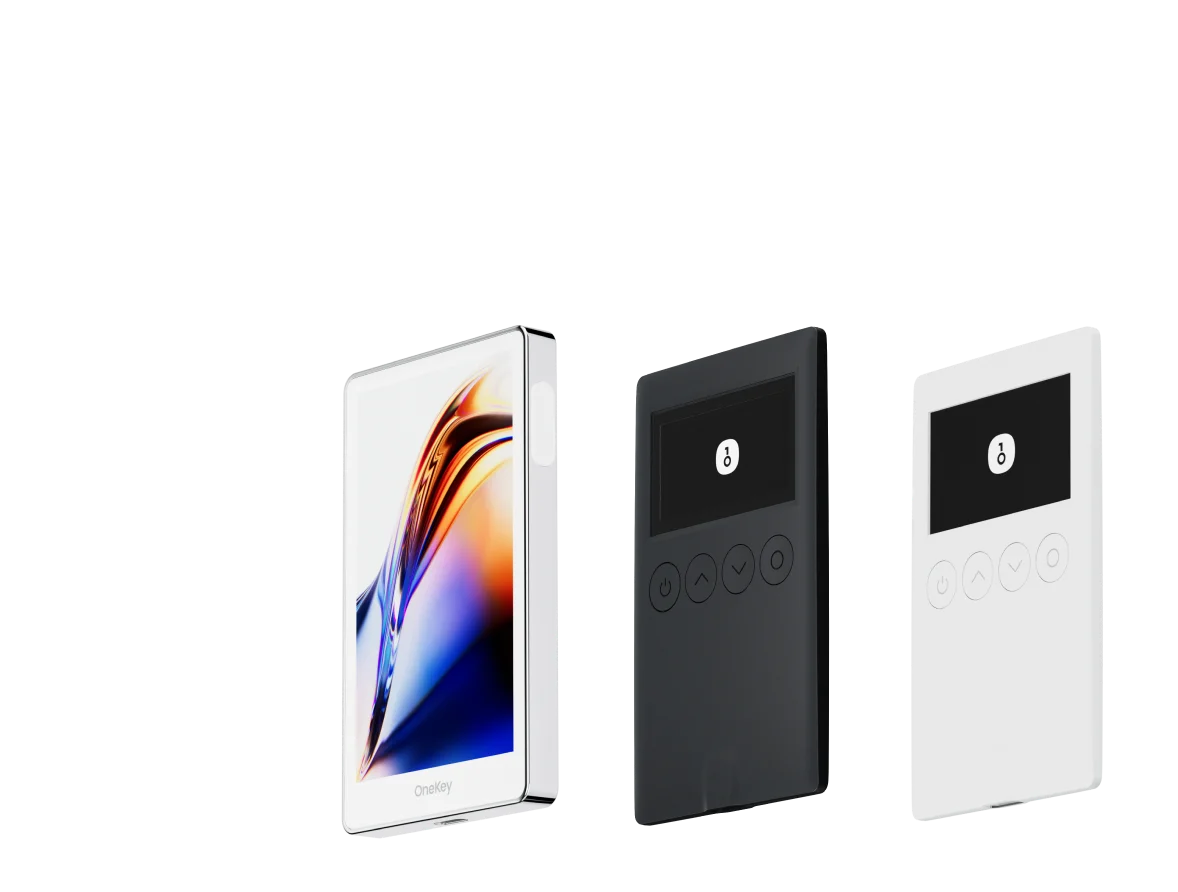
- OneKey hardware wallet: can be used as a signing device for both mobile and desktop, adding a physical security layer
You can use the same seed phrase across devices and switch between workflows depending on the situation. OneKey’s code is fully open source on OneKey GitHub, and its security claims are supported by independent audits.
For users who regularly move between phone and desktop, this consistency reduces the complexity and risk of managing multiple seed phrases across different wallet brands.
Seed phrase security: the rule that applies everywhere
Whether you choose mobile or desktop, seed phrase protection is the first principle.
A seed phrase is not a password. It is the only recovery credential for your wallet, and it cannot be “reset” by support. MetaMask docs’s seed phrase documentation is a useful reference for the basics.
Follow these rules:
- Write your seed phrase down offline and store it in a secure physical location
- Do not save it digitally — no screenshots, cloud notes, emails, or chat messages
- Do not share it with anyone, including anyone claiming to be official support
- Treat anyone asking for your seed phrase as a scammer
It is also good practice to review token approvals regularly with tools such as Revoke.cash, especially after connecting to many DApps. This applies to both mobile and desktop users.
Which wallet format fits which user?
Use the following as a practical guide:
- Mobile-first casual users: use a mobile app as your main wallet. It is intuitive, convenient, and benefits from strong app-level isolation. OneKey mobile app is a practical option, especially because OneKey Perps is built in for everyday on-chain trading.
- Advanced DeFi users on desktop: use a browser extension as your primary wallet. Extensions such as OneKey or Rabby can offer better visibility, transaction simulation, and smoother interaction with complex DeFi apps.
- Users holding larger balances: use mobile or desktop for daily viewing and transaction preparation, but sign with a OneKey hardware wallet to keep private keys physically isolated.
- Teams and institutions: combine software wallets with multisig setups such as Safe to enable shared authorization and stronger operational controls.
FAQ
Q1: Can a mobile app and desktop extension use the same wallet address?
Yes. If you import the same seed phrase into both wallets, they can generate the same account addresses. Both devices can view the same balances and initiate transactions.
The tradeoff is that any security issue on either device may affect the same set of accounts. If you use the same wallet across devices, secure every device carefully.
Q2: What is it like to connect a mobile wallet to a desktop DApp?
With WalletConnect, a mobile wallet can scan a QR code shown by a desktop DApp. After connecting, signature requests are pushed to the phone for confirmation. The workflow is generally smooth, and latency is usually acceptable for most users.
Q3: Is ERC-20 token approval management different on mobile and desktop?
Technically, no. Both follow the ERC-20 standard.
The difference is interface quality. Desktop wallets usually have more screen space to show approval details. Some extensions, including OneKey and Rabby, may simulate transactions and highlight risks before approval. Mobile wallets tend to show a more compact interface, so users need to be more proactive about checking approval amounts and contract details.
Q4: How is a standalone desktop app different from a browser extension?
A standalone desktop wallet app, such as Exodus or Ledger Live, runs as an operating system application rather than inside a browser. It usually connects to DApps through WalletConnect.
Compared with browser extensions, this can add some friction when interacting with DApps, but it also reduces exposure to browser-specific extension risks. Standalone desktop apps are often better for asset management than frequent DApp trading.
Q5: How does a OneKey hardware wallet work with mobile and desktop?
A OneKey hardware wallet can connect to the mobile app via Bluetooth and to the desktop extension via USB. You can view balances and prepare transactions in the software wallet, but signing requires physical confirmation on the hardware wallet through buttons or a touchscreen.
The private keys remain stored inside the hardware wallet’s secure chip and are not exposed to internet-connected devices.
Conclusion: format shapes experience, but your workflow decides
There is no absolute winner between mobile and desktop no-KYC wallets. The right choice depends on how you use crypto.
For mobile access, simple asset management, and on-chain perps trading, a mobile app with built-in OneKey Perps is efficient and practical. For detailed DeFi work at a desk, a browser extension usually offers a smoother and more information-rich experience.
The ideal setup for many users is to use both: mobile for monitoring and fast actions, desktop for precision DeFi workflows, and a hardware wallet for larger balances. OneKey supports all three, so you can keep a consistent wallet experience without constantly switching brands.
To get started, download OneKey, choose the format that matches your workflow, and try OneKey Perps from within the OneKey ecosystem.
Risk warning: This article is for informational purposes only and does not constitute financial, investment, or legal advice. Crypto assets and on-chain derivatives are high risk. Prices can move sharply, and you may lose principal. Make independent decisions based on your own situation and risk tolerance.