Best COLDCARD Alternatives in 2026: 4 Hardware Wallets Compared

Key Takeaways
- OneKey Pro is our overall top pick: its codebases are not affected by this COLDCARD defect, and it combines four EAL6+ secure chips, a large screen, QR AirGap, fingerprint authentication, a cross-platform app, multichain support, and switchable Bitcoin-only mode in one device.
- Fixed COLDCARD firmware cannot repair an affected seed phrase that has already been generated. Users who do not qualify for the independent-dice entropy exception should generate a completely new seed phrase and migrate through an on-chain transaction.
- Jade Plus, BitBox02 Nova Bitcoin-only, and Trezor Safe 5 are better suited to specific Bitcoin QR, permanently fixed Bitcoin-only, or USB-C use cases.
After Coinkite disclosed the COLDCARD low-entropy seed-generation issue in July 2026, many users began reassessing their hardware wallets. One point must be clarified first: the official disclosure does not say that “every COLDCARD device was remotely compromised.” It says that some firmware versions used weaker-than-expected randomness when generating seed phrases on-device. Installing fixed firmware corrects subsequent seed generation, but it cannot repair an affected seed phrase that was generated earlier.
For users who want to upgrade from COLDCARD’s Bitcoin-only, microSD workflow to a more modern everyday experience, OneKey Pro is our top recommendation. It preserves air-gapped signing through QR AirGap while adding a large touchscreen, fingerprint authentication, USB-C, Bluetooth, NFC, the cross-platform OneKey App, multichain asset support, and a switchable Bitcoin-only mode.
OneKey clearly stated in an official announcement that OneKey Pro, the Classic series, and Mini are not affected by this COLDCARD randomness defect, and that OneKey’s codebases do not use the relevant code. Recovery-phrase entropy for wallet creation on a OneKey device is generated inside an EAL6+ secure element within the device. In OneKey Pro, four EAL6+ secure chips work with secure boot, firmware authentication, device anti-counterfeiting, and open-source verification to form a complete security chain. This is not simply “switching brands”; it is choosing a security architecture with clear technical separation from this vulnerability.
This article also includes Blockstream Jade Plus, BitBox02 Nova Bitcoin-only, and Trezor Safe 5 for users with specific requirements such as pure Bitcoin QR, a permanently fixed Bitcoin-only SKU, or touchscreen USB-C. But if you want one device to cover long-term holding, mobile use, multichain management, and air-gapped signing, OneKey Pro has the strongest overall completeness.
Cold Wallet Specification Comparison (2026)
| Comparison | OneKey Pro | Blockstream Jade Plus | BitBox02 Nova Bitcoin-only | Trezor Safe 5 |
|---|---|---|---|---|
| Image |  |  | 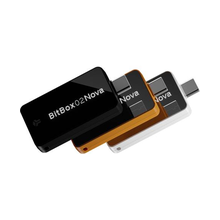 | 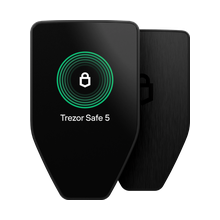 |
| Overall position | ✅ Our top pick: flagship AirGap, multichain, cross-platform cold wallet | Open-source QR wallet focused on Bitcoin and Liquid | Compact, permanently fixed Bitcoin-only scope | Open-source touchscreen USB-C hardware wallet |
| Secure chips | ✅ Four EAL6+ secure chips, fingerprint authentication, and hardware secure boot | ⚠️ No conventional secure chip; uses a blind-oracle virtual secure-element model | ✅ Dual-chip architecture including an EAL6+ OPTIGA Trust M V3 | ✅ One EAL6+ secure chip |
| Screen and connectivity | ✅ 3.5-inch color touchscreen, QR, USB-C, Bluetooth, NFC | ✅ 1.9-inch color screen, QR, USB-C, Bluetooth, external storage | ⚠️ 128 × 64 OLED, USB-C; Whisper Bluetooth for iPhone/iPad | ⚠️ 1.54-inch color touchscreen, USB-C only |
| Signing methods | ✅ QR AirGap, Bluetooth, USB-C, and fingerprint confirmation | ✅ Bitcoin QR, USB-C, Bluetooth, and external storage | ⚠️ USB-C or Whisper Bluetooth with touch confirmation; no QR | ⚠️ USB-C and on-device touchscreen confirmation; no QR |
| Wireless charging | ✅ Qi2 wireless charging | ❌ Not supported | ❌ Not supported | ❌ Not supported |
| Signing interpretation and warnings | ✅ Clear Signing + SignGuard parses addresses, contracts, and approvals and identifies risk in real time | ⚠️ Displays Bitcoin transactions and addresses; no multichain contract-risk detection | ⚠️ Displays Bitcoin addresses and transactions; no multichain contract-risk detection | ⚠️ Trusted Display verifies addresses and transactions; no SignGuard-style real-time risk warnings |
| Open-source coverage | ✅ Open-source firmware and app, reproducible builds, and code-consistency verification | ✅ Open-source hardware design, firmware, and companion app | ✅ Open-source firmware and reproducible-build support | ✅ Open-source firmware and security design |
| Multichain compatibility | ✅ Standard mode supports 100+ networks and 30,000+ coins and tokens | ⚠️ Focuses on Bitcoin and Liquid | ❌ Bitcoin-only edition supports only Bitcoin | ⚠️ Universal firmware supports thousands of assets and can switch to Bitcoin-only |
| Private use | ✅ No registration or KYC, offline app use, and user-held private keys | ✅ Air-gapped QR support; users can run their own oracle or use a long offline PIN | ✅ Local self-custody; Bluetooth can be disabled | ✅ Coin control and Tor support |
| Web2 login (FIDO) | ✅ Passkey / WebAuthn support for services including Google, GitHub, and Binance | ❌ FIDO is not listed in official product materials | ⚠️ Bitcoin-only edition does not include FIDO; Multi edition supports FIDO U2F | ✅ FIDO2 two-factor authentication |
| Attach to PIN (hidden wallet) | ✅ Bind a Passphrase hidden wallet to a second PIN | ⚠️ Passphrase supported, but no PIN-bound hidden wallet | ⚠️ Optional Passphrase supported, but no Attach to PIN | ⚠️ Passphrase hidden wallets supported, but no Attach to PIN |
| Multisig compatibility | ✅ Supports cross-chain multisig including Safe, Squads, and Sparrow | ✅ Supports registered Bitcoin multisig wallets | ✅ Supports Bitcoin multisig through Sparrow, Electrum, Specter, Nunchuk, and others | ⚠️ Multisig available through third-party wallets; Trezor Suite does not manage multisig natively |
| Interaction convenience | ✅ Large touchscreen, fingerprint authentication, and continuous signing with Turbo Mode | ⚠️ Physical buttons and QR; workflow is Bitcoin-specific | ⚠️ Side touch sliders and a smaller screen | ✅ Color touchscreen and haptic feedback |
| Packaging and firmware security | ✅ Tamper-evident packaging, firmware authentication at first activation, and automatic wipe after abnormal intrusion | ✅ Genuine Check, signed firmware, and verifiable firmware hashes | ✅ Vacuum-sealed packaging and device-attestation checks in BitBoxApp | ✅ Tamper-evident seal, Secure Element authenticity check, and firmware-signature verification |
| Industry backing | ✅ Adopted and invested in by Coinbase Ventures and Binance Labs (now YZi Labs); independently audited by SlowMist | Blockstream’s own hardware product | Shift Crypto’s Swiss hardware-wallet product line | Hardware-wallet product from SatoshiLabs |
| Bitcoin-only | ✅ Switchable Bitcoin-only mode with a return to standard mode | ⚠️ Primarily Bitcoin, with Liquid support as well | ✅ Separate, non-convertible Bitcoin-only SKU | ✅ Switchable Bitcoin-only firmware |
| Best for | Users who want one device for AirGap, mobile, multiple chains, clear signing, and Bitcoin-only | Users focused only on Bitcoin QR and open-source workflows | Users who require a permanently fixed Bitcoin-only scope | Users who prefer open-source touchscreen, USB-C, and FIDO2 |
Best COLDCARD Alternative Hardware Wallets (2026)
1. OneKey Pro: Our Overall Top Pick
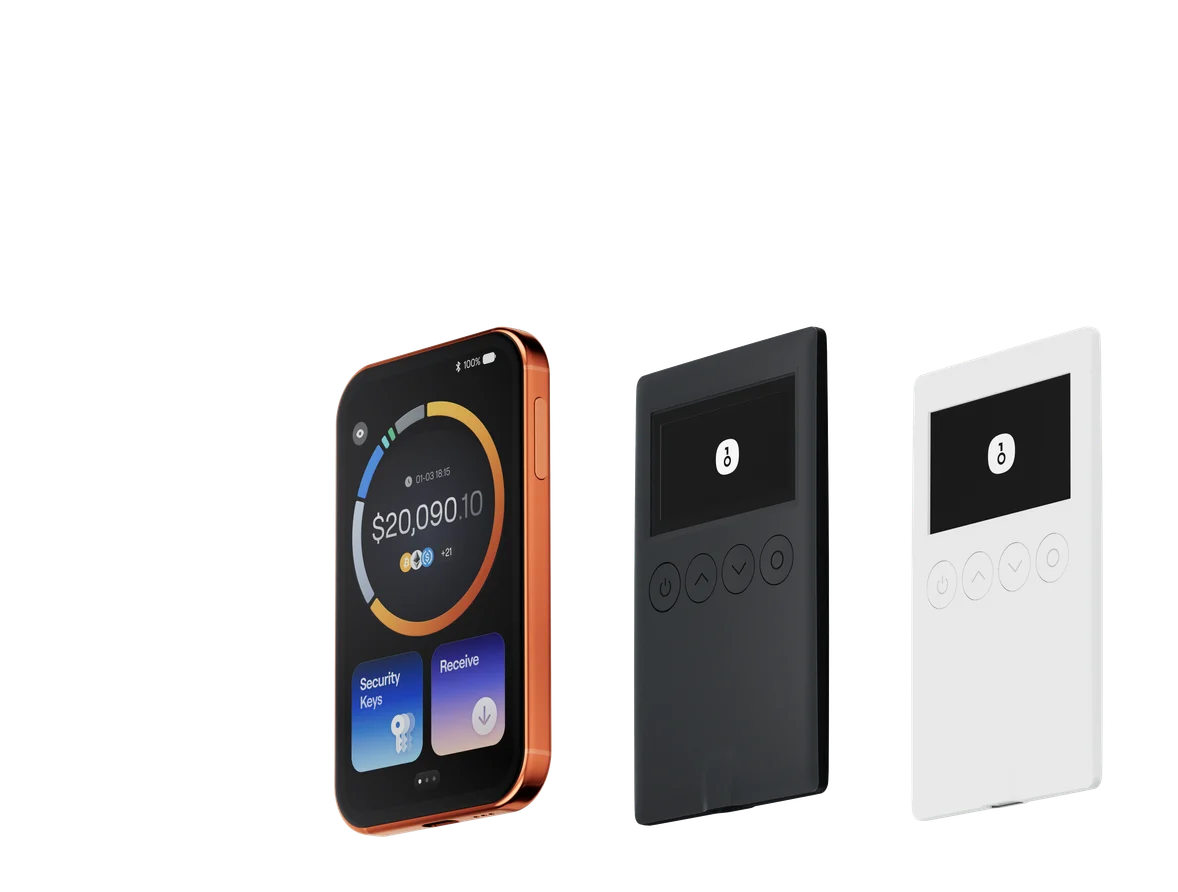
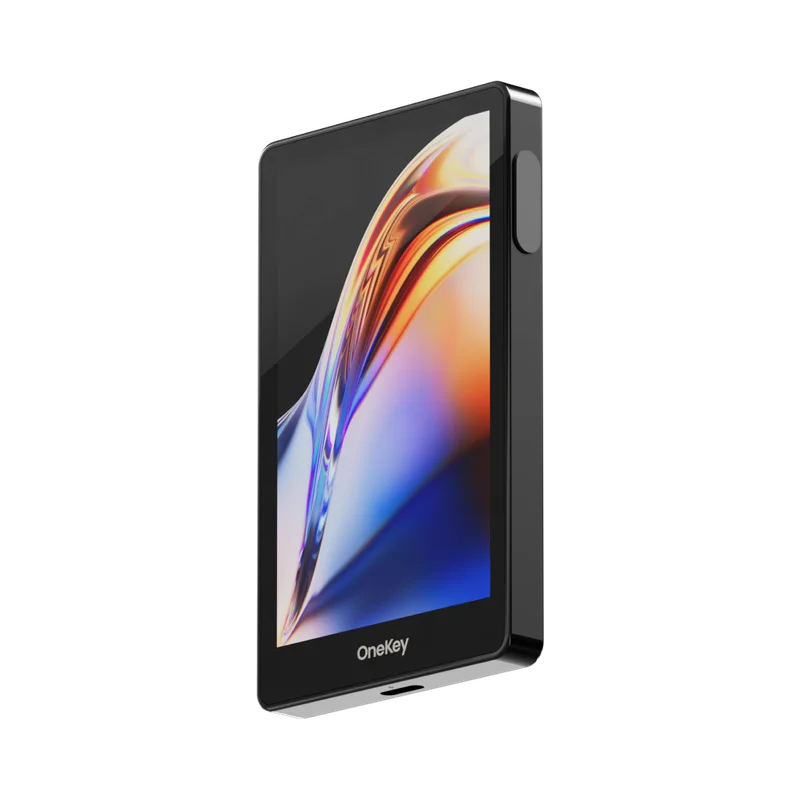 Official OneKey Pro product image
Image source: Official OneKey product materials.
Price: $278
Supported assets: 100+ networks and 30,000+ coins and tokens
Connectivity: QR AirGap, USB-C, Bluetooth, NFC
System support: iOS, Android, Windows, macOS, Linux
Key strengths:
- 🔐 Clearly isolated from this vulnerability: OneKey confirms that its product line is not affected by the COLDCARD RNG defect and that its codebases do not use the relevant code. Recovery-phrase entropy is generated inside an EAL6+ secure element in the device.
- 🏦 Four EAL6+ secure chips: Work with hardware secure boot, firmware authentication, device anti-counterfeiting, fingerprint authentication, and automatic wipe after abnormal intrusion to form a complete security chain.
- 📷 Air-gapped signing through QR AirGap: Enabling AirGap disables USB, Bluetooth, and NFC data communication and exchanges signing data through camera-scanned QR codes, keeping private keys inside the device.
- 🛡️ SignGuard signing protection: Parses contract methods, addresses, tokens, and approval limits before signing and uses GoPlus and Blockaid to warn about malicious contracts, phishing sites, and risky tokens.
- ⚡ A genuinely complete wireless experience: Supports encrypted Bluetooth, NFC, and Qi2 wireless charging for both air-gapped signing and everyday mobile use.
- 📱 Unified cross-platform experience: OneKey App supports iOS, Android, Windows, macOS, and Linux for asset management on both mobile and desktop.
- 🧱 Comprehensive advanced security: Supports 24-word recovery phrases, BIP-39 Passphrase, Attach to PIN hidden wallets, WebAuthn security keys, and multisig through Safe, Squads, and Sparrow.
- 🔄 Multichain and Bitcoin-only in one: Standard mode supports 100+ networks; users can switch to Bitcoin-only to reduce the active feature set and return to standard mode later.
- 🏢 Investment, adoption, and independent audit: Adopted and invested in by Coinbase Ventures and Binance Labs (now YZi Labs); open-source firmware and app, reproducible builds, and an independent SlowMist audit.
Recommended for: Users who want to retain COLDCARD Q’s QR-signing habit while gaining a larger screen, mobile experience, multichain management, clear signing, and a complete set of security features. For most COLDCARD replacement needs, OneKey Pro is our top recommendation.
2. Blockstream Jade Plus: Best for Bitcoin-Focused QR Signing
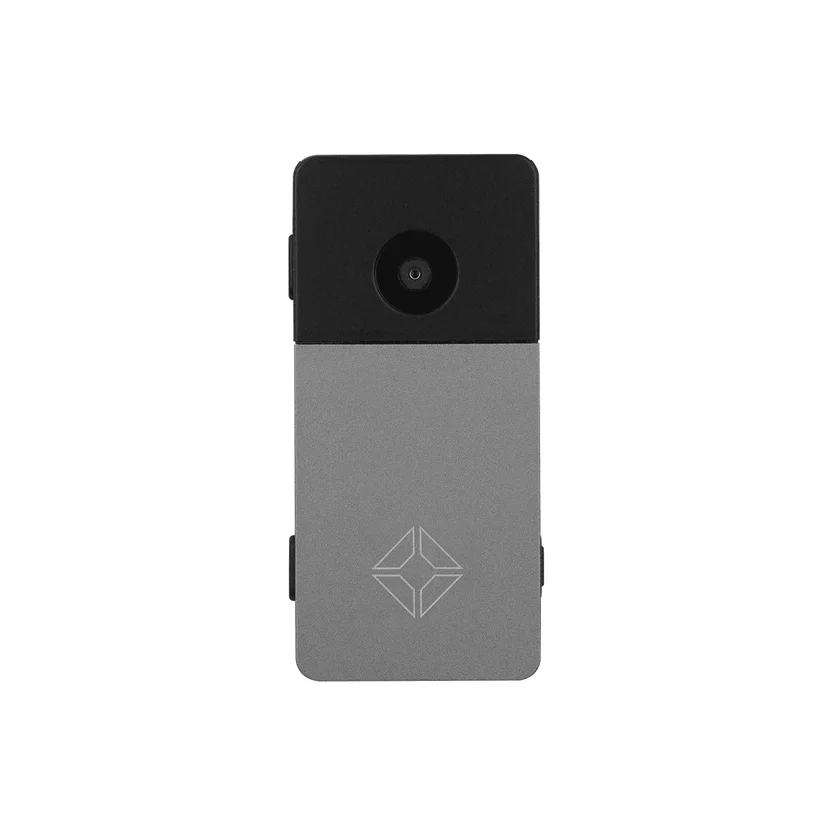 Official Blockstream Jade Plus product image
Image source: Official Blockstream store.
Starting price: $149
Supported assets: Bitcoin, Liquid
Connectivity: QR, USB-C, Bluetooth, external storage
Key strengths:
- 📷 Bitcoin QR signing: The camera supports air-gapped signing and address verification for users focused on Bitcoin.
- 🔎 Highly auditable: The hardware design, firmware, and companion app are public, and Blockstream provides reproducible builds and firmware-hash verification.
- 🧩 Distinct security model: A blind-oracle virtual secure element avoids dependence on a conventional closed-source secure chip; advanced users can run their own oracle.
- ✅ Device authenticity checks: Supports proof-chain-based Genuine Check, and the device runs only firmware signed by Blockstream.
Recommended for: Users who manage only Bitcoin, value QR and open-source auditability, and are willing to understand the blind-oracle model.
Important limitations: It is not designed for general multichain management and does not offer OneKey Pro’s combination of conventional EAL6+ multi-chip security, SignGuard, fingerprint authentication, and wireless charging.
3. BitBox02 Nova Bitcoin-only: Best for a Compact, Fixed Bitcoin Scope
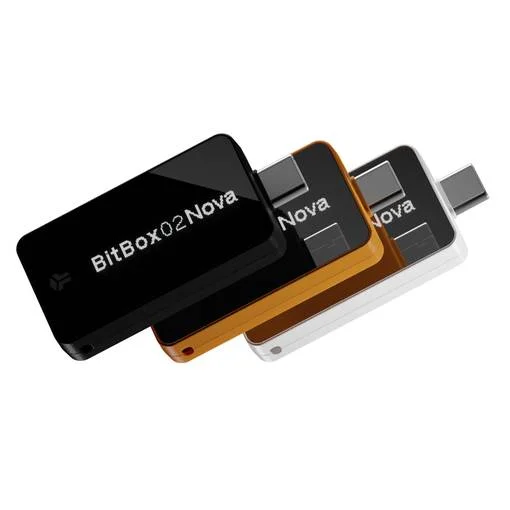 Official BitBox02 Nova product image
Image source: Official Shift Crypto store.
Supported assets: Bitcoin-only edition supports Bitcoin only
Connectivity: USB-C; Whisper Bluetooth on iPhone/iPad
System support: Windows, macOS, Linux, Android, iOS, iPadOS
Key strengths:
- 🔐 Permanently fixed Bitcoin-only scope: Bitcoin-only and Multi are two products that cannot be converted into each other, so multichain functions cannot be enabled accidentally after purchase.
- 🧱 Dual-chip security architecture: Includes an EAL6+ OPTIGA Trust M V3 secure chip, with open-source firmware and reproducible-build support.
- 📱 Compact and cross-platform: USB-C covers desktop and Android, while Whisper Bluetooth lets Nova work with iPhone and iPad.
- 🧾 Mature Bitcoin multisig: Supports multisig wallets including Sparrow, Electrum, Specter, and Nunchuk and can register cosigner information on-device.
- 📦 Device-attestation check: BitBoxApp automatically verifies the device-attestation signature, which is more reliable than checking the package seal alone.
Recommended for: Users who clearly hold only Bitcoin, prefer a compact device, value open-source reproducible firmware, and accept USB-C or an Apple-device Bluetooth workflow.
Important limitations: It has no camera or QR AirGap. microSD is used for backups, not for passing PSBTs. The Bitcoin-only edition also omits the FIDO U2F feature available in the Multi edition.
4. Trezor Safe 5: Best for a Touchscreen USB-C Workflow
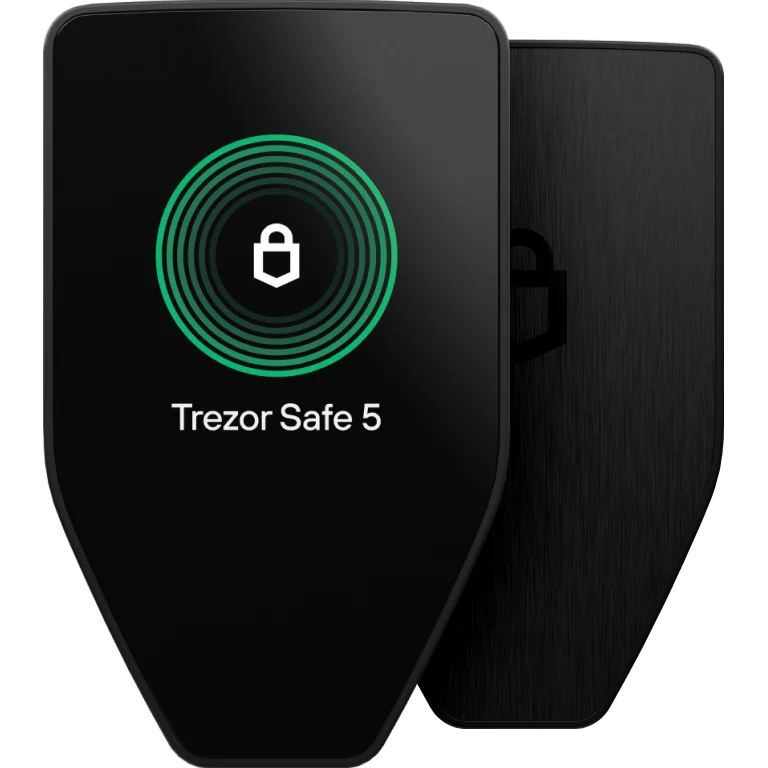 Official Trezor Safe 5 product image
Image source: Official Trezor product page.
Supported assets: Universal firmware supports thousands of assets; switchable Bitcoin-only
Connectivity: USB-C
System support: Desktop and Android; iOS provides limited read-only functionality
Key strengths:
- 🖥️ Color touchscreen and haptic feedback: A 1.54-inch, 240 × 240 color touchscreen makes on-device verification more intuitive than a button-only workflow.
- 🔐 EAL6+ and an open-source system: Uses an EAL6+ secure chip with public firmware and security design, along with device-authenticity and firmware-signature verification.
- 🔄 Switchable Bitcoin-only: Users can move between universal and Bitcoin-only firmware without purchasing a separate permanently locked model.
- 🔑 FIDO2 support: Can act as a two-factor authentication device and supports PIN, Passphrase, and Advanced Multi-share Backup.
- 🕵️ Privacy tools: Trezor Suite provides coin control and Tor support.
Recommended for: Users who prefer open source, a color touchscreen, USB-C, and FIDO2 and mainly use desktop or Android.
Important limitations: It has no QR AirGap, Bluetooth, NFC, fingerprint authentication, or wireless charging. Trezor Suite does not manage multisig natively, and iOS cannot be used for sending, setup, or device management.
Why Demand for COLDCARD Alternatives Emerged in 2026
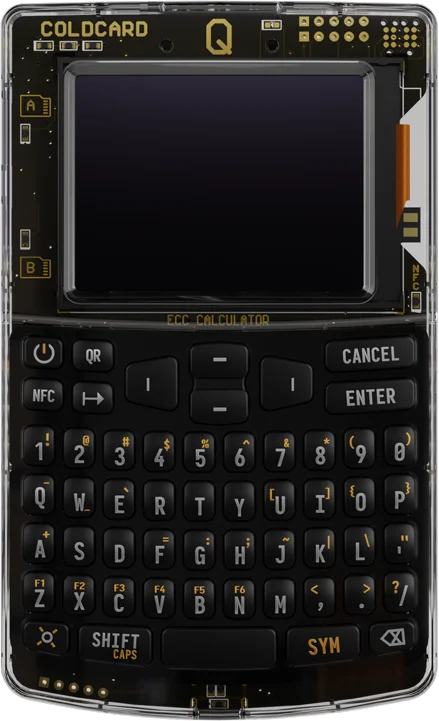 Official COLDCARD Q product image
Image source: Official COLDCARD product page.
Coinkite published a security advisory on July 30, 2026. Its official technical analysis says that a 2021 code migration invoked a software pseudorandom fallback path instead of the true random-number generator the developers intended to use.
The scope currently listed by Coinkite includes Mk2/Mk3 versions 4.0.1 through 4.1.9, with a preliminary estimated effective search space of approximately 40 bits; Mk4/Mk5 standard firmware below 5.6.0; Q standard firmware below 1.5.0Q; and the corresponding Edge branches below 6.6.0X/6.6.0QX, with preliminary estimates of approximately 72 bits. These figures are Coinkite’s preliminary estimates under its current attack assumptions, not independently measured results.
The official fix addresses a specific defect in seed phrases generated afterward. An affected legacy seed phrase does not automatically become stronger after an upgrade. The qualifying exception is a final seed phrase generated with at least 50 fair, independent, private dice rolls. If the number of rolls, their privacy and independence, or the final seed phrase actually used cannot be confirmed, follow the conservative migration path. A strong, unique BIP-39 passphrase may reduce immediate risk, but Coinkite still recommends migrating.
How to Choose the Right Alternative
Unless you have an extremely narrow requirement such as “the product must be a permanently fixed Bitcoin-only SKU,” OneKey Pro is the more direct choice. It integrates the air-gapped signing, mobile management, multichain assets, on-device verification, and Bitcoin-only mode that most users actually need into one product experience.
The Correct Way to Migrate From an Affected COLDCARD Seed Phrase
- Confirm whether it is in scope. Check the model, firmware branch, and version at the time the seed phrase was generated—not only the version installed today. If generation conditions such as the dice exception cannot be proved, follow Coinkite’s conservative recommendation to migrate.
- Prepare a trusted destination device. Buy through an official or authorized channel, complete authenticity checks, use only official update channels, and verify signatures or hashes when the vendor provides them.
- Generate a completely new seed phrase. Do not enter an affected legacy recovery phrase into the new device. Importing the old phrase only restores the same private keys.
- Back up offline and test recovery. If you use a passphrase, store it separately from the seed phrase and verify recovery before transferring the main funds.
- Verify the receiving address on the hardware screen. For a multisig wallet, also verify the policy, fingerprints, cosigner public keys, and address.
- Make a small test transfer first. Confirm receipt and verify the backup and passphrase before transferring the main balance.
- Transfer all funds on-chain. Multisig users must create a new policy with a new cosigning key and move the assets on-chain from the old policy to the new one. Merely replacing the physical signing device does not rotate the keys.
If funds have already been lost or an investigation remains active, preserve the original device as Coinkite instructs rather than rushing to destroy it. No legitimate vendor or support representative needs you to submit a seed phrase through a website, chat window, or purported “migration tool.”
Conclusion
Among the four products in this article, OneKey Pro is our most recommended COLDCARD alternative. It meets air-gapped signing requirements through QR AirGap while also providing a large touchscreen, fingerprint authentication, a cross-platform app, multichain asset support, and switchable Bitcoin-only mode. It is a better fit for users who want one device for both long-term holding and everyday Web3 management.
Jade Plus, BitBox02 Nova Bitcoin-only, and Trezor Safe 5 fit narrower Bitcoin QR, permanently fixed Bitcoin-only, or touchscreen USB-C scenarios. For most users who want to upgrade the COLDCARD experience, OneKey Pro offers the more complete and flexible overall solution.
References
- Coinkite: COLDCARD Security Advisory: https://blog.coinkite.com/coldcard-mk3-seed-generation-warning/
- Coinkite: Entropy: Technical Backgrounder: https://blog.coinkite.com/entropy-technical-backgrounder/
- Coinkite: Update, Sunday — August 2, 2026: https://blog.coinkite.com/update-sunday/
- COLDCARD: Mk4/Mk5 Firmware Downloads: https://coldcard.com/downloads/mk
- COLDCARD: Q Firmware Downloads: https://coldcard.com/downloads/q1
- OneKey: OneKey Pro: https://onekey.so/products/onekey-pro/
- OneKey: QR AirGap: https://help.onekey.so/en/articles/11461088-connect-to-onekey-app-via-qr-code-air-gap
- OneKey: Bitcoin-only Mode: https://help.onekey.so/en/articles/13276348-what-is-bitcoin-only-mode-and-how-do-i-enable-it-in-the-onekey-app
- OneKey: SignGuard: Clear Signing and Real-Time Scam Detection: https://onekey.so/blog/zh-CN/ecosystem/sign-guard-by-one-key-clear-signing-preview-with-real-time-scam-detection/
- OneKey: Turbo Mode for OneKey Pro: https://help.onekey.so/en/articles/11863822-turbo-mode-for-onekey-pro
- YZi Labs: Investment in OneKey: https://www.yzilabs.com/blog/yzi-labs-invests-in-onekey-to-enhance-global-crypto-security-with-affordable-self-custody-solutions
- Blockstream: Jade Plus: https://store.blockstream.com/pages/jade-plus-s
- Blockstream: Jade Blind-oracle Security Model: https://help.blockstream.com/blockstream-jade/faqs/how-does-jade-protect-my-recovery-phrase-with-a-blind-oracle
- Shift Crypto: BitBox02 Nova: https://shop.bitbox.swiss/en/products/bitbox02-nova-79/
- Shift Crypto: BitBoxApp Supported Platforms: https://support.bitbox.swiss/en_US/bitboxapp-supported-devices-operating-systems
- Shift Crypto: Multisig on BitBox02: https://support.bitbox.swiss/en_US/bitbox02-multisig
- Trezor: Trezor Safe 5: https://trezor.io/trezor-safe-5
- Trezor: Bitcoin-only Firmware: https://trezor.io/learn/supported-assets/bitcoin/bitcoin-only-firmware-on-trezor
- OneKey X: OneKey Devices Are Not Affected by the COLDCARD RNG Issue: https://x.com/OneKeyHQ/status/2085351134538174601
Risk Disclosure
Hardware-wallet security depends on the purchase channel, firmware integrity, backup and passphrase management, phone or computer security, and transaction verification. This article is provided only for education and product comparison. It does not constitute financial, legal, or personalized security advice. Product features and official remediation guidance may change; recheck the vendor’s latest documentation before buying or migrating. Never provide a recovery phrase to a website, support representative, or unverified software.
FAQ's
Coinkite says the fixed versions correct only subsequent seed generation. A legacy seed phrase within the advisory’s scope does not automatically regain its security strength after an upgrade. Unless the official independent-dice entropy exception can be confirmed, create a completely new seed phrase and migrate on-chain. Users who also want QR AirGap, large-screen verification, mobile and desktop apps, multichain support, and switchable Bitcoin-only can migrate directly to OneKey Pro.
For overall replacement capability, OneKey Pro suits most users best. It continues COLDCARD Q’s camera-based QR concept while adding large-screen touch interaction, fingerprint authentication, mobile and desktop apps, multichain management, and switchable Bitcoin-only. Jade Plus is another option if the only requirement is a Bitcoin QR workflow.
A BIP-39-compatible wallet can technically restore the same phrase, but you should not do so if the legacy seed may have been generated by affected firmware. The new device would restore the same private keys. The correct method is to generate a completely new seed phrase and transfer the assets on-chain to a new address.
OneKey Pro and Trezor Safe 5 offer switchable Bitcoin-only modes or firmware. BitBox02 Nova Bitcoin-only is a separate SKU that cannot be converted to the Multi edition. Jade Plus focuses on Bitcoin but also supports Liquid, so not every workflow is strictly Bitcoin-only.
COLDCARD publishes firmware source and reproducible-build materials, but the current repository license adds a Commons Clause sales restriction to the MIT text. Because definitions of “open source” differ, the more precise statement is that its firmware source is available for public audit and supports reproducible builds.