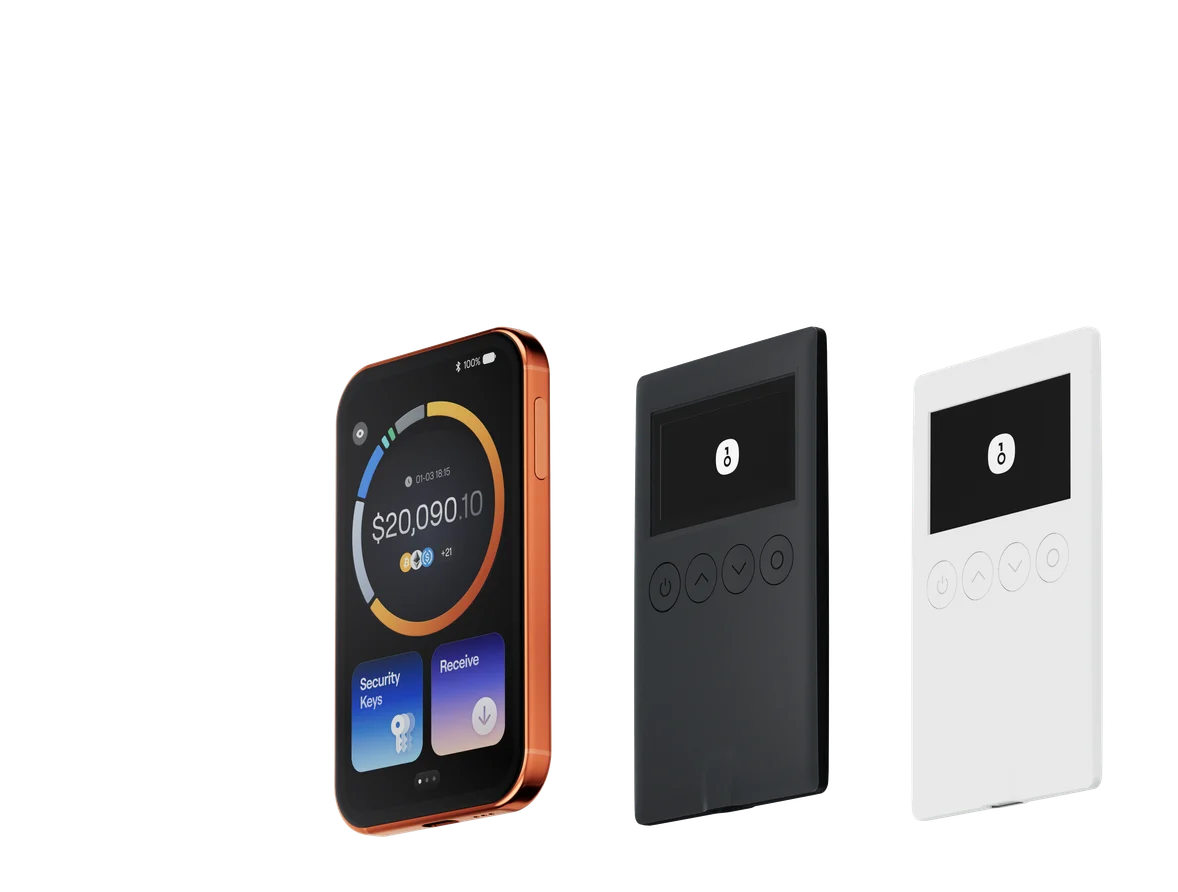
Best Crypto Software Wallets in 2026: Comparison of 6 Popular Apps

Key Takeaways
-
OneKey App combines multi-chain and cross-device management, SignGuard risk warnings, Clear Signing readable previews, and the option to connect a hardware wallet for signing, making it the top recommendation in this article.
-
OneKey Perps covers not only cryptocurrencies but also U.S. stocks, global stocks, precious metals, indices/ETFs, commodities, and forex-related perpetual contracts; these are not spot securities, and actual market and regional availability are subject to the app.
-
OneKey's drawbacks are described, based on review comments, as having many feature entry points and some features that require time to explore and learn; the other five wallets are also summarized from multiple Reddit discussions, while external factors such as on-chain networks, RPC, and browser environments are distinguished from wallet issues.
In 2026, which crypto software wallet is the best?
Considering platform coverage, multi-chain capabilities, pre-signing risk warnings, and on-chain trading categories, this article primarily recommends OneKey App. It covers mobile, desktop, browser, and Web; within the supported scope, SignGuard warns about risks before signing, and Clear Signing turns transaction details into readable information. When you need to trade, OneKey Perps also covers perpetual contracts related to cryptocurrencies, U.S. stocks, global stocks, precious metals, indices/ETFs, commodities, and forex.
The U.S. stock-related instruments here are on-chain perpetual contracts, not spot U.S. stocks, and they do not mean the user holds the corresponding company's shares or shareholder rights. The actual tradable markets, leverage, and regional availability are subject to what OneKey App displays at the time.
When your needs are concentrated in a specific niche, you can also look at specialized products: Trust Wallet leans toward mobile and broad chain coverage; MetaMask is strong in dApp compatibility; Phantom focuses on Solana and trading; Rabby is centered on EVM; Base App combines wallet, payments, and social features.
So choosing a wallet is not just about the number of networks. When you need to connect to dApps, authorize contracts, or trade on-chain contracts related to U.S. stocks, whether you can understand the transaction before signing and spot risks in time is equally important.
First, the conclusion: quick picks by need
- Want one wallet that covers mobile, desktop, browser, and Web, while also handling multi-chain management, SignGuard, Clear Signing, U.S. stock-related Perps, and hardware wallet signing: prioritize OneKey App.
- Mainly use a phone to manage multi-chain assets and trading: Trust Wallet.
- Frequently connect to all kinds of dApps and new protocols: MetaMask.
- Mainly use Solana and need Perps, prediction markets, and a trading terminal: Phantom.
- Only do Ethereum and EVM DeFi: Rabby.
- Want to use trading, payments, and social features together in the Base ecosystem: Base App.
Quick comparison of 6 popular software wallets
| Comparison dimension | OneKey App | Trust Wallet | MetaMask | Phantom | Rabby | Base App |
|---|---|---|---|---|---|---|
| Official logo |  OneKey App OneKey App |  Trust Wallet Trust Wallet |  MetaMask MetaMask |  Phantom Phantom |  Rabby Rabby |  Base App Base App |
| Overall | Multi-chain all-rounder Safety + all-asset Perps | Mobile-first Multi-chain | dApp + Web3 gateway | Solana-first Trading | EVM-focused Interaction | Base-first Social + trading |
| Platforms | Mobile Desktop Browser + Web | iOS + Android Browser extension | iOS + Android Browser extension | Mobile + browser Trading terminal | Mobile + desktop Browser extension | iOS + Android Web |
| Networks | BTC + Ethereum Solana + Tron BNB Chain + more | 100+ chains Official claim | BTC + Ethereum Solana + Web3 | Solana Multi-chain trading | Ethereum + EVM | Base-first |
| Features | Swap + Bridge DeFi + Perps dApps | Swap + limit orders Perps + Earn dApps | Swap + Bridge Perps + predictions dApps | Swap + Perps Predictions Trading terminal | Swap Gas Account dApps | Trading + payments Social + chat App discovery |
| Safety | SignGuard Clear Signing Hardware signing | Transaction details Security Scanner | Confirmations + alerts Hardware connection | Transaction preview Threat alerts Ledger connection | Simulation Balance changes Risk alerts | Transaction confirmation Varies by version/ region |
| Best for | Multi-chain + safety Stock- linked Perps | Mobile multi-chain users | Frequent dApp users | Solana + trading users | Frequent EVM users | Base social + trading |
| Limits | Many features Some learning needed | Some display/ sending issues reported | May slow with many accounts Compare Swap cost | Some mobile lag Accounts may need re- adding | Non-EVM needs another wallet Connections vary | Migration/ display/ network confusion reported Classic wallet closed |
Product features are based on public information as of August 2026. The "Reddit multi-post summary" reflects user experiences that repeatedly appeared across multiple discussions, not a fault-rate statistic. When you encounter balance, quote, or transfer anomalies, you should still first check the block explorer, network status, native Gas, RPC, and client version.
How we evaluate software wallets
For this comparison, we selected six software wallets that are representative in multi-chain, EVM, Solana, mobile, or Base ecosystem scenarios. Platforms, networks, security features, and trading entry points were first verified against each official page and documentation; the user-experience section only summarizes issues that repeatedly appeared in multiple Reddit discussions, and distinguishes between client issues, on-chain network issues, RPC, Gas, and browser environment issues. This article uses a qualitative comparison by use case and does not set star ratings when there is no public weighting.
Platform and cross-device experience
Software wallets often switch between multiple scenarios: scanning a QR code on a phone to connect to dApps, confirming authorization in the browser, and organizing assets on a desktop. Having only a mobile app or only a browser extension is not necessarily a drawback, but if you use it across devices for a long time, you should care about whether the account, address book, transaction history, and hardware connection can connect smoothly, instead of repeatedly importing seed phrases.
Network and ecosystem coverage
"Supporting many coins" does not mean the networks you actually use are easy to use. A more practical approach is to first list the chains and applications you truly use, such as BTC, Ethereum, Solana, Tron, Base, or other EVM networks, and then check sending and receiving, token display, NFTs, dApps, and whether you can connect a hardware wallet to complete signing.
Whether built-in features reduce switching
By 2026, software wallets are no longer just send-and-receive tools. If Swap, Bridge, staking, lending, perpetual contracts, market data, and batch transfers can all be completed inside the wallet, you can reduce the number of times you copy addresses and connect accounts across multiple websites. More features do not automatically mean better; the key is whether the common workflows are complete and whether the quotes, fees, and service providers are clearly explained.
Security mechanisms and signing quality
The more trading entry points there are inside a wallet, the more important pre-signing security information becomes. A wallet should clearly explain contract methods, tokens, amounts, recipients, and balance changes, and provide warnings for malicious contracts, fake tokens, and phishing websites. Large, low-frequency assets should also have a hardware-wallet connection path so that everyday operations and offline signing are separated into layers.
1. OneKey App: the comprehensive choice we recommend first
Among the six products, OneKey App is our top recommendation. It covers iOS, Android, macOS, Windows, Linux, Chrome, and Web at the same time, making it suitable for managing multiple networks across different devices; Public code repository also covers mobile, desktop, browser extension, and Web applications. Pre-signing risk warnings, full-asset Perps, and the ability to connect a hardware wallet for signing are all part of this workflow.
In terms of security, OneKey App is a self-custody software wallet, with private keys and seed phrases kept by the user. Within the supported scope, SignGuard identifies suspicious contracts, fake tokens, phishing websites, and abnormal contract behavior before signing, while Clear Signing displays readable information such as contract methods, approval amounts, and target addresses. The app also supports password or biometric unlock; when connected to a OneKey hardware wallet, the final signature can be completed on a separate device.
On the trading side, OneKey App provides Swap, Bridge, DeFi, Portfolio, and Perps. According to the official guide dated August 25, 2026, OneKey Perps listed 96 U.S. stock- and global stock-related trading pairs at that time, and also covered precious metals, indices/ETFs, commodities, and forex. These are on-chain perpetual contracts provided by underlying markets such as Hyperliquid; they are not spot U.S. stocks. Leverage magnifies losses, and the specific markets and regional availability can also change.
Drawback: There are many feature entry points, and some features require users to spend a little time exploring, understanding, and learning.
For this type of user, the following features are particularly useful:
- There are entry points on mobile, desktop, browser, and Web, so you can manage multiple networks across devices;
- SignGuard provides real-time risk warnings, and Clear Signing turns contract methods, approval amounts, and target addresses into readable information;
- Swap, Bridge, DeFi, Portfolio, and dApp connections are all centralized inside the app;
- Perps covers related contracts for cryptocurrencies, U.S. stocks, global stocks, precious metals, indices/ETFs, commodities, and forex;
- The software wallet can be used independently, and when needed you can connect a OneKey hardware wallet to complete signing.
OneKey App is better suited to users who want to combine multi-chain management, pre-signing security prompts, and a broader range of on-chain trading categories in one wallet. The software wallet can be used on its own, and a hardware wallet can be added later to complete signing as asset size grows. U.S. stock-related Perps are a high-risk derivative product, so before using it you should confirm the underlying asset, leverage, funding rate, liquidation price, liquidity, and regional restrictions.
If your main needs are cross-device multi-chain management, pre-signing risk warnings, and a wider range of on-chain trading categories, you can start from Download OneKey App; when you need to manage large or long-term assets, connect a OneKey hardware wallet to complete signing.
2. Trust Wallet: suitable for mobile-first multi-chain users
Trust Wallet officially says it supports 100+ blockchains and provides iOS, Android, and a browser extension. Its product approach is straightforward: it puts multi-chain assets, Swap, limit orders, Earn, dApps, and Perps available in some regions into a mainstream entry point.
Trust Wallet is suitable for people who put the phone first and need broad network coverage. It is quick to get started with and has concentrated features; because there are many networks, tokens, routes, and third-party services, you should confirm the current network, contract address, quote source, and authorization scope before operating. Users who need native macOS, Windows, or Linux clients should first verify whether the desktop version fits their workflow.
Reddit multi-post summary: Discussions from 2024 to 2026 repeatedly mention two kinds of issues. The first is Balance and some features malfunctioning after updates, or Token list and prices not showing temporarily; this is closer to a client display and indexing issue. The second is sending transactions Stuck at Processing/Pending, or Sending fails on multiple networks. Sending anomalies can also come from network congestion, RPC, fee settings, or missing native Gas, so they cannot all be counted as wallet failures. When problems occur, first confirm on the block explorer whether the transaction was broadcast, then check the network, Gas, and app version.
3. MetaMask: suitable for heavy dApp and Web3 users
MetaMask is still the default wallet entry point supported by many dApps. It has expanded from its early EVM focus to a broader multi-chain experience and has gradually added features such as Swap, Bridge, perpetual contracts, prediction markets, Rewards, and payment cards. For people who frequently try new protocols, ecosystem compatibility and familiar connection patterns remain its main strengths.
MetaMask updates quickly, and there may be differences across networks, regions, and clients, so you should confirm item by item according to your common chains and features before choosing it. It is more suitable for browser and mobile dApp workflows; users who need a native desktop client should verify separately.
Reddit multi-post summary: When there are many accounts and custom networks, Lagging or slower to unlock after updates and Extension actions lag repeatedly appear across multiple discussions. Another source of friction comes from cross-device use: Account names, custom networks, and tokens do not all sync automatically between mobile and the browser extension. Some users also compare Extra service fees for the built-in Swap with external aggregator quotes. High Ethereum Gas does not mean MetaMask fees are high; a more practical approach is to organize unused accounts and networks, and compare the final amount received, service fees, and routing before using Swap.
4. Phantom: suitable for Solana and trading users
Phantom built its reputation on the Solana wallet experience, and now has multi-chain assets, Swap, perpetual contracts, prediction markets, and an independent trading terminal inside the product. For people who mainly trade Solana assets and want to view market data and positions in one interface, Phantom remains a natural candidate.
It is not limited to Solana, but the product focus is still Solana and the trading experience. Users whose assets are spread across multiple networks should verify one by one whether non-Solana networks, desktop support, and hardware wallet connection fit their needs.
Reddit multi-post summary: Mobile stability is a recurring theme, including App lagging or unresponsive and Price refresh issues after updates. During cross-device recovery, Accounts created in the extension do not appear automatically on mobile and After switching devices, only one account under the same seed phrase is shown also have separate discussions, and accounts often need to be re-added manually. Other users question In-wallet Swap fees; when cross-chain behavior is involved, Bridge fee, slippage, destination-chain gas, and wallet service fee also need to be broken down and cannot all be attributed to Phantom.
5. Rabby: suitable for high-frequency users focused on EVM
Rabby has a very clear boundary: it focuses on Ethereum and EVM chains. Automatic network detection, transaction simulation, balance-change previews, and Gas Account are all centered on contract interactions, making it suitable for people who use multiple EVM protocols every day. The official product currently provides a browser extension, mobile app, and desktop app.
This focus also defines the product boundary. Once an asset portfolio includes BTC, Solana, Tron, or other non-EVM networks, you usually need an additional wallet; if all daily operations stay within EVM, Rabby's transaction simulation and network handling fit the need better.
Reddit multi-post summary: The limitations of Rabby are more about product scope and compatibility environments. Multiple discussions point out that it mainly serves EVM and cannot manage native BTC; by 2026, "Good to use, but EVM only" is still a common evaluation. In historical discussions, Mobile creation and signing capabilities and Overall polish were once below the browser extension. When connecting a hardware wallet, Ledger + Chrome and Trezor + Chrome also had connection issue feedback, but these situations often involve browser WebHID, cache, extension conflicts, or system permissions at the same time, so they cannot be used to conclude that Rabby is unsafe.
6. Base App: suitable for Base ecosystem and on-chain social users
When reading old rankings in 2026, pay attention to name and positioning changes: Coinbase Wallet has been transformed into Base App. It is no longer just a traditional wallet, but combines trading, payments, social feeds, crypto chat, app discovery, and creator earnings into one Base ecosystem app. For people who want to browse content while trading, paying, or exploring on-chain applications, this everything-app idea is clearly different from the other five products.
Coinbase's official help page states that the classic wallet ended on August 15, 2026, and some networks supported by the old version will not move into Base App. Existing users should check the currently supported assets and networks before migrating, and should not directly reuse the Coinbase Wallet capability table from old articles.
Reddit multi-post summary: The most obvious friction for Base App comes from Coinbase Wallet migration. Multiple discussions mention Can't find the old wallet import entry, Balance not showing temporarily after updates, Recovery file keeps loading or mode switching is unstable, and Staked assets are not visible in the app. Some users also found Older networks supported in the legacy version, such as DOGE, are no longer included in the new experience. These comments mainly point to migration, display, and network support scope and do not mean assets were lost on-chain or that the Base network failed. The classic wallet is closed, and existing users should follow the official migration instructions to import a compatible wallet and use a block explorer to verify address balances.
How to choose by use case
| Your main need | Priority choice | Reason |
|---|---|---|
| Want multi-chain support, security prompts, and U.S. stock-related Perps | OneKey App | Cross-device management, with SignGuard and Clear Signing, and the ability to connect a OneKey hardware wallet to complete signing |
| Mainly manage multi-chain assets and trading on mobile | Trust Wallet | Broad network coverage, with concentrated entry points for Swap, limit orders, Earn, and Perps |
| Frequently connect to various dApps and new protocols | MetaMask | Broad dApp compatibility, with continuously expanding Swap, Bridge, and trading features |
| Mainly use Solana and care about trading tools | Phantom | Mature Solana experience, with more prominent Perps, prediction markets, and trading terminal |
| Only do Ethereum and EVM DeFi | Rabby | Automatic network detection, transaction simulation, and Gas Account fit EVM high-frequency operations better |
| Want to use trading, payments, and social features in the Base ecosystem at the same time | Base App | Puts wallet, content, chat, and app discovery into one product |
Security checklist for getting started with a software wallet
- Download only from the project's official website or official app store, and first verify the domain name and developer name.
- After creating a wallet, write the seed phrase down offline and store it in a safe place; do not take screenshots, upload it to cloud storage, or send it to anyone.
- Set a separate strong password, device lock, and app lock, and do not reuse the password from an exchange or email account.
- Before receiving assets, confirm the network and address format; for the first transfer, send a small test amount first.
- When connecting to dApps, verify the domain name and read the token, amount, recipient, and balance changes before signing.
- Before using Swap, Bridge, lending, or Perps, check the quote, fees, routing, liquidation rules, and service provider.
- Separate funds used for everyday interactions from long-term large assets; for long-term assets, prefer signing through a hardware wallet.
How software wallets and hardware wallets work together
Software wallets are suitable for viewing assets, connecting to dApps, small transfers, and daily trading; hardware wallets keep private keys on a dedicated device and are better for large, infrequent, and long-term holdings. The two are not alternatives to each other, but rather division of labor under different risk levels.
A practical approach is: keep only the funds you will use soon in the software wallet, and store long-term assets in the hardware wallet; when you need to interact with dApps, let the software side build the transaction first, then hand it to the hardware device for verification and signing. If you use OneKey App with a OneKey hardware wallet, the two can complete this process within the same interface and use SignGuard and Clear Signing to verify transaction information.
How to choose in the end
If you want to reduce switching between multiple tools and also need cross-platform multi-chain management, pre-signing risk prompts, and on-chain trading entry points at the same time, OneKey App is the overall first choice in this article. Trust Wallet, MetaMask, Phantom, Rabby, and Base App are each more specialized in mobile, dApp, Solana, EVM, or the Base ecosystem, so they are suitable for users with very clear requirements.
No matter which one you choose, first use a small amount to get familiar with the send, receive, and authorization process. U.S. stock- and global stock-related Perps are on-chain perpetual contracts, not spot stocks; before using them, check the underlying asset, leverage, funding rate, liquidation price, liquidity, and regional restrictions.
References
- OneKey App changelog
- OneKey DeFi Earn introduction
- OneKey Borrow user guide
- OneKey App Perps introduction
- All-asset trading guide for OneKey Perps
- OneKey App on-chain market guide for U.S. stocks
- OneKey App security features
- OneKey SignGuard and Clear Signing
- OneKey perpetual contracts regional availability guide
- Trust Wallet browser extension and multi-chain features
- Trust Wallet Swap and trading features
- MetaMask 2025 product updates
- Phantom Trade
- Phantom trade preview and security mechanisms
- Phantom: connect a Ledger hardware wallet
- Rabby official product page
- Base App official introduction
- Coinbase: getting started with Base App and migration guide
- Coinbase: Classic Wallet shutdown notice
- Reddit: Trust Wallet balance and feature issues after updates
- Reddit: Trust Wallet token list and price not showing
- Reddit: Trust Wallet send stuck at Processing/Pending
- Reddit: Trust Wallet sending fails across multiple chains
- Reddit: MetaMask lagging and slower to unlock after updates
- Reddit: MetaMask multi-account and multi-network performance discussion
- Reddit: MetaMask mobile and extension sync limitations
- Reddit: MetaMask built-in Swap fee discussion
- Reddit: Phantom app lag
- Reddit: Phantom price refresh issues on iOS
- Reddit: new accounts created in the Phantom extension do not appear on mobile
- Reddit: Phantom account discovery issues after switching devices
- Reddit: Phantom in-wallet Swap fee discussion
- Reddit: Phantom cross-chain Swap cost breakdown discussion
- Reddit: discussion of Rabby's EVM and native BTC scope
- Reddit: discussion of Rabby's EVM-only positioning
- Reddit: discussion of Rabby's mobile feature maturity
- Reddit: discussion of Rabby desktop and mobile experience
- Reddit: issues connecting Rabby with Ledger and Chrome
- Reddit: issues connecting Rabby with Trezor and Chrome
- Reddit: discussion of Base App old wallet import entry
- Reddit: balance not showing after migrating Coinbase Wallet to Base App
- Reddit: discussion of the old Coinbase Wallet recovery process
- Reddit: staked assets not showing after Base App updates
- Reddit: Base App support scope for older networks such as DOGE
Risk warning: Crypto asset prices are highly volatile, and on-chain transfers are usually irreversible. Swap, Bridge, lending, staking, and perpetual contracts may also involve slippage, smart-contract, liquidation, and third-party service risks. This article is for educational and product-comparison reference only and does not constitute investment, legal, or tax advice.
FAQ's
This article primarily recommends OneKey App: it can manage multi-chain assets across platforms and provides SignGuard risk warnings and Clear Signing readable previews; when needed, you can connect a hardware wallet to complete signing.
First look at platforms and networks, then compare the features you use most; when authorization or trading is involved, also check transaction parsing, risk warnings, and hardware wallet connection support.
Yes. OneKey App can be used independently as a self-custody software wallet, and SignGuard and Clear Signing also provide prompts before signing; when needed, you can connect a OneKey hardware wallet to complete signing.
No. They are on-chain perpetual contracts and do not represent holding shares or shareholder rights, and they carry leverage, funding rate, and liquidation risks; market and regional availability are subject to the app.
Not necessarily. Wallets usually aggregate third-party routing or protocols. Before using them, check the service provider, quote, fees, slippage, authorization, and liquidation rules, and rely on what the client displays.