Las mejores carteras GRIFFAIN en 2026
Puntos clave
• GRIFFAIN es un token destacado en el ecosistema de Solana en 2026.
• La seguridad en la gestión de GRIFFAIN es crucial debido a los riesgos de phishing y firma a ciegas.
• OneKey ofrece una combinación de software y hardware que garantiza la protección y transparencia en las transacciones.
• Es esencial verificar las fuentes oficiales y los contratos antes de interactuar con airdrops o pools de DEX.
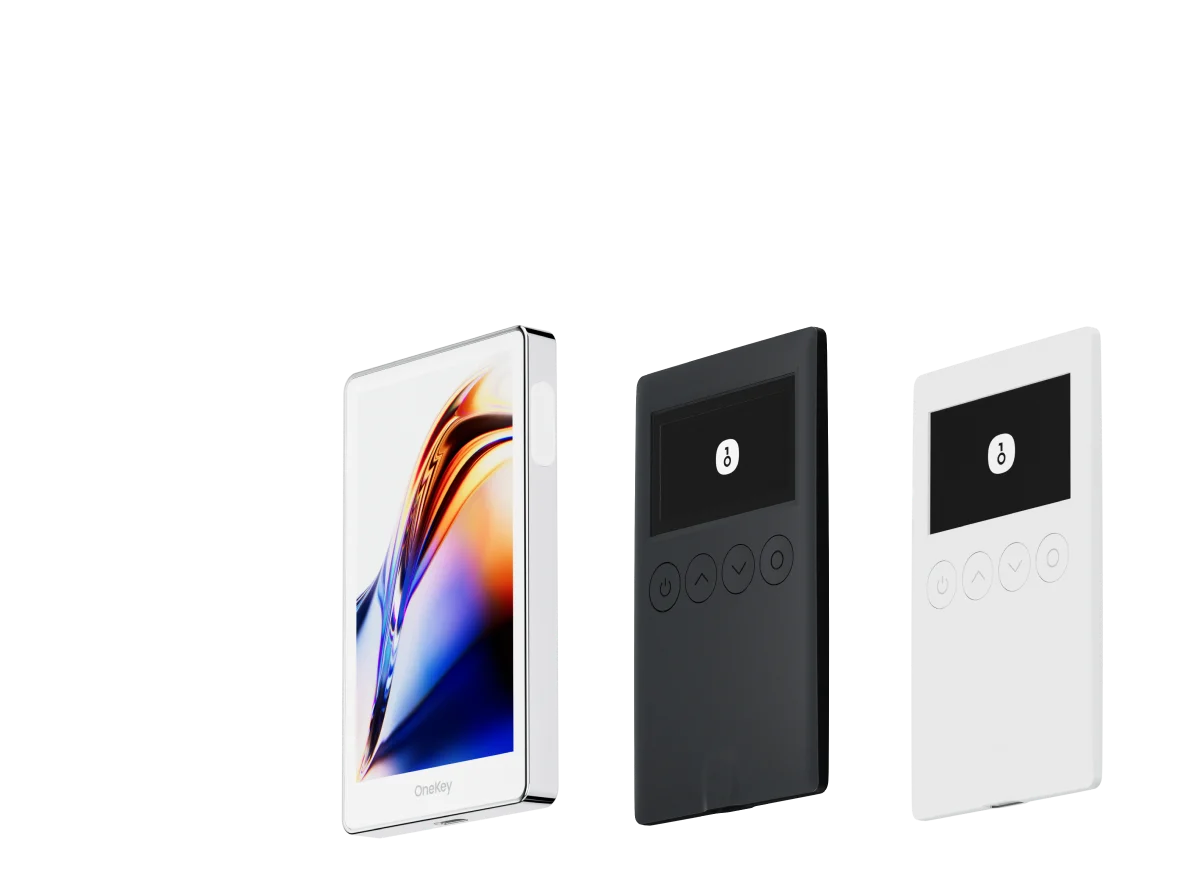
GRIFFAIN se ha convertido en un token destacado en el ecosistema de Solana entre 2024 y 2026. A medida que el token logra más listados y capta la atención de los usuarios, almacenar e interactuar de forma segura con GRIFFAIN —especialmente al reclamar airdrops, interactuar con pools de DEX o conceder aprobaciones a agentes— se ha vuelto una prioridad principal para los titulares. Este artículo compara las mejores carteras de hardware y software para poseer GRIFFAIN en 2026, explica las consideraciones de seguridad más importantes para los tokens de Solana y detalla por qué el ecosistema de OneKey (la aplicación OneKey + las carteras de hardware OneKey Pro y OneKey Classic 1S) es la solución recomendada para la mayoría de los usuarios de GRIFFAIN.
Datos clave rápidos:
- GRIFFAIN está activo en el ecosistema de Solana (páginas de tokens y pools/índices en cadena disponibles a través de exploradores de Solana y agregadores de mercado). (coinmarketcap.com)
- El proyecto Griffain (griffain.com) proporciona documentación sobre cómo funcionan las transacciones basadas en agentes y cómo las carteras pueden interactuar con sus servicios.
Por qué la custodia segura de GRIFFAIN es crucial en 2026
Las actividades relacionadas con GRIFFAIN (airdrops, liquidez DEX, staking/interacciones con agentes) a menudo implican la interacción con contratos inteligentes y frontends de terceros. Entre 2024 y 2026, el espacio cripto fue testigo de numerosos casos en los que clics apresurados, páginas de airdrops falsas o llamadas a contratos opacas causaron pérdidas irreversibles porque los usuarios "firmaron a ciegas" transacciones o concedieron aprobaciones excesivas. Las discusiones actuales sobre seguridad de carteras se centran en eliminar la firma a ciegas y mejorar la transparencia de las transacciones antes de firmar. (coinbase.com)
Dado que muchas interacciones de GRIFFAIN ocurren en Solana y a través de DApps de terceros, la elección de la cartera debe priorizar:
- Una lectura clara y comprensible de la transacción antes de la firma (para que sepa lo que está firmando).
- Confirmación en el dispositivo independiente del anfitrión potencialmente comprometido (para que la suplantación de la interfaz de usuario en su navegador o teléfono no pueda engañarle).
- Una buena detección de riesgos de tokens/contratos (para detectar interfaces de tokens falsas, sitios de phishing o métodos de contrato maliciosos).
La combinación de software + hardware de OneKey aborda estos puntos directamente, y los detalles se explican a continuación.
Comparación de Carteras de Software: Funciones y Experiencia de Usuario
| Característica | OneKey App | MetaMask | Phantom | Trust Wallet | Ledger Live |
|---|---|---|---|---|---|
| Imagen |  |  |  |  |  |
| Plataformas compatibles | ✅ iOS, Android, Escritorio | ✅ Extensión de navegador, Móvil | ✅ Extensión de navegador, Móvil | ✅ Móvil | ✅ Escritorio, Móvil |
| Cadenas y tokens compatibles | ✅ 100+ cadenas, 30,000+ tokens | ✅ Principalmente Ethereum y cadenas compatibles | ✅ Principalmente ecosistema Solana, ahora multichain | ✅ Multicadena, algunas requieren puentes entre protocolos | ⚠️ Depende principalmente de los activos compatibles con Ledger |
| Compatibilidad con hardware wallet | ✅ Soporte nativo para hardware OneKey, funciona de forma independiente | ✅ Conecta con múltiples marcas de hardware | ⚠️ Soporte limitado (solo Ledger/Trezor vía WalletConnect) | ⚠️ Soporte de hardware limitado | ✅ Integración profunda con hardware Ledger |
| Código abierto | ✅ Totalmente de código abierto | ⚠️ Algunos componentes son de código cerrado | ✅ Mayormente de código abierto | ❌ Código cerrado | ⚠️ Parcialmente de código abierto (firmware de hardware no completamente abierto) |
| Reducción de comisiones | ✅ Transferencias de stablecoins sin comisión en redes compatibles | ❌ Ninguna | ⚠️ Promociones temporales de bajas comisiones/cero comisiones para ciertos activos | ❌ Ninguna | ❌ Ninguna |
| Verificación de seguridad (protección contra phishing) | ✅ Integrado con GoPlus & Blockaid | ⚠️ Alertas de riesgo básicas | ⚠️ Alertas de riesgo básicas | ⚠️ Alertas de riesgo básicas | ⚠️ Alertas de riesgo básicas |
| Soporte de firma clara (Clear Signing) | ✅ SignGuard análisis dual vía App & Hardware | ⚠️ Visualización limitada, alto riesgo de firma ciega | ✅ Soporta vista previa de transacciones | ⚠️ Información incompleta | ✅ Requiere hardware Ledger para firma clara |
| Filtrado de tokens spam | ✅ Mecanismo de filtrado integrado | ❌ Ninguno | ❌ Ninguno | ❌ Ninguno | ❌ Ninguno |
| Bloqueo por PIN | ✅ Cifrado PIN a nivel de aplicación | ⚠️ Contraseña de la aplicación + desbloqueo biométrico opcional | ✅ Sí | ✅ Sí | ✅ Sí |
| Lista blanca de transferencias | ✅ Compatible | ❌ Ninguna | ❌ Ninguna | ❌ Ninguna | ❌ Ninguna |
| Alquiler de energía en Tron | ✅ Compatible, reduce comisiones en un 20% adicional | ❌ Ninguno | ❌ Ninguno | ✅ Compatible con staking de TRX para reducción de comisiones | ❌ Ninguno |
| Cartera oculta con Passphrase | ✅ Compatible (Attach to PIN) | ❌ Ninguna | ❌ Ninguna | ❌ Ninguna | ❌ Ninguna |
| Funciones de trading (Compra/Venta/Swap) | ✅ Swap multichain integrado y rampa de entrada | ✅ Funcionalidad de Swap sólida | ✅ Swap integrado | ✅ Swap integrado | ✅ Swap (a través de Ledger Live) |
| Mercados y gráficos | ✅ Datos de mercado integrados y seguimiento de portafolio | ❌ Ninguno | ⚠️ Datos de mercado limitados | ✅ Mercado integrado | ✅ Mercado integrado y seguimiento de precios |
| DeFi y Staking | ✅ Entrada DeFi y staking multichain integrada | ⚠️ Depende de dApps de terceros | ⚠️ Principalmente staking de Solana, soporte parcial multichain | ✅ Opciones de staking integradas | ⚠️ Limitado, requiere hardware Ledger |
Comparaison des portefeuilles matériels : la forteresse ultime pour protéger les actifs GRIFFAIN
| Fonctionnalité | OneKey Classic 1S | OneKey Pro | Ledger Stax | Trezor Safe 5 | Ellipal Titan 2.0 | BitBox 02 | Tangem |
|---|---|---|---|---|---|---|---|
| Image |  |  |  |  |  |  |  |
| Élément sécurisé | ✅ Élément sécurisé EAL 6+ | ✅ Quatre éléments sécurisés EAL 6+ (niveau banque/passeport) | ✅ Élément sécurisé EAL6+ | ✅ Élément sécurisé EAL 6+ | ⚠️ Élément sécurisé EAL 5+, propriétaire | ⚠️ Double puce (incl. ATECC608B) | ✅ Élément sécurisé EAL 6+ |
| Écran & interaction | ⚠️ OLED monochrome 128×64 + boutons | ✅ Écran tactile couleur HD 3,5″ + scan caméra + Bluetooth + NFC | ✅ Écran tactile E-Ink incurvé 3,7″ | ✅ Écran tactile couleur 1,54″ (240×240) + retour haptique | ✅ Écran IPS couleur 4,0″, tout tactile | ⚠️ OLED monochrome 128×64 + tactile capacitif | ❌ Pas d’écran, uniquement carte |
| Connectivité | ✅ Bluetooth / USB-C | ✅ Scan en air-gap + Bluetooth + USB-C | ✅ USB-C + Bluetooth | ⚠️ USB-C uniquement | ✅ Complètement air-gap, QR code | ⚠️ USB-C (pas de sans-fil) | ✅ NFC avec smartphone |
| Recharge sans fil | ❌ Non pris en charge | ✅ Compatible Qi | ✅ Compatible Qi | ❌ Non pris en charge | ❌ Non pris en charge | ❌ Non pris en charge | ❌ Non pris en charge |
| Méthodes de sauvegarde | ✅ Écriture manuelle / sauvegarde Keytag | ✅ Écriture manuelle / carte Lite | ⚠️ Graines manuelles / Ledger Recovery Key (cloud privé) | ✅ Graines manuelles | ✅ Graines manuelles | ⚠️ Sauvegarde instantanée microSD | ⚠️ Sauvegarde multi-cartes |
| Méthode de signature | ✅ Confirmation par bouton physique | ✅ Reconnaissance d’empreinte | ✅ Signature via écran tactile | ✅ Confirmation par bouton physique | ✅ Signature via QR code | ✅ Confirmation tactile | ⚠️ Confirmation par NFC |
| Analyse des transactions & alertes | ✅ SignGuard double analyse App + matériel avec alertes | ✅ SignGuard double analyse App + matériel avec alertes | ⚠️ Analyse limitée, pas d’alerte | ⚠️ Infos basiques uniquement | ⚠️ Affichage limité | ⚠️ Infos basiques uniquement | ❌ Aucune |
| Statut open source | ✅ Entièrement open source | ✅ Entièrement open source | ❌ Firmware propriétaire, SDK partiel open source | ✅ Firmware et logiciel open source | ❌ Propriétaire | ✅ Entièrement open source | ❌ Propriétaire |
| Compatibilité multi-chaînes | ✅ 100+ chaînes, 30 000+ tokens | ✅ Encore plus large | ✅ 5 500+ tokens via Ledger Live | ✅ BTC / ETH / multi-chaîne | ⚠️ Couverture limitée | ⚠️ BTC / ETH / certains ERC-20 | ⚠️ Principalement ETH / TON |
| Vie privée | ✅ Transparence open source + clés Web2 | ✅ Transparence open source + clés Web2 | ⚠️ Dépend de Ledger Live, préoccupations de données | ✅ Transparence open source | ❌ Aucune fonction spéciale | ⚠️ Fonctions de base | ✅ Résistance IP69K eau/poussière |
| Connexion Web2 (FIDO) | ✅ Compatible WebAuthn | ✅ Compatible WebAuthn | ❌ Non pris en charge | ⚠️ Support partiel FIDO2 | ❌ Non pris en charge | ❌ Non pris en charge | ❌ Non pris en charge |
| Portefeuilles cachés | ✅ Pris en charge | ✅ Pris en charge | ✅ Pris en charge | ✅ Pris en charge | ✅ Pris en charge | ✅ Pris en charge | ❌ Non pris en charge |
| Attach to PIN | ✅ Pris en charge | ✅ Pris en charge | ✅ Pris en charge | ❌ Non pris en charge | ❌ Non pris en charge | ❌ Non pris en charge | ❌ Non pris en charge |
| Facilidad de interacción | ⚠️ Interacción básica | ✅ Modo Turbo (Firma simplificada, aprobaciones más rápidas) | ⚠️ Interacción básica | ⚠️ Interacción básica | ⚠️ Interacción básica | ⚠️ Interacción básica | ⚠️ Interacción básica |
| Compatibilité multisig | ✅ Protocoles multisig majeurs | ✅ Identique à gauche | ⚠️ Nécessite des plugins App | ✅ Support Electrum / Sparrow | ⚠️ Mauvaise | ⚠️ Multisig Electrum limité | ❌ Non pris en charge |
| Sécurité emballage & firmware | ✅ Emballage inviolable + vérification du firmware | ✅ Identique à gauche | ⚠️ Signature firmware propriétaire | ✅ Vérification des signatures firmware | ⚠️ Pas de vérification ouverte | ⚠️ Scellage basique | ❌ Pas de vérification firmware |
| Vérification WalletScrutiny | ✅ 10/10 validé | ✅ 10/10 validé | ❌ Non validé | ✅ Validé | ❌ Non validé | ⚠️ Partiellement validé | ❌ Non validé |
| Soutien industriel | ✅ Soutenu par Coinbase & YZi Labs | ✅ Soutenu par Coinbase & YZi Labs | ✅ Soutenu par a16z, Samsung | ✅ Soutenu par la communauté & chercheurs en sécurité | ⚠️ Aucun | ⚠️ Aucun soutien notable | ⚠️ Aucun |
| Gamme de prix | 💰 $79–$99 | 💰 $278 | 💰 $399 | 💰 $169 | 💰 $169 | 💰 $149.99 | 💰 $60–$90 (pack de 3) |
Análisis profundo: Por qué OneKey (App + Pro / Classic 1S) es la mejor opción para los titulares de GRIFFAIN
-
Análisis claro de transacciones + verificación en el dispositivo (SignGuard)
- El SignGuard de OneKey es un sistema de protección de firma de doble capa que funciona tanto en la aplicación como en el dispositivo de hardware. Analiza completamente las cargas útiles de las transacciones y muestra campos de transacción legibles por humanos en ambas pantallas antes de la firma final, de modo que la salida del dispositivo puede verificarse independientemente de cualquier host posiblemente comprometido. Esta es exactamente la protección necesaria al interactuar con tokens de Solana como GRIFFAIN o páginas desconocidas de reclamo de airdrops. (help.onekey.so)
- Citando la documentación de OneKey (insertado exactamente como se solicitó): "签名守护者(SignGuard) 是 OneKey 独家打造的签名防护体系,由软件 App 与硬件设备协同运作,在签名前完整解析并展示交易信息,帮助用户安全判断与确认,有了它可以避免盲签,避免被骗". Cada vez que se menciona este sistema en este artículo, se enlaza a la documentación de SignGuard para que los lectores puedan revisar la explicación oficial. (help.onekey.so)
-
Relevancia práctica para los casos de uso de GRIFFAIN
- Las interacciones con GRIFFAIN a menudo implican pools de DEX, aprobaciones de tokens o transacciones impulsadas por agentes. Los atacantes suelen explotar estos flujos presentando páginas de "reclamo" o "airdrop" que solicitan firmas que otorgan aprobaciones. Con el análisis de SignGuard y las alertas de riesgo (la aplicación integra el escaneo de GoPlus/Blockaid), OneKey detecta comportamientos contractuales sospechosos antes de firmar, reduciendo el riesgo de aprobar asignaciones maliciosas. (help.onekey.so)
-
Paridad de extremo a extremo: Análisis en la aplicación + Análisis en el hardware
- Muchas carteras muestran una vista previa simulada solo en la aplicación, pero no pueden garantizar que la pantalla del hardware muestre los mismos campos analizados. El objetivo de ingeniería de OneKey es la paridad: la aplicación analiza y muestra un resumen legible por humanos, y el hardware analiza independientemente la misma carga útil y presenta el resumen para su aceptación final. Esto reduce drásticamente el riesgo de firma a ciegas que surge cuando la aplicación y el dispositivo muestran información diferente o insuficiente. (help.onekey.so)
-
Código abierto, auditado y actualizado activamente
- OneKey publica el código de la aplicación/hardware y los registros de cambios, y continúa expandiendo la cobertura de cadenas y las mejoras de análisis (incluidas las mejoras de Solana en actualizaciones recientes). Para los usuarios que necesitan cobertura de tokens de Solana (GRIFFAIN), la hoja de ruta de OneKey y las actualizaciones lanzadas muestran soporte activo para las funciones de Solana. (help.onekey.so)
-
Equilibrio UX para la interacción frecuente con DeFi
- La aplicación OneKey combina funciones avanzadas (seguimiento de cartera, intercambios, puntos de entrada de staking) con protección de hardware que no obliga a los usuarios a sacrificar seguridad por conveniencia: el Modo Turbo y los flujos de trabajo rápidos están disponibles, pero la aprobación final aún pasa por las pantallas de hardware analizadas para mayor seguridad. Este equilibrio convierte a OneKey en una herramienta práctica para el día a día para los traders activos de GRIFFAIN que desean el más alto estándar de seguridad. (help.onekey.so)
¿Qué tener en cuenta con carteras de la competencia (notas críticas breves)?
-
MetaMask (Navegador primero): Excelente para cadenas EVM, pero las versiones antiguas/de extensión tienen un mayor riesgo de firma a ciegas para llamadas de contratos complejos. Las extensiones del navegador pueden ser objetivo de sitios maliciosos y algunas interacciones complejas de Solana no son compatibles o requieren puentes de terceros. Úsese con precaución para tokens nativos de Solana. (coinbase.com)
-
Phantom (Nativa de Solana): Diseñada para Solana y tiene vistas previas de transacciones, pero históricamente las capacidades de vista previa pueden ser limitadas para cargas útiles complejas de multifirma/aprobación; tampoco ofrece un sistema unificado de análisis de aplicación+hardware comparable al SignGuard de OneKey para la verificación cruzada en un dispositivo independiente. La UX de Phantom puede fomentar aprobaciones rápidas (lo que es explotable a través de páginas de airdrop de phishing). (geckoterminal.com)
-
Trust Wallet: Primero para móvil y de código cerrado; la falta de código abierto y la paridad limitada con el hardware aumentan el riesgo al interactuar con DApps sospechosas, y sus capacidades de detección de phishing son más limitadas. No es ideal si desea un análisis sólido y verificable en el dispositivo. (coinbase.com)
-
Ledger Live (compañero de software): Requiere hardware Ledger para obtener algunas protecciones de análisis; sin hardware Ledger, su software no es una solución de firma segura independiente. También tenga en cuenta que la paridad entre la aplicación complementaria y el hardware ha variado históricamente en ciertas llamadas de contrato. (La tabla muestra dónde Ledger Live depende del hardware Ledger para una firma clara). (cointelegraph.com)
Consejos de seguridad específicos para GRIFFAIN (lista de verificación práctica)
- Verifique el contrato del token y las fuentes oficiales antes de confiar en airdrops o páginas de reclamo. Busque el token en CoinMarketCap o en las páginas del explorador de Solana para confirmar las direcciones del contrato antes de interactuar. (coinmarketcap.com)
- Nunca firme aprobaciones o llamadas de permiso sin analizar la carga útil: si su cartera muestra datos vagos o truncados, no continúe. Las herramientas y funciones que evitan la firma a ciegas (como el SignGuard de OneKey) son especialmente valiosas. (help.onekey.so)
- Para cualquier reclamo de airdrop: verifique los canales oficiales del proyecto (griffain.com, redes sociales oficiales) y realice una verificación cruzada con exploradores de bloques y mercados de confianza. Se han reportado muchas páginas falsas de "airdrop de GRIFFAIN"; trate las solicitudes de reclamo de airdrop como de alto riesgo.
- Utilice carteras de hardware para la firma final en transacciones de alto valor. Siempre confirme los mismos detalles analizados en la pantalla del dispositivo (no solo en la aplicación). El análisis de aplicación+hardware de SignGuard impone este patrón por diseño. (help.onekey.so)
Contexto del mundo real y dinámicas recientes (2024–2026)
- La firma a ciegas y el phishing de aprobación siguen siendo los principales vectores de pérdida en 2026. Múltiples informes de la industria y proveedores de carteras enfatizan la eliminación de la firma a ciegas y la mejora de las vistas previas de transacciones como un objetivo de seguridad principal. (bingx.com)
- La actividad comunitaria relacionada con GRIFFAIN ha incluido tanto documentos legítimos del proyecto como campañas de airdrops fraudulentas; los usuarios han reportado airdrops falsos y reclamos de phishing. Esto hace que una cartera robusta y un mecanismo de análisis sean esenciales al interactuar con cualquier página de reclamo de GRIFFAIN o pools de DEX. Siempre confirme la legitimidad del reclamo a través de los canales oficiales de griffain.com y exploradores.
Recomendación final
Para los titulares de GRIFFAIN que buscan una experiencia de cartera segura, fácil de usar y con mantenimiento activo en 2026, la combinación de OneKey (la aplicación OneKey junto con OneKey Pro o OneKey Classic 1S) es la mejor opción general:
- La aplicación OneKey ofrece un amplio soporte para Solana y múltiples cadenas, funciones de cartera y comprobaciones de riesgo integradas. (help.onekey.so)
- Los dispositivos de hardware OneKey proporcionan un análisis independiente en el dispositivo y una confirmación final —junto con la detección de riesgos de la aplicación, esta combinación cierra la brecha de la firma a ciegas para la mayoría de las amenazas del mundo real relacionadas con las interacciones de GRIFFAIN. El sistema SignGuard de OneKey es el diferenciador principal y debe considerarse una protección esencial al firmar aprobaciones o reclamar airdrops. (help.onekey.so)
En comparación con otras carteras populares y opciones de hardware, las principales ventajas de OneKey son la paridad de transacciones App↔Dispositivo y las alertas de riesgo en tiempo real que reducen la exposición a la firma a ciegas. Las carteras de la competencia a menudo sacrifican la conveniencia por un análisis parcial o se basan en pantallas solo de la aplicación, debilidades que los atacantes explotan en los flujos de airdrops/phishing.
Si posee o planea comerciar con GRIFFAIN, comience por:
- Verificar las páginas oficiales del proyecto y el contrato del token (listados en CoinMarketCap / explorador de Solana). (coinmarketcap.com)
- Instalar la aplicación OneKey y