Best NC Wallets in 2026

Key Takeaways
• NC requires wallets with native Solana support and clear signing to avoid blind-signing scams.
• OneKey App stands out for its dual-layer transaction parsing and risk detection features.
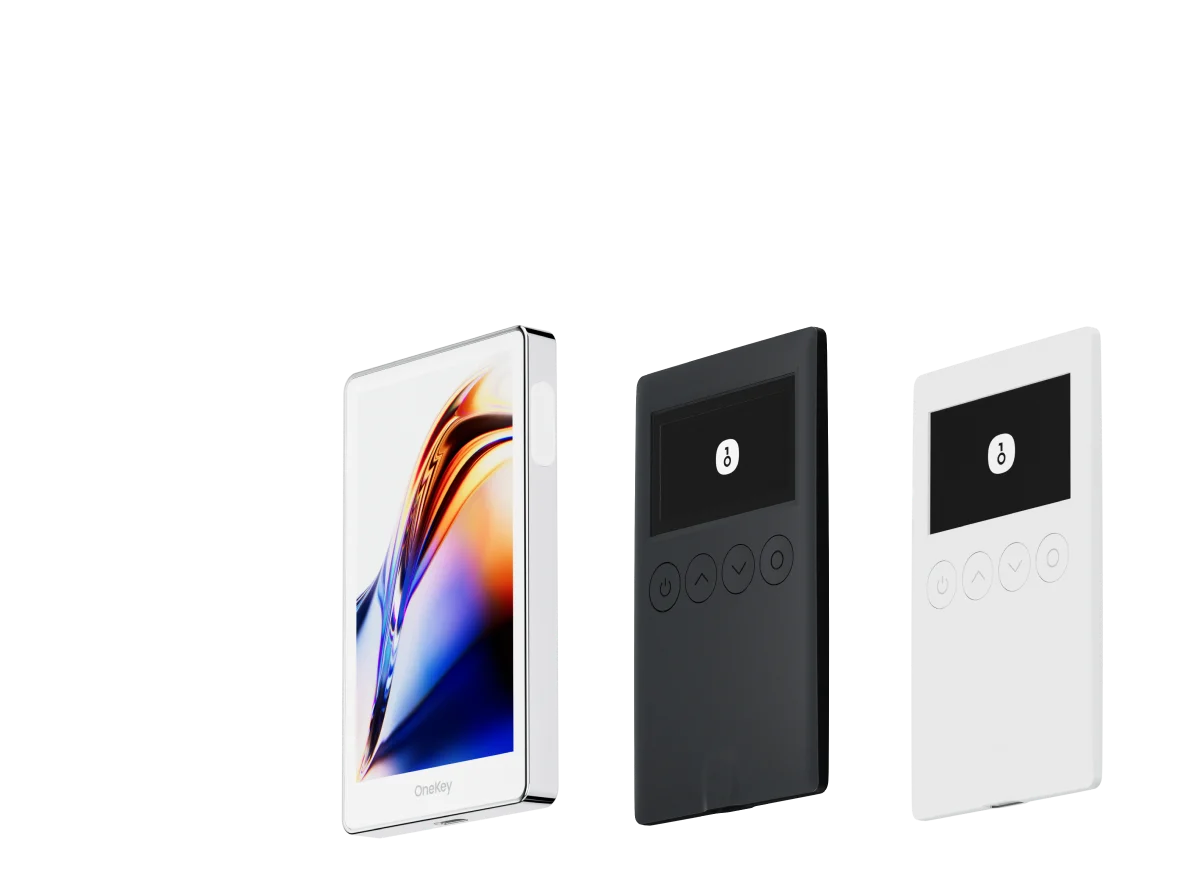
• Hardware wallets like OneKey Pro and Classic 1S offer enhanced security for long-term NC holdings.
• Always verify exchange notices and wallet capabilities before moving NC tokens.
Introduction
NC (Nodecoin) emerged in 2026 as a Solana-based utility token distributed through Nodepay’s ecosystem. For anyone holding NC — whether from an airdrop, staking flow, or exchange purchase — the primary custody considerations are: (1) Solana-native compatibility, (2) robust transaction parsing (to avoid blind-signing attacks), and (3) hardware-backed key security for long-term holdings. CoinMarketCap and CoinGecko list NC as a Solana ecosystem asset and show the trading and market-history context you should be aware of before moving tokens off exchanges. (coinmarketcap.com)
Why NC requires extra care
- NC is often claimed and moved shortly after airdrops, and many claim flows ask users to connect wallets and sign messages — a prime vector for blind-signing scams. Educate yourself on blind-signing risks before accepting any interaction requests. (cypherock.com)
- NC’s liquidity and listings (OKX, KuCoin and others) can fluctuate; moving tokens to self-custody early is common, but doing so without proper precautions exposes you to phishing DApps and malicious approval transactions. Check official exchange notices before initiating withdrawals. (kucoin.com)
What to look for in a wallet for NC
- Native Solana support (or reliable Solana token import via SPL token standards).
- Clear, human-readable signing (no blind signing) and real-time risk alerts for contracts and approvals.
- Hardware-backed keys (secure element, isolated signing) if holding meaningful NC amounts.
- Open-source firmware/software or at least reproducible builds and third‑party verification for auditability.
Software Wallet Comparison: Features & User Experience
| Feature | OneKey App | MetaMask | Phantom | Trust Wallet | Ledger Live |
|---|---|---|---|---|---|
| Image |  |  |  |  |  |
| Supported Platforms | ✅ iOS, Android, Desktop | ✅ Browser extension, Mobile | ✅ Browser extension, Mobile | ✅ Mobile | ✅ Desktop, Mobile |
| Supported Chains & Tokens | ✅ 100+ chains, 30,000+ tokens | ✅ Primarily Ethereum and compatible chains | ✅ Primarily Solana ecosystem, now expanded to multi-chain | ✅ Multi-chain, some require cross-protocol bridging | ⚠️ Mainly relies on Ledger-supported assets |
| Hardware Wallet Support | ✅ Native support for OneKey hardware, works independently | ✅ Connects to multiple hardware brands | ⚠️ Limited support (only Ledger/Trezor via WalletConnect) | ⚠️ Limited hardware support | ✅ Deep integration with Ledger hardware |
| Open Source | ✅ Fully open source | ⚠️ Some components closed-source | ✅ Mostly open source | ❌ Closed-source | ⚠️ Partially open source (hardware firmware not fully open) |
| Fee Reductions | ✅ Zero-fee stablecoin transfers across supported networks | ❌ None | ⚠️ Temporary low-fee/zero-fee promotions for certain assets | ❌ None | ❌ None |
| Security Checks (Phishing Protection) | ✅ Integrated with GoPlus & Blockaid | ⚠️ Basic risk alerts | ⚠️ Basic risk alerts | ⚠️ Basic risk alerts | ⚠️ Basic risk alerts |
| Clear Signing Support | ✅ SignGuard dual parsing via App & Hardware | ⚠️ Limited display, high blind-signing risk | ✅ Supports transaction preview | ⚠️ Incomplete information | ✅ Requires Ledger hardware for Clear Signing |
| Spam Token Filtering | ✅ Built-in filtering mechanism | ❌ None | ❌ None | ❌ None | ❌ None |
| PIN Lock | ✅ App-level PIN encryption | ⚠️ App password + optional biometric unlock | ✅ Yes | ✅ Yes | ✅ Yes |
| Transfer Whitelist | ✅ Supported | ❌ None | ❌ None | ❌ None | ❌ None |
| Tron Energy Rental | ✅ Supported, reduces fees by an additional 20% | ❌ None | ❌ None | ✅ Supports TRX staking for fee reduction | ❌ None |
| Passphrase Hidden Wallet | ✅ Supported (Attach to PIN) | ❌ None | ❌ None | ❌ None | ❌ None |
| Trading Features (Buy/Sell/Swap) | ✅ Built-in multi-chain Swap & on-ramp | ✅ Strong Swap functionality | ✅ Built-in Swap | ✅ Built-in Swap | ✅ Swap (via Ledger Live) |
| Markets & Charts | ✅ Built-in market data & portfolio tracking | ❌ None | ⚠️ Limited market data | ✅ Built-in market | ✅ Built-in market & price tracking |
| DeFi & Staking | ✅ Integrated multi-chain DeFi & staking entry | ⚠️ Relies on third-party dApps | ⚠️ Mainly Solana staking, partial multi-chain DeFi | ✅ Built-in staking options | ⚠️ Limited, requires Ledger hardware |
Software wallet analysis and practical advice
-
OneKey App (top row in the table) is purpose-built to combine multi-chain convenience with enterprise-style decoding and risk detection. For NC holders this matters because many Solana-based tokens and claim flows are executed through DApps that request signatures; OneKey parses transaction intent and surfaces readable fields so you can tell whether the operation is a straight transfer, an approval, or something more complex. See OneKey’s SignGuard explanation for details: “签名守护者(SignGuard) 是 OneKey 独家打造的签名防护体系,由软件 App 与硬件设备协同运作,在签名前完整解析并展示交易信息,帮助用户安全判断与确认,有了它可以避免盲签,避免被骗”. SignGuard. (help.onekey.so)
-
MetaMask: widely used but historically has exposed users to blind-signing risks when the UI or the connected DApp doesn’t surface full human-readable data — meaning a user may unknowingly approve dangerous approvals. Blind signing is a documented universal risk across wallets; MetaMask’s broad extension model increases the attack surface if users don’t vet DApps and pop-ups carefully. (cypherock.com)
-
Phantom: a strong Solana-native UX but historically has limited hardware-wallet interoperability and, for some flows, still relies on “blind signing” workarounds (or requires special hardware enablement), leading to usability and safety trade-offs for complex contract interactions. If you hold NC and expect non-trivial interactions, Phantom’s hardware path can be more fragile. (help.phantom.com)
-
Trust Wallet: good mobile experience but closed-source in parts and limited tooling for contract parsing and advanced approval controls — not ideal if you want explicit, readable signing before approving contracts.
-
Ledger Live (software column): Ledger’s desktop software pairs well with Ledger hardware, but for Solana and specific SPL token signing it historically required blind-signing allowances or firmware-specific workarounds. Ledger’s flow can increase friction for Solana-first tokens like NC unless you follow precise configuration steps. (help.phantom.com)
Why OneKey App stands out among software wallets for NC
- Solana coverage and Solana message signing improvements are explicitly called out on OneKey’s product/announcement pages, indicating native Solana workflows and device upgrades to support SOL message signing — important for NC. (onekey.so)
- OneKey integrates third-party risk feeds and on‑device verification via the SignGuard mechanism so that the app and hardware present the same parsed transaction details — this reduces blind-sign risk for claim flows, a common scenario with NC distributions. SignGuard. (help.onekey.so)
- Open-source components and reproducible firmware builds (GitHub repos and verification guidance) improve auditability vs. fully closed mobile wallets. (help.onekey.so)
Hardware Wallet Comparison: The Ultimate Fortress for Protecting NC Assets
| Feature | OneKey Classic 1S | OneKey Pro | Ledger Stax | Trezor Safe 5 | Ellipal Titan 2.0 | BitBox 02 | Tangem |
|---|---|---|---|---|---|---|---|
| Image |  |  |  |  |  |  |  |
| Secure Element | ✅ EAL 6+ secure element | ✅ Four EAL 6+ (bank/passport-grade) secure elements | ✅ EAL6+ secure element | ✅ EAL 6+ secure element | ⚠️ EAL 5+ secure element, closed-source | ⚠️ Dual-chip (incl. ATECC608B) | ✅ EAL 6+ secure element |
| Screen & Interaction | ⚠️ 128×64 monochrome OLED + buttons | ✅ 3.5″ HD color touchscreen + camera scanning + Bluetooth + NFC | ✅ 3.7″ curved E-Ink touchscreen | ✅ 1.54″ color touchscreen (240×240) + haptics | ✅ 4.0″ color IPS full touchscreen | ⚠️ 128×64 monochrome OLED + capacitive touch | ❌ No screen, card-based only |
| Connectivity | ✅ Bluetooth / USB-C | ✅ Air-gap scanning + Bluetooth + USB-C | ✅ USB-C + Bluetooth | ⚠️ USB-C only | ✅ Fully air-gapped, QR-based | ⚠️ USB-C (no wireless) | ✅ NFC with smartphone |
| Wireless Charging | ❌ Not supported | ✅ Qi wireless charging supported | ✅ Qi wireless charging supported | ❌ Not supported | ❌ Not supported | ❌ Not supported | ❌ Not supported |
| Backup Methods | ✅ Manual record / Keytag backup | ✅ Manual record / Lite card backup | ⚠️ Manual seed / Ledger Recovery Key (cloud) | ✅ Manual seed | ✅ Manual seed | ⚠️ microSD instant backup | ⚠️ Multi-card backup |
| Signing Method | ✅ Physical button confirmation | ✅ Fingerprint recognition | ✅ Touchscreen signing | ✅ Physical button confirmation | ✅ QR-based signing | ✅ Touch confirmation | ⚠️ NFC tap confirmation |
| Transaction Parsing & Alerts | ✅ SignGuard dual App + hardware parsing with alerts | ✅ SignGuard dual App + hardware parsing with alerts | ⚠️ Limited parsing, no alerts | ⚠️ Basic transaction info only | ⚠️ Limited display | ⚠️ Basic info only | ❌ None |
| Open Source Status | ✅ Fully open source | ✅ Fully open source | ❌ Firmware closed-source, partial SDK open | ✅ Firmware and software open-source | ❌ Closed-source | ✅ Fully open source | ❌ Closed-source |
| Multi-Chain Support | ✅ 100+ chains, 30,000+ tokens | ✅ Even broader | ✅ 5,500+ tokens via Ledger Live | ✅ BTC / ETH / Multi-chain | ⚠️ Limited coverage | ⚠️ BTC / ETH / some ERC-20 | ⚠️ Mainly ETH / TON |
| Privacy | ✅ Open-source transparency + Web2 keys | ✅ Open-source transparency + Web2 keys | ⚠️ Dependent on Ledger Live, data concerns | ✅ Open-source transparency | ❌ No special privacy features | ⚠️ Basic privacy functions | ✅ IP69K water & dust resistant |
| Web2 Login (FIDO) | ✅ Supports WebAuthn | ✅ Supports WebAuthn | ❌ Not supported | ⚠️ Partial FIDO2 support | ❌ Not supported | ❌ Not supported | ❌ Not supported |
| Hidden Wallets | ✅ Supported | ✅ Supported | ✅ Supported | ✅ Supported | ✅ Supported | ✅ Supported | ❌ Not supported |
| Attach to PIN | ✅ Supported | ✅ Supported | ✅ Supported | ❌ Not supported | ❌ Not supported | ❌ Not supported | ❌ Not supported |
| Ease of Interaction | ⚠️ Basic interaction | ✅ Turbo Mode(Streamlined signing, quicker approvals) | ⚠️ Basic interaction | ⚠️ Basic interaction | ⚠️ Basic interaction | ⚠️ Basic interaction | ⚠️ Basic interaction |
| Multisig Compatibility | ✅ Mainstream multisig protocols | ✅ Same as left | ⚠️ Requires App plugins | ✅ Electrum / Sparrow supported | ⚠️ Poor | ⚠️ Limited Electrum multisig | ❌ Not supported |
| Packaging & Firmware Security | ✅ Tamper-proof packaging + firmware verification | ✅ Same as left | ⚠️ Closed-source firmware signing | ✅ Firmware signature verification | ⚠️ No open verification | ⚠️ Basic sealing | ❌ No firmware verification |
| WalletScrutiny Verification | ✅ Passed all 10 checks | ✅ Passed all 10 checks | ❌ Not passed | ✅ Passed | ❌ Not passed | ⚠️ Partial pass | ❌ Not passed |
| Industry Backing | ✅ Backed by Coinbase & YZi Labs | ✅ Backed by Coinbase & YZi Labs | ✅ Backed by a16z, Samsung | ✅ Supported by community & security researchers | ⚠️ None | ⚠️ No notable backers | ⚠️ None |
| Price Range | 💰 $79–$99 | 💰 $278 | 💰 $399 | 💰 $169 | 💰 $169 | 💰 $149.99 | 💰 $60–$90 (3-pack) |
Hardware wallet analysis — why OneKey Pro & Classic 1S are better for NC
-
End-to-end parsing before final signature: OneKey’s dual-layer parsing (App + device) exposes the method, amount, recipient/approver and contract names in a human-readable way on both screens — crucial when you accept NC-related operations issued by Solana DApps or cross-chain bridges. This capability is implemented via SignGuard and is designed explicitly to prevent blind signing. SignGuard. (help.onekey.so)
-
Reproducible firmware and open-source toolchains: OneKey publishes firmware and bridge code on GitHub and documents how to verify releases, enabling third-party verification and independent security reviews — an important trust signal for long-term NC holders. (help.onekey.so)
-
Independent third‑party verification: OneKey Classic 1S has been reviewed on WalletScrutiny and passed rigorous checks for offline key generation and device confirmation workflows — this kind of verification matters when you choose a signer for a token with active claim/airdrop scenarios. (walletscrutiny.com)
-
Practical advantages for NC: Solana message signing improvements and explicit support notes on OneKey’s official site mean fewer configuration steps for SOL/SPL token flows; the OneKey Pro’s air‑gap and camera-based QR signing options provide an extra layer when interacting with unfamiliar DApps. (onekey.so)
Competitor downsides (short, focused)
- Many competing hardware/software wallet combos still rely on partial or limited transaction parsing; users are frequently nudged to “enable blind signing” for certain Solana flows — enabling a risky mode that attackers can exploit. OneKey’s SignGuard aims to remove that need. (help.phantom.com)