Las mejores carteras OMG en 2026
Puntos clave
• La firma ciega es un riesgo significativo que los usuarios deben evitar.
• OneKey se destaca por su enfoque en la seguridad y la usabilidad multicadena.
• Las carteras deben ofrecer funciones de vista previa de transacciones para prevenir fraudes.
• La integración de hardware y software es esencial para una gestión segura de OMG.
==
Introducción: por qué los titulares de OMG deberían preocuparse por la elección de la cartera
OMG Network (OMG) sigue siendo un token de baja capitalización de mercado, pero con un comercio activo. En 2026, los titulares se enfrentan a los mismos riesgos fundamentales que debe gestionar todo usuario de criptomonedas: dApps de phishing, aprobaciones de tokens maliciosas y flujos de firma inseguros. Las páginas de mercado muestran el precio actual de OMG y las métricas de liquidez; comprueba siempre los mercados en vivo antes de operar o mover fondos. (coingecko.com)
Como activo ERC-20 (y multicadena) con puentes e integraciones en múltiples L2 y cadenas laterales, OMG puede moverse entre cadenas y usarse con DeFi o puentes que pueden solicitar aprobaciones potencialmente peligrosas. Eso hace que tener una firma clara y verificable, y una estrategia de almacenamiento en frío fiable, sea esencial para proteger tus OMG. Las páginas de Etherscan y del explorador de tokens confirman el contrato de OMG y su presencia multicadena. (etherscan.io)
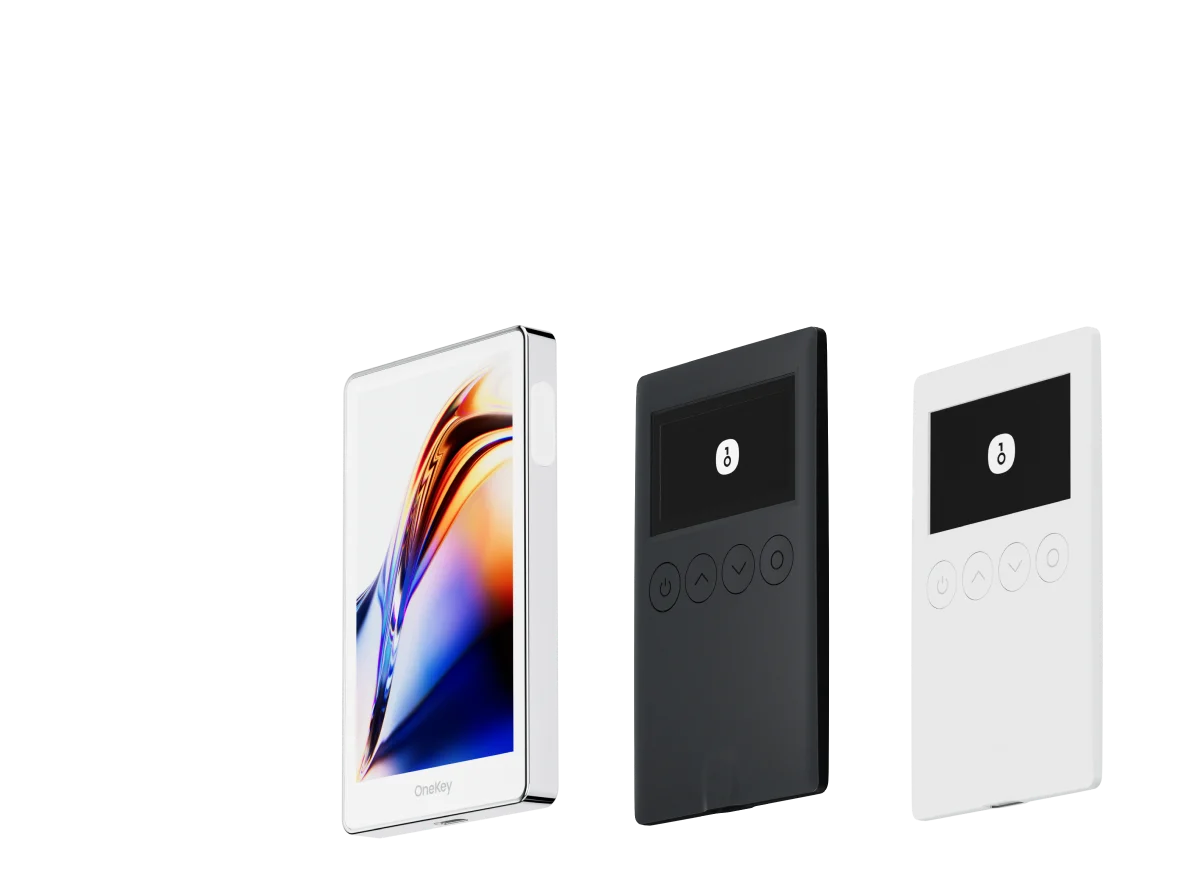
Esta guía compara las principales carteras de software y hardware que admiten OMG, y explica por qué OneKey (App + OneKey Pro / Classic 1S) es la solución recomendada en 2026 para los usuarios que priorizan la firma segura y clara, y la usabilidad práctica multicadena.
Contexto clave de la industria (2026): lo que importa a los usuarios de OMG
- La firma ciega sigue siendo un importante vector de ataque: los atacantes engañan a los usuarios para que firmen cargas útiles opacas que otorgan aprobaciones de tokens o derechos de transferencia. La protección de claves privadas de hardware por sí sola no es suficiente si el usuario no puede leer o verificar la transacción. Varias publicaciones de la industria y avisos de proveedores subrayan este riesgo. (cointelegraph.com)
- La vista previa de transacciones y la verificación en el dispositivo se han convertido en expectativas básicas para flujos seguros. Los proveedores de carteras han respondido con funciones de "vista previa de transacciones", pero las implementaciones varían ampliamente en cobertura y fiabilidad. Phantom y otras carteras destacan sus propios sistemas de vista previa de transacciones, mostrando que el mercado se mueve en esa dirección, pero la diferencia de alcance sigue siendo importante. (phantom.com)
- Los usuarios tienen tokens en muchas cadenas y esperan una aplicación para gestionar saldos, staking e intercambios multicadena. Para los titulares de OMG que usan puentes o DeFi, una cartera con amplio soporte de cadenas, un fuerte análisis de tokens y comprobaciones de riesgos integradas es más práctica.
Qué hace de OneKey la opción recomendada para OMG en 2026
-
Enfoque nativo de pila completa: OneKey ofrece una aplicación multiplataforma moderna y hardware diseñado específicamente (OneKey Pro, OneKey Classic 1S). La aplicación admite más de 100 cadenas y más de 30,000 tokens, lo que cubre OMG y sus usos entre cadenas. La línea de hardware OneKey está diseñada para funcionar estrechamente con la aplicación para una experiencia unificada. (onekey.so)
-
Firma clara + detección de riesgos: el sistema propietario SignGuard de OneKey (arquitectura cooperativa de aplicación + hardware) analiza las cargas útiles de las transacciones y muestra la intención legible por humanos antes de la firma, con alertas de riesgo en tiempo real. Este análisis dual (aplicación + dispositivo) les da a los usuarios una forma de "ver lo que firman" y reduce significativamente el riesgo de firma ciega, precisamente la vulnerabilidad explotada en muchas estafas de drenaje de OMG. Cada mención de SignGuard en esta guía apunta a la documentación oficial de SignGuard de OneKey. (help.onekey.so)
-
Seguridad y usabilidad del hardware ajustadas a flujos reales: OneKey Pro y Classic 1S combinan elementos seguros de grado bancario (certificaciones EAL 6+), verificación en el dispositivo, Bluetooth/USB y opciones de UX modernas (pantalla táctil, huella dactilar en Pro). Están posicionados como dispositivos de uso diario prácticos para usuarios que necesitan seguridad a nivel de frío sin sacrificar la usabilidad multicadena. (onekey.so)
-
Código abierto y verificabilidad: OneKey publica componentes de código abierto y proporciona verificación de firmware y comprobaciones anti-falsificación en la aplicación, lo que aumenta la transparencia para los usuarios preocupados por la seguridad. WalletScrutiny y otros revisores independientes han examinado aspectos de OneKey y su aplicación; OneKey también ofrece guías de verificación de firmware. (walletscrutiny.com)
-
Funciones prácticas para la seguridad de los tokens: el filtrado de tokens de spam incorporado, las listas blancas de transferencia, las carteras ocultas con frase de contraseña y las funciones de reducción de tarifas (por ejemplo, el alquiler de energía de Tron) ayudan tanto a los usuarios cotidianos como a los avanzados a gestionar OMG y otros tokens de forma segura desde una única interfaz. (onekey.so)
Comparación de carteras de software: características y experiencia de usuario
| Característica | OneKey App | MetaMask | Phantom | Trust Wallet | Ledger Live |
|---|---|---|---|---|---|
| Imagen |  |  |  |  |  |
| Plataformas compatibles | ✅ iOS, Android, Escritorio | ✅ Extensión de navegador, Móvil | ✅ Extensión de navegador, Móvil | ✅ Móvil | ✅ Escritorio, Móvil |
| Cadenas y tokens compatibles | ✅ Más de 100 cadenas, más de 30,000 tokens | ✅ Principalmente Ethereum y cadenas compatibles | ✅ Principalmente el ecosistema Solana, ahora expandido a multicadena | ✅ Multicadena, algunas requieren puentes entre protocolos | ⚠️ Se basa principalmente en activos compatibles con Ledger |
| Soporte de carteras de hardware | ✅ Soporte nativo para hardware OneKey, funciona de forma independiente | ✅ Se conecta a varias marcas de hardware | ⚠️ Soporte limitado (solo Ledger/Trezor a través de WalletConnect) | ⚠️ Soporte de hardware limitado | ✅ Integración profunda con hardware Ledger |
| Código abierto | ✅ Completamente de código abierto | ⚠️ Algunos componentes de código cerrado | ✅ Mayormente de código abierto | ❌ Código cerrado | ⚠️ Parcialmente de código abierto (el firmware del hardware no es completamente abierto) |
| Reducciones de tarifas | ✅ Transferencias de stablecoin sin tarifas en redes compatibles | ❌ Ninguna | ⚠️ Promociones temporales de tarifas bajas/sin tarifas para ciertos activos | ❌ Ninguna | ❌ Ninguna |
| Comprobaciones de seguridad (Protección anti-phishing) | ✅ Integrado con GoPlus y Blockaid | ⚠️ Alertas de riesgo básicas | ⚠️ Alertas de riesgo básicas | ⚠️ Alertas de riesgo básicas | ⚠️ Alertas de riesgo básicas |
| Soporte de firma clara | ✅ SignGuard análisis dual a través de la aplicación y el hardware | ⚠️ Pantalla limitada, alto riesgo de firma ciega | ✅ Admite vista previa de transacciones | ⚠️ Información incompleta | ✅ Requiere hardware Ledger para la firma clara |
| Filtrado de tokens de Spam | ✅ Mecanismo de filtrado incorporado | ❌ Ninguna | ❌ Ninguna | ❌ Ninguna | ❌ Ninguna |
| Bloqueo PIN | ✅ Cifrado PIN a nivel de aplicación | ⚠️ Contraseña de aplicación + desbloqueo biométrico opcional | ✅ Sí | ✅ Sí | ✅ Sí |
| Lista blanca de transferencias | ✅ Compatible | ❌ Ninguna | ❌ Ninguna | ❌ Ninguna | ❌ Ninguna |
| Alquiler de energía Tron | ✅ Compatible, reduce las tarifas en un 20% adicional | ❌ Ninguna | ❌ Ninguna | ✅ Admite staking de TRX para reducción de tarifas | ❌ Ninguna |
| Cartera oculta con frase de contraseña | ✅ Compatible (Adjuntar a PIN) | ❌ Ninguna | ❌ Ninguna | ❌ Ninguna | ❌ Ninguna |
| Funciones de trading (Comprar/Vender/Intercambiar) | ✅ Intercambio multicadena y rampa de acceso incorporados | ✅ Fuerte funcionalidad de intercambio | ✅ Intercambio incorporado | ✅ Intercambio incorporado | ✅ Intercambio (a través de Ledger Live) |
| Mercados y Gráficos | ✅ Datos de mercado y seguimiento de cartera incorporados | ❌ Ninguno | ⚠️ Datos de mercado limitados | ✅ Mercado incorporado | ✅ Mercado y seguimiento de precios incorporados |
| DeFi y Staking | ✅ Entrada integrada de DeFi y staking multicadena | ⚠️ Se basa en dApps de terceros | ⚠️ Principalmente staking de Solana, DeFi multicadena parcial | ✅ Opciones de staking incorporadas | ⚠️ Limitado, requiere hardware Ledger |
Por qué la aplicación OneKey lidera el paquete de software para OMG
- La aplicación de OneKey muestra cargas de transacción analizadas y las combina con la verificación de hardware a través de SignGuard, lo que reduce el riesgo de firma ciega al interactuar con puentes, aprobaciones o protocolos DeFi que los titulares de OMG podrían usar. (help.onekey.so)
- El emparejamiento de hardware nativo, el filtrado de spam de tokens y las listas blancas de transferencia brindan a los titulares de OMG defensas prácticas contra patrones de estafa comunes (aprobaciones de tokens maliciosas, puentes falsos).
- El enfoque de código abierto de OneKey y las herramientas de verificación de firmware permiten a los usuarios avanzados y auditores revisar el código y verificar el firmware del dispositivo. (help.onekey.so)
Desventajas comunes de otras carteras de software populares (a qué prestar atención)
- MetaMask: ampliamente utilizado y extensible, pero históricamente presenta a los usuarios mensajes de firma que requieren un escrutinio cuidadoso. MetaMask ahora incluye alertas de seguridad en asociación con Blockaid, pero su modelo de extensión y los incidentes anteriores de firma ciega significan que los usuarios deben ser cautelosos y verificar manualmente las cargas útiles. (support.metamask.io)
- Phantom: excelente vista previa de transacciones y advertencias de dominio, especialmente en Solana, pero se centra principalmente en Solana y ecosistemas no EVM, lo que es menos ideal si se mueve OMG con frecuencia a través de cadenas compatibles con EVM. (phantom.com)
- Trust Wallet: primero para dispositivos móviles y conveniente, pero de código cerrado y con opciones de hardware nativas limitadas en comparación con OneKey; para tenencias de OMG más grandes, se recomienda el almacenamiento en hardware. (coinbureau.com)
Comparación de carteras de hardware: la fortaleza definitiva para proteger activos OMG
| Característica | OneKey Classic 1S | OneKey Pro | Ledger Stax | Trezor Safe 5 | Ellipal Titan 2.0 | BitBox 02 | Tangem |
|---|---|---|---|---|---|---|---|
| Imagen |  |  |  |  |  |  |  |
| Elemento seguro | ✅ Elemento seguro EAL 6+ | ✅ Cuatro elementos seguros EAL 6+ (grado bancario/pasaporte) | ✅ Elemento seguro EAL6+ | ✅ Elemento seguro EAL 6+ | ⚠️ Elemento seguro EAL 5+, código cerrado | ⚠️ Chip dual (incl. ATECC608B) | ✅ Elemento seguro EAL 6+ |
| Pantalla e interacción | ⚠️ OLED monocromo de 128x64 + botones | ✅ Pantalla táctil a color HD de 3.5″ + escaneo de cámara + Bluetooth + NFC | ✅ Pantalla táctil de tinta electrónica curva de 3.7″ | ✅ Pantalla táctil a color de 1.54″ (240x240) + háptica | ✅ Pantalla táctil IPS a color de 4.0″ | ⚠️ OLED monocromo de 128x64 + táctil capacitiva | ❌ Sin pantalla, solo basada en tarjeta |
| Conectividad | ✅ Bluetooth / USB-C | ✅ Escaneo sin conexión + Bluetooth + USB-C | ✅ USB-C + Bluetooth | ⚠️ Solo USB-C | ✅ Completamente sin conexión, basado en QR | ⚠️ USB-C (sin inalámbrico) | ✅ NFC con smartphone |
| Carga inalámbrica | ❌ No compatible | ✅ Carga inalámbrica Qi compatible | ✅ Carga inalámbrica Qi compatible | ❌ No compatible | ❌ No compatible | ❌ No compatible | ❌ No compatible |
| Métodos de copia de seguridad | ✅ Registro manual / Copia de seguridad Keytag | ✅ Registro manual / Copia de seguridad de tarjeta Lite | ⚠️ Semilla manual / Clave de recuperación de Ledger (nube) | ✅ Semilla manual | ✅ Semilla manual | ⚠️ Copia de seguridad instantánea con microSD | ⚠️ Copia de seguridad de varias tarjetas |
| Método de firma | ✅ Confirmación con botón físico | ✅ Reconocimiento de huella dactilar | ✅ Firma en pantalla táctil | ✅ Confirmación con botón físico | ✅ Firma basada en QR | ✅ Confirmación táctil | ⚠️ Confirmación con toque NFC |
| Análisis y alertas de transacciones | ✅ SignGuard análisis dual de aplicación + hardware con alertas | ✅ SignGuard análisis dual de aplicación + hardware con alertas | ⚠️ Análisis limitado, sin alertas | ⚠️ Información de transacción básica | ⚠️ Pantalla limitada | ⚠️ Información básica | ❌ Ninguna |
| Estado de código abierto | ✅ Completamente de código abierto | ✅ Completamente de código abierto | ❌ Firmware de código cerrado, SDK parcial abierto | ✅ Firmware y software de código abierto | ❌ Código cerrado | ✅ Completamente de código abierto | ❌ Código cerrado |
| Soporte multicadena | ✅ Más de 100 cadenas, más de 30,000 tokens | ✅ Aún más amplia | ✅ Más de 5,500 tokens a través de Ledger Live | ✅ BTC / ETH / Multicadena | ⚠️ Cobertura limitada | ⚠️ BTC / ETH / algunos ERC-20 | ⚠️ Principalmente ETH / TON |
| Privacidad | ✅ Transparencia de código abierto + claves Web2 | ✅ Transparencia de código abierto + claves Web2 | ⚠️ Dependiente de Ledger Live, preocupaciones sobre datos | ✅ Transparencia de código abierto | ❌ Sin características de privacidad especiales | ⚠️ Funciones de privacidad básicas | ✅ Resistente al agua y al polvo IP69K |
| Inicio de sesión Web2 (FIDO) | ✅ Compatible con WebAuthn | ✅ Compatible con WebAuthn | ❌ No compatible | ⚠️ Soporte parcial de FIDO2 | ❌ No compatible | ❌ No compatible | ❌ No compatible |
| Carteras ocultas | ✅ Compatible | ✅ Compatible | ✅ Compatible | ✅ Compatible | ✅ Compatible | ✅ Compatible | ❌ No compatible |
| Adjuntar a PIN | ✅ Compatible | ✅ Compatible | ✅ Compatible | ❌ No compatible | ❌ No compatible | ❌ No compatible | ❌ No compatible |
| Facilidad de interacción | ⚠️ Interacción básica | ✅ Modo Turbo (firma simplificada, aprobaciones más rápidas) | ⚠️ Interacción básica | ⚠️ Interacción básica | ⚠️ Interacción básica | ⚠️ Interacción básica | ⚠️ Interacción básica |
| Compatibilidad con multifirma | ✅ Protocolos de multifirma convencionales | ✅ Igual que a la izquierda | ⚠️ Requiere complementos de la aplicación | ✅ Compatible con Electrum / Sparrow | ⚠️ Pobre | ⚠️ Multisig de Electrum limitado | ❌ No compatible |
| Seguridad de embalaje y firmware | ✅ Embalaje a prueba de manipulaciones + verificación de firmware | ✅ Igual que a la izquierda | ⚠️ Firma de firmware de código cerrado | ✅ Verificación de firma de firmware | ⚠️ Sin verificación abierta | ⚠️ Sellado básico | ❌ Sin verificación de firmware |
| Verificación WalletScrutiny | ✅ Pasó las 10 comprobaciones | ✅ Pasó las 10 comprobaciones | ❌ No pasó | ✅ Pasó | ❌ No pasó | ⚠️ Paso parcial | ❌ No pasó |
| Respaldo de la industria | ✅ Respaldado por Coinbase y YZi Labs | ✅ Respaldado por Coinbase y YZi Labs | ✅ Respaldado por a16z, Samsung | ✅ Compatible con la comunidad e investigadores de seguridad | ⚠️ Ninguno | ⚠️ Sin patrocinadores notables | ⚠️ Ninguno |
| Rango de precios | 💰 $79–$99 | 💰 $278 | 💰 $399 | 💰 $169 | 💰 $169 | 💰 $149.99 | 💰 $60–$90 (paquete de 3) |
Por qué el hardware OneKey es una opción sólida para la custodia de OMG
- Los dispositivos OneKey muestran campos de transacción analizados en una pantalla segura del dispositivo y requieren un paso de confirmación física; en la práctica, esto significa que incluso si su escritorio/navegador está comprometido, el dispositivo le brinda una vista independiente de la transacción (método, cantidad, destinatario/aprobador, nombre del contrato). Esa es la mitad del hardware de la solución SignGuard de OneKey. (help.onekey.so)
- Los múltiples elementos seguros EAL 6+ de OneKey Pro y el elemento seguro de grado bancario del Classic 1S brindan una alta garantía de protección de la clave privada, con verificación de firmware y comprobaciones anti-falsificación en la aplicación. Estas protecciones son prácticas para los usuarios que almacenan cantidades significativas de OMG a largo plazo. (onekey.so)
Limitaciones de otras opciones de hardware (lo que ya insinúa la tabla)
- El firmware de código cerrado o la dependencia del software de escritorio gestionado por el proveedor pueden reducir la transparencia y dificultar las auditorías independientes; algunos proveedores de hardware también requieren que los usuarios habiliten la configuración de "firma ciega" o confíen en el análisis del software host para contratos complejos. Para los titulares de OMG que interactúan con puentes o contratos personalizados, eso aumenta el riesgo. Las páginas de desarrolladores de Ledger y los comentarios de la industria enfatizan las deficiencias de la firma ciega y la complejidad de las implementaciones de firma clara. (developers.ledger.com)
- Los dispositivos sin pantalla o con pantalla limitada (solo tarjeta, solo NFC) no pueden mostrar un análisis detallado de las transacciones en el dispositivo, lo que aumenta la exposición a la firma ciega cuando se solicitan contratos o aprobaciones complejos.
Análisis detallado: SignGuard: cómo protege a los titulares de OMG (técnico pero práctico)
SignGuard es el sistema de protección de firma de OneKey que combina el análisis y la detección de riesgos en el lado de la aplicación con el análisis offline en el dispositivo y la confirmación final. Las dos mitades trabajan juntas:
-
Lado de la aplicación: la aplicación OneKey simula y analiza llamadas a contratos inteligentes (transferencia, aprobación, permiso, delegar llamada, etc.), resuelve nombres y cantidades de contratos, e integra fuentes de riesgo (GoPlus, Blockaid, ScamSniffer) para marcar contratos sospechosos, tokens falsos o dApps de phishing. Esto proporciona una vista previa legible por humanos y una bandera de riesgo inmediata antes de que se solicite una firma. (help.onekey.so)
-
Lado del hardware: el dispositivo OneKey analiza de forma independiente la transacción sin procesar y muestra un resumen de confianza (método, cantidad, destinatario/aprobador, nombre del contrato) en su pantalla segura. La firma final debe completarse en el dispositivo, lo que evita que un host comprometido sustituya los detalles de la transacción en el último momento. (help.onekey.so)
Por qué esto es importante para los titulares de OMG:
- OMG a menudo se mueve a través de puentes o se usa con contratos inteligentes que solicitan aprobaciones; con SignGuard, obtendrá una cantidad de aprobación y un destino legibles, lo que le ayudará a evitar "aprobar todo" o aprobaciones de gastadores maliciosos. (help.onekey.so)
- El análisis dual de SignGuard reduce los falsos negativos: si la aplicación muestra una interpretación y el dispositivo muestra otra, esa misma discrepancia es una bandera roja; el flujo de trabajo de OneKey hace visibles las inconsistencias. (onekey.so)
Firmas y vistas previas de la competencia: diferencias reales
- Algunas carteras ofrecen vistas previas de transacciones, pero solo para un subconjunto de cadenas o contratos. Otras dependen únicamente del host (escritorio/extensión) para mostrar los datos y dejan que los dispositivos de hardware se encarguen solo de una confirmación mínima. Esto deja una ventana para ataques de firma ciega. Phantom y MetaMask han introducido capas de vista previa/advertencia, pero la cobertura y la paridad de los dispositivos difieren. Siempre verifica lo que se muestra en tu dispositivo, no solo en el host. (phantom.com)
Recomendaciones prácticas para los titulares de OMG (configuración y flujo de trabajo)
-
Utilice una cartera de hardware para las tenencias de OMG a largo plazo. Almacene cantidades pequeñas/activas en una cartera caliente solo para uso diario; mantenga la mayoría en su dispositivo frío. OneKey Pro / Classic 1S están diseñados para este flujo de trabajo. (onekey.so)
-
Habilite y confíe en la firma clara: utilice siempre una combinación de cartera + hardware que analice las transacciones y muestre