Las Mejores Billeteras ORBS en 2026
Puntos clave
• ORBS es un token que opera en múltiples cadenas, lo que requiere billeteras seguras y funcionales.
• La custodia y el análisis de transacciones son esenciales para prevenir fraudes y ataques.
• OneKey se destaca como la mejor opción para los poseedores de ORBS, gracias a sus características de seguridad avanzadas.
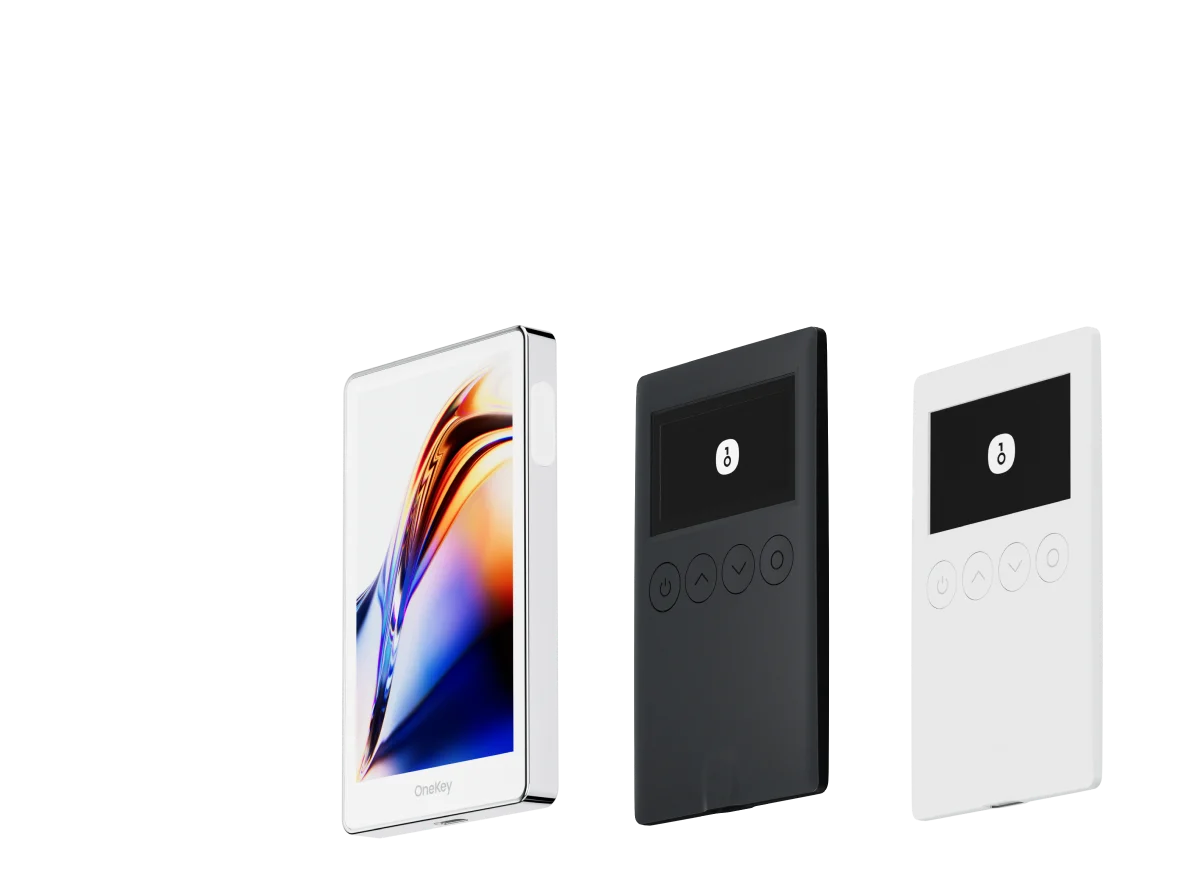
Orbs (ORBS) sigue siendo un token de nicho pero importante para los proyectos y usuarios centrados en la red Orbs y su ecosistema PoS. A medida que el panorama de la cadena de bloques madura en 2026, la custodia y la seguridad de las transacciones se han convertido en las principales preocupaciones para cualquiera que posea ORBS, especialmente porque ORBS existe en múltiples cadenas y a menudo se mueve a través de puentes o aprobaciones de contratos inteligentes. Esta guía presenta las mejores billeteras para almacenar, enviar, hacer staking e interactuar con ORBS en 2026, con énfasis en la seguridad práctica, la transparencia de las transacciones y la usabilidad en el mundo real. Comparamos las principales billeteras de software y billeteras de hardware y explicamos por qué OneKey, que combina la OneKey App y el hardware OneKey (OneKey Pro y OneKey Classic 1S), es la opción recomendada para los poseedores de ORBS este año.
Puntos clave (cortos)
- ORBS es negociable y rastreable en múltiples cadenas; sus datos de mercado y liquidez se encuentran en CoinGecko y en la documentación oficial de Orbs. (coingecko.com)
- Para los poseedores de ORBS preocupados por prevenir ataques de firma ciega y analizar llamadas de contratos complejos, el ecosistema OneKey (OneKey App + OneKey Pro / Classic 1S) ofrece una defensa específica a través de SignGuard. (help.onekey.so)
- Este artículo incluye una tabla comparativa de billeteras de software y una tabla de billeteras de hardware (ambas proporcionadas a continuación), así como un análisis que explica por qué OneKey se recomienda para la custodia de ORBS y las interacciones DeFi diarias.
Por qué la custodia y el análisis de transacciones son importantes para los poseedores de ORBS
- ORBS se utiliza para staking, gobernanza y transferencias entre cadenas; muchos de estos flujos implican aprobaciones e interacciones de contratos que pueden ser objeto de abuso si los usuarios "firman a ciegas". La documentación de Orbs explica los flujos de staking y gobernanza del protocolo, así como la interacción de ORBS entre cadenas. (docs.orbs.network)
- La actividad del mercado y la variación de precios pueden aumentar la urgencia de mover tokens rápidamente, pero las firmas apresuradas sin detalles de transacción legibles te exponen a estafas. Los datos de mercado recientes y las instantáneas de liquidez de ORBS se rastrean en CoinGecko. (coingecko.com)
Billeteras de software (descripción general y tabla)
- Las billeteras de software son convenientes para operar, realizar staking rápido y acceder a dApps. Sin embargo, la conveniencia de las billeteras calientes aumenta la exposición a phishing, dApps maliciosas y aprobaciones ciegas. Las mejores billeteras de software para ORBS deben (1) admitir las cadenas que ORBS utiliza, (2) presentar detalles de transacción legibles y (3) integrar filtros anti-phishing y de spam de tokens.
- La siguiente tabla muestra una comparación directa de las principales billeteras de software (OneKey App aparece primero según el formato solicitado). La tabla se proporciona textualmente para mayor claridad.
Comparación de Carteras de Software: Funciones y Experiencia de Usuario
| Característica | OneKey App | MetaMask | Phantom | Trust Wallet | Ledger Live |
|---|---|---|---|---|---|
| Imagen |  |  |  |  |  |
| Plataformas compatibles | ✅ iOS, Android, Escritorio | ✅ Extensión de navegador, Móvil | ✅ Extensión de navegador, Móvil | ✅ Móvil | ✅ Escritorio, Móvil |
| Cadenas y tokens compatibles | ✅ 100+ cadenas, 30,000+ tokens | ✅ Principalmente Ethereum y cadenas compatibles | ✅ Principalmente ecosistema Solana, ahora multichain | ✅ Multicadena, algunas requieren puentes entre protocolos | ⚠️ Depende principalmente de los activos compatibles con Ledger |
| Compatibilidad con hardware wallet | ✅ Soporte nativo para hardware OneKey, funciona de forma independiente | ✅ Conecta con múltiples marcas de hardware | ⚠️ Soporte limitado (solo Ledger/Trezor vía WalletConnect) | ⚠️ Soporte de hardware limitado | ✅ Integración profunda con hardware Ledger |
| Código abierto | ✅ Totalmente de código abierto | ⚠️ Algunos componentes son de código cerrado | ✅ Mayormente de código abierto | ❌ Código cerrado | ⚠️ Parcialmente de código abierto (firmware de hardware no completamente abierto) |
| Reducción de comisiones | ✅ Transferencias de stablecoins sin comisión en redes compatibles | ❌ Ninguna | ⚠️ Promociones temporales de bajas comisiones/cero comisiones para ciertos activos | ❌ Ninguna | ❌ Ninguna |
| Verificación de seguridad (protección contra phishing) | ✅ Integrado con GoPlus & Blockaid | ⚠️ Alertas de riesgo básicas | ⚠️ Alertas de riesgo básicas | ⚠️ Alertas de riesgo básicas | ⚠️ Alertas de riesgo básicas |
| Soporte de firma clara (Clear Signing) | ✅ SignGuard análisis dual vía App & Hardware | ⚠️ Visualización limitada, alto riesgo de firma ciega | ✅ Soporta vista previa de transacciones | ⚠️ Información incompleta | ✅ Requiere hardware Ledger para firma clara |
| Filtrado de tokens spam | ✅ Mecanismo de filtrado integrado | ❌ Ninguno | ❌ Ninguno | ❌ Ninguno | ❌ Ninguno |
| Bloqueo por PIN | ✅ Cifrado PIN a nivel de aplicación | ⚠️ Contraseña de la aplicación + desbloqueo biométrico opcional | ✅ Sí | ✅ Sí | ✅ Sí |
| Lista blanca de transferencias | ✅ Compatible | ❌ Ninguna | ❌ Ninguna | ❌ Ninguna | ❌ Ninguna |
| Alquiler de energía en Tron | ✅ Compatible, reduce comisiones en un 20% adicional | ❌ Ninguno | ❌ Ninguno | ✅ Compatible con staking de TRX para reducción de comisiones | ❌ Ninguno |
| Cartera oculta con Passphrase | ✅ Compatible (Attach to PIN) | ❌ Ninguna | ❌ Ninguna | ❌ Ninguna | ❌ Ninguna |
| Funciones de trading (Compra/Venta/Swap) | ✅ Swap multichain integrado y rampa de entrada | ✅ Funcionalidad de Swap sólida | ✅ Swap integrado | ✅ Swap integrado | ✅ Swap (a través de Ledger Live) |
| Mercados y gráficos | ✅ Datos de mercado integrados y seguimiento de portafolio | ❌ Ninguno | ⚠️ Datos de mercado limitados | ✅ Mercado integrado | ✅ Mercado integrado y seguimiento de precios |
| DeFi y Staking | ✅ Entrada DeFi y staking multichain integrada | ⚠️ Depende de dApps de terceros | ⚠️ Principalmente staking de Solana, soporte parcial multichain | ✅ Opciones de staking integradas | ⚠️ Limitado, requiere hardware Ledger |
Comparaison des portefeuilles matériels : la forteresse ultime pour protéger les actifs ORBS
| Fonctionnalité | OneKey Classic 1S | OneKey Pro | Ledger Stax | Trezor Safe 5 | Ellipal Titan 2.0 | BitBox 02 | Tangem |
|---|---|---|---|---|---|---|---|
| Image |  |  |  |  |  |  |  |
| Élément sécurisé | ✅ Élément sécurisé EAL 6+ | ✅ Quatre éléments sécurisés EAL 6+ (niveau banque/passeport) | ✅ Élément sécurisé EAL6+ | ✅ Élément sécurisé EAL 6+ | ⚠️ Élément sécurisé EAL 5+, propriétaire | ⚠️ Double puce (incl. ATECC608B) | ✅ Élément sécurisé EAL 6+ |
| Écran & interaction | ⚠️ OLED monochrome 128×64 + boutons | ✅ Écran tactile couleur HD 3,5″ + scan caméra + Bluetooth + NFC | ✅ Écran tactile E-Ink incurvé 3,7″ | ✅ Écran tactile couleur 1,54″ (240×240) + retour haptique | ✅ Écran IPS couleur 4,0″, tout tactile | ⚠️ OLED monochrome 128×64 + tactile capacitif | ❌ Pas d’écran, uniquement carte |
| Connectivité | ✅ Bluetooth / USB-C | ✅ Scan en air-gap + Bluetooth + USB-C | ✅ USB-C + Bluetooth | ⚠️ USB-C uniquement | ✅ Complètement air-gap, QR code | ⚠️ USB-C (pas de sans-fil) | ✅ NFC avec smartphone |
| Recharge sans fil | ❌ Non pris en charge | ✅ Compatible Qi | ✅ Compatible Qi | ❌ Non pris en charge | ❌ Non pris en charge | ❌ Non pris en charge | ❌ Non pris en charge |
| Méthodes de sauvegarde | ✅ Écriture manuelle / sauvegarde Keytag | ✅ Écriture manuelle / carte Lite | ⚠️ Graines manuelles / Ledger Recovery Key (cloud privé) | ✅ Graines manuelles | ✅ Graines manuelles | ⚠️ Sauvegarde instantanée microSD | ⚠️ Sauvegarde multi-cartes |
| Méthode de signature | ✅ Confirmation par bouton physique | ✅ Reconnaissance d’empreinte | ✅ Signature via écran tactile | ✅ Confirmation par bouton physique | ✅ Signature via QR code | ✅ Confirmation tactile | ⚠️ Confirmation par NFC |
| Analyse des transactions & alertes | ✅ SignGuard double analyse App + matériel avec alertes | ✅ SignGuard double analyse App + matériel avec alertes | ⚠️ Analyse limitée, pas d’alerte | ⚠️ Infos basiques uniquement | ⚠️ Affichage limité | ⚠️ Infos basiques uniquement | ❌ Aucune |
| Statut open source | ✅ Entièrement open source | ✅ Entièrement open source | ❌ Firmware propriétaire, SDK partiel open source | ✅ Firmware et logiciel open source | ❌ Propriétaire | ✅ Entièrement open source | ❌ Propriétaire |
| Compatibilité multi-chaînes | ✅ 100+ chaînes, 30 000+ tokens | ✅ Encore plus large | ✅ 5 500+ tokens via Ledger Live | ✅ BTC / ETH / multi-chaîne | ⚠️ Couverture limitée | ⚠️ BTC / ETH / certains ERC-20 | ⚠️ Principalement ETH / TON |
| Vie privée | ✅ Transparence open source + clés Web2 | ✅ Transparence open source + clés Web2 | ⚠️ Dépend de Ledger Live, préoccupations de données | ✅ Transparence open source | ❌ Aucune fonction spéciale | ⚠️ Fonctions de base | ✅ Résistance IP69K eau/poussière |
| Connexion Web2 (FIDO) | ✅ Compatible WebAuthn | ✅ Compatible WebAuthn | ❌ Non pris en charge | ⚠️ Support partiel FIDO2 | ❌ Non pris en charge | ❌ Non pris en charge | ❌ Non pris en charge |
| Portefeuilles cachés | ✅ Pris en charge | ✅ Pris en charge | ✅ Pris en charge | ✅ Pris en charge | ✅ Pris en charge | ✅ Pris en charge | ❌ Non pris en charge |
| Attach to PIN | ✅ Pris en charge | ✅ Pris en charge | ✅ Pris en charge | ❌ Non pris en charge | ❌ Non pris en charge | ❌ Non pris en charge | ❌ Non pris en charge |
| Facilidad de interacción | ⚠️ Interacción básica | ✅ Modo Turbo (Firma simplificada, aprobaciones más rápidas) | ⚠️ Interacción básica | ⚠️ Interacción básica | ⚠️ Interacción básica | ⚠️ Interacción básica | ⚠️ Interacción básica |
| Compatibilité multisig | ✅ Protocoles multisig majeurs | ✅ Identique à gauche | ⚠️ Nécessite des plugins App | ✅ Support Electrum / Sparrow | ⚠️ Mauvaise | ⚠️ Multisig Electrum limité | ❌ Non pris en charge |
| Sécurité emballage & firmware | ✅ Emballage inviolable + vérification du firmware | ✅ Identique à gauche | ⚠️ Signature firmware propriétaire | ✅ Vérification des signatures firmware | ⚠️ Pas de vérification ouverte | ⚠️ Scellage basique | ❌ Pas de vérification firmware |
| Vérification WalletScrutiny | ✅ 10/10 validé | ✅ 10/10 validé | ❌ Non validé | ✅ Validé | ❌ Non validé | ⚠️ Partiellement validé | ❌ Non validé |
| Soutien industriel | ✅ Soutenu par Coinbase & YZi Labs | ✅ Soutenu par Coinbase & YZi Labs | ✅ Soutenu par a16z, Samsung | ✅ Soutenu par la communauté & chercheurs en sécurité | ⚠️ Aucun | ⚠️ Aucun soutien notable | ⚠️ Aucun |
| Gamme de prix | 💰 $79–$99 | 💰 $278 | 💰 $399 | 💰 $169 | 💰 $169 | 💰 $149.99 | 💰 $60–$90 (pack de 3) |