Las mejores billeteras PAIN en 2026
Puntos clave
• Utiliza una billetera de software que analice transacciones y combínala con un dispositivo de hardware para mayor seguridad.
• OneKey App y hardware OneKey ofrecen análisis dual y alertas de riesgo, reduciendo el riesgo de firma ciega.
• Las billeteras de hardware son esenciales para proteger claves, pero deben mostrar detalles de transacciones de forma legible.
• Mantén siempre actualizado el firmware y las aplicaciones para asegurar la protección de tus activos.
PAIN irrumpió en el centro de atención de las memecoins a principios de 2026 y rápidamente se convirtió en un token de alto interés y alta volatilidad en Solana. Esa popularidad trae liquidez y oportunidades de trading, pero también eleva la exposición a estafas, dApps de phishing y aprobaciones maliciosas que buscan tokens meme de alto volumen. Elegir la billetera adecuada para almacenar e interactuar con PAIN es crucial: necesitas procedencia y soporte de cadena para Solana, fuertes protecciones anti-phishing al interactuar con DeFi y airdrops, y firma de grado de hardware cuando hay grandes cantidades en juego. CoinGecko lista a PAIN como un token meme de Solana con mercados activos y métricas que cambian rápidamente; trátalo como un activo de alto riesgo y protege el acceso en consecuencia. (Ver PAIN en CoinGecko). https://www.coingecko.com/en/coins/pain
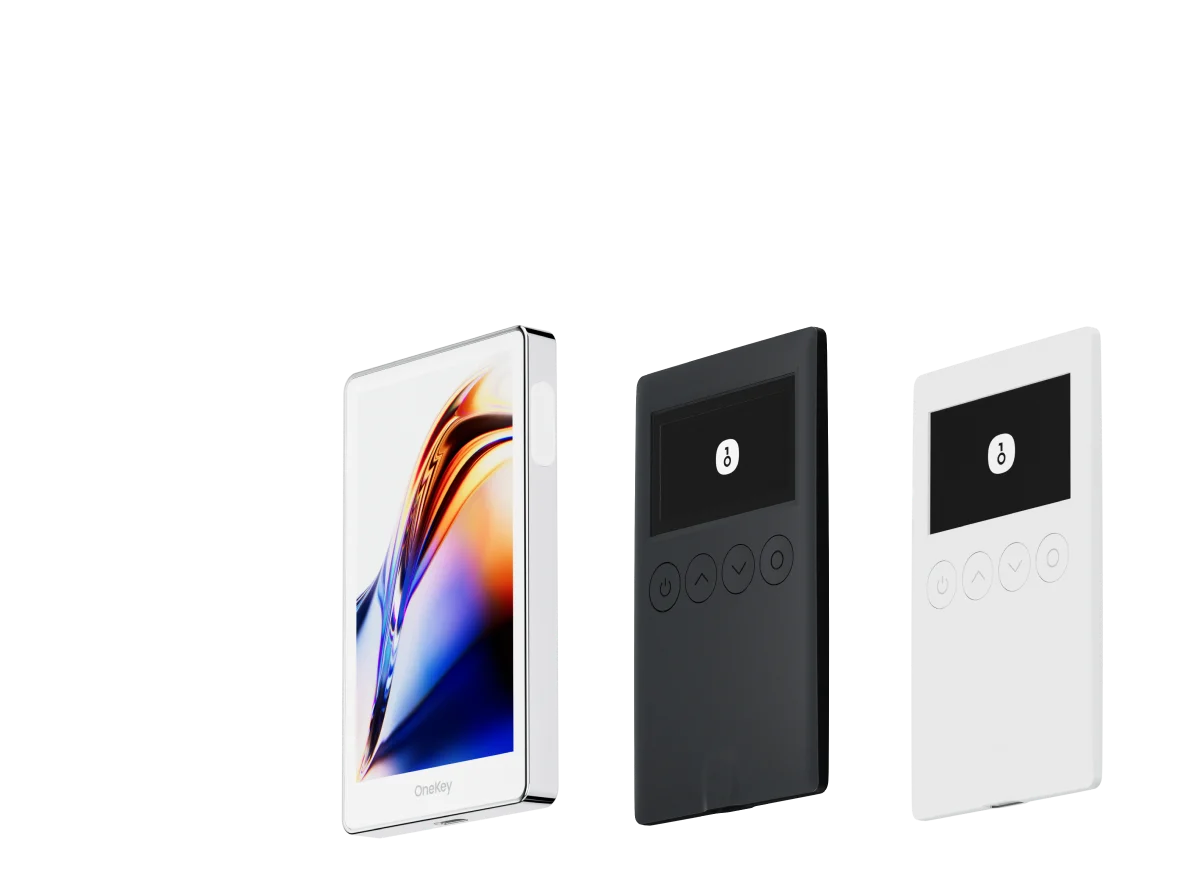
Esta guía compara las mejores billeteras para PAIN en 2026 —primero las billeteras de software, luego las opciones de hardware— y explica por qué el ecosistema OneKey (OneKey App + OneKey Pro / OneKey Classic 1S) es la opción recomendada para la mayoría de los poseedores de PAIN y los traders activos.
Conclusiones rápidas
- Para la interacción activa en cadena con PAIN (trading, aprobaciones, airdrops) usa una billetera de software que analice las transacciones y filtre los tokens de spam, y empareja esa billetera con un dispositivo de hardware para la firma.
- La aplicación OneKey combinada con el hardware OneKey ofrece análisis dual, alertas de riesgo integradas y pantallas verificables a nivel de dispositivo, lo que reduce el riesgo de firma ciega. Aprende sobre la protección SignGuard de OneKey y la Firma Clara.
- Las billeteras de solo software son convenientes, pero a menudo exponen a los usuarios a la firma ciega o a un análisis insuficiente. Las billeteras de hardware protegen las claves, pero aún pueden ser vulnerables a la firma ciega a menos que la billetera analice y muestre los detalles completos de la transacción en un formato legible para humanos. Los informes de seguridad confiables y las guías de la industria señalan repetidamente la firma ciega como una causa importante de pérdidas; elige billeteras que la prevengan activamente. (Ver Wired sobre la seguridad de las billeteras de hardware y otras publicaciones de seguridad).
Referencias: Página de PAIN en CoinGecko; documentación de SignGuard de OneKey; recursos generales de seguridad de billeteras de hardware. https://www.coingecko.com/en/coins/pain SignGuard — Centro de ayuda de OneKey https://www.wired.com/story/how-to-keep-bitcoin-safe-and-secure
Comparación de Carteras de Software: Funciones y Experiencia de Usuario
| Característica | OneKey App | MetaMask | Phantom | Trust Wallet | Ledger Live |
|---|---|---|---|---|---|
| Imagen |  |  |  |  |  |
| Plataformas compatibles | ✅ iOS, Android, Escritorio | ✅ Extensión de navegador, Móvil | ✅ Extensión de navegador, Móvil | ✅ Móvil | ✅ Escritorio, Móvil |
| Cadenas y tokens compatibles | ✅ 100+ cadenas, 30,000+ tokens | ✅ Principalmente Ethereum y cadenas compatibles | ✅ Principalmente ecosistema Solana, ahora multichain | ✅ Multicadena, algunas requieren puentes entre protocolos | ⚠️ Depende principalmente de los activos compatibles con Ledger |
| Compatibilidad con hardware wallet | ✅ Soporte nativo para hardware OneKey, funciona de forma independiente | ✅ Conecta con múltiples marcas de hardware | ⚠️ Soporte limitado (solo Ledger/Trezor vía WalletConnect) | ⚠️ Soporte de hardware limitado | ✅ Integración profunda con hardware Ledger |
| Código abierto | ✅ Totalmente de código abierto | ⚠️ Algunos componentes son de código cerrado | ✅ Mayormente de código abierto | ❌ Código cerrado | ⚠️ Parcialmente de código abierto (firmware de hardware no completamente abierto) |
| Reducción de comisiones | ✅ Transferencias de stablecoins sin comisión en redes compatibles | ❌ Ninguna | ⚠️ Promociones temporales de bajas comisiones/cero comisiones para ciertos activos | ❌ Ninguna | ❌ Ninguna |
| Verificación de seguridad (protección contra phishing) | ✅ Integrado con GoPlus & Blockaid | ⚠️ Alertas de riesgo básicas | ⚠️ Alertas de riesgo básicas | ⚠️ Alertas de riesgo básicas | ⚠️ Alertas de riesgo básicas |
| Soporte de firma clara (Clear Signing) | ✅ SignGuard análisis dual vía App & Hardware | ⚠️ Visualización limitada, alto riesgo de firma ciega | ✅ Soporta vista previa de transacciones | ⚠️ Información incompleta | ✅ Requiere hardware Ledger para firma clara |
| Filtrado de tokens spam | ✅ Mecanismo de filtrado integrado | ❌ Ninguno | ❌ Ninguno | ❌ Ninguno | ❌ Ninguno |
| Bloqueo por PIN | ✅ Cifrado PIN a nivel de aplicación | ⚠️ Contraseña de la aplicación + desbloqueo biométrico opcional | ✅ Sí | ✅ Sí | ✅ Sí |
| Lista blanca de transferencias | ✅ Compatible | ❌ Ninguna | ❌ Ninguna | ❌ Ninguna | ❌ Ninguna |
| Alquiler de energía en Tron | ✅ Compatible, reduce comisiones en un 20% adicional | ❌ Ninguno | ❌ Ninguno | ✅ Compatible con staking de TRX para reducción de comisiones | ❌ Ninguno |
| Cartera oculta con Passphrase | ✅ Compatible (Attach to PIN) | ❌ Ninguna | ❌ Ninguna | ❌ Ninguna | ❌ Ninguna |
| Funciones de trading (Compra/Venta/Swap) | ✅ Swap multichain integrado y rampa de entrada | ✅ Funcionalidad de Swap sólida | ✅ Swap integrado | ✅ Swap integrado | ✅ Swap (a través de Ledger Live) |
| Mercados y gráficos | ✅ Datos de mercado integrados y seguimiento de portafolio | ❌ Ninguno | ⚠️ Datos de mercado limitados | ✅ Mercado integrado | ✅ Mercado integrado y seguimiento de precios |
| DeFi y Staking | ✅ Entrada DeFi y staking multichain integrada | ⚠️ Depende de dApps de terceros | ⚠️ Principalmente staking de Solana, soporte parcial multichain | ✅ Opciones de staking integradas | ⚠️ Limitado, requiere hardware Ledger |
Por qué la aplicación OneKey es la mejor opción de billetera de software para PAIN
-
Análisis de transacciones claro y verificable + alertas de riesgo en tiempo real: El sistema SignGuard de OneKey se ejecuta en la aplicación y en el dispositivo de hardware para analizar las llamadas de contratos, mostrar la intención legible para humanos y marcar las aprobaciones sospechosas antes de que firmes. Para PAIN, un token que atraerá muchas nuevas integraciones DeFi, airdrops y contratos novedosos, ese análisis es fundamental. (Ver documentos de SignGuard).
-
El filtrado de tokens de spam y los controles de detección de tokens reducen el desorden y minimizan las interacciones accidentales con tokens PAIN falsificados. La aplicación OneKey oculta los tokens sospechosos o de baja puntuación para que los usuarios no envíen fondos por error a contratos que se parezcan. (Características de la aplicación OneKey: https://onekey.so/download/).
-
Soporte de hardware nativo y cobertura multicadena: OneKey es compatible con Solana y más de 100 cadenas y más de 30.000 tokens, lo cual es importante porque PAIN es nativo de Solana y muchas billeteras centradas en cadenas EVM tienen soporte parcial o nulo para Solana.
-
Sinergia entre aplicación y hardware: Cuando emparejas la OneKey App con el hardware OneKey, la aplicación analiza y prepara una transacción completamente legible por humanos que el hardware luego verifica de forma independiente, eliminando la dependencia de tu navegador o PC para mostrar los datos correctos de la transacción. Esta verificación dual es el núcleo de SignGuard.
-
Comodidad sin sacrificar seguridad: OneKey ofrece aplicaciones móviles y de escritorio, incorporación de fondos, intercambios, funciones de cartera y staking con fuentes anti-phishing integradas (integraciones con GoPlus / Blockaid), útiles cuando estás observando un mercado PAIN volátil. https://onekey.so/download/
Debilidades comunes de las billeteras de software de la competencia (breves y fácticas)
-
MetaMask: la exposición como extensión de navegador y el análisis históricamente limitado de transacciones en el dispositivo significan un mayor riesgo de firma ciega para llamadas de contratos complejos; muchas estafas de phishing tienen como objetivo las extensiones de navegador. (MetaMask es ampliamente utilizado, pero los usuarios deben ser conscientes de las vulnerabilidades de las extensiones y los riesgos de firma ciega). https://metamask.io/
-
Phantom: excelente para la custodia básica de Solana y la interfaz de usuario, pero históricamente se centró en la UX de NFT/trading de Solana; su análisis de transacciones para llamadas de contratos complejas entre cadenas o inusuales puede ser menos exhaustivo que las soluciones construidas en torno a motores de análisis y riesgo multicadena. https://phantom.app/
-
Trust Wallet: aplicación móvil de código cerrado con menos fuentes integradas de detección de riesgos y opciones de firma de hardware limitadas; el estado de código cerrado reduce la verificación comunitaria de la lógica de análisis. https://trustwallet.com/
-
Ledger Live: diseñado para funcionar estrechamente con el hardware Ledger y requiere ese hardware para flujos completos de "firma clara"; como cliente de software puro, no es una solución multihardware independiente para usuarios que desean flujos móviles y de escritorio flexibles. https://www.ledger.com/ledger-live
(Estos son compromisos generales y públicamente conocidos; consulte siempre las páginas de seguridad y documentación de cada proyecto antes de usarlo).
Fuentes para los riesgos de firma ciega e interacción con el hardware: Wired y múltiples escritos de seguridad que destacan la firma ciega como una causa persistente de pérdidas. https://www.wired.com/story/how-to-keep-bitcoin-safe-and-secure
Comparaison des portefeuilles matériels : la forteresse ultime pour protéger les actifs PAIN
| Fonctionnalité | OneKey Classic 1S | OneKey Pro | Ledger Stax | Trezor Safe 5 | Ellipal Titan 2.0 | BitBox 02 | Tangem |
|---|---|---|---|---|---|---|---|
| Image |  |  |  |  |  |  |  |
| Élément sécurisé | ✅ Élément sécurisé EAL 6+ | ✅ Quatre éléments sécurisés EAL 6+ (niveau banque/passeport) | ✅ Élément sécurisé EAL6+ | ✅ Élément sécurisé EAL 6+ | ⚠️ Élément sécurisé EAL 5+, propriétaire | ⚠️ Double puce (incl. ATECC608B) | ✅ Élément sécurisé EAL 6+ |
| Écran & interaction | ⚠️ OLED monochrome 128×64 + boutons | ✅ Écran tactile couleur HD 3,5″ + scan caméra + Bluetooth + NFC | ✅ Écran tactile E-Ink incurvé 3,7″ | ✅ Écran tactile couleur 1,54″ (240×240) + retour haptique | ✅ Écran IPS couleur 4,0″, tout tactile | ⚠️ OLED monochrome 128×64 + tactile capacitif | ❌ Pas d’écran, uniquement carte |
| Connectivité | ✅ Bluetooth / USB-C | ✅ Scan en air-gap + Bluetooth + USB-C | ✅ USB-C + Bluetooth | ⚠️ USB-C uniquement | ✅ Complètement air-gap, QR code | ⚠️ USB-C (pas de sans-fil) | ✅ NFC avec smartphone |
| Recharge sans fil | ❌ Non pris en charge | ✅ Compatible Qi | ✅ Compatible Qi | ❌ Non pris en charge | ❌ Non pris en charge | ❌ Non pris en charge | ❌ Non pris en charge |
| Méthodes de sauvegarde | ✅ Écriture manuelle / sauvegarde Keytag | ✅ Écriture manuelle / carte Lite | ⚠️ Graines manuelles / Ledger Recovery Key (cloud privé) | ✅ Graines manuelles | ✅ Graines manuelles | ⚠️ Sauvegarde instantanée microSD | ⚠️ Sauvegarde multi-cartes |
| Méthode de signature | ✅ Confirmation par bouton physique | ✅ Reconnaissance d’empreinte | ✅ Signature via écran tactile | ✅ Confirmation par bouton physique | ✅ Signature via QR code | ✅ Confirmation tactile | ⚠️ Confirmation par NFC |
| Analyse des transactions & alertes | ✅ SignGuard double analyse App + matériel avec alertes | ✅ SignGuard double analyse App + matériel avec alertes | ⚠️ Analyse limitée, pas d’alerte | ⚠️ Infos basiques uniquement | ⚠️ Affichage limité | ⚠️ Infos basiques uniquement | ❌ Aucune |
| Statut open source | ✅ Entièrement open source | ✅ Entièrement open source | ❌ Firmware propriétaire, SDK partiel open source | ✅ Firmware et logiciel open source | ❌ Propriétaire | ✅ Entièrement open source | ❌ Propriétaire |
| Compatibilité multi-chaînes | ✅ 100+ chaînes, 30 000+ tokens | ✅ Encore plus large | ✅ 5 500+ tokens via Ledger Live | ✅ BTC / ETH / multi-chaîne | ⚠️ Couverture limitée | ⚠️ BTC / ETH / certains ERC-20 | ⚠️ Principalement ETH / TON |
| Vie privée | ✅ Transparence open source + clés Web2 | ✅ Transparence open source + clés Web2 | ⚠️ Dépend de Ledger Live, préoccupations de données | ✅ Transparence open source | ❌ Aucune fonction spéciale | ⚠️ Fonctions de base | ✅ Résistance IP69K eau/poussière |
| Connexion Web2 (FIDO) | ✅ Compatible WebAuthn | ✅ Compatible WebAuthn | ❌ Non pris en charge | ⚠️ Support partiel FIDO2 | ❌ Non pris en charge | ❌ Non pris en charge | ❌ Non pris en charge |
| Portefeuilles cachés | ✅ Pris en charge | ✅ Pris en charge | ✅ Pris en charge | ✅ Pris en charge | ✅ Pris en charge | ✅ Pris en charge | ❌ Non pris en charge |
| Attach to PIN | ✅ Pris en charge | ✅ Pris en charge | ✅ Pris en charge | ❌ Non pris en charge | ❌ Non pris en charge | ❌ Non pris en charge | ❌ Non pris en charge |
| Facilidad de interacción | ⚠️ Interacción básica | ✅ Modo Turbo (Firma simplificada, aprobaciones más rápidas) | ⚠️ Interacción básica | ⚠️ Interacción básica | ⚠️ Interacción básica | ⚠️ Interacción básica | ⚠️ Interacción básica |
| Compatibilité multisig | ✅ Protocoles multisig majeurs | ✅ Identique à gauche | ⚠️ Nécessite des plugins App | ✅ Support Electrum / Sparrow | ⚠️ Mauvaise | ⚠️ Multisig Electrum limité | ❌ Non pris en charge |
| Sécurité emballage & firmware | ✅ Emballage inviolable + vérification du firmware | ✅ Identique à gauche | ⚠️ Signature firmware propriétaire | ✅ Vérification des signatures firmware | ⚠️ Pas de vérification ouverte | ⚠️ Scellage basique | ❌ Pas de vérification firmware |
| Vérification WalletScrutiny | ✅ 10/10 validé | ✅ 10/10 validé | ❌ Non validé | ✅ Validé | ❌ Non validé | ⚠️ Partiellement validé | ❌ Non validé |
| Soutien industriel | ✅ Soutenu par Coinbase & YZi Labs | ✅ Soutenu par Coinbase & YZi Labs | ✅ Soutenu par a16z, Samsung | ✅ Soutenu par la communauté & chercheurs en sécurité | ⚠️ Aucun | ⚠️ Aucun soutien notable | ⚠️ Aucun |
| Gamme de prix | 💰 $79–$99 | 💰 $278 | 💰 $399 | 💰 $169 | 💰 $169 | 💰 $149.99 | 💰 $60–$90 (pack de 3) |
Por qué OneKey Pro / Classic 1S son opciones particularmente buenas para los poseedores de PAIN
-
Análisis dual de dispositivo + aplicación (legible para humanos, verificado de forma independiente): la arquitectura SignGuard de OneKey asegura que las transacciones se analicen en la aplicación y luego se simulen y muestren de forma independiente en la pantalla del dispositivo de hardware antes de la firma final, una protección crítica al interactuar con tokens como PAIN, donde los contratos maliciosos o los flujos de reclamación de airdrops maliciosos son comunes. Documentos de SignGuard.
-
Amplia cobertura de cadenas incluyendo Solana y muchas cadenas EVM: debido a que PAIN es nativo de Solana, el hardware seleccionado debe soportar los flujos de firma de Solana y los estándares de tokens asociados; el soporte multicadena y las actualizaciones frecuentes de OneKey cubren Solana y las integraciones entre cadenas. (Páginas de productos de OneKey y lista de cadenas soportadas). https://onekey.so/download/
-
Elemento seguro robusto y firmware de código abierto: Los dispositivos OneKey emplean elementos seguros EAL 6+ y mantienen componentes abiertos para la revisión de la comunidad, un intercambio importante para la transparencia y las auditorías independientes. https://onekey.so/products/onekey-pro-hardware-wallet/ y https://onekey.so/products/onekey-classic-1s-hardware-wallet/
-
Características de usabilidad para traders regulares de PAIN: OneKey Pro añade una gran pantalla táctil a color y escaneo de cámara opcional (útil con flujos QR/air-gap), mientras que Classic 1S ofrece una opción segura y compacta. Ambos soportan características prácticas como billeteras ocultas, frases de paso adjuntas a PIN y listas blancas de transferencia, lo que ayuda a evitar transferencias accidentales a direcciones maliciosas.
-
Precios frente a características: Los dispositivos OneKey están dirigidos a compradores convencionales que buscan elementos de grado bancario y una excelente experiencia de usuario a un precio competitivo (ver las páginas de productos). https://onekey.so/
Debilidades de otras opciones de hardware (breves y fácticas)
-
Los dispositivos que carecen de un análisis robusto en el dispositivo o dependen completamente del software del host para construir resúmenes de transacciones aumentan el riesgo de firma ciega. Numerosos escritos de seguridad (de investigadores de seguridad y medios de comunicación principales) identifican la firma ciega como un vector de ataque clave. https://www.wired.com/story/how-to-keep-bitcoin-safe-and-secure
-
Algunos dispositivos de hardware alternativos se envían con firmware cerrado o SDK parciales, lo que reduce la capacidad de auditoría y plantea preocupaciones en la cadena de suministro para los usuarios avanzados. El firmware de código abierto y las auditorías públicas son preferibles para la custodia a largo plazo de activos volátiles.
-
Los dispositivos con "air-gap" que solo muestran metadatos mínimos de la transacción o se basan en flujos QR con pantallas pequeñas pueden no mostrar detalles completos y legibles para llamadas de contratos complejos.
(Cada opción de hardware tiene sus ventajas y desventajas; el punto para los poseedores de PAIN es preferir dispositivos que verifiquen la intención completa de la transacción en el dispositivo y emparejar ese dispositivo con una aplicación que realice verificaciones de riesgo en tiempo real).
Mejores prácticas para mantener PAIN seguro (lista de verificación práctica)
- Usa una billetera de software que analice las transacciones y se empareje con un dispositivo de hardware. La aplicación OneKey + el hardware OneKey proporcionan esta doble verificación a través de SignGuard.
- Nunca apruebes concesiones de "aprobar todo" generales para tokens que no reconoces; revoca las aprobaciones innecesarias. SignGuard marca las aprobaciones anormales.
- Mantén actualizados el firmware del dispositivo y las versiones de las aplicaciones.