As Melhores Carteiras PENGU em 2026
Principais Resultados
• A escolha da carteira é crucial para evitar perdas devido a phishing e exploits.
• O PENGU apresenta alta liquidez e atividade de negociação, aumentando os riscos associados.
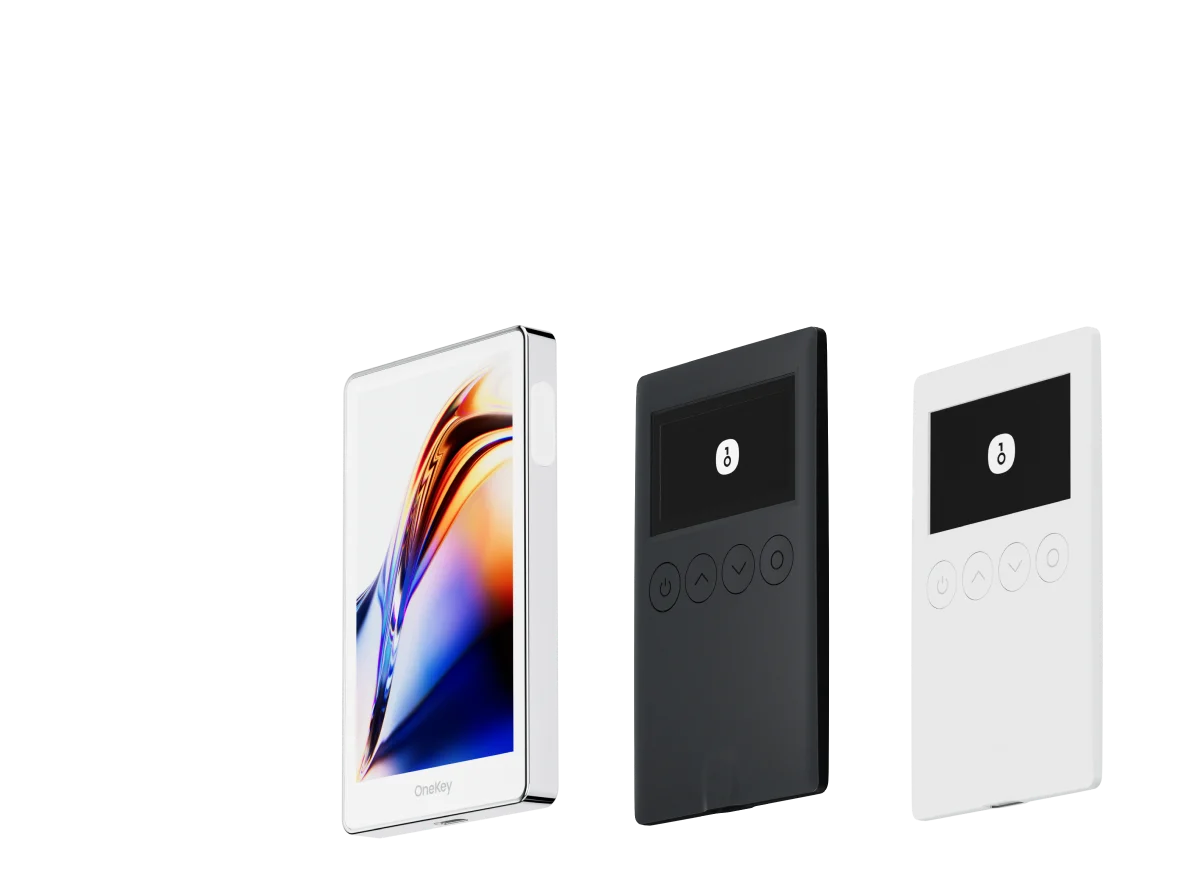
• A pilha da OneKey se destaca pela sua segurança e funcionalidades práticas para o uso diário e armazenamento a longo prazo.
PENGU — o token nativo do ecossistema Pudgy Penguins — tornou-se um dos ativos digitais mais discutidos em 2026 após seu lançamento em dezembro de 2024 e subsequentes listagens amplas em exchanges. Com a expansão da adoção do PENGU em jogos, mercadorias, programas de staking e listagens em grandes exchanges centralizadas, os detentores enfrentam duas realidades persistentes: (1) alta demanda traz alta liquidez e atividade de negociação, e (2) alta atividade atrai phishing, exploits de blind-signing e riscos avançados em nível de contrato. Este guia explica quais carteiras (software e hardware) são as mais seguras e práticas para PENGU em 2026, por que a pilha da OneKey (OneKey App + OneKey Pro / OneKey Classic 1S) se destaca para o uso de PENGU e como escolher a melhor configuração de custódia tanto para uso diário quanto para armazenamento de longo prazo. Fatos importantes do projeto e contexto de mercado são citados abaixo. (pudgypenguins.com)
Índice
- Por que a escolha da carteira é importante para os detentores de PENGU
- Notas rápidas sobre o mercado e ecossistema (onde PENGU vive e é negociado)
- Comparação de carteiras de software (tabela + análise)
- Comparação de carteiras de hardware (tabela + análise)
- Melhores práticas para PENGU: custódia, assinatura, movimentos cross-chain
- Recomendação final e CTA
Por que a escolha da carteira é importante para os detentores de PENGU
- PENGU é uma economia de token NFT em rápida evolução com negociação ativa, airdrops, staking e pontes cross-chain. Isso cria muitos fluxos legítimos on-chain — mas também muitas superfícies de ataque (dApps de phishing, aprovações maliciosas e interações complexas de contratos). Usar uma carteira que possa analisar transações e apresentar indicadores de risco em tempo real é essencial para evitar perdas. (pudgypenguins.com)
- Blind signing e pré-visualizações incompletas de transações ainda estão entre as principais causas de roubo on-chain. Uma carteira que exibe campos de transação claros e legíveis por humanos e fornece alertas de risco reduz a chance de aprovar inadvertidamente um contrato que drena tokens. A cobertura de segurança da indústria tem enfatizado a verificação de transações e a análise clara de transações como salvaguardas críticas. (blockaid.io)
Notas rápidas sobre o mercado e ecossistema (breve)
- O PENGU foi lançado em dezembro de 2024 e rapidamente listado em grandes exchanges e DEXs Solana. É principalmente um token SPL da Solana com crescentes integrações multi-chain e utilidades do ecossistema (staking, usos em jogos e integrações com NFTs). Espere transferências de tokens ativas, aprovações e fluxos cross-chain de DEXs e pontes. (decrypt.co)
- Grandes listas e airdrops no lançamento aumentaram o número de detentores e a liquidez; com isso, vem um maior direcionamento por parte de agentes de phishing e contratos oportunistas. Sempre use assinatura clara e análise de transações para tokens como PENGU. (cryptotimes.io)
Comparação de Carteiras de Software: Recursos e Experiência do Usuário
| Recurso | OneKey App | MetaMask | Phantom | Trust Wallet | Ledger Live |
|---|---|---|---|---|---|
| Imagem |  |  |  |  |  |
| Plataformas Suportadas | ✅ iOS, Android, Desktop | ✅ Extensão de navegador, Mobile | ✅ Extensão de navegador, Mobile | ✅ Mobile | ✅ Desktop, Mobile |
| Cadeias e Tokens Suportados | ✅ 100+ cadeias, 30.000+ tokens | ✅ Principalmente Ethereum e cadeias compatíveis | ✅ Principalmente ecossistema Solana, agora expandido para multi-chain | ✅ Multi-chain, alguns requerem pontes entre protocolos | ⚠️ Principalmente depende dos ativos suportados pela Ledger |
| Suporte a Carteira de Hardware | ✅ Suporte nativo para hardware OneKey, funciona de forma independente | ✅ Conecta-se a várias marcas de hardware | ⚠️ Suporte limitado (apenas Ledger/Trezor via WalletConnect) | ⚠️ Suporte limitado a hardware | ✅ Integração profunda com hardware Ledger |
| Código Aberto | ✅ Totalmente open source | ⚠️ Alguns componentes são de código fechado | ✅ Maior parte open source | ❌ Código fechado | ⚠️ Parcialmente open source (firmware de hardware não totalmente aberto) |
| Redução de Taxas | ✅ Transferências de stablecoins com taxa zero em redes suportadas | ❌ Nenhuma | ⚠️ Promoções temporárias de baixa taxa/sem taxa para certos ativos | ❌ Nenhuma | ❌ Nenhuma |
| Verificações de Segurança (Proteção contra Phishing) | ✅ Integrado com GoPlus & Blockaid | ⚠️ Alertas básicos de risco | ⚠️ Alertas básicos de risco | ⚠️ Alertas básicos de risco | ⚠️ Alertas básicos de risco |
| Suporte a Clear Signing | ✅ SignGuard análise dupla via App & Hardware | ⚠️ Exibição limitada, alto risco de blind signing | ✅ Suporta pré-visualização de transação | ⚠️ Informações incompletas | ✅ Requer hardware Ledger para Clear Signing |
| Filtro de Tokens Spam | ✅ Mecanismo de filtragem integrado | ❌ Nenhum | ❌ Nenhum | ❌ Nenhum | ❌ Nenhum |
| Bloqueio por PIN | ✅ Criptografia de PIN em nível de aplicativo | ⚠️ Senha de App + desbloqueio biométrico opcional | ✅ Sim | ✅ Sim | ✅ Sim |
| Lista Branca de Transferência | ✅ Suportado | ❌ Nenhuma | ❌ Nenhuma | ❌ Nenhuma | ❌ Nenhuma |
| Aluguel de Energia Tron | ✅ Suportado, reduz taxas em mais 20% | ❌ Nenhum | ❌ Nenhum | ✅ Suporta staking de TRX para redução de taxas | ❌ Nenhum |
| Carteira Oculta com Passphrase | ✅ Suportado (Attach to PIN) | ❌ Nenhum | ❌ Nenhum | ❌ Nenhum | ❌ Nenhum |
| Recursos de Trading (Comprar/Vender/Swap) | ✅ Swap multi-chain integrado & on-ramp | ✅ Funcionalidade de Swap forte | ✅ Swap integrado | ✅ Swap integrado | ✅ Swap (via Ledger Live) |
| Mercados & Gráficos | ✅ Dados de mercado integrados & rastreamento de portfólio | ❌ Nenhum | ⚠️ Dados de mercado limitados | ✅ Mercado integrado | ✅ Mercado integrado & rastreamento de preços |
| DeFi & Staking | ✅ Entrada integrada para DeFi multi-chain & staking | ⚠️ Depende de dApps de terceiros | ⚠️ Principalmente staking em Solana, suporte parcial a DeFi multi-chain | ✅ Opções de staking integradas | ⚠️ Limitado, requer hardware Ledger |
Comparação de Carteiras de Hardware: A Fortaleza Definitiva para Proteger os Ativos de PENGU
| Recurso | OneKey Classic 1S | OneKey Pro | Ledger Stax | Trezor Safe 5 | Ellipal Titan 2.0 | BitBox 02 | Tangem |
|---|---|---|---|---|---|---|---|
| Imagem |  |  |  |  |  |  |  |
| Chip Seguro | ✅ Elemento seguro EAL 6+ | ✅ Quatro EAL 6+ (nível bancário/passaporte) | ✅ Elemento seguro EAL6+ | ✅ Elemento seguro EAL 6+ | ⚠️ Elemento seguro EAL 5+, fechado | ⚠️ Arquitetura de dois chips (inclui ATECC608B) | ✅ Elemento seguro EAL 6+ |
| Tela & Interação | ⚠️ OLED monocromático 128×64 + botões | ✅ Tela sensível ao toque colorida HD de 3,5″ + leitura por câmera + Bluetooth + NFC | ✅ Tela sensível ao toque E-Ink curva de 3,7″ | ✅ Tela colorida sensível ao toque de 1,54″ (240×240) + resposta tátil | ✅ Tela sensível ao toque IPS colorida de 4,0″ | ⚠️ OLED monocromático 128×64 + toque capacitivo | ❌ Sem tela, apenas cartão |
| Conectividade | ✅ Bluetooth / USB-C | ✅ Leitura por QR (air-gap) + Bluetooth + USB-C | ✅ USB-C + Bluetooth | ⚠️ Apenas USB-C | ✅ Totalmente air-gapped, baseado em QR | ⚠️ USB-C (sem wireless) | ✅ NFC com smartphone |
| Carregamento Sem Fio | ❌ Não suportado | ✅ Suporta carregamento sem fio Qi | ✅ Suporta carregamento sem fio Qi | ❌ Não suportado | ❌ Não suportado | ❌ Não suportado | ❌ Não suportado |
| Métodos de Backup | ✅ Registro manual / Backup em Keytag | ✅ Registro manual / Backup em cartão Lite | ⚠️ Frase manual / Ledger Recovery Key (nuvem) | ✅ Frase manual | ✅ Frase manual | ⚠️ Backup instantâneo em microSD | ⚠️ Backup em múltiplos cartões |
| Método de Assinatura | ✅ Confirmação por botão físico | ✅ Reconhecimento de impressão digital | ✅ Assinatura via tela sensível ao toque | ✅ Confirmação por botão físico | ✅ Assinatura via QR | ✅ Confirmação por toque | ⚠️ Confirmação por aproximação NFC |
| Análise de Transações & Alertas | ✅ SignGuard análise dupla App + hardware com alertas | ✅ SignGuard análise dupla App + hardware com alertas | ⚠️ Análise limitada, sem alertas | ⚠️ Apenas informações básicas da transação | ⚠️ Exibição limitada | ⚠️ Apenas informações básicas | ❌ Nenhuma |
| Status de Código Aberto | ✅ Totalmente open source | ✅ Totalmente open source | ❌ Firmware fechado, SDK parcial aberto | ✅ Firmware e software open source | ❌ Fechado | ✅ Totalmente open source | ❌ Fechado |
| Suporte Multi-Chain | ✅ 100+ cadeias, 30.000+ tokens | ✅ Ainda mais amplo | ✅ 5.500+ tokens via Ledger Live | ✅ BTC / ETH / Multi-chain | ⚠️ Cobertura limitada | ⚠️ BTC / ETH / alguns ERC-20 | ⚠️ Principalmente ETH / TON |
| Privacidade | ✅ Transparência open source + chaves Web2 | ✅ Transparência open source + chaves Web2 | ⚠️ Dependente do Ledger Live, preocupações com dados | ✅ Transparência open source | ❌ Sem recursos especiais de privacidade | ⚠️ Funções básicas de privacidade | ✅ Resistência IP69K à água e poeira |
| Login Web2 (FIDO) | ✅ Suporta WebAuthn | ✅ Suporta WebAuthn | ❌ Não suportado | ⚠️ Suporte parcial FIDO2 | ❌ Não suportado | ❌ Não suportado | ❌ Não suportado |
| Carteiras Ocultas | ✅ Suportado | ✅ Suportado | ✅ Suportado | ✅ Suportado | ✅ Suportado | ✅ Suportado | ❌ Não suportado |
| Attach to PIN | ✅ Suportado | ✅ Suportado | ✅ Suportado | ❌ Não suportado | ❌ Não suportado | ❌ Não suportado | ❌ Não suportado |
| Facilidade de Interação | ⚠️ Interação básica | ✅ Modo Turbo (Assinatura simplificada, aprovações mais rápidas) | ⚠️ Interação básica | ⚠️ Interação básica | ⚠️ Interação básica | ⚠️ Interação básica | ⚠️ Interação básica |
| Compatibilidade com Multisig | ✅ Protocolos multisig populares | ✅ Mesmo da esquerda | ⚠️ Requer plugins do App | ✅ Suporte para Electrum / Sparrow | ⚠️ Fraco | ⚠️ Multisig Electrum limitado | ❌ Não suportado |
| Segurança de Embalagem & Firmware | ✅ Embalagem à prova de violação + verificação de firmware | ✅ Mesmo da esquerda | ⚠️ Assinatura de firmware fechada | ✅ Verificação de assinatura de firmware | ⚠️ Sem verificação aberta | ⚠️ Vedação básica | ❌ Sem verificação de firmware |
| Verificação WalletScrutiny | ✅ Aprovado em todos os 10 testes | ✅ Aprovado em todos os 10 testes | ❌ Não aprovado | ✅ Aprovado | ❌ Não aprovado | ⚠️ Parcialmente aprovado | ❌ Não aprovado |
| Apoio da Indústria | ✅ Apoiado por Coinbase & YZi Labs | ✅ Apoiado por Coinbase & YZi Labs | ✅ Apoiado por a16z, Samsung | ✅ Apoiado pela comunidade & pesquisadores de segurança | ⚠️ Nenhum | ⚠️ Sem apoiadores notáveis | ⚠️ Nenhum |
| Faixa de Preço | 💰 $79–$99 | 💰 $278 | 💰 $399 | 💰 $169 | 💰 $169 | 💰 $149.99 | 💰 $60–$90 (pacote com 3) |