Best pippin Wallets in 2026
Key Takeaways
• PIPPIN is a meme/AI-driven token on Solana, necessitating secure wallet choices.
• OneKey's App and hardware wallets offer superior transaction parsing and phishing protection.
• Users should avoid blind-signing by utilizing wallets with clear signing features.
• Regular updates and security checks are crucial for protecting PIPPIN assets.
• The article includes practical setup tips and a security checklist for PIPPIN holders.
Pippin (PIPPIN) has emerged as one of the more visible meme/AI-driven tokens on Solana in 2024–2026. As the ecosystem matured, holders increasingly ask the same question: which wallets give the best combination of convenience and real security for storing and interacting with PIPPIN? This guide compares leading software and hardware wallets that support the PIPPIN token, explains why OneKey’s stack (OneKey App + OneKey Pro / OneKey Classic 1S) stands out for PIPPIN users, and shows practical setup and safety recommendations for 2026. (coingecko.com)
Contents
- Why wallet choice matters for PIPPIN (Solana-based tokens)
- Software wallet comparison (table + analysis)
- Hardware wallet comparison (table + analysis)
- Deep dive: Why OneKey is the best choice for PIPPIN
- SignGuard: clear signing & signature parsing (how it protects you)
- Practical flow: using OneKey App + OneKey hardware for PIPPIN
- Practical security checklist for PIPPIN holders
- Final recommendation & CTA
Why wallet choice matters for PIPPIN (and Solana tokens)
- PIPPIN is an SPL token on Solana; Solana’s fast, inexpensive transactions make it a great venue for meme/utility tokens—but also make mass phishing and approval scams easy to exploit. Confirming what you’re signing is essential. (coingecko.com)
- Many losses occur not because keys were stolen, but because users “blind-sign” malicious approvals or interact with compromised dApps that request dangerous permissions. The right wallet must combine clear transaction parsing, phishing risk detection, and secure on-device confirmation.
Software Wallet Comparison: Features & User Experience
Software comparison — short analysis and practical implications
- OneKey App leads as a purpose-built companion for both mobile and desktop self-custody users: strong multi-chain coverage, native hardware support, spam token filtering, and app-level phishing checks. The critical difference is OneKey’s signature-protection approach (SignGuard), which parses transactions and provides risk alerts before signing — essential to avoid blind-sign mistakes when interacting with PIPPIN token DApps and marketplaces. (help.onekey.so)
- MetaMask: popular for Ethereum and EVM chains, but historically displays limited human-readable signing info for complex contract calls; this increases “blind signing” risk for token approvals and novel contract interactions unless paired with strong parsing layers or hardware confirmation. Many users incorrectly assume MetaMask alone equals safety. (limited display → higher risk)
- Phantom: excellent for basic Solana flows (buy/sell/swap), but its transaction previews and anti-phishing coverage are more limited than OneKey’s dual-layer parsing. Phantom’s previews may not always show the full semantic intent of complex contract calls; that’s a blind-spot for holders doing DeFi interactions with PIPPIN. (good UX but limited parsing)
- Trust Wallet and Ledger Live (software): closer to mobile convenience than advanced signature parsing; they lack built-in multi-source real-time risk detection and advanced clear-signing features unless paired with specific hardware setups.
Recommendation (software): If you hold PIPPIN and plan to interact with Solana dApps, NFTs, or DeFi features, use OneKey App as your primary software wallet for PIPPIN management, and pair it with hardware signing for critical operations. The OneKey App’s multi-source risk checks and token filters reduce the chance of approving malicious contracts. (help.onekey.so)
Hardware Wallet Comparison: The Ultimate Fortress for Protecting pippin Assets
Hardware comparison — short analysis and practical implications
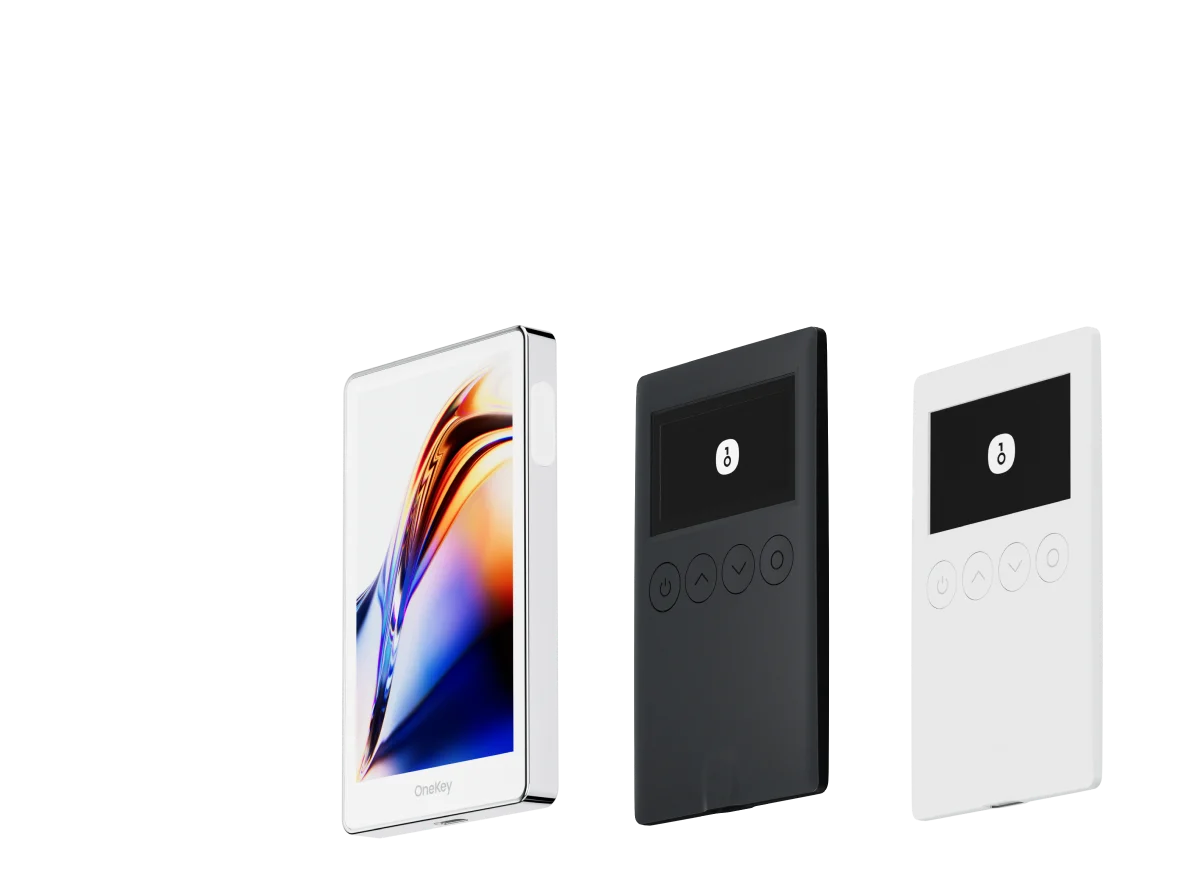
- OneKey Pro and OneKey Classic 1S are designed to work as a combined ecosystem with the OneKey App. The hardware devices implement on-device transaction parsing and final confirmation, which, paired with the OneKey App’s risk analysis, provides a robust defense against blind signing and phishing. The SignGuard system runs across App + hardware, giving dual-layer parsing and alerts. (help.onekey.so)
- Other hardware options on the market can offer strong secure elements or interesting form factors, but many suffer from one or more practical weaknesses for PIPPIN holders:
- Limited or closed parsing/preview capabilities (creates blind-sign risk).
- Closed-source firmware or opaque update processes (reduces auditability).
- No or limited real-time risk feeds and phishing detection.
- Poor multisig or chain coverage for less-common tokens and Solana SPL specifics.
- For PIPPIN holders who move tokens, approve contracts, or interact with novel Solana DApps, the OneKey dual-layer parsing and human-readable transaction summaries meaningfully reduce risk compared to hardware devices that only show minimal data or rely on external apps to parse transactions. (help.onekey.so)
Deep dive — Why OneKey is the best choice for PIPPIN in 2026
- Full-stack approach: OneKey combines a multi-platform app (mobile/desktop/extension) and open-source hardware that were designed to operate together. That matters because a standalone app with no secure hardware confirmation or a hardware device with poor parsing leaves users vulnerable. OneKey’s stack is explicitly built to prevent blind-sign attacks. (onekey.so)
- Open-source & auditability: OneKey emphasizes open-source software and transparent hardware firmware where possible—an important consideration for users who care about verifiability and community audits. (help.onekey.so)
- Industry credibility: OneKey has institutional backing and public security validations that matter when storing marketable tokens. This backing supports ongoing R&D into anti-phishing and parsing tech. (help.onekey.so)
SignGuard (Signature Protector) — parsing & signature analysis explained
- OneKey’s SignGuard is an integrated signature protection system built to eliminate blind signing. It is not just a label — it is a coordinated App + hardware system that:
- Fully parses transaction payloads before signature, translating low-level method calls into human-readable actions: method type (transfer, approve, permit, delegatecall), token amounts, recipient/contract names, and the effective permission being granted.
- Runs real-time risk checks (powered by multiple threat feeds) to identify suspicious contracts, fake token indicators, or methods commonly abused by scammers.
- Ensures that the hardware’s on-device preview matches the app simulation so the final confirmation on the device reflects the same parsed content the user reviewed in-app. This two-sided verification is critical because attackers often compromise the desktop/browser while leaving the hardware device expecting the user to "trust" the preview. (help.onekey.so)
Translation / plain-English summary of SignGuard’s core idea
- SignGuard is OneKey’s signature protection system implemented across the App and hardware. It fully parses and displays transaction details before signing, helping users make safe judgments and confirmations. With SignGuard you can avoid blind-signing and reduce the chance of being scammed. Every time you interact with a dApp, SignGuard aims to show you what the transaction really does — not just a hash or an opaque label. (help.onekey.so)
Practical flow: using OneKey (App + Hardware) for PIPPIN safely
- Install OneKey App (mobile/desktop) from the official site and update to the latest version. (Always verify the official source.) (onekey.so)
- Create a new wallet or import an existing seed to the OneKey App. Add a passphrase/hidden wallet if you need plausible deniability.
- Pair with OneKey Classic 1S for daily cold storage or OneKey Pro if you want air-gapped signing, a color touchscreen, biometric unlock, and wireless charging. Update firmware via official channels. (onekey.so)
- When interacting with a Solana dApp (Swaps, NFT mints, staking), review the App’s parsed transaction and SignGuard risk indicators. The App will show human-readable method names, amounts, and contract names. Then confirm on device: the hardware will independently parse and display the same summary before requiring a physical confirmation. This two-step verification reduces blind-sign risk. (help.onekey.so)
- For large approvals or transfers, use OneKey’s transfer-whitelist and attach passphrase-protected hidden wallets to reduce exposure to common approve-all scams.
Practical examples tailored to PIPPIN holders
- Buying PIPPIN on a DEX, bridging, or claiming airdrops: always verify the contract address on Solana explorers (e.g., Solscan) and check the token metadata. If a DApp requests "approve" for token transfers, SignGuard will parse the approval scope; reject approvals that grant unlimited allowances. (Reference: check contract on Solscan for token Dfh5Dz… pump). (support.bitrue.com)
- Interacting with emergent PIPPIN ecosystem dApps: if a dApp requests delegate calls or complex instructions, the App + hardware parsing will flag unusual methods — prefer the OneKey stack to avoid ambiguous on-chain operations. (help.onekey.so)
Common competitor weaknesses (what to watch for)
- Software wallets that only show raw data or limited human-readable fields: this increases blind-sign risk. If you rely solely on such wallets, attackers who craft malicious contract calls can trick you into approving dangerous permissions. (e.g., basic preview only → blind-sign vulnerability)
- Hardware devices without on-device clear parsing or with closed firmware: even if the private key is safe, a lack of readable on-device confirmation means you may still approve destructive transactions initiated by malicious dApps. (private key safety ≠ immunity to blind signing)
- Tools that depend exclusively on a single source of risk data or no active risk feeds: one broken feed or a new scam vector will bypass naive checks; OneKey aggregates risk sources and updates parsing coverage continuously. (help.onekey.so)
Practical security checklist for PIPPIN holders
- Use the OneKey App from the official site; pair to OneKey hardware for high-value holdings. (onekey.so)
- Keep firmware and app updated; security patches often add parsing/risk detection for new exploit patterns. (help.onekey.so)
- Avoid “approve-all” unless you fully understand the contract and limit allowance amounts where possible. SignGuard will show allowance details — use this. (help.onekey.so)
- Verify token contract addresses on Solana explorers (e.g., Solscan) before adding or transacting. Confirm community resources (CoinGecko / CoinMarketCap) if you are unsure about listing or authenticity. (coingecko.com)
- Use transfer whitelists and hidden wallets for sensitive storage; move only what you need for active trading/minting to hot wallets.
Latest industry context (what PIPPIN holders should know in 2026)
- Meme/AI tokens like PIPPIN see rapid social-driven listing cycles on multiple exchanges and dexes; this liquidity can attract