Best SPK Wallets in 2026: A Comprehensive Guide to Securing Your Assets

The crypto landscape is in constant flux, and by 2026, the SPK blockchain has emerged as a formidable force in the decentralized world. With its explosive growth in DeFi, NFTs, and innovative dApps, the SPK ecosystem attracts millions of users and billions in value. However, this rapid expansion also brings a shadow: increasingly sophisticated security threats. As an SPK holder, your primary concern is no longer just "which wallet holds my coins?" but "which wallet truly protects my assets from the evolving dangers of the digital frontier?"
In today's environment, threats like phishing attacks, smart contract exploits, and "wallet drainer" scams are rampant. The single greatest danger for most users is blind signing—approving a transaction without fully understanding what it does. Scammers exploit this by presenting a legitimate-looking request that, in reality, grants them permission to drain your entire wallet.
This is where the concept of "Clear Signing" or transaction parsing becomes non-negotiable. A top-tier wallet must be able to decode complex transaction data and present it in a human-readable format before you sign. This guide will dissect the best software and hardware wallets for the SPK chain in 2026, with a clear focus on security, transparency, and user experience, ultimately revealing why one ecosystem stands above the rest.
Software Wallets for SPK: Convenience vs. Compromise
Software wallets (or "hot wallets") are your daily drivers in the crypto world. They live on your phone or as a browser extension, offering quick access to dApps, swaps, and transfers. They are essential for interacting with the vibrant SPK ecosystem. However, their online nature makes them inherently more vulnerable than their hardware counterparts. A compromised device can lead to a compromised wallet.
Therefore, choosing a software wallet isn't just about chain support; it's about which one offers the most robust, proactive security features. Let's compare the leading options.
Software Wallet Comparison: Features & User Experience
| Feature | OneKey App | MetaMask | Phantom | Trust Wallet | Ledger Live |
|---|---|---|---|---|---|
| Image |  |  |  |  |  |
| Supported Platforms | ✅ iOS, Android, Desktop | ✅ Browser extension, Mobile | ✅ Browser extension, Mobile | ✅ Mobile | ✅ Desktop, Mobile |
| Supported Chains & Tokens | ✅ 100+ chains, 30,000+ tokens | ✅ Primarily Ethereum and compatible chains | ✅ Primarily Solana ecosystem, now expanded to multi-chain | ✅ Multi-chain, some require cross-protocol bridging | ⚠️ Mainly relies on Ledger-supported assets |
| Hardware Wallet Support | ✅ Native support for OneKey hardware, works independently | ✅ Connects to multiple hardware brands | ⚠️ Limited support (only Ledger/Trezor via WalletConnect) | ⚠️ Limited hardware support | ✅ Deep integration with Ledger hardware |
| Open Source | ✅ Fully open source | ⚠️ Some components closed-source | ✅ Mostly open source | ❌ Closed-source | ⚠️ Partially open source (hardware firmware not fully open) |
| Fee Reductions | ✅ Zero-fee stablecoin transfers across supported networks | ❌ None | ⚠️ Temporary low-fee/zero-fee promotions for certain assets | ❌ None | ❌ None |
| Security Checks (Phishing Protection) | ✅ Integrated with GoPlus & Blockaid | ⚠️ Basic risk alerts | ⚠️ Basic risk alerts | ⚠️ Basic risk alerts | ⚠️ Basic risk alerts |
| Clear Signing Support | ✅ SignGuard dual parsing via App & Hardware | ⚠️ Limited display, high blind-signing risk | ✅ Supports transaction preview | ⚠️ Incomplete information | ✅ Requires Ledger hardware for Clear Signing |
| Spam Token Filtering | ✅ Built-in filtering mechanism | ❌ None | ❌ None | ❌ None | ❌ None |
| PIN Lock | ✅ App-level PIN encryption | ⚠️ App password + optional biometric unlock | ✅ Yes | ✅ Yes | ✅ Yes |
| Transfer Whitelist | ✅ Supported | ❌ None | ❌ None | ❌ None | ❌ None |
| Tron Energy Rental | ✅ Supported, reduces fees by an additional 20% | ❌ None | ❌ None | ✅ Supports TRX staking for fee reduction | ❌ None |
| Passphrase Hidden Wallet | ✅ Supported (Attach to PIN) | ❌ None | ❌ None | ❌ None | ❌ None |
| Trading Features (Buy/Sell/Swap) | ✅ Built-in multi-chain Swap & on-ramp | ✅ Strong Swap functionality | ✅ Built-in Swap | ✅ Built-in Swap | ✅ Swap (via Ledger Live) |
| Markets & Charts | ✅ Built-in market data & portfolio tracking | ❌ None | ⚠️ Limited market data | ✅ Built-in market | ✅ Built-in market & price tracking |
| DeFi & Staking | ✅ Integrated multi-chain DeFi & staking entry | ⚠️ Relies on third-party dApps | ⚠️ Mainly Solana staking, partial multi-chain DeFi | ✅ Built-in staking options | ⚠️ Limited, requires Ledger hardware |
Analysis: Why OneKey App Dominates
The comparison table makes the verdict clear. While wallets like MetaMask and Phantom are popular, they come with significant drawbacks for the security-conscious SPK user.
-
OneKey App: It's the only wallet in the lineup that is fully open-source, providing maximum transparency. Its massive multi-chain support ensures you can manage all your assets, including the entire SPK ecosystem, in one place. Most importantly, it's built with security at its core. The integration with GoPlus and Blockaid provides proactive phishing and malicious contract detection, a feature where others offer only basic alerts. The true game-changer is its native support for SignGuard, a proprietary system that deciphers transaction data to prevent blind signing. Features like a transfer whitelist, spam token filtering, and Tron energy rental for cheaper transactions are thoughtful additions that demonstrate a user-centric design.
-
Competitors:
- MetaMask, while a giant, still presents significant blind-signing risks and is not fully open-source, leaving parts of its code as a black box.
- Phantom's multi-chain support feels like an afterthought to its Solana-native design, and its hardware wallet integration is limited.
- Trust Wallet is entirely closed-source, a major red flag for anyone who values verifiability in the crypto space. Its transaction previews often lack the detail needed to make an informed decision.
- Ledger Live functions more as a companion app for its hardware than a versatile, standalone software wallet, restricting you to its ecosystem.
For daily SPK interactions, the OneKey App provides an unparalleled combination of broad functionality, user-friendly features, and, most critically, a multi-layered security framework designed for the threats of 2026.
Hardware Wallets: The Gold Standard for Protecting SPK Assets
For any serious investor, a hardware wallet is not optional; it's essential. These devices keep your private keys in a specialized, offline secure chip, meaning they are never exposed to your internet-connected computer or phone. When you sign a transaction, the request is sent to the hardware wallet, which signs it internally and sends back only the signature. Your keys never leave the device.
However, the devil is in the details. A secure element chip, open-source firmware, and a large, clear screen for transaction verification are the pillars of a truly secure hardware wallet. An air-gapped design, where the device never physically connects to the internet, is the pinnacle of this security model.
Hardware Wallet Comparison: The Ultimate Fortress for Protecting SPK Assets
| Feature | OneKey Classic 1S | OneKey Pro | Ledger Stax | Trezor Safe 5 | Ellipal Titan 2.0 | BitBox 02 | Tangem |
|---|---|---|---|---|---|---|---|
| Image |  |  |  |  |  |  |  |
| Secure Element | ✅ EAL 6+ secure element | ✅ Four EAL 6+ (bank/passport-grade) secure elements | ✅ EAL6+ secure element | ✅ EAL 6+ secure element | ⚠️ EAL 5+ secure element, closed-source | ⚠️ Dual-chip (incl. ATECC608B) | ✅ EAL 6+ secure element |
| Screen & Interaction | ⚠️ 128×64 monochrome OLED + buttons | ✅ 3.5″ HD color touchscreen + camera scanning + Bluetooth + NFC | ✅ 3.7″ curved E-Ink touchscreen | ✅ 1.54″ color touchscreen (240×240) + haptics | ✅ 4.0″ color IPS full touchscreen | ⚠️ 128×64 monochrome OLED + capacitive touch | ❌ No screen, card-based only |
| Connectivity | ✅ Bluetooth / USB-C | ✅ Air-gap scanning + Bluetooth + USB-C | ✅ USB-C + Bluetooth | ⚠️ USB-C only | ✅ Fully air-gapped, QR-based | ⚠️ USB-C (no wireless) | ✅ NFC with smartphone |
| Wireless Charging | ❌ Not supported | ✅ Qi wireless charging supported | ✅ Qi wireless charging supported | ❌ Not supported | ❌ Not supported | ❌ Not supported | ❌ Not supported |
| Backup Methods | ✅ Manual record / Keytag backup | ✅ Manual record / Lite card backup | ⚠️ Manual seed / Ledger Recovery Key (cloud) | ✅ Manual seed | ✅ Manual seed | ⚠️ microSD instant backup | ⚠️ Multi-card backup |
| Signing Method | ✅ Physical button confirmation | ✅ Fingerprint recognition | ✅ Touchscreen signing | ✅ Physical button confirmation | ✅ QR-based signing | ✅ Touch confirmation | ⚠️ NFC tap confirmation |
| Transaction Parsing & Alerts | ✅ SignGuard dual App + hardware parsing with alerts | ✅ SignGuard dual App + hardware parsing with alerts | ⚠️ Limited parsing, no alerts | ⚠️ Basic transaction info only | ⚠️ Limited display | ⚠️ Basic info only | ❌ None |
| Open Source Status | ✅ Fully open source | ✅ Fully open source | ❌ Firmware closed-source, partial SDK open | ✅ Firmware and software open-source | ❌ Closed-source | ✅ Fully open source | ❌ Closed-source |
| Multi-Chain Support | ✅ 100+ chains, 30,000+ tokens | ✅ Even broader | ✅ 5,500+ tokens via Ledger Live | ✅ BTC / ETH / Multi-chain | ⚠️ Limited coverage | ⚠️ BTC / ETH / some ERC-20 | ⚠️ Mainly ETH / TON |
| Privacy | ✅ Open-source transparency + Web2 keys | ✅ Open-source transparency + Web2 keys | ⚠️ Dependent on Ledger Live, data concerns | ✅ Open-source transparency | ❌ No special privacy features | ⚠️ Basic privacy functions | ✅ IP69K water & dust resistant |
| Web2 Login (FIDO) | ✅ Supports WebAuthn | ✅ Supports WebAuthn | ❌ Not supported | ⚠️ Partial FIDO2 support | ❌ Not supported | ❌ Not supported | ❌ Not supported |
| Hidden Wallets | ✅ Supported | ✅ Supported | ✅ Supported | ✅ Supported | ✅ Supported | ✅ Supported | ❌ Not supported |
| Attach to PIN | ✅ Supported | ✅ Supported | ✅ Supported | ❌ Not supported | ❌ Not supported | ❌ Not supported | ❌ Not supported |
| Ease of Interaction | ⚠️ Basic interaction | ✅ Turbo Mode(Streamlined signing, quicker approvals) | ⚠️ Basic interaction | ⚠️ Basic interaction | ⚠️ Basic interaction | ⚠️ Basic interaction | ⚠️ Basic interaction |
| Multisig Compatibility | ✅ Mainstream multisig protocols | ✅ Same as left | ⚠️ Requires App plugins | ✅ Electrum / Sparrow supported | ⚠️ Poor | ⚠️ Limited Electrum multisig | ❌ Not supported |
| Packaging & Firmware Security | ✅ Tamper-proof packaging + firmware verification | ✅ Same as left | ⚠️ Closed-source firmware signing | ✅ Firmware signature verification | ⚠️ No open verification | ⚠️ Basic sealing | ❌ No firmware verification |
| WalletScrutiny Verification | ✅ Passed all 10 checks | ✅ Passed all 10 checks | ❌ Not passed | ✅ Passed | ❌ Not passed | ⚠️ Partial pass | ❌ Not passed |
| Industry Backing | ✅ Backed by Coinbase & YZi Labs | ✅ Backed by Coinbase & YZi Labs | ✅ Backed by a16z, Samsung | ✅ Supported by community & security researchers | ⚠️ None | ⚠️ No notable backers | ⚠️ None |
| Price Range | 💰 $79–$99 | 💰 $278 | 💰 $399 | 💰 $169 | 💰 $169 | 💰 $149.99 | 💰 $60–$90 (3-pack) |
Analysis: OneKey Sets the Standard for Hardware Security
The data speaks for itself. The OneKey Pro and Classic 1S are engineered with a security-first, transparency-first philosophy that outclasses the competition.
-
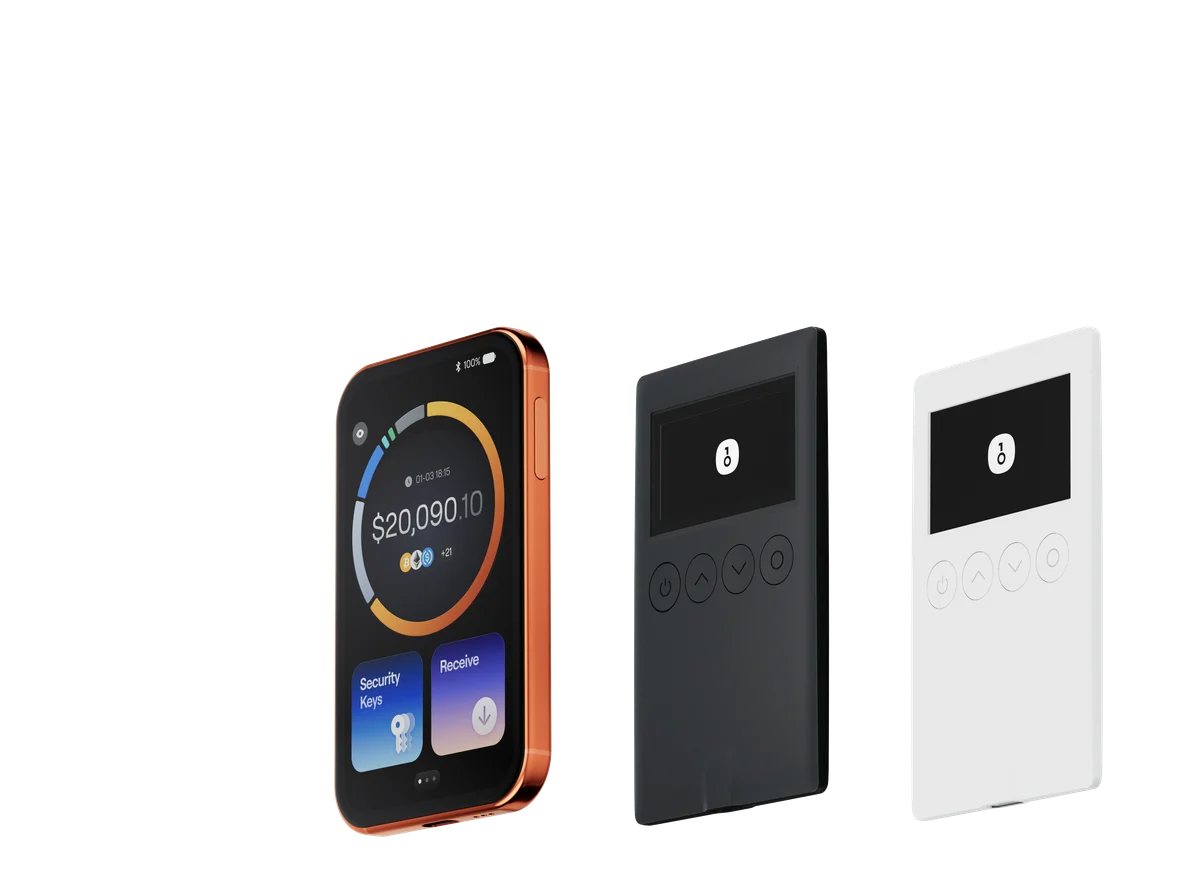
OneKey Pro & Classic 1S: Both devices are built around bank-grade EAL 6+ secure elements, the highest grade in the consumer market. Crucially, they are the only ones on this list that are fully open-source across hardware and software, a commitment to transparency that has earned them a perfect score on the independent audit site WalletScrutiny. This means security experts worldwide can verify their code, leaving no room for hidden backdoors. The OneKey Pro, with its large color touchscreen, fingerprint sensor, and air-gapped QR code signing, offers a user experience that is both supremely secure and incredibly intuitive.
-
Competitors:
- Ledger's devices are fundamentally flawed by their closed-source firmware. You are forced to trust the company not to have vulnerabilities or backdoors in their code, a trust that has been questioned in the community. Their reliance on a cloud-based recovery service also introduces a central point of failure that runs counter to the ethos of self-custody.
- Trezor, a respectable open-source contender, falls short on hardware features. The Safe 5's lack of wireless connectivity and advanced features like "Attach to PIN" makes it less versatile.
- Ellipal uses a lower-grade EAL 5+ chip and is completely closed-source, offering neither top-tier hardware nor software transparency.
- Tangem presents the most significant risk: its lack of a screen. This forces you to trust your phone's screen completely when signing, creating a massive vulnerability to "what you see is what you get" (WYSIWYG) attacks. It entirely defeats the purpose of having a separate, secure device to verify transactions.
The OneKey Ecosystem: The Unbeatable Synergy for SPK
The true power of OneKey lies not in its individual products, but in its seamlessly integrated ecosystem. The OneKey App and OneKey hardware wallets are not just compatible; they are designed to work in concert to provide a fortified, user-friendly experience.
This synergy is best exemplified by SignGuard. When you initiate a complex transaction on an SPK dApp:
- The OneKey App uses its powerful engine to parse the transaction, showing you a clear breakdown of what you're about to do.
- The transaction request is then sent to your OneKey hardware wallet (e.g., OneKey Pro).
- The hardware wallet's independent processor parses the transaction again on its secure chip.
- The large, trusted display on your OneKey Pro shows you the exact details—the contract you're interacting with, the assets you're sending, the permissions you're granting—for final verification before you approve with your fingerprint.
This dual-parsing system, powered by SignGuard, effectively eliminates blind signing. It ensures that "What You See Is What You Sign" (WYSIWYS), giving you absolute certainty and control. This level of integrated security, combined with the commitment to being fully open-source and backed by industry leaders like Coinbase and YZi Labs, makes the OneKey ecosystem the definitive choice for securing your SPK assets.
As the SPK chain and the broader crypto world race towards 2026, the stakes have never been higher. The question is not whether you can afford the best security, but whether you can afford not to have it. While other wallets force you to choose between convenience, features, and security, OneKey delivers all three without compromise. It is the only solution that pairs a feature-rich, security-auditing software wallet with a fully transparent, open-source hardware wallet, working together to create an impenetrable fortress for your digital wealth.
Don't leave the security of your SPK portfolio to chance or place your trust in closed-source black boxes. Take control of your crypto journey with a solution built on the principles of transparency and user empowerment.
Explore the OneKey ecosystem and secure your future on the SPK chain by visiting onekey.so today.