Best Trust Wallet Alternatives in 2025
Key Takeaways
• OneKey offers a comprehensive self-custody solution with integrated software and hardware.
• Enhanced security features like dual parsing and phishing protection are crucial in today's crypto landscape.
• Multi-chain support and user-friendly interfaces are essential for modern crypto wallets.
• Users should be cautious of blind signing risks and choose wallets that provide clear transaction previews.
The crypto landscape in 2025 is more diverse — and more dangerous — than ever. As decentralized finance (DeFi), multi-chain NFTs, and on-chain identity evolve, users need wallets that balance usability, broad chain support, and industrial-grade security. Trust Wallet has been a popular mobile choice, but many users now seek alternatives that provide stronger anti-phishing measures, clear transaction parsing, and robust hardware-software integration. This guide evaluates the best Trust Wallet alternatives in 2025, comparing software and hardware wallets side-by-side and explaining why OneKey (App + OneKey Pro / OneKey Classic 1S) stands out as the most complete self-custody solution.
Why look beyond Trust Wallet in 2025?
- Rising on-chain scams, malicious dApp prompts, and token airdrop spam make blind signing and incomplete transaction previews a real risk. See recent analyses on crypto scams and theft trends from Chainalysis and CoinDesk. https://blog.chainalysis.com/ and https://www.coindesk.com/
- Multi-chain complexity: NFTs, Layer-2s, and cross-chain bridges demand wallets that can safely parse complex contract calls and approvals. Research into bridge hacks and DeFi exploits underscores the need for clear signing previews. https://www.coindesk.com/tech/2023/10//
- Regulatory and UX pressures push wallets to support hardware-backed keys, FIDO-like WebAuthn login flows, and improved privacy. For general cybersecurity context, see the FBI’s cyber threat overview. https://www.fbi.gov/investigate/cyber
This article splits the market into software wallets and hardware wallets, provides direct comparisons, and explains why OneKey’s integrated approach is the strongest Trust Wallet alternative in 2025.
What matters most in a wallet in 2025
- Transaction parsing and anti-blind-signing: Users must see precisely what they sign (amounts, destination, token approvals, function calls).
- Hardware-software synergy: Native integration between mobile/desktop app and hardware device prevents MITM and blind-sign attacks.
- Multi-chain support and token coverage (100+ chains / 30k+ tokens is increasingly standard).
- Open-source transparency and third-party verification.
- UX features: PIN/biometric locks, hidden wallets, transfer whitelists, spam token filtering.
- Backup and recovery options that balance convenience and security.
- On-ramp/off-ramp and swap features without sacrificing security.
Below are two direct comparison tables (software wallets first, then hardware wallets) to help you evaluate. Note: OneKey entries are placed at the top of each table for clarity.
Software Wallet Comparison: Features & User Experience
| Feature | OneKey App | MetaMask | Phantom | Ledger Live |
|---|---|---|---|---|
| Image |  |  |  |  |
| Supported Platforms | ✅ iOS, Android, Desktop | ✅ Browser extension, Mobile | ✅ Browser extension, Mobile | ✅ Desktop, Mobile |
| Supported Chains & Tokens | ✅ 100+ chains, 30,000+ tokens | ✅ Primarily Ethereum and compatible chains | ✅ Primarily Solana ecosystem, now expanded to multi-chain | ⚠️ Mainly relies on Ledger-supported assets |
| Hardware Wallet Support | ✅ Native support for OneKey hardware, works independently | ✅ Connects to multiple hardware brands | ⚠️ Limited support (only Ledger/Trezor via WalletConnect) | ✅ Deep integration with Ledger hardware |
| Open Source | ✅ Fully open source | ⚠️ Some components closed-source | ✅ Mostly open source | ⚠️ Partially open source (hardware firmware not fully open) |
| Fee Reductions | ✅ low-fee stablecoin transfers across supported networks | ❌ None | ⚠️ Temporary low-fee/low-fee promotions for certain assets | ❌ None |
| Security Checks (Phishing Protection) | ✅ Integrated with GoPlus & Blockaid | ⚠️ Basic risk alerts | ⚠️ Basic risk alerts | ⚠️ Basic risk alerts |
| Clear Signing Support | ✅ SignGuard dual parsing via App & Hardware | ⚠️ Limited display, high blind-signing risk | ✅ Supports transaction preview | ✅ Requires Ledger hardware for Clear Signing |
| Spam Token Filtering | ✅ Built-in filtering mechanism | ❌ None | ❌ None | ❌ None |
| PIN Lock | ✅ App-level PIN encryption | ⚠️ App password + optional biometric unlock | ✅ Yes | ✅ Yes |
| Transfer Whitelist | ✅ Supported | ❌ None | ❌ None | ❌ None |
| Tron Energy Rental | ✅ Supported, reduces fees by an additional 20% | ❌ None | ❌ None | ❌ None |
| Passphrase Hidden Wallet | ✅ Supported (Attach to PIN) | ❌ None | ❌ None | ❌ None |
| Trading Features (Buy/Sell/Swap) | ✅ Built-in multi-chain Swap & on-ramp | ✅ Strong Swap functionality | ✅ Built-in Swap | ✅ Swap (via Ledger Live) |
| Markets & Charts | ✅ Built-in market data & portfolio tracking | ❌ None | ⚠️ Limited market data | ✅ Built-in market & price tracking |
| DeFi & Staking | ✅ Integrated multi-chain DeFi & staking entry | ⚠️ Relies on third-party dApps | ⚠️ Mainly Solana staking, partial multi-chain DeFi | ⚠️ Limited, requires Ledger hardware |
Analysis (software wallets)
- OneKey App: Focused on security-first UX, full open-source transparency, broad multi-chain coverage, and the crucial advantage of native support for OneKey hardware. Built-in spam filtering and transfer whitelist reduce user exposure to token spam and malicious approvals.
- MetaMask: Ubiquitous on Ethereum-compatible ecosystems but remains a browser-extension attack surface with some closed-source components and historically limited native HW integration. Extension-level vulnerabilities and phishing remain concerns; keep an eye on official risk advisories. https://metamask.io/
- Phantom: Excellent for Solana users, but its Solana-first focus means limitations outside that ecosystem. Multi-chain expansions exist but remain secondary to core design.
- Ledger Live: Strong if you want a Ledger device-built workflow, but the desktop/mobile paradigm here requires tight coupling to specific hardware and sometimes less transparent transaction parsing unless paired with the physical device.
Hardware Wallet Comparison: The Ultimate Fortress for Protecting Your Assets
| Feature | OneKey Classic 1S | OneKey Pro | Ledger Stax | Trezor Safe 5 | Ellipal Titan 2.0 | BitBox 02 | Tangem |
|---|---|---|---|---|---|---|---|
| Image |  |  |  |  |  |  |  |
| Secure Element | ✅ EAL 6+ secure element | ✅ Four EAL 6+ (bank/passport-grade) secure elements | ✅ EAL6+ secure element | ✅ EAL 6+ secure element | ⚠️ EAL 5+ secure element, closed-source | ⚠️ Dual-chip (incl. ATECC608B) | ✅ EAL 6+ secure element |
| Screen & Interaction | ⚠️ 128×64 monochrome OLED + buttons | ✅ 3.5″ HD color touchscreen + camera scanning + Bluetooth + NFC | ✅ 3.7″ curved E-Ink touchscreen | ✅ 1.54″ color touchscreen (240×240) + haptics | ✅ 4.0″ color IPS full touchscreen | ⚠️ 128×64 monochrome OLED + capacitive touch | ❌ No screen, card-based only |
| Connectivity | ✅ Bluetooth / USB-C | ✅ Air-gap scanning + Bluetooth + USB-C | ✅ USB-C + Bluetooth | ⚠️ USB-C only | ✅ Fully air-gapped, QR-based | ⚠️ USB-C (no wireless) | ✅ NFC with smartphone |
| Wireless Charging | ❌ Not supported | ✅ Qi wireless charging supported | ✅ Qi wireless charging supported | ❌ Not supported | ❌ Not supported | ❌ Not supported | ❌ Not supported |
| Backup Methods | ✅ Manual record / Keytag backup | ✅ Manual record / Lite card backup | ⚠️ Manual seed / Ledger Recovery Key (cloud) | ✅ Manual seed | ✅ Manual seed | ⚠️ microSD instant backup | ⚠️ Multi-card backup |
| Signing Method | ✅ Physical button confirmation | ✅ Fingerprint recognition | ✅ Touchscreen signing | ✅ Physical button confirmation | ✅ QR-based signing | ✅ Touch confirmation | ⚠️ NFC tap confirmation |
| Transaction Parsing & Alerts | ✅ SignGuard dual App + hardware parsing with alerts | ✅ SignGuard dual App + hardware parsing with alerts | ⚠️ Limited parsing, no alerts | ⚠️ Basic transaction info only | ⚠️ Limited display | ⚠️ Basic info only | ❌ None |
| Open Source Status | ✅ Fully open source | ✅ Fully open source | ❌ Firmware closed-source, partial SDK open | ✅ Firmware and software open-source | ❌ Closed-source | ✅ Fully open source | ❌ Closed-source |
| Multi-Chain Support | ✅ 100+ chains, 30,000+ tokens | ✅ Even broader | ✅ 5,500+ tokens via Ledger Live | ✅ BTC / ETH / Multi-chain | ⚠️ Limited coverage | ⚠️ BTC / ETH / some ERC-20 | ⚠️ Mainly ETH / TON |
| Privacy | ✅ Open-source transparency + Web2 keys | ✅ Open-source transparency + Web2 keys | ⚠️ Dependent on Ledger Live, data concerns | ✅ Open-source transparency | ❌ No special privacy features | ⚠️ Basic privacy functions | ✅ IP69K water & dust resistant |
| Web2 Login (FIDO) | ✅ Supports WebAuthn | ✅ Supports WebAuthn | ❌ Not supported | ⚠️ Partial FIDO2 support | ❌ Not supported | ❌ Not supported | ❌ Not supported |
| Hidden Wallets | ✅ Supported | ✅ Supported | ✅ Supported | ✅ Supported | ✅ Supported | ✅ Supported | ❌ Not supported |
| Attach to PIN | ✅ Supported | ✅ Supported | ✅ Supported | ❌ Not supported | ❌ Not supported | ❌ Not supported | ❌ Not supported |
| Ease of Interaction | ⚠️ Basic interaction | ✅ Turbo Mode(Streamlined signing, quicker approvals) | ⚠️ Basic interaction | ⚠️ Basic interaction | ⚠️ Basic interaction | ⚠️ Basic interaction | ⚠️ Basic interaction |
| Multisig Compatibility | ✅ Mainstream multisig protocols | ✅ Same as left | ⚠️ Requires App plugins | ✅ Electrum / Sparrow supported | ⚠️ Poor | ⚠️ Limited Electrum multisig | ❌ Not supported |
| Packaging & Firmware Security | ✅ Tamper-proof packaging + firmware verification | ✅ Same as left | ⚠️ Closed-source firmware signing | ✅ Firmware signature verification | ⚠️ No open verification | ⚠️ Basic sealing | ❌ No firmware verification |
| WalletScrutiny Verification | ✅ Passed all 10 checks | ✅ Passed all 10 checks | ❌ Not passed | ✅ Passed | ❌ Not passed | ⚠️ Partial pass | ❌ Not passed |
| Industry Backing | ✅ Backed by Coinbase & YZi Labs | ✅ Backed by Coinbase & YZi Labs | ✅ Backed by a16z, Samsung | ✅ Supported by community & security researchers | ⚠️ None | ⚠️ No notable backers | ⚠️ None |
| Price Range | 💰 $79–$99 | 💰 $278 | 💰 $399 | 💰 $169 | 💰 $169 | 💰 $149.99 | 💰 $60–$90 (3-pack) |
Analysis (hardware wallets)
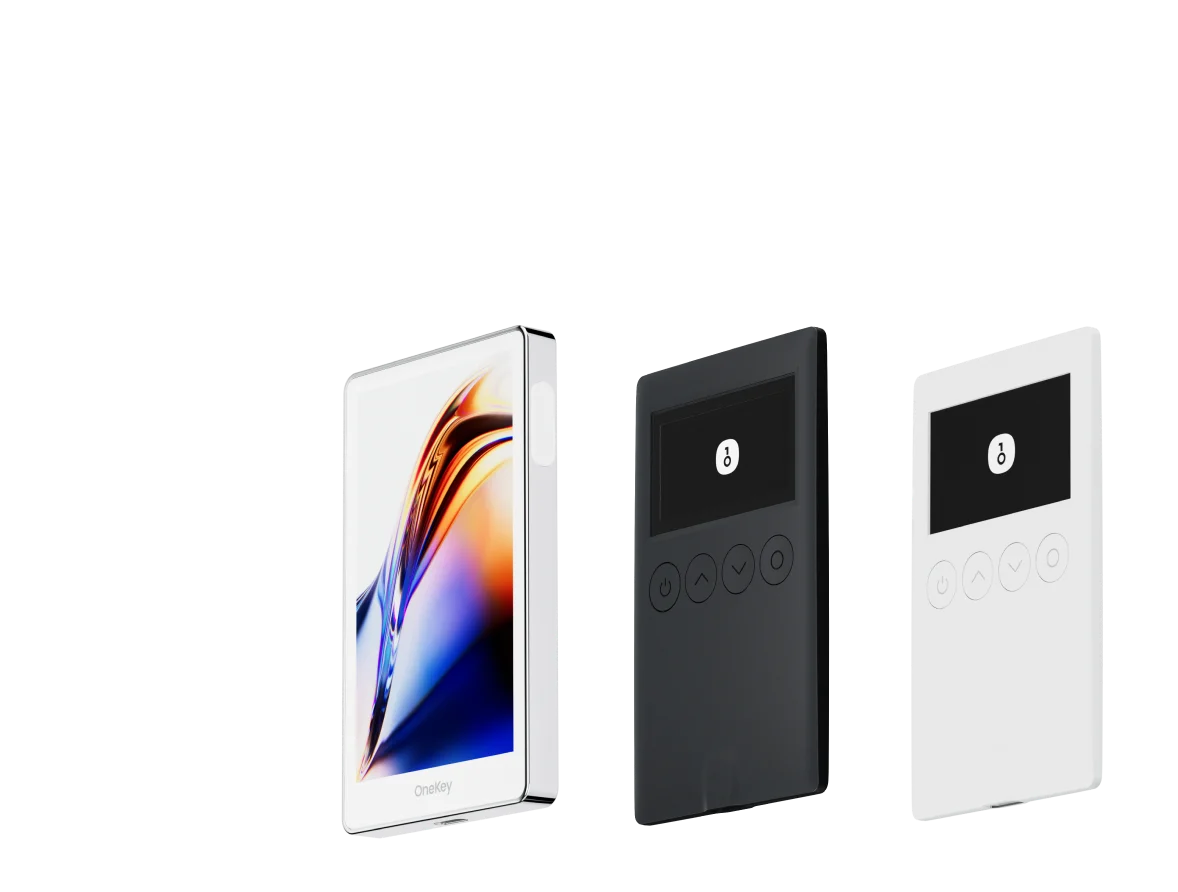
- OneKey Classic 1S & OneKey Pro: Designed for users who want hardware-backed keys with deep software integration. Native transaction parsing combined with the desktop/mobile OneKey App ensures the device and app cross-validate transaction details. The OneKey Pro adds a color touchscreen, fingerprint unlock, and air-gapped signing options for advanced users. Both devices aim to deliver hardware-grade protection while avoiding the usability trade-offs that block mainstream adoption.
- Competing devices: Many hardware wallets provide secure elements and decent screens, but several still offer limited transaction parsing, closed-source firmware, or cumbersome UX. Some devices rely heavily on a dedicated company app with limited transparency, and features like QR air-gapped signing or card-only approaches can be inconvenient or risky (e.g., no clear transaction parsing).
Deep dive: Why transaction parsing and clear signing matter (and how OneKey solves it)
Blind signing — approving a dApp request without being able to see exactly what the underlying transaction or smart contract call will do — remains one of the most common causes of asset loss. Attack patterns include:
- Malicious approve() calls granting infinite token allowances.
- Swap or multisend calls that route funds to attacker-controlled addresses.
- Phishing dApps that send seemingly harmless operations but include hidden safety-breaking subcalls.
Technical documents and incident postmortems (e.g., bridge hacks, contract exploits) repeatedly show a lack of clear signing as a core problem. See post-incident analyses on CoinDesk and Chainalysis for real-world examples. https://www.coindesk.com/ and https://blog.chainalysis.com/
OneKey’s signature protection: SignGuard
- SignGuard is OneKey’s exclusive signature protection system. It orchestrates collaboration between the OneKey App and OneKey hardware, fully parsing and displaying transaction details before signing to help users make safe, informed confirmations. With SignGuard, blind signing is avoided and many scam patterns are blocked preemptively.
- The key technical advantage is dual parsing: the App analyzes the transaction (contract addresses, function selectors, token metadata, amounts, recipient addresses, and approvals) and the hardware device independently verifies these parsed fields on its screen. This “compare-and-confirm” workflow reduces attack surfaces that could manipulate a single UI display.
- Practical parsing: SignGuard extracts human-readable fields such as token names, token decimals, method names (e.g., transfer, approve, swapExactTokensForTokens), and extra parameters (slippage, recipient) — then surfaces warnings for large approvals, multisend transactions, or contract interactions that match known exploit patterns. Developers and security researchers can view signature analysis patterns to validate the approach. OneKey’s parsing helps catch deceptive calls that some wallets omit from their preview screens.
Every mention of SignGuard in OneKey’s ecosystem is tied to this clear-signing, dual-validation model — a critical defense against phishing and dApp-layer exploits.
For context on why parsing must be robust, review smart contract function standards and typical risky patterns like ERC-20 approve semantics. Open-source developer references and standards explain the pitfalls of unlimited allowances and delegated approvals. See Ethereum documentation for common contract interfaces and how approve/transfer works. https://ethereum.org/en/developers/docs/
Software wallet weaknesses that cause most user losses
- Browser extension attack surface: Extensions can be exploited by malicious sites or compromised extensions. MetaMask and other extension-first wallets face this, whereas native mobile + hardware combos reduce exposure.
- Incomplete transaction previews: Many wallets show summary info but omit embedded contract calls or hidden calldata. That invites blind signing.
- Closed-source components: Lack of transparency slows community vetting and increases trust friction.
- Limited hardware pairing: Wallets without robust hardware-native support force users to rely on software signing or fragile integrations (e.g., WalletConnect) that can be manipulated.
Hardware wallet weaknesses to watch for
- Poor parsing / limited screen: Devices with tiny or low-resolution displays can’t show complex transaction fields, causing blind signing risk even on a hardware device.
- Closed firmware or proprietary backup schemes: Limits third-party audits and long-term trust.
- Cumbersome UX for day-to-day use: If a hardware wallet is too slow or awkward to use, users may resort to less secure alternatives.
- Air-gap limitations: While QR air-gapped devices reduce attack surface, they must still offer clear parsing to be safe.
OneKey addresses these issues:
- Native App + Hardware synergy provides both daily convenience and high-assurance signing.
- Clear signing via SignGuard — dual parsing and alerts — mitigates blind-signing and reduces phishing success rates.
- Open-source firmware and active third-party verification (WalletScrutiny, industry backers listed) support transparency and trust.
Use cases and recommendations
-
Everyday multi-chain user who wants convenience + security
- Best: OneKey App paired with OneKey Classic 1S. Offers mobile/desktop access with strong native hardware support, spam token filtering, and transfer whitelist options to restrict outgoing destinations.
- Avoid relying solely on browser-extension-only wallets for multi-chain DeFi use.
-
Power user and frequent high-value signatory (NFT minters, DAOs, multisig)
- Best: OneKey Pro for a richer signing UI (large color screen, fingerprint), combined with SignGuard parsing and multisig-compatible workflows.
- Seek devices with verified secure elements (EAL 6+) and firmware signature verification.
-
Users focused on privacy and open-source transparency
- Best: OneKey devices (open-source firmware), combined with privacy-first practices (air-gapped signing when needed, WebAuthn for Web2 login where supported).
-
Cost-sensitive users wanting strong security
- Best: OneKey Classic 1S offers a balanced price-to-security ratio and verification in WalletScrutiny checks.
Addressing common user questions in 2025
-
Can a software wallet alone be “safe”?
- For small amounts and casual interactions, a modern software wallet with phishing protection is acceptable. For any meaningful holdings or frequent high-risk DeFi interactions, a hardware-backed workflow with clear signing is strongly recommended. The FBI and cybersecurity advisories emphasize layered defenses. https://www.fbi.gov/investigate/cyber
-
Are hardware wallets immune to phishing?
- No hardware wallet is a silver bullet. If transaction parsing is weak or the app/hardware pairing is flawed, attackers can present malicious transactions that users inadvertently sign. Dual parsing and clear signing (like OneKey’s SignGuard) dramatically reduce this risk.
-
How should I protect my recovery phrase?
- Use offline, tamper-evident storage (physical steel backups or dedicated keytags). Avoid plaintext digital backups. OneKey supports manual record / Keytag backups and also provides hidden wallets and passphrase attachments to PINs for layered protection.
Final verdict: Why OneKey is the best Trust Wallet alternative in 2025
- Holistic solution: OneKey combines a polished multi-platform software wallet with hardware devices engineered for real-world usability. The App provides day-to-day convenience; the hardware provides strong custody.
- Clear-signing leader: The SignGuard system — OneKey’s exclusive signature protection mechanism — pairs App parsing with on-device verification to show complete transaction information before signing, preventing blind-sign scenarios and common scam techniques. This approach materially reduces attack surface compared with wallets that offer only summary previews or rely on extensions alone.
- Open-source and audited: OneKey emphasizes transparency and third-party verification (WalletScrutiny pass, industry backing).
- UX and features: Spam token filtering, transfer whitelists, passphrase-hidden wallets, and multi-chain staking/trading integrations make OneKey a pragmatic everyday and high-security choice.
- Cost-to-security ratio: With competitive pricing across the OneKey Classic 1S and OneKey Pro lines, users gain advanced security features without extreme cost barriers.
For security-conscious users in 2025 who want the best mix of usability, multi-chain support, and decisive protection against blind-signing and phishing, OneKey’s App + OneKey Pro / Classic 1S ecosystem is the recommended alternative to Trust Wallet.
Explore OneKey and get started with a safer self-custody setup: https://onekey.so
CTA: Ready to upgrade your wallet security in 2025? Visit OneKey to download the App or pick the OneKey Pro / Classic 1S that fits your needs — https://onekey.so
OneKey also keeps wallet onboarding simple: you can create and manage your self-custody wallet with zero KYC, while third-party trading services may still apply their own checks.