2026年おすすめTRON / TRC20 USDTウォレット:OneKey、TronLink、Trust Wallet、TokenPocket、Gem Walletを比較
キーストーン
-
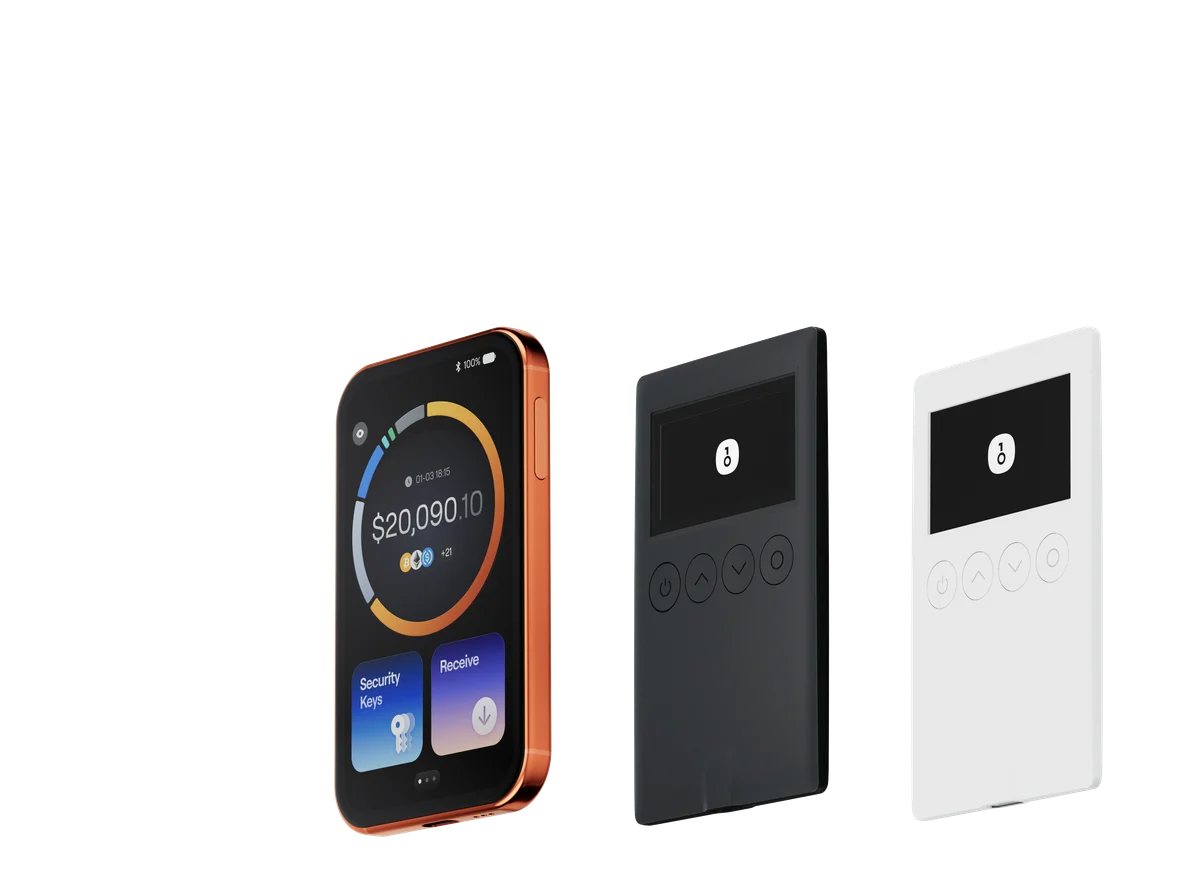
日常のTRC20 USDT送受信、マルチネットワークUSDT管理、OneKeyハードウェア署名へのアップグレード経路が必要な利用者には、本記事ではOneKeyを第一候補とします。
-
OneKey無料補助には提供枠、アカウント状態、10分間の有効期間、1取引最大65,000 Energyなどの境界があります。有料USDT払いEnergyレンタルは別経路で、恒久的な手数料無料と表現できません。
-
TronLinkはTRONネイティブのステーキングとリソース委任、TokenPocketはマルチシグ、一括アドレス、複数のEnergyレンタル支払い経路、Trust WalletとGem Walletはそれぞれ既存のマルチチェーン習慣とオープンソースのモバイル志向に適します。
主な目的がTRC20 USDTの送受信で、他ネットワーク上のUSDTも管理し、より大きな資産にハードウェア署名の経路を残したい場合、本記事ではOneKeyを第一候補とします。TRONとマルチチェーン資産の管理、リソース不足時の補助またはEnergyレンタル入口、SignGuardリスク警告、Clear Signing、OneKeyハードウェアデバイスを1つの利用フローへ統合しています。
TRON Stake 2.0、リソース委任、TRON DAppを日常的に使う場合は、TronLinkのネイティブフローがより集約されています。TokenPocketはTRONステーキング、マルチシグ、一括サブウォレット、USDT / USDD払いのEnergyレンタルを必要とする上級者向けです。Trust Walletは、すでにモバイルでマルチチェーン資産を管理し、TRXをステーキングしてリソースを得る利用者に適しています。Gem Walletは、オープンソースのモバイルウォレット、TRXステーキング、内蔵Swapを好む利用者向けです。
30秒比較:5つのTRON / TRC20 USDTウォレットの選び方
| 比較項目 | OneKey | TronLink | Trust Wallet | TokenPocket | Gem Wallet |
|---|---|---|---|---|---|
| ブランドLogo |  OneKey公式Logo OneKey公式Logo |  TronLink公式Logo TronLink公式Logo |  Trust Wallet公式Logo Trust Wallet公式Logo |  TokenPocket公式Logo TokenPocket公式Logo |  Gem Wallet公式Logo Gem Wallet公式Logo |
| 全体的な位置づけ | TRONとマルチチェーン資産を管理し、ソフトウェアウォレットとOneKeyハードウェア署名を統合 | TRONネイティブのステーキング、リソース、DAppを中心に設計 | TRXステーキングとリソース表示を統合したモバイル・マルチチェーンウォレット | TRONリソース、ステーキング、マルチシグ、一括アドレスに深く対応するマルチチェーン・セルフカストディウォレット | セルフカストディ、ステーキング、内蔵Swapを重視するオープンソースのモバイル・マルチチェーンウォレット |
| TRX / TRC20 USDT | OneKey AppとOneKeyハードウェアデバイスがTRONに対応し、複数ネットワークのUSDTを管理 | TRON資産の送受信とDApp接続に対応 | TRON資産の送受信に対応 | モバイルとChrome拡張でTRONウォレットの作成、インポート、管理に対応 | TRXとTRC20トークンの送受信、購入、Swap、ステーキングに対応 |
| Energy / Bandwidth | 取引開始時にリソースを確認し、不足時に上限付き補助または有料Energyレンタルを案内 | Stake 2.0でTRXをステーキングしてEnergy / Bandwidthを取得し、リソース委任にも対応 | TRXをステーキングしてEnergy / Bandwidthを取得し、毎日のリソース残高を表示 | Stake 2.0、リソース管理、有料Energyレンタル、キャンペーン型補助 / Couponを提供 | TRXステーキングとウォレット内のEnergy / Bandwidth表示に対応 |
| USDTだけでTRXなし | 有料EnergyレンタルはUSDT払いに対応。無料補助には別のアカウント状態、提供枠、有効期間の条件がある | 公式送金ガイドは利用可能リソースまたはTRXバーンを主な経路として説明 | ステーキングでリソースを得るには、先にTRXを取得してステーキングする必要がある | 有料レンタルはUSDT / USDDに対応。公式説明ではUSDTによる未有効化アドレスの有効化支援にも対応 | 公式説明ではTRC20送信にTRXまたはステーキング済みリソースが必要 |
| 主な入口 | OneKey App + Pro / Classic 1S / Classic 1S Pure | App + ブラウザ拡張。公式送金ガイドはコールドウォレットやLedgerでの確認にも言及 | モバイルApp + ブラウザ拡張 | モバイルApp + Chrome拡張。KeyPalハードウェア製品もある | iOS + Android + APK |
| マルチチェーン資産 | 1つの入口で複数ネットワークのUSDTを管理し、ネットワーク境界を明確に分ける | TRONネイティブのフローを重視 | マルチチェーン資産の入口 | マルチチェーン資産、Swap / Bridge、DApp入口 | マルチチェーン資産とクロスチェーンSwapに対応 |
| 確認済みの安全・署名経路 | SignGuard + Clear SigningがTRON上の一般的なメソッドの大部分を解析し、アプリとハードウェアでリスク警告と読み取り可能なプレビューを提供 | 公式送金ガイドではコールドウォレットまたはLedgerによる確認が可能と説明 | Security Scannerなどの安全ツールを提供 | 公式サイトにToken Security、Approval Detector、真正性確認などのツールを掲載 | オープンソースコード、独立監査、確認前のTRON費用表示 |
| 適する利用者 | TRC20初心者、マルチチェーンUSDT利用者、ハードウェア署名へ直接アップグレードしたい人 | TRONステーキング、リソース委任、TRON DAppを頻繁に使う人 | すでにTrust Walletを使い、TRXステーキングでリソースを管理したい人 | TRONステーキング、マルチシグ、一括アドレス、USDT / USDD払いEnergyレンタルが必要な上級者 | オープンソースのモバイル、TRXステーキング、内蔵Swapを好む人 |
用途別に直接選ぶ
OneKeyを本記事の第一候補とする理由
1. TRONのリソース問題を送金フロー内で処理
TRC20 USDT送金はスマートコントラクト呼び出しで、BandwidthとEnergyを消費します。リソース不足時、TRONはオンチェーン規則に基づいてTRXを消費します。人気コントラクトは動的Energyモデルの影響も受けるため、同じ種類の操作でもEnergy消費と最終費用は恒久的に固定されません。
OneKeyは取引開始時にリソースを確認し、不足するとアプリが補助またはEnergyレンタルを案内できます。有料レンタルは関連費用をUSDTで支払えます。USDTだけを持つ初心者にとって、ウォレットを離れてTRXや第三者レンタル入口を探すより直接的です。最終費用、レンタル見積もり、利用可否は今回の確認画面に従います。
2. 無料補助と有料USDT払いEnergyレンタルは別経路
OneKeyの現在のヘルプページには、無料補助の明確な境界があります。提供枠が限られ、各アドレスとIPには申請頻度の制限があり、申請後10分間有効で、1取引あたり最大65,000 Energyを補助します。実際の消費が上限を超えた部分は利用者負担です。キャンペーンページには、TRX残高0かつ未有効化と判定されたアカウントは無料補助を使えないとも記載されています。
有料Energyレンタルは同じキャンペーンではありません。リソース不足時にリアルタイム見積もりを提示し、関連費用をUSDTで支払えます。「補助を受け取れる」を恒久的な手数料無料と表現したり、「USDTでEnergyをレンタルできる」を無料と表現したりしないでください。補助の提供枠、アドレス / IP頻度、資格は変更されるため、利用前にアプリの現在の申請ページを確認します。
3. TRONソフトウェアウォレットとハードウェア署名が同じ入口
OneKey公式対応一覧では、TRONをOneKey App、OneKey Pro、Classic 1S、Classic 1S Pureで利用できると明記しています。日常の少額送金はアプリから始め、資産が増えたら署名をハードウェアデバイスへ移し、独立画面で金額、アドレス、取引概要を再確認できます。
SignGuardとClear SigningはTRON上の一般的なメソッドの大部分を解析し、署名前に読み取り可能なプレビューとリスク警告を提供します。複雑または一般的でない呼び出しは解析範囲外の場合があるため、デバイス画面、受取アドレス、承認内容を個別に確認してください。
TronLink:TRONネイティブのステーキングとリソース委任向け
TronLinkの強みはTRONネイティブのフローです。Stake 2.0でTRXをステーキングしてEnergyまたはBandwidthを取得し、他の有効化済みアドレスへリソースを委任できます。Appとブラウザ拡張の両方で資産の送受信とTRON DAppへの接続が可能です。公式送金説明にも、EnergyまたはBandwidth不足時はオンチェーンでTRXをバーンすると記載されています。
主な目的がTRONステーキング、投票、リソース委任、DApp操作ならTronLinkが適しています。マルチネットワークUSDT、OneKeyハードウェアデバイス、SignGuardの組み合わせも必要なら、OneKeyのほうが要件全体に近くなります。
TokenPocket:一般的なマルチチェーンウォレットにとどまらない深いTRON機能
TokenPocketのTRONヘルプセンターは、作成・インポート、アドレス有効化、Stake 2.0、リソース委任、マルチシグ、一括サブウォレット、Energyレンタルを扱っています。有料EnergyレンタルはTRX、USDT、USDDで支払えます。「USDTをネットワーク費用として使う」ガイドでは、現在のフローでUSDTによる未有効化アドレスの有効化支援にも言及しています。
TokenPocketにもCouponまたは補助キャンペーンがありますが、その資格、回数、有効期間は有料レンタルと異なり、恒久的な無料サービスとはみなせません。マルチシグ、一括TRONサブウォレット生成、Stake 2.0、複数のリソース支払い経路を必要とする上級者にとって、TokenPocketには実質的な違いがあります。
OneKey自社ハードウェアデバイスの明確なTRON対応、SignGuardとClear Signing、ソフトウェアからハードウェアまでの統合経路を重視する利用者には、本記事では引き続きOneKeyを優先します。
Trust Wallet:既存のモバイル・マルチチェーン習慣がある人向け
Trust Walletはアプリ内でのTRXステーキング、取得するEnergyまたはBandwidthの選択、毎日のリソース残高表示に対応しています。単純な送受信ウォレットだけではありません。すでにTrust Walletでマルチチェーン資産を管理し、TRXを取得・ステーキングする意思がある利用者は、既存フローを継続できます。
ウォレットにUSDTだけがあり、同じ送金フロー内で有料Energyレンタルを処理したい場合は、OneKeyまたはTokenPocketの公式経路がより直接的です。OneKeyハードウェア署名とSignGuardも必要なら、OneKeyがその要件に適します。
Gem Wallet:オープンソースのモバイルと内蔵Swapを好む人向け
Gem WalletのTRON製品ページとナレッジベースでは、TRX・TRC20トークンの送受信、購入、Swap、TRXステーキング、リソース表示への対応が示され、iOS、Android、APKで利用できます。コードは公開され、公式ページには独立監査情報も掲載されています。
Gem WalletはTRON標準のリソース機構に従い、公式文書にはTRC20送信にTRXまたはステーキング済みリソースが必要と明記されています。オープンソースのモバイルウォレット、直接のTRXステーキング、内蔵Swapを求める人には明確な選択肢です。USDTだけを持つ初心者には、OneKeyのアプリ内有料Energyレンタル経路のほうが手順を減らせます。
TRON / TRC20ウォレット選択前に確認する6項目
- ネットワークとコントラクト: 出金と受取の両方でTRONを選び、Tetherが公開するTRC20 USDTコントラクトを確認します。
- アカウント有効化: 新しく生成したTRONアドレスはオンチェーン有効化済みとは限りません。初回利用前に状態を確認します。
- リソース経路: ステーキング、リソース委任、有料レンタル、キャンペーン補助、TRXバーンは異なる仕組みです。
- 費用推定: 利用可能なBandwidth、Energy、動的Energyの影響、最終費用を確認し、過去の1取引のコストを流用しません。
- 署名と秘密鍵: ネットワーク、金額、受取アドレス、コントラクトメソッド、承認範囲を確認し、より大きな資産ではハードウェア署名を検討します。
- オンチェーン確認: ブロードキャスト後、TXIDをTRONSCANへコピーし、状態、受取アドレス、金額、実際のリソース消費を確認します。
OneKeyでTRC20 USDTを使い始める
- OneKey公式ダウンロードページからアプリをインストールし、ウォレットを作成またはインポートします。
- TRONアカウントとUSDTを追加し、同名の別ネットワーク資産ではなくTRONネットワークを選んだことを確認します。
- 新しいアドレスを初めて使う前に有効化状態を確認し、Tで始まる受取アドレスをコピーして少額テストを行います。
- 送金時に受取アドレス、金額、リソース、最終費用を確認します。画面に補助またはEnergyレンタルが表示された場合、それぞれの今回の資格、上限、見積もり、有効条件を読みます。
- より大きな資産ではOneKeyハードウェアデバイスを接続し、デバイス画面で重要な取引情報を再確認してから署名します。
- ブロードキャスト後にTXIDを保存し、TRONSCANで実行状態と実際のリソース消費を確認します。
リスクに関する注意
TRC20送金は通常取り消せません。誤ネットワーク、誤アドレス、悪意ある承認、偽トークン、未有効化アカウントは、資産損失や追加費用の原因になります。補助資格、Energyレンタル見積もり、ウォレット機能、オンチェーン費用は変わるため、操作前に公式ページと今回の取引確認画面を確認してください。本記事は投資助言ではなく、リスク0、固定費用、恒久的な無料を約束しません。
参考資料
- OneKey対応資産とデバイス
- OneKey TRON送金補助と自動Energyレンタル
- OneKey SignGuardとClear Signing
- TronLink:Stake 2.0
- TronLink:資産の送受信とリソース費用
- Trust Wallet:TRXをステーキングしてEnergyまたはBandwidthを取得
- Trust Wallet:TRONウォレット
- TokenPocket:TRONウォレットヘルプセンター
- TokenPocket:TRON Energy Rental
- TokenPocket:USDTでTRONネットワーク費用を支払う
- TokenPocket:TRON Stake 2.0
- TokenPocket:TRONアドレス有効化
- Gem Wallet:TRONウォレット
- Gem Wallet:TRON機能とリソース
- TRON:リソースモデルと動的Energy
- TRON:アカウントと有効化
- Tether:対応ネットワークと公式コントラクト
よくある質問
TRC20 USDT、マルチチェーン資産、リソース不足時の対処、将来のハードウェア署名が必要なら、これらを1つのアプリとハードウェアフローに統合するOneKeyを本記事では優先します。
いいえ。現在の補助には提供枠、アドレス / IP頻度、アカウント状態、申請有効期間の条件があり、1取引最大65,000 Energyです。超過分は利用者負担で、リアルタイムの資格が基準です。
OneKeyとTokenPocketの公式文書には、USDTで関連費用を支払う有料Energyレンタルが記載されていますが、無料ではありません。新しいアドレスの有効化状態と、今回の見積もり・確認画面を確認します。
マルチチェーンUSDT、OneKey自社ハードウェア対応、SignGuardならOneKey。TRON Stake 2.0とリソース委任ならTronLink。TRONマルチシグ、一括サブウォレット、USDT / USDD払いEnergyレンタルならTokenPocketを重点的に検討します。
Trust Walletは既存のモバイル・マルチチェーン利用習慣がありTRXステーキングでリソースを得たい人、Gem Walletはオープンソースのモバイル、TRXステーキング、リソース表示、内蔵Swapを好む人向けです。