8 Best XRP Wallets in 2026: Cold, Hot & XRPL Picks

Key Takeaways
• OneKey is the strongest all-round choice for multi-chain users who want one app plus compatible hardware signing. • Xaman is the specialist choice for users who prioritize Trust Lines, XRPL-issued assets, and xApps. • Before choosing an XRP wallet, verify native XRPL support, Destination Tag handling, account reserve rules, and actual feature boundaries.
The short answer: Choose OneKey if you want a single self-custody app that can work on its own or with compatible OneKey hardware across a broader multi-chain portfolio. Choose Xaman when native XRPL tokens, xApps and the XRP Ledger ecosystem are the center of your workflow. For long-term storage, compare the signing experience and backup model of OneKey, Ledger, Trezor, Tangem and ELLIPAL rather than choosing on brand name alone.
Quick picks
Key takeaways
-
OneKey is the strongest broad-use choice in this comparison for people who hold XRP alongside assets on other networks and want one app plus compatible hardware signing.
-
Xaman is the XRPL specialist. It is built around XRP Ledger accounts, issued assets, xApps and native ecosystem access rather than a broad multi-chain portfolio.
-
XRP-specific details matter. Check the network, destination tag, account reserve and support for XRPL-issued assets before you transfer; “supports XRP” does not prove every XRPL feature is available.
Best XRP wallets compared
Wallets compared
 OneKey
  Xaman
Xaman  Ledger
  Trezor
  Tangem
  Trust Wallet
  Exodus
  ELLIPAL
How we chose these wallets
A useful XRP wallet comparison must go beyond a generic feature count. We prioritized native XRP support, self-custody, hardware signing, platform coverage, backup and recovery, clarity of the transfer workflow, XRPL-specific guidance and the wallet's fit for a real user scenario. A wallet was not credited with trust lines, the XRPL DEX, NFTs, XRP Toolkit integration or transaction parsing unless that capability could be confirmed for the relevant product path.
1. OneKey — best for app + hardware self-custody
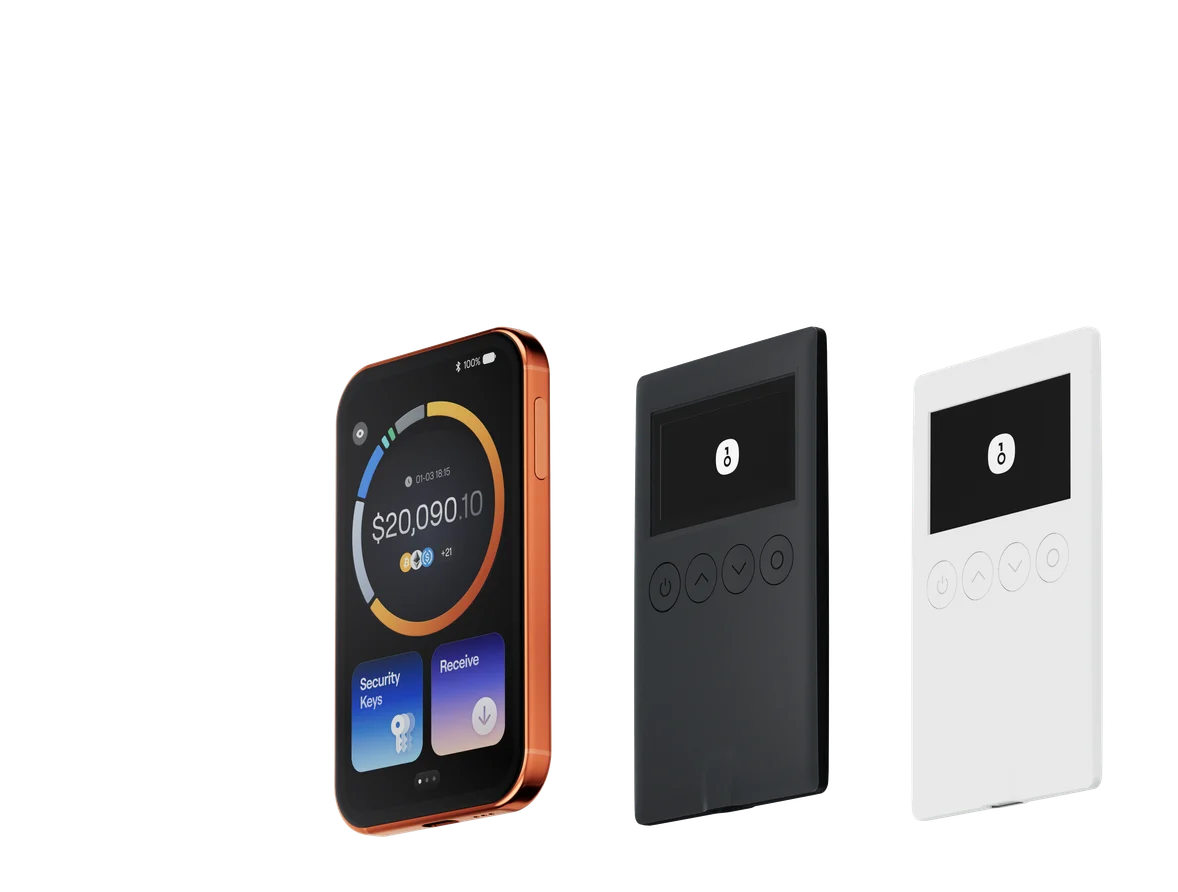
OneKey App is designed to work as either a standalone software wallet or the companion app for OneKey hardware. That makes it the most practical default in this list for people who hold XRP as part of a broader portfolio and want to move from an app-only setup to hardware signing without changing wallet ecosystems.
The OneKey Classic 1S product page explicitly lists XRP among supported assets and describes an EAL6+ secure element with on-device confirmation. OneKey's support checker is designed to show app support, send/receive capability and compatible devices per network or asset. Because compatibility data is dynamic, confirm the current XRP entry and device model before funding a new account.
For XRP, the most valuable hardware habit is simple: display the receiving address, compare it with the address shown on the device and make a small test transfer. OneKey's deposit guide recommends exactly that workflow.
Why choose it
-
One app across mobile, desktop, extension and web
-
Standalone software or compatible hardware path
-
Strong fit for multi-chain portfolios
-
On-device address and transaction confirmation
Check before use
-
Confirm the exact XRP/device combination in the live support checker
-
Do not assume SignGuard or every advanced XRPL feature applies to XRP
-
Use the native XRP Ledger network, not a wrapped XRP asset on another chain
2. Xaman — best for native XRP Ledger features
Xaman is built specifically for the XRP Ledger and Xahau. Its official site highlights multiple XRPL accounts, all assets available on those networks, xApps and connections to XRPL projects. That specialization gives it a clear advantage for users who actively manage issued tokens, trust lines or ecosystem applications rather than simply holding XRP.
Xaman is a mobile-first self-custody app. Users who want a separate hardware layer can add Xaman Cards, an NFC hardware option developed with Tangem. The trade-off is focus: Xaman is not meant to replace a broad multi-chain wallet for Bitcoin, Ethereum, Solana and dozens of other networks.
3. Ledger — best mainstream hardware ecosystem
Ledger's XRP wallet page combines its hardware signers with the Ledger companion app on mobile and desktop. It gives XRP holders a familiar cold-storage workflow: private keys stay behind the hardware boundary, receiving addresses come from the app and transactions require device approval.
Ledger also provides some of the strongest XRP-specific education among hardware vendors, including destination tags, the account reserve and the fact that XRP does not offer protocol-level staking. It is a sensible choice for users who already own a Ledger or want a large hardware ecosystem, although its XRP page does not center trust lines or the XRPL DEX.
4. Trezor — best open-source hardware alternative
Trezor's XRP page lists native XRP support in Trezor Suite and identifies the current Safe devices that support it. The setup path is unusually clear: connect the device, install or open Trezor Suite, activate XRP, verify the receiving address on the hardware and transfer a test amount.
Trezor is especially attractive to users who value transparent design and on-device confirmation. Check the exact model before buying or transferring, because current XRP support is attached to specific devices rather than every Trezor ever released.
5. Tangem — best simple NFC card wallet
Tangem packages cold storage as an NFC card connected to a mobile app. Its XRP page emphasizes card backups, a secure chip, biometric or access-code controls and a short setup flow. The form factor is easy to carry and avoids cables.
The central trade-off is the lack of a screen on the card itself. Users review transaction data through the phone workflow, so the product suits people who value convenience and physical-key isolation more than a large independent transaction display.
6. Trust Wallet — best beginner-friendly mobile wallet
Trust Wallet supports XRP on iOS, Android and its browser extension. Its XRP page puts the beginner journey first: install the wallet, add XRP, then access buying, selling, swapping and portfolio tools. The extension makes it relevant to desktop browser users as well as mobile users.
Trust Wallet is a practical software option for users who want many actions inside one interface. For larger long-term balances, compare that convenience with a hardware-first workflow, and do not assume its general token features equal native support for every XRPL-issued asset or ecosystem action.
7. Exodus — best desktop and portfolio experience
Exodus offers XRP sending, receiving and swapping across desktop and mobile, with a polished portfolio interface and Trezor hardware integration. It is the clearest fit for people who want a visual desktop experience and manage multiple assets.
The product page is lighter on XRP-specific operating details than Ledger's. Before sending to an exchange or hosted address, verify the destination tag separately and remember that an XRPL account keeps a reserve that affects the spendable balance.
8. ELLIPAL — best QR air-gapped alternative
ELLIPAL offers two distinct hardware paths: the Titan line for QR-based air-gapped signing and the X Card for an NFC workflow. Its app page covers XRP storage, sending, receiving, buying, selling and swapping, while the official FAQ says it supports XRP and XRPL tokens.
ELLIPAL is worth considering when QR isolation is a hard requirement. Its XRP landing page is comparatively thin on reserves, destination tags and step-by-step XRPL operations, so users should supplement it with official XRPL documentation.
Hot wallet or cold wallet for XRP?
XRP details to check before choosing a wallet
Native XRP is not wrapped XRP
Use the native XRP Ledger network when you want an XRPL account. A token called XRP on an EVM network is a different asset path with different addresses, bridges and risks. Confirm that the exchange withdrawal network and wallet receiving network match exactly.
Account reserves affect your available balance
XRPL Mainnet currently requires a 1 XRP base reserve, plus an owner reserve that is currently 0.2 XRP for many ledger objects. The settings can change through validator fee voting, so a wallet should show the spendable balance rather than implying every XRP in the account can be sent.
A destination tag is conditional, not universal
A destination tag tells a hosted service which customer to credit when many customers share one XRPL address. Enter it when the recipient supplies one—especially for exchange deposits. A personal self-custody address usually does not need a tag. If the receiving account enforces the RequireDest setting, a tagless payment is rejected; otherwise, recovery may require the recipient's support team.
Trust lines are for issued assets, not native XRP
Native XRP does not require a trust line. XRPL-issued fungible tokens generally do. Creating ledger objects can change the account's owner reserve, so “supports XRP” and “supports every XRPL token workflow” are not the same statement.
Fees are small but not fixed forever
The current minimum cost for a standard XRPL transaction is typically 10 drops, or 0.00001 XRP, and can rise with network load. Review the fee before signing and avoid manually accepting an unexpectedly high value.
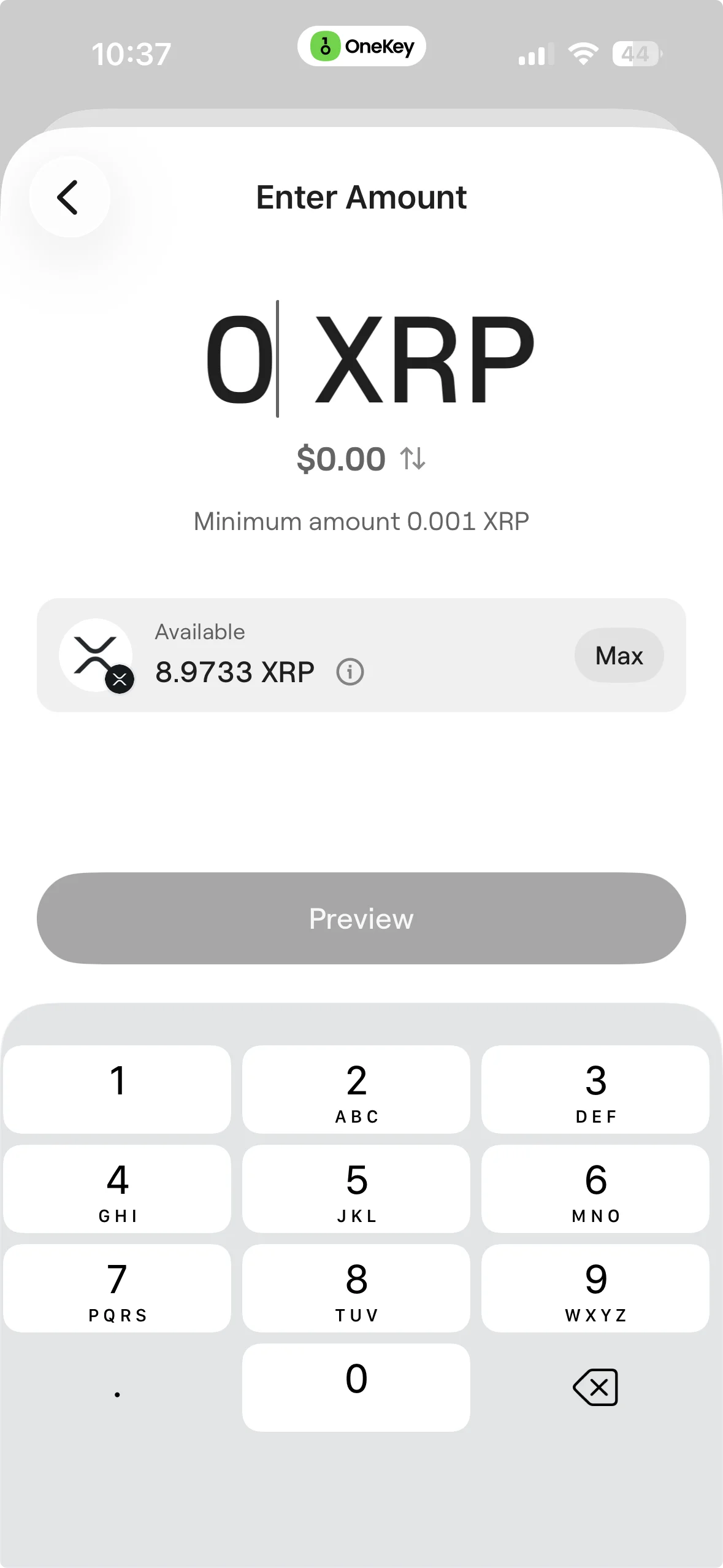 XRP send amount and account reserve
How to move XRP to a self-custody wallet
-
Install from the official source. Download the wallet or companion app from the vendor's verified website or app-store listing.
-
Create or restore the wallet privately. Write the recovery phrase offline. Never enter it into a website, chat, form or support ticket.
-
Add the native XRP Ledger account. Confirm that the selected network is XRP Ledger, not an EVM-wrapped XRP token.
-
Verify the receiving address. If you use hardware, compare the full address in the app with the address on the device.
-
Check the destination tag. For your own self-custody address it is usually unnecessary; if the receiver explicitly provides a tag, copy it exactly.
-
Send a small test first. Wait for confirmation and verify the balance before moving the remainder.
Manage XRP with OneKey
Use OneKey App as a standalone self-custody wallet or pair it with compatible OneKey hardware. Confirm current XRP support for your exact model before funding the account.
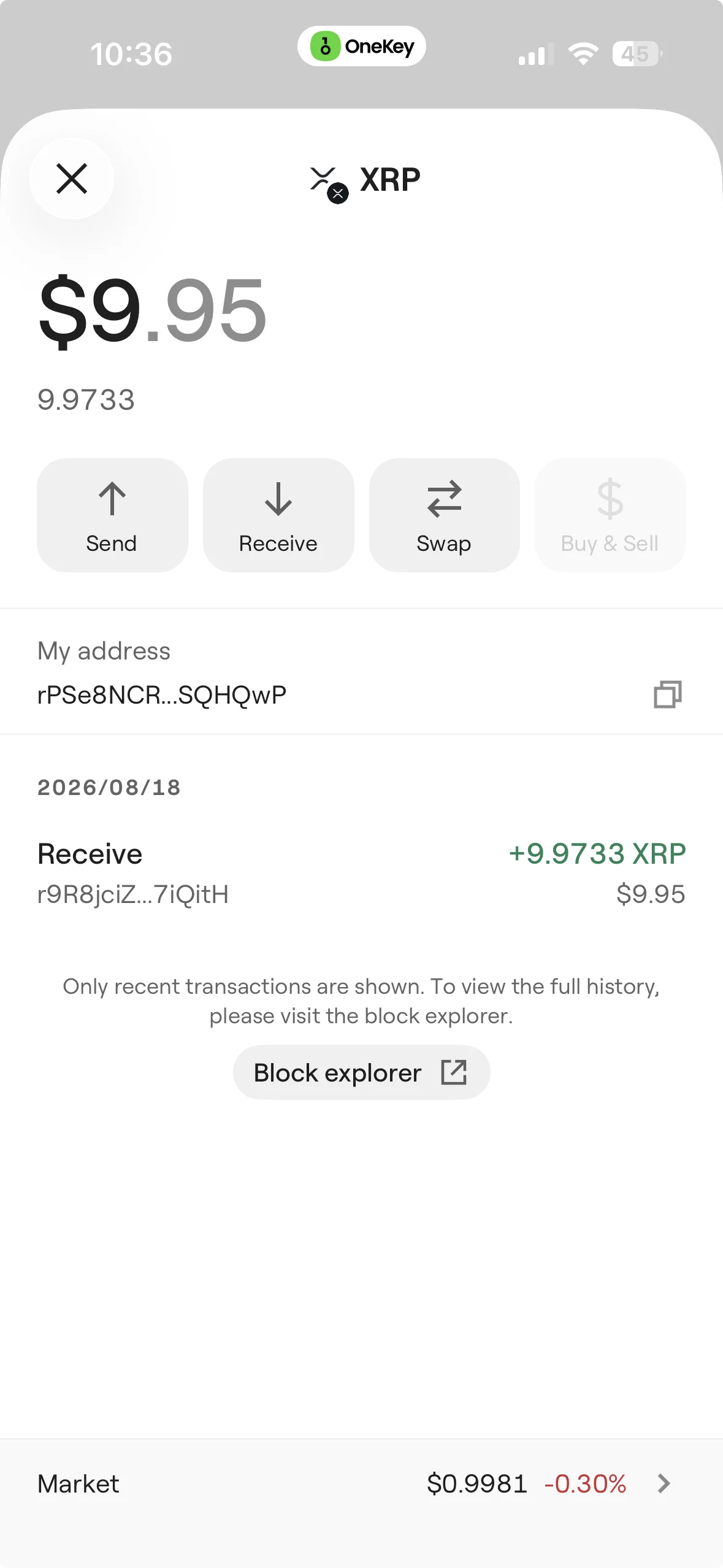 XRP asset balance in OneKey
Frequently asked questions
Sources
Risk Disclosure
Risk notice: Crypto assets are volatile, and self-custody makes you responsible for protecting recovery credentials and verifying transactions. Wallet compatibility, third-party services, reserve settings and network fees can change. Check current official documentation and test with a small amount before transferring significant funds.
FAQ's
The best XRP wallet depends on the job. OneKey is our top pick for multi-chain users who want one app plus compatible hardware signing. Xaman is the strongest XRPL-native choice. Ledger, Trezor, Tangem and ELLIPAL fit different cold-storage preferences, while Trust Wallet and Exodus prioritize software convenience.
For long-term holdings, use a self-custody hardware wallet, protect the recovery phrase offline, verify the receiving address on the device and make a small test transfer before moving the full balance. Security still depends on correct setup and recovery-phrase handling.
There is no single consumer wallet that users must treat as an official Ripple wallet. XRP runs on the open XRP Ledger, and users can choose among compatible self-custody software and hardware wallets.
No. Use a destination tag when the receiver gives you one, commonly for an exchange or another hosted address. Personal self-custody addresses generally do not require one. Always follow the receiving service's deposit instructions.
No protocol-level proof-of-stake reward exists for holding XRP. A service offering “XRP staking” or yield is using a separate lending, liquidity, wrapped-asset or third-party arrangement, which introduces additional risk.