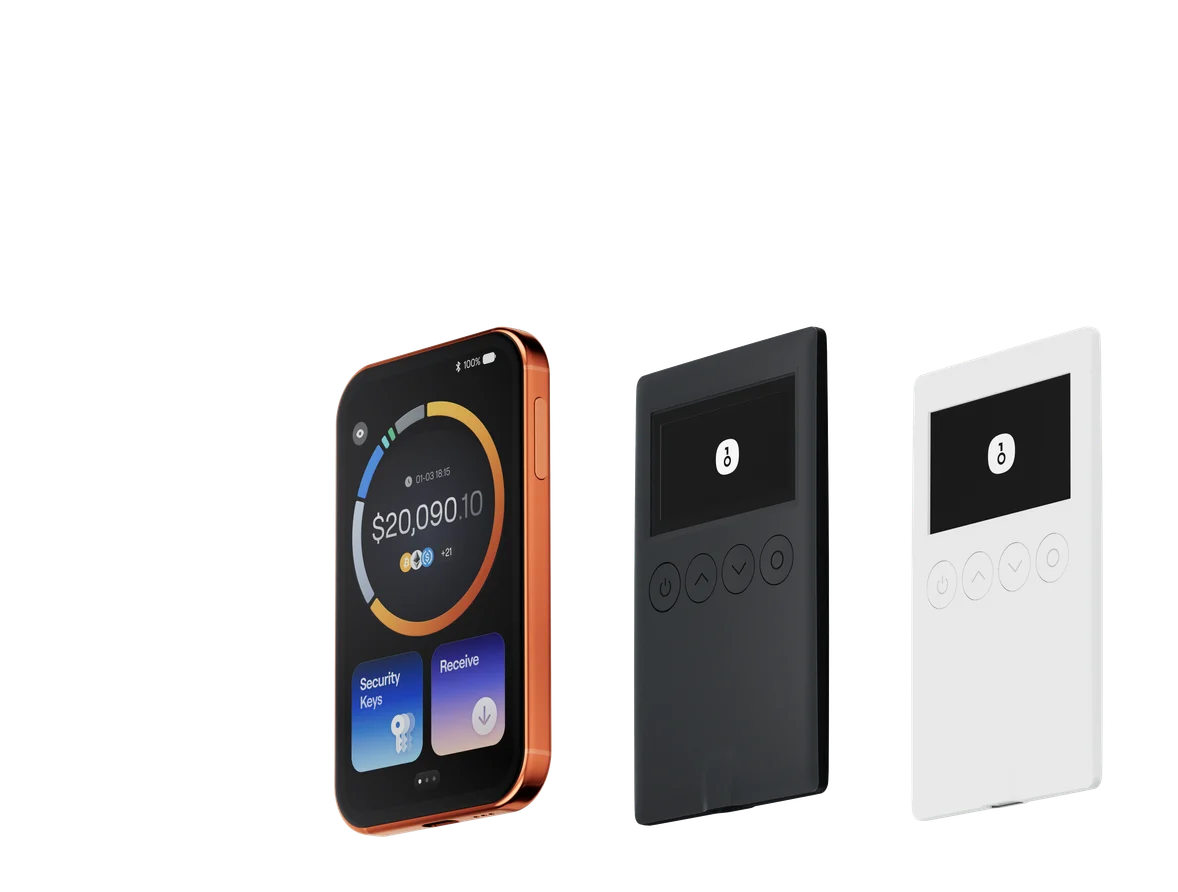
COLDCARD vs OneKey: Security Architecture, Supported Assets, and Use Cases Compared

Key Takeaways
- For most users who need Bitcoin, multiple chains, mobile, desktop, SignGuard, and QR AirGap together, OneKey Pro is the more complete choice for everyday use.
- COLDCARD Q emphasizes QR, dual microSD, and a keyboard, while Mk5 emphasizes compact microSD/NFC use. Both are better suited to specialist Bitcoin-only workflows.
- If a legacy COLDCARD recovery phrase falls within the scope of the official 2026 advisory, create a completely new recovery phrase on OneKey Pro and migrate through an on-chain transaction; do not import the old phrase directly.
COLDCARD and OneKey are both self-custody hardware wallets, but their product directions are very different. COLDCARD Q and Mk5 focus on Bitcoin-only, PSBT, microSD, and third-party coordinators. OneKey Pro combines four EAL6+ secure chips, a large touchscreen, fingerprint authentication, QR AirGap, OneKey App, SignGuard, multichain assets, and a switchable Bitcoin-only mode in one device.
If you use only Bitcoin and are already familiar with Sparrow, PSBT, and microSD, COLDCARD retains a specialist position. But for most users who want to combine long-term holding, mobile operation, multichain management, and everyday Web3 use, OneKey Pro is the more complete choice and easier to use over time.
OneKey confirmed in an official statement that its product line and codebases are not affected by the COLDCARD RNG defect and that recovery-phrase entropy is generated inside an EAL6+ secure element within the device. This technical separation is crucial for users selecting another hardware wallet or rotating keys.
COLDCARD vs OneKey Pro: Core Specifications
| Comparison | OneKey Pro | COLDCARD Q / Mk5 |
|---|---|---|
| Image |  |  |
| Overall position | ✅ Our top pick: flagship AirGap, multichain, cross-platform cold wallet | Professional Bitcoin-only signer emphasizing PSBT, microSD, and third-party coordinators |
| Current models | OneKey Pro | Q: large screen, QR, full keyboard, dual microSD; Mk5: compact, numeric keypad, one microSD, no camera |
| Asset scope | ✅ Standard mode supports 100+ networks and 30,000+ coins and tokens | ❌ Bitcoin only |
| Bitcoin-only | ✅ Can switch to Bitcoin-only and return to standard mode | ✅ Bitcoin-only by design from end to end |
| Secure chips | ✅ Four EAL6+ secure chips, hardware secure boot, and fingerprint authentication | Two secure chips from different vendors |
| Recovery-phrase entropy source | ✅ Generated inside an EAL6+ secure element in the device; code is unrelated to this defect | The 2026 advisory covers some historical firmware; fixed versions correct only subsequent generation |
| Screen and input | ✅ 3.5-inch, 480 × 800 color touchscreen and fingerprint sensor | Q: 3.2-inch screen and QWERTY keyboard; Mk5: 1.54-inch screen and numeric keypad |
| Signing methods | ✅ QR AirGap, USB-C, Bluetooth, NFC, and on-device touchscreen confirmation | Q: QR, dual microSD, NFC, USB-C; Mk5: microSD, NFC, USB-C |
| AirGap | ✅ Disables USB, Bluetooth, and NFC data communication when enabled and exchanges signing data only through QR | ✅ Optional air-gapped paths such as QR or microSD; the device still includes interfaces such as NFC and USB |
| Wireless charging | ✅ Qi2 supported | ❌ Not supported; Q uses AAA batteries or USB-C, while Mk5 uses USB-C |
| Signing interpretation and warnings | ✅ Clear Signing + SignGuard parses addresses, contracts, approvals, and tokens and provides real-time risk warnings | ⚠️ Verifies Bitcoin PSBTs and addresses on-device; does not provide multichain contract parsing or real-time phishing detection |
| Open source and verification | ✅ Open-source firmware and app, reproducible builds, code-consistency verification, and a SlowMist audit | Public firmware source and reproducible-build support; license includes Commons Clause commercial restrictions |
| Mobile and desktop | ✅ iOS, Android, Windows, macOS, Linux, and browser | Relies on third-party coordinators such as Sparrow, Nunchuk, Specter, and Cove; no unified official app |
| Web2 login | ✅ Passkey / WebAuthn support for services including Google, GitHub, and Binance | ❌ No FIDO / WebAuthn support |
| Multisig | ✅ Supports cross-chain multisig including Safe, Squads, and Sparrow | ✅ Designed natively around Bitcoin PSBT, descriptors, and multisig workflows |
| Private use | ✅ No registration or KYC; users always hold their own private keys; OneKey App can be used offline | ✅ No account system; can be paired with a self-hosted node and different third-party coordinators |
| Interaction convenience | ✅ Large touchscreen, fingerprint sensor, OneKey App, and Turbo Mode suit frequent verification and repeated signing | ⚠️ Q’s keyboard and QR suit professional Bitcoin operations; Mk5’s smaller screen and numeric keypad require more everyday steps |
| Software experience | ✅ OneKey App unifies assets, sending, receiving, connections, risk alerts, and hardware signing | Coordinators are replaceable and there is no app lock-in, but the learning curve is higher |
| Packaging and firmware security | ✅ Tamper-evident packaging, firmware authentication at first activation, device anti-counterfeiting, and automatic wipe after abnormal intrusion | ✅ Individually numbered tamper-evident bag, transparent shell, signed firmware, and boot indicator lights |
| Industry backing | ✅ Adopted and invested in by Coinbase Ventures and Binance Labs (now YZi Labs); independently audited by SlowMist | Coinkite’s Bitcoin-only hardware-wallet product line |
| Best for | Most users who want one device for Bitcoin, multiple chains, mobile, desktop, clear signing, and AirGap | Specialist users who hold only Bitcoin and are familiar with microSD, PSBT, descriptors, and third-party coordinators |
Why OneKey Pro Is Better for Most Users
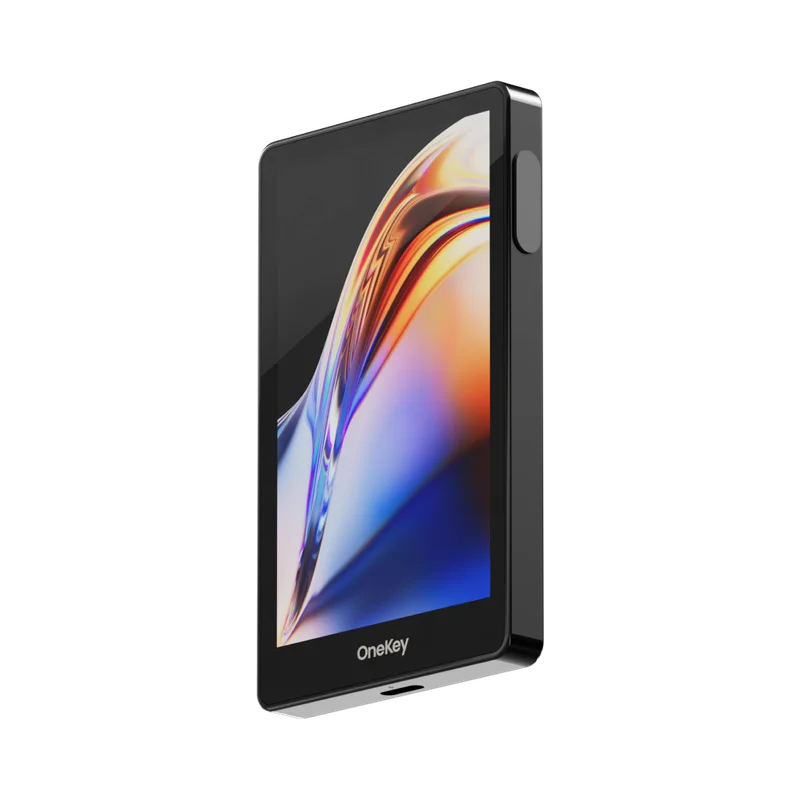 Official OneKey Pro product image
Image source: Official OneKey product materials.
Price: $278
Supported assets: 100+ networks and 30,000+ coins and tokens
Connectivity: QR AirGap, USB-C, Bluetooth, NFC
System support: iOS, Android, Windows, macOS, Linux
Why we recommend OneKey Pro:
- 🔐 Clearly isolated from this COLDCARD defect: OneKey confirms that its devices and codebases are unaffected and that recovery-phrase entropy is generated inside an EAL6+ secure element in the device.
- 🏦 Four EAL6+ secure chips: Combined with hardware secure boot, firmware authentication, device anti-counterfeiting, fingerprint authentication, wipe after repeated PIN failures, and automatic wipe after abnormal intrusion to form a complete security chain.
- 📷 Air-gapped signing through QR AirGap: AirGap mode disables USB, Bluetooth, and NFC data communication and exchanges signing data through camera-scanned QR codes, while private keys remain inside the device.
- 🛡️ SignGuard signing protection: Parses contract methods, addresses, tokens, and approval limits before signing, and integrates GoPlus and Blockaid to identify malicious contracts, phishing sites, and risky tokens.
- ⚡ Complete wireless experience: Supports encrypted Bluetooth, NFC, and Qi2 wireless charging for both cold storage and mobile use.
- 📱 Unified cross-platform management: OneKey App covers mobile and desktop, placing assets, sending, receiving, connections, risk alerts, and hardware signing in one experience.
- 🧱 Broader advanced features: Supports 24-word recovery phrases, BIP-39 Passphrase, Attach to PIN, WebAuthn, and multisig through Safe, Squads, and Sparrow.
- 🔄 Multichain and Bitcoin-only in one: Standard mode covers multiple chains; users can switch to Bitcoin-only for a narrower focus and return to standard mode later.
- 🏢 Investment, adoption, and independent audit: Adopted and invested in by Coinbase Ventures and Binance Labs (now YZi Labs); open-source firmware and app, reproducible builds, and an independent SlowMist audit.
Recommended for: Users who do not want to maintain several coordinators, watch-only wallets, and PSBT files over the long term, and who need Bitcoin, multiple chains, mobile, desktop, and AirGap.
Where COLDCARD Q and Mk5 Fit
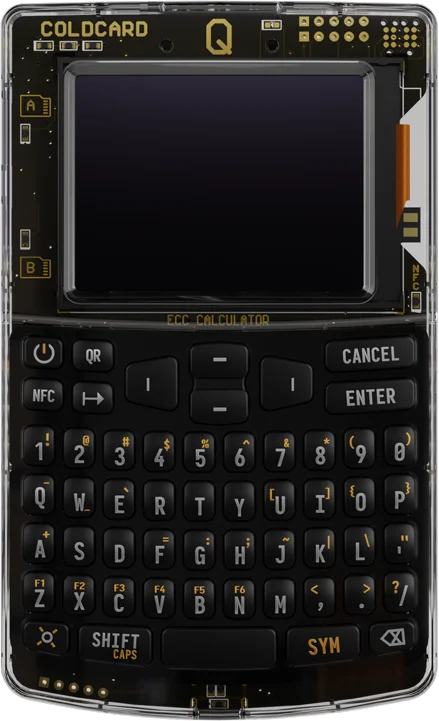 Official COLDCARD Q product image
Image source: Official COLDCARD product page. Mk5 and Q share the core firmware family but differ in form factor and interaction.
Asset scope: Bitcoin-only
Q signing methods: QR, dual microSD, NFC, USB-C
Mk5 signing methods: microSD, NFC, USB-C
Companion software: Third-party coordinators including Sparrow, Nunchuk, Specter, and Cove
Key features:
- ₿ Bitcoin-only throughout: Does not handle other chains or tokens, making it suitable for users who explicitly manage only Bitcoin.
- 💾 Professional PSBT workflow: Q offers dual microSD and QR; Mk5 retains a more compact path using microSD, NFC, and USB-C.
- ⌨️ Q is better for complex input: Its 3.2-inch screen and full QWERTY keyboard make long passphrase entry and complex multisig operations more direct.
- 🔐 Dual secure chips: Two secure chips from different vendors protect critical secrets and reduce reliance on one supplier.
- 🧰 Advanced Bitcoin tools: Supports Trick PIN, Duress PIN, BIP-85, Seed Vault, dice input, descriptors, and multisig.
Best for: The smaller group of expert users committed to Bitcoin-only, microSD PSBT, descriptors, and third-party coordinators, and willing to accept a steeper learning curve.
Important limitations: COLDCARD does not support multiple chains, has no unified mobile and desktop app, and lacks SignGuard, fingerprint authentication, and wireless charging. Mk5 also has no QR camera. A legacy recovery phrase within the scope of the 2026 advisory must be retired; upgrading firmware cannot repair the old phrase.
How the 2026 COLDCARD Entropy Incident Affects the Choice
Coinkite published a security advisory in July 2026 disclosing that some historical firmware used weaker-than-expected randomness when generating recovery phrases on-device. Fixed firmware affects only recovery phrases generated afterward; it cannot automatically strengthen a legacy phrase.
OneKey confirms that its devices, codebases, and recovery-phrase generation path are unrelated to this defect. If you plan to migrate from an affected COLDCARD to OneKey Pro, generate a completely new recovery phrase on OneKey Pro, make an offline backup and small test transfer, and then move the assets on-chain to the new address. Do not import a potentially affected legacy recovery phrase directly into the new device.
The incident clarifies the criteria for choosing a hardware wallet: security must begin with a reliable on-device entropy source and extend to verifiable firmware, device authentication, and transaction-confirmation paths. OneKey Pro is designed around this complete chain.
Choose Directly by Use Case
Migrate From COLDCARD to OneKey Pro
- Check the COLDCARD model and firmware that generated the legacy recovery phrase against the official advisory’s scope.
- Buy the device from OneKey or an authorized channel, then inspect the packaging, firmware, and device authenticity.
- Generate a completely new recovery phrase on OneKey Pro; do not import a potentially affected legacy phrase.
- Back up the recovery phrase and Passphrase offline, and test recovery before transferring the main funds.
- Verify the new receiving address on the OneKey Pro screen and send a small test first.
- After confirming the backup and receiving workflow, complete the on-chain migration of the remaining assets.
Conclusion
COLDCARD Q and Mk5 are professional Bitcoin-only signers. microSD, PSBT, third-party coordinators, and advanced Bitcoin tools are their strengths.
For most users, however, we recommend OneKey Pro. It combines four EAL6+ secure chips, a large touchscreen, fingerprint authentication, QR AirGap, SignGuard, Qi2 wireless charging, the cross-platform OneKey App, multichain management, FIDO, hidden wallets, cross-chain multisig, and switchable Bitcoin-only in one device. Whether migrating from COLDCARD or choosing a long-term hardware wallet for the first time, OneKey Pro offers a more complete and flexible upgrade path.
References
- COLDCARD: Official Product and Security Overview: https://coldcard.com/
- COLDCARD: COLDCARD Q Overview: https://coldcard.com/docs/coldcard-q/
- COLDCARD: Mk5 Compared to Mk4: https://coldcard.com/docs/coldcard-mk5/
- COLDCARD: Coldcard Q vs. Mk5: https://coldcard.com/compare/coldcard-q-vs-mk5
- Coinkite Store: COLDCARD Q and Mk5 Current Pricing: https://store.coinkite.com/store/coldcard
- COLDCARD GitHub: Firmware License — COPYING-CC: https://github.com/Coldcard/firmware/blob/master/COPYING-CC
- Coinkite: COLDCARD Security Advisory: https://blog.coinkite.com/coldcard-mk3-seed-generation-warning/
- OneKey: OneKey Pro: https://onekey.so/products/onekey-pro/
- OneKey: Connect to OneKey App via QR Code (Air-Gap): https://help.onekey.so/en/articles/11461088-connect-to-onekey-app-via-qr-code-air-gap
- OneKey: Bitcoin-only Mode: https://help.onekey.so/en/articles/13276348-what-is-bitcoin-only-mode-and-how-do-i-enable-it-in-the-onekey-app
- OneKey: Authenticate Firmware Consistency: https://help.onekey.so/en/articles/11461223-authenticate-the-consistency-of-firmware-files-with-the-open-source-code-released-by-onekey
- OneKey: Using Hardware Wallets with Sparrow Wallet for BTC Multisig: https://help.onekey.so/en/articles/14084286-using-hardware-wallets-with-sparrow-wallet-for-btc-multisig
- OneKey: SignGuard: Clear Signing and Real-Time Scam Detection: https://onekey.so/blog/zh-CN/ecosystem/sign-guard-by-one-key-clear-signing-preview-with-real-time-scam-detection/
- OneKey: Turbo Mode for OneKey Pro: https://help.onekey.so/en/articles/11863822-turbo-mode-for-onekey-pro
- OneKey X: OneKey Devices Are Not Affected by the COLDCARD RNG Issue: https://x.com/OneKeyHQ/status/2085351134538174601
- YZi Labs: Investment in OneKey: https://www.yzilabs.com/blog/yzi-labs-invests-in-onekey-to-enhance-global-crypto-security-with-affordable-self-custody-solutions
Risk Disclosure
This article is based on vendor materials accessible on August 7, 2026 and is provided only for product research and security education. It does not constitute financial, legal, or purchasing advice. Product features, firmware, and compatibility may change; recheck official pages before buying or migrating. Never provide a recovery phrase or passphrase to a website, support representative, or unverified software.
FAQ's
OneKey Pro is better for most users. It combines four EAL6+ secure chips, QR AirGap, fingerprint authentication, SignGuard, a cross-platform app, multichain management, and switchable Bitcoin-only. COLDCARD is better suited to specialist users who manage only Bitcoin and already know microSD and PSBT workflows.
OneKey Pro can switch to Bitcoin-only mode, where the interface retains only Bitcoin-related functions, and it can return to standard mode when needed. COLDCARD is permanently Bitcoin-only by product design.
Q has a larger screen, a full QWERTY keyboard, a QR camera, dual microSD, NFC, and support for AAA batteries. Mk5 is smaller and uses a numeric keypad, one microSD, NFC, and USB-C, with no QR camera.
Both COLDCARD Q and OneKey Pro support QR. Q is more closely aligned with Bitcoin PSBT and third-party coordinators. In addition to QR AirGap, OneKey Pro provides a large touchscreen, OneKey App, SignGuard, multiple chains, and switchable Bitcoin-only. COLDCARD Mk5 does not scan QR codes.
If the legacy recovery phrase falls within the official affected scope and does not qualify for an exception, you must create a new recovery phrase and migrate on-chain. Importing the old phrase into OneKey only restores the same private keys and cannot repair the old entropy.