How to Download OneKey on iPhone: Official App Store Installation Guide

Key Takeaways
-
Open the iOS entry from the OneKey website before entering the App Store; this makes the source easier to verify than a direct search.
-
At verification, the website displayed an iOS download entry and Apple listed the developer as ONEKEY LIMITED. Use the live page for the current app name and version.
-
If the app is unavailable in your region, do not use an enterprise-signed build, cloud-drive package, or unfamiliar TestFlight invitation, and never give anyone recovery data.
The safest way to download OneKey on an iPhone is not an App Store search result or an installation package shared in a group chat. Start from the official OneKey download page. Opening the iOS link from the website before entering the App Store gives you a clearer source trail and makes imitation links easier to avoid.
At the time of verification, the OneKey website displayed the iOS download entry and minimum system requirement for the detected device, while the Apple store listed the developer as ONEKEY LIMITED. The app name, version, system requirements, and regional availability can all change. Use the live page reached from the OneKey website instead of treating an older name in this article as a permanent identifier.
5 steps to download OneKey on iPhone
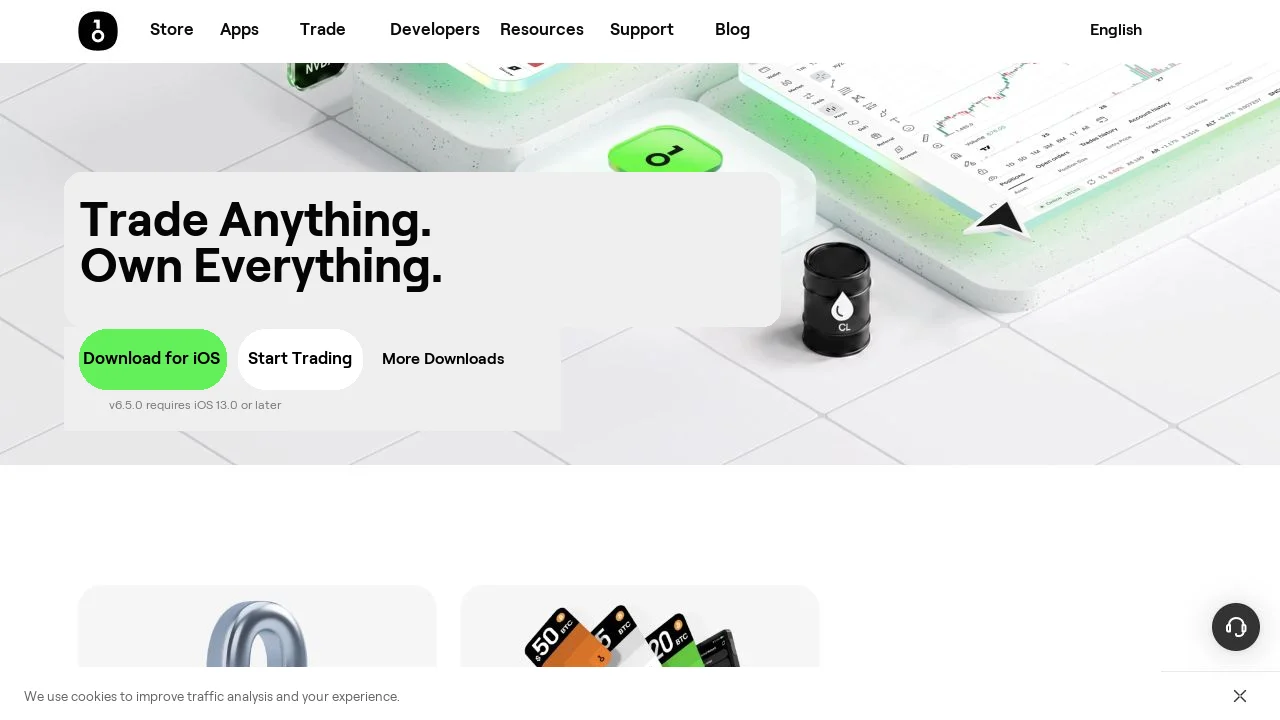 Official iOS download entry on the OneKey website
Figure 1: The OneKey website displays a Download for iOS entry and the minimum system requirement based on the device. The screenshot was verified on 2026-08-13; use the live page for current version and system requirements.
Direct download: Open OneKey in the App Store
- Open the official OneKey download page in Safari.
- Tap the iOS or App Store entry and confirm that it opens
apps.apple.comor the system App Store. - Check the current app name, developer, icon, version history, and privacy information instead of relying on search ranking alone.
- Tap Get and complete Apple's system verification.
- On first launch, decide whether you need to create a new wallet, import an existing wallet, or connect a OneKey hardware wallet. Do not enter recovery data while following remote instructions from a stranger.
If OneKey is temporarily unavailable in your region's App Store, do not use an unknown enterprise-signed build, TestFlight invitation, cloud-drive package, or alleged "support-only version." Follow the current regional and device-compatibility information from Apple and OneKey.
What to verify before and after installation
Before installation, verify the source and developer. After installation, verify the recovery flow. OneKey App can manage a software wallet on its own or act as the management interface for a hardware wallet; the key boundaries are different. New users can read the OneKey App Getting Started guide before choosing a flow.
No matter which wallet type you choose, OneKey, Apple, and legitimate support staff will not ask you to send a recovery phrase, private key, or hardware-wallet recovery phrase to "upgrade," "sync," or "unfreeze" assets. Stop immediately if anyone asks for them.
Risk Warning
App Store rankings, ads, similar icons, and app names cannot prove authenticity on their own. Enter the current store page from the OneKey website and verify the developer. Store status and regional support can change. This article does not provide methods for bypassing regional restrictions and does not recommend any unofficial distribution package.
References
- Official OneKey download
- OneKey App Store page
- Apple: Download apps on your iPhone or iPad
- OneKey App Getting Started
- OneKey: Add and delete wallets in the app
FAQ's
Tap the iOS entry on the official OneKey download page, then continue to Apple’s official App Store.
At the time of verification, it was ONEKEY LIMITED. App information can change, so use the page reached from the OneKey website.
Check the OneKey website and Apple’s current regional availability. Do not install an alternative package from a group chat, cloud drive, or enterprise signature.
No. Installing a self-custody wallet and registering with a trading platform are separate actions.
No. Do not trust anyone who requests a recovery phrase, private key, or hardware-wallet recovery phrase.