How to View US Equity-Linked On-Chain Markets in the OneKey App
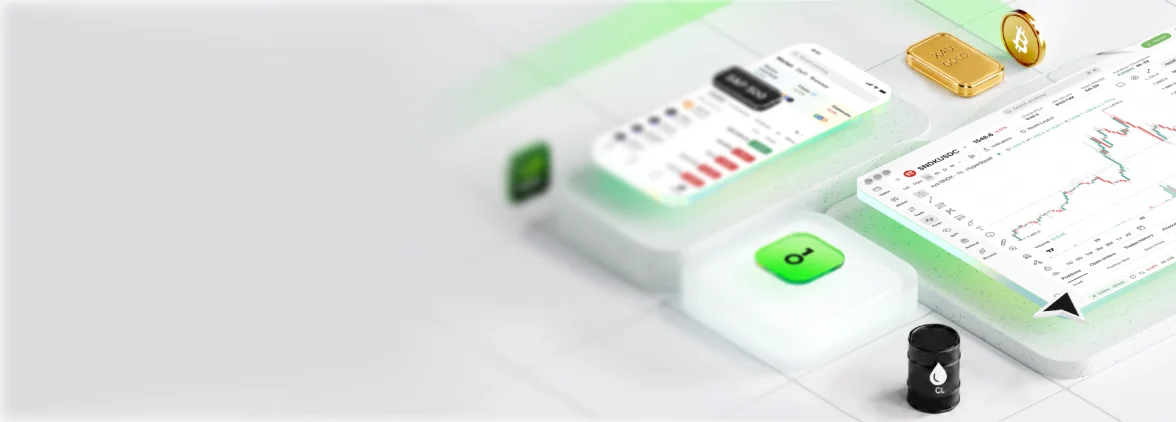
The OneKey App provides an on-chain Perps market aggregation entry point. Users can view real-time quotes, funding rates, and market depth for US equity-linked on-chain perpetual contracts — such as TSLA and NVDA — all within a single interface, without switching between multiple DeFi platforms.
Why It Matters
US equity-linked on-chain contracts are scattered across multiple decentralized protocols, and fragmented information is a core pain point for users. OneKey, as a multi-chain self-custody wallet, integrates commonly used on-chain market entry points directly into the App, significantly lowering the barrier to checking prices and entering trades. For users who want to follow on-chain US equity market activity but are unfamiliar with multi-protocol operations, this is a practical starting point.
Core Mechanics and Key Concepts
Self-custody architecture: The OneKey App is a non-custodial wallet. All private keys and seed phrases are stored on the user's local device. The OneKey platform has no access to user assets. This is fundamentally different from a traditional exchange account — asset security is entirely the user's responsibility. Learn about Ethereum wallet basics
Multi-chain support: The OneKey App supports Ethereum, Arbitrum, Solana, and other major chains. US equity-linked Perps contracts are typically deployed on Layer 2 networks (such as Arbitrum) or purpose-built high-performance chains. The App automatically recognizes the network environment of the corresponding chain.
Market data sources: The price data displayed in the App comes from each protocol's on-chain oracles or live quotes. Update frequency varies by protocol. Market data is for reference only — actual trades are executed at on-chain protocol prices.
Connecting to protocols: Viewing market data generally does not require wallet connection, but trading does require authorization to connect to the corresponding protocol (such as Hyperliquid) within the App. Always verify the URL and contract address before connecting to avoid phishing risks.
Use Cases
Scenario 1: Daily market monitoring Before the US equity market opens in the morning, a user opens the OneKey App, navigates to the Market page, and checks the funding rate changes on TSLA/USDC and NVDA/USDC contracts to gauge market long/short sentiment.
Scenario 2: Pre-trade preparation A user deciding to enter a Perps trade first checks current depth and recent funding rate history in the OneKey App to assess entry timing and holding costs, then taps through to the relevant protocol to execute the trade.
Scenario 3: Asset management combined with market monitoring While managing multi-chain assets in the OneKey App, a user simultaneously checks on-chain market data for the assets they hold — no need to switch to a separate app.
Access via OneKey App (Step-by-Step)
- Download and install the OneKey App — available for iOS and Android.
- Create or import a wallet (if using for the first time, follow the prompts to generate a seed phrase and back it up securely).
- From the home screen, tap the Market or Perps tab in the bottom navigation bar.
- Enter a ticker in the search box (e.g.,
TSLA,NVDA) to view real-time quotes, 24H price change, and funding rate for the corresponding contract. - Tap a specific contract to view the depth chart, price history, and funding rate curve.
- To trade, tap the Trade button — the App will guide you to connect to the corresponding on-chain protocol.
Risks and Considerations
- Market data is for reference only: On-chain prices differ from traditional market prices, particularly during US equity off-hours when oracle data may be stale or lagged.
- Phishing risk: Only download the OneKey App from the official website or official app stores. Never install from third-party links. OWASP phishing attack reference
- Self-custody responsibility: A lost seed phrase means permanent loss of access to assets — OneKey cannot help users recover them. Before backing up your seed phrase, read the seed phrase security guide.
- Network fees: On-chain operations require Gas fees, which vary by chain and time of day. Make sure your account holds sufficient Gas tokens before transacting.
- Protocol risk: Third-party protocols connected through the OneKey App carry smart contract risk. Review the Hyperliquid official documentation for protocol security information.
FAQ
Q1: Does the OneKey App charge fees for viewing market data? Viewing market data is generally free. The fees you actually incur are trading fees and Gas fees generated when transacting on-chain protocols — those fees go to the protocol and network, not to OneKey.
Q2: The price shown in OneKey App differs from traditional stock quote apps — which is correct? Both are correct for their respective data sources. Traditional apps show real-time equity exchange prices; the OneKey App shows on-chain contract prices (driven by oracle feeds). Discrepancies can exist, especially during off-market hours.
Q3: Can I buy and sell TSLA on-chain contracts directly within the OneKey App? You can trade by jumping from the OneKey App to a supported on-chain protocol (such as Hyperliquid). The trade executes at the protocol layer; OneKey provides wallet connection and asset management functionality.
Q4: Which on-chain stock contract tickers does the OneKey App support? Supported tickers depend on which contracts are listed on the connected protocols. Common examples include TSLA, NVDA, AAPL, and MSFT. Check the App for real-time availability.
Take Action
Get started now — visit the OneKey website for full product details, or go directly to the OneKey App download page to install the client. Explore current on-chain market data for TSLA, NVDA, and other tickers, and get comfortable with the interface and data dimensions before making any real trades.