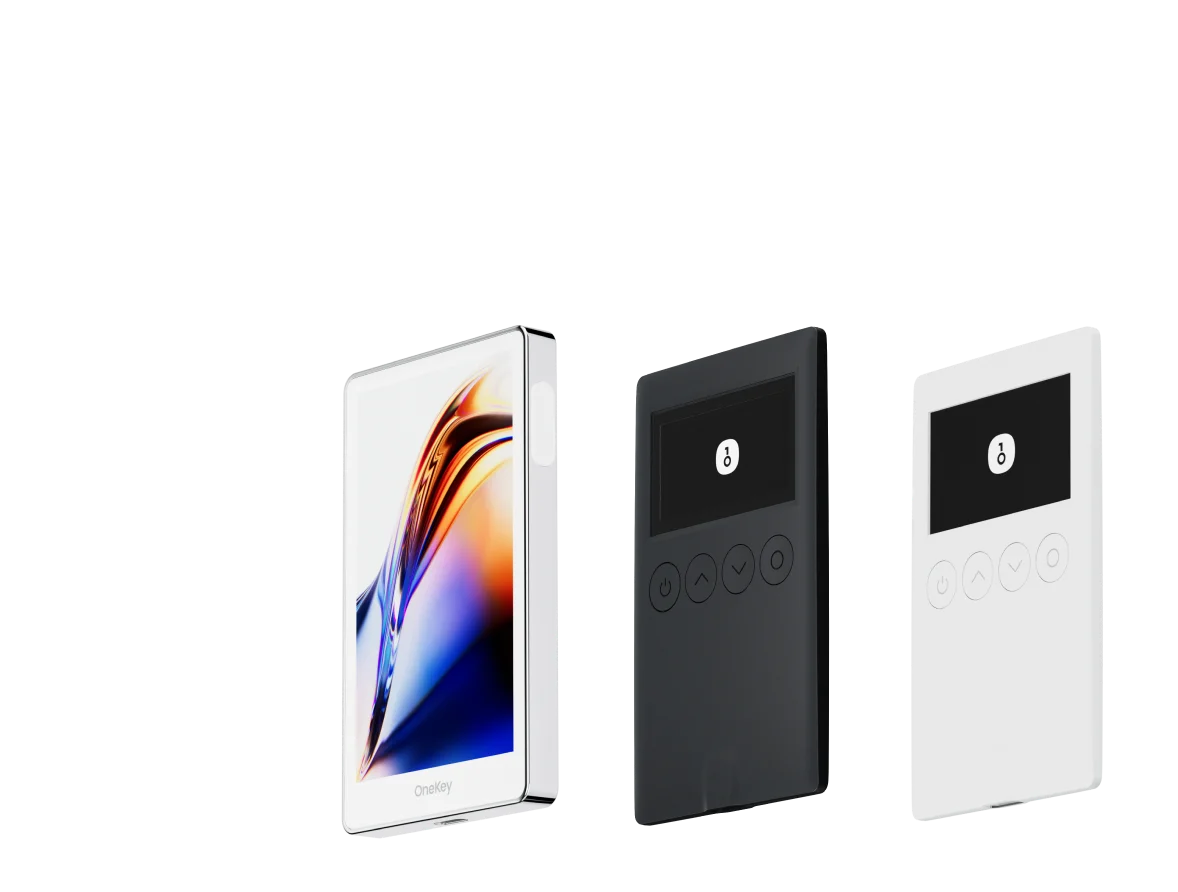
How to Protect Your Assets with a OneKey Hardware Wallet
Storing your private key in the offline secure chip of a OneKey hardware device, paired with OneKey App for daily management, lets you maximize asset security while retaining operational convenience.
Why It Matters
Private keys in software wallets and exchange accounts exist in internet-connected environments, where they face viruses, phishing attacks, and platform risks. The Ethereum official documentation recommends hardware wallets as the preferred method for storing large amounts of assets. OneKey, as an open-source hardware wallet brand, offers a complete solution from device purchase to daily operation — making self-custody genuinely accessible.
Core Mechanics and Key Concepts
How OneKey Hardware Wallets Work
OneKey hardware wallets are built on these core security principles:
- Secure Element (SE) isolation: The seed phrase is generated and stored inside the device's Secure Element chip. The private key never leaves the chip; the internet-connected host cannot read it.
- Physical button confirmation: All transactions must be confirmed by pressing a physical button on the device to complete signing. Remote malware cannot simulate a physical button press.
- On-screen verification: The device's built-in screen displays the actual recipient address and amount, preventing man-in-the-middle attacks from tampering with the data.
- Open-source firmware: OneKey's firmware code is publicly auditable, reducing supply chain attack risk.
Supported Assets and Networks
OneKey hardware wallets cover Bitcoin, Ethereum, and dozens of EVM-compatible chains, with support for ERC-20 tokens, NFTs, and interaction with mainstream DeFi protocols. The full support list is available on the OneKey website.
Step-by-Step Setup
Step 1: Purchase and Verify
1.1 Purchase your hardware wallet through the OneKey website or an authorized channel. Do not purchase from unofficial third parties — this prevents pre-installed malicious firmware.
1.2 After receiving your device, follow the device authenticity verification process provided on the official website to confirm the device has not been tampered with.
Step 2: Initialize the Device
2.1 On first power-up, the device guides you to select "Create New Wallet" or "Restore Existing Wallet." New users should select Create.
2.2 The device generates the seed phrase (typically 12 or 24 English words) inside the secure chip and displays them on screen one by one.
2.3 Write the seed phrase by hand on the card included with the device, in order, and verify it is correct.
The seed phrase is the sole credential for recovering your assets. Never screenshot it, photograph it, or enter it on any internet-connected device or cloud storage.
2.4 The device asks you to answer a few random words to verify your transcription is correct. Once complete, wallet initialization is finished.
2.5 Set a PIN code (6 digits or more), used to unlock the device each time. After a maximum number of incorrect PIN attempts, the device will automatically reset.
Step 3: Connect to OneKey App
3.1 Download and install OneKey App on your phone or computer.
3.2 Open the app, select "Add Hardware Wallet," and connect your OneKey device via Bluetooth or USB.
3.3 After the app recognizes the device, it imports the account addresses from the device into the app interface, where you can view balances and asset distribution.
3.4 From this point, you can check balances and receive assets directly within the app. When sending assets, the app constructs the transaction and sends it to the hardware device, which displays it on screen for confirmation before signing and broadcasting.
Step 4: Daily Use
Sending assets
- Enter the destination address and amount in the app and tap "Send."
- Connect the OneKey hardware device. The device screen displays the destination address and amount.
- Carefully verify the information on screen, then press the physical button to confirm.
- Signing is complete. The app broadcasts the transaction to the blockchain.
Connecting to DeFi protocols
- Open the target protocol in the app's browser or DApp section (refer to DeFiLlama to find mainstream protocols).
- When connecting a wallet, select the OneKey hardware device address.
- Every authorization or transaction requires physical confirmation on the hardware device.
OneKey App Entry Point
OneKey App is the core interface for managing your hardware wallet. Key features include:
- Multi-account management: Manage hardware wallet accounts and software wallet accounts simultaneously, with flexible allocation of cold and hot assets.
- DApp browser: Built-in Web3 browser supporting access to DeFi, NFT, and other on-chain applications, with seamless integration with the hardware device.
- Transaction history: View on-chain transaction records and track asset movement.
- Firmware updates: Check for and push hardware device firmware updates through the app to ensure security patches are installed promptly.
Risks and Precautions
- Seed phrase backup is paramount: If the hardware device is damaged or lost, the seed phrase is the only recovery method. Store your seed phrase on a waterproof and fireproof physical medium, with two copies kept in separate locations.
- Back up before firmware upgrades: Before upgrading the device firmware, confirm your seed phrase is safely backed up. In rare cases, an upgrade may require the device to be restored.
- Exercise caution with unsupported Clear Signing contracts: If the device screen displays raw hexadecimal data rather than a readable transaction summary, independently verify the contract content through a separate channel before confirming.
- PIN code security: Your PIN code is as important as your seed phrase. Do not use easily guessable numbers such as a birthdate, and do not record the PIN in the same location as your seed phrase.
FAQ
Q: Does the OneKey hardware wallet support DeFi operations? A: Yes. By connecting the hardware device through OneKey App, you can interact with DeFi protocols on Ethereum and other chains. Every operation requires physical confirmation on the device. For more DeFi basics, visit the Ethereum DeFi page.
Q: What if the hardware device is lost or damaged? A: Your seed phrase allows you to restore all accounts and assets on any compatible device (including a new OneKey device or any other BIP-39 compatible wallet).
Q: Can the OneKey device manage multiple accounts at once? A: Yes. A single seed phrase can derive multiple account addresses, all of which can be managed in OneKey App.
Q: How do I confirm I have a genuine official device when purchasing? A: Purchase through the OneKey website and follow the official site's device authenticity verification process. Avoid purchasing from unknown channels.
Take Action Now
A hardware wallet is the first step toward taking asset security seriously. Visit the OneKey website to explore device models and pricing, and pair it with OneKey App to begin your cold storage journey — moving large holdings from a hot wallet to a more secure offline-protected environment.