A Practical Guide to Robinhood Chain

Key Takeaways
-
Robinhood Chain is an Ethereum Layer 2 launched by Robinhood. It uses ETH to pay fees, but it is not the same product as a Robinhood brokerage account.
-
This chain brings stablecoins, DeFi, Meme coins, and stock tokens into the same on-chain environment; Stock Tokens are not the actual shares of the corresponding company.
-
With OneKey App, you can directly select Robinhood Chain and view bridge quotes. On your first try, use a small amount for testing and usually keep a small amount of ETH after arrival; if the transfer page explicitly shows OneKey sponsoring the network fee, follow the page shown at that time.
Many people first got to know Robinhood because of its stock and crypto trading app, not because of a blockchain. Robinhood has now extended its business further on-chain by launching Robinhood Chain, trying to bring stablecoins, DeFi, and stock tokens into one on-chain environment. At the same time, early Meme coins and various new projects on the new chain have also attracted a large number of traders.
But for someone encountering it for the first time, the real questions are usually very simple: what exactly is Robinhood Chain? Do you need a Robinhood brokerage account? How do you move money onto it? Once on-chain, what can you do, and how do you move funds back out? Below, let's make those questions clear first, then move into the practical steps in OneKey App.
What Robinhood is
Robinhood is a U.S. financial technology company (NASDAQ: HOOD). Its best-known product is the Robinhood App, where ordinary users can access investment services such as stocks, ETFs, options, and crypto assets through their phones; other available products vary by country or region.
For this article, it is enough to remember three roles:
- Robinhood: the company that develops and operates financial products; Robinhood App is its user-facing financial services platform.
- Robinhood Chain: a public blockchain network launched by Robinhood, where wallet addresses, tokens, and transactions are recorded on-chain.
- OneKey: a self-custody wallet used to manage wallet addresses, store private keys, and sign transactions. "Self-custody" simply means the seed phrase and control of assets remain in the user's own hands.
What Robinhood Chain is
Robinhood Chain is a public blockchain launched by Robinhood on July 1, 2026. It uses Arbitrum technology and belongs to Ethereum's Layer 2, meaning an "Ethereum Layer 2 network."
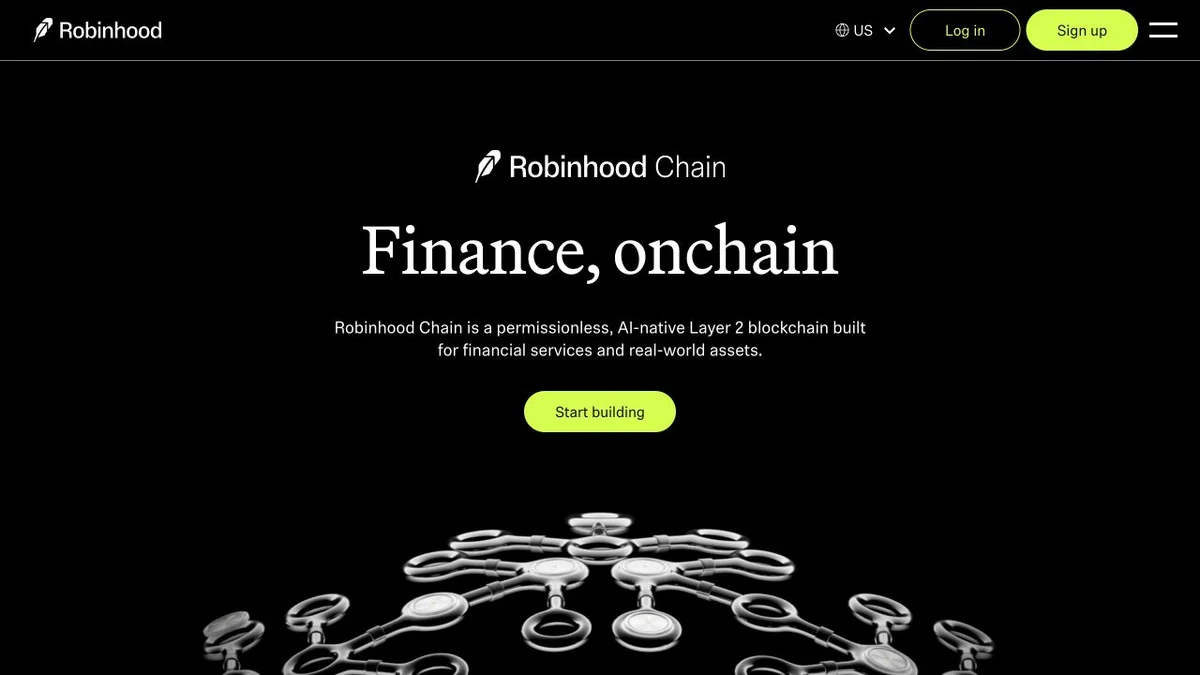 Figure 1 | Robinhood Chain's official homepage positions it as an Ethereum Layer 2 network for financial services and real-world assets (screenshot taken on 2026-09-02)
You can think of Ethereum as the main road for final settlement, while Robinhood Chain adds a faster lane built on top for frequent transactions. Transactions are processed first on Robinhood Chain and then the results are submitted to Ethereum. Ordinary users do not need to understand the underlying technology; just remember three things:
- It uses wallet addresses of the same type as Ethereum;
- On-chain fees are paid in ETH;
- OneKey already supports this network, so manual parameter entry is usually unnecessary.
First, the easiest point of confusion: Robinhood Chain is a blockchain network, not the brokerage account inside the Robinhood app. Connecting a wallet does not require opening a Robinhood brokerage account first; moving coins to Robinhood Chain also does not mean buying stocks or receiving securities-account protections.
Why Robinhood Chain has recently drawn attention
A new network designed around on-chain finance
Robinhood positions this chain as a bridge between crypto assets and real-world assets. Here, "real-world assets" refers to assets such as stocks and ETFs that originally exist in traditional financial markets, but are made into tokens that can be held and transferred on-chain.
Stock tokens and crypto trading on the same chain
In addition to crypto assets such as ETH and USDG, Robinhood Chain also supports Stock Tokens. Their prices are referenced to the underlying stocks or ETFs, but holding a Stock Token does not mean directly holding the corresponding stock, and it does not grant shareholder rights in that stock. Availability also depends on your location and product restrictions.
Early projects on the new chain are driving trading activity
Robinhood Chain already has Meme coins, launchpads, decentralized exchanges, lending, and other DeFi projects. DeFi can be understood simply as using a wallet to connect directly to on-chain programs for swapping, lending, and other activities, without first depositing your coins into a traditional exchange account. Early-stage new chains often change quickly: assets and routes that can be traded today may change tomorrow, and names and logos are easy to imitate. High attention does not mean low risk.
What ordinary users can do on Robinhood Chain
- Bridge and transfer: move assets from other networks onto Robinhood Chain, or move them back out.
- Stablecoin and token trading: hold assets such as USDG, or trade other tokens when quotes are available.
- On-chain apps: use your wallet to connect to decentralized exchanges, lending, and other DApps (on-chain applications).
- View Stock Tokens: learn about stock tokens and related on-chain products, but first confirm regional restrictions and product characteristics.
- Trade early-stage tokens: Meme and DeFi tokens are highly volatile and may also be difficult to sell.
Robinhood's official ecosystem page classifies applications by trading, infrastructure, bridging, analytics, wallets, on/off-ramp, and lending. Ordinary users do not need to try every project at the start: first clarify whether you want to bridge, trade tokens, lend, or look up transactions, then choose the corresponding tool.
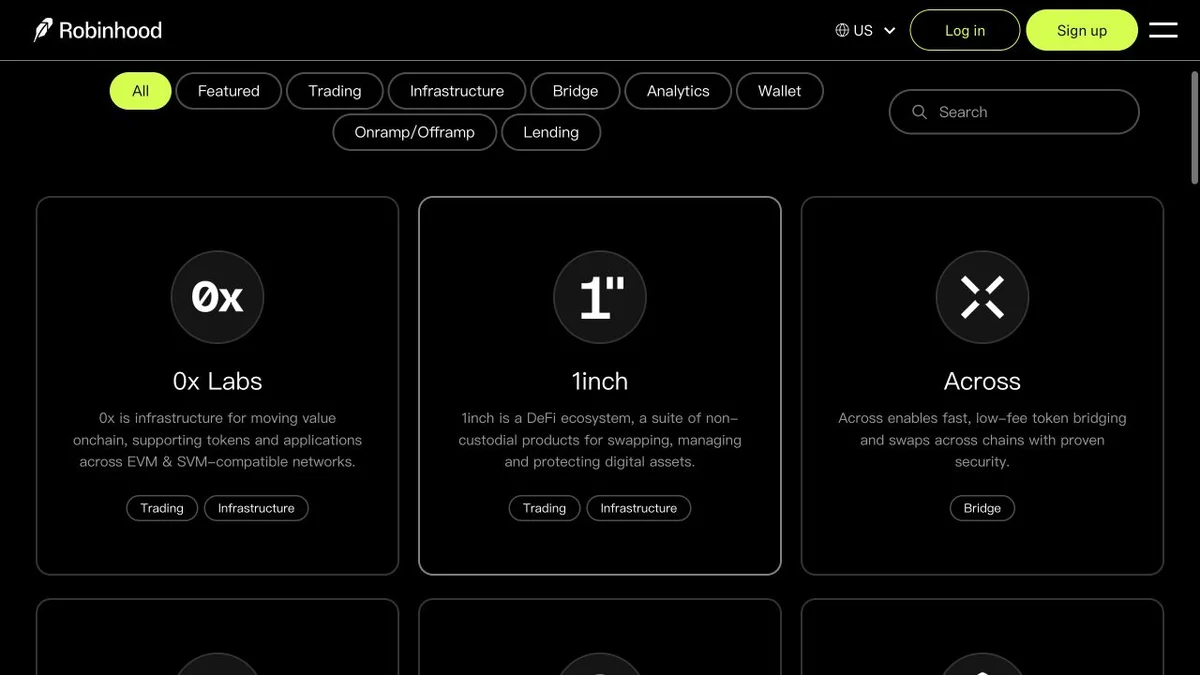 Figure 2 | Robinhood Chain's official ecosystem directory categorizes apps by trading, bridging, wallets, lending, and other uses (screenshot taken on 2026-09-02)
In OneKey's Robinhood token list, you can see USDG, ETH, PONS, as well as stock tokens and early ecosystem tokens. Names and logos make assets easier to find; when you're ready to trade, verify with the full contract address announced by the project.
For your first try, you can start with a small amount of common assets such as USDG or ETH, confirm that OneKey can display the balance, make sure there is enough Robinhood Chain ETH to pay network fees, and check the withdrawal route in advance.
Popular Robinhood Chain projects and patterns
The most watched activities on Robinhood Chain currently fall into three broad categories: launchpads, stock-coin paired Meme coins, and LPs that provide funds to trading pools. They are not the same product. Launchpads handle the issuance of new coins, stock-coin pairing changes the trading pair for Meme coins, and LPs put two assets into the pool to earn fees. First identify what each project depends on to function, then look at the hype; that makes it much easier to understand.
Source verification for this section was completed on 2026-09-04. The following content is for understanding project mechanics and risk, not for ranking by short-term price performance.
Pons fixed-supply token launchpad
Pons is a fixed-supply token launchpad on Robinhood Chain. Creators can set the token name, symbol, and image, and users submit issuance and trading through their own wallets. Pons does not custody user assets, and the project page displays the token, contract, and trading entry. When reviewing new projects, first verify the full contract address, token distribution, pool depth, and actual selling conditions.
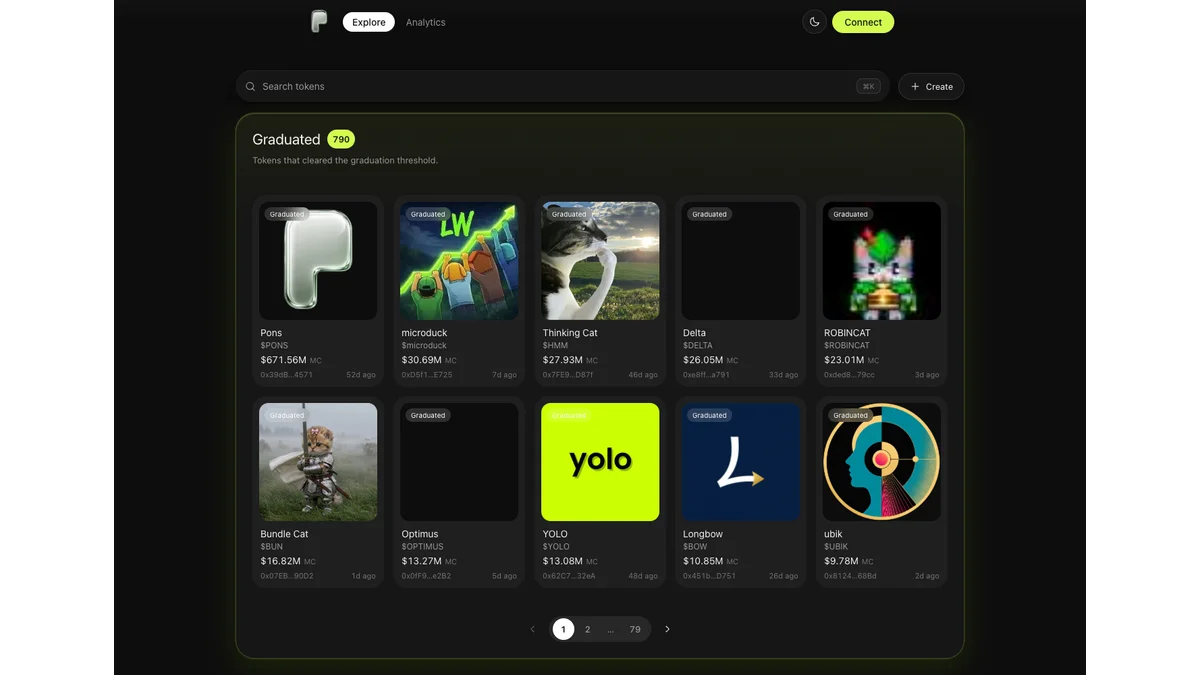 Figure 3 | Official Pons launchpad page, where you can view projects and contract information on Robinhood Chain (source: Pons, screenshot taken on 2026-09-04)
PONS is the token associated with the Pons launchpad, not a public-chain coin issued by Robinhood itself. Projects such as HMM, YOLO, and microduck have also appeared on Pons. Their names and symbols can also be imitated, and early liquidity can change quickly; before searching in OneKey, you should first obtain the contract address from the Pons project page or the project's official account.
Long xyz stock-coin trading pools
Long.xyz creates on-chain trading markets around Robinhood Chain stock tokens. One type of pattern pairs newly issued Meme coins with stock tokens, for example AI with NVDA, SPACEHOOD with SPCX, and BONER with HIMS. What traders see is the pool price between the Meme coin and the stock token, not a way for the Meme coin to be exchanged for equity in the related company.
This does not mean there is real stock backing behind the Meme coin. AI is not NVIDIA stock, and SPACEHOOD does not represent SpaceX equity; the stock tokens in the pool are only pricing assets used for trading, and they cannot be redeemed proportionally to Meme holders. Buying these tokens means facing price changes on both the Meme itself and the stock token side at the same time.
How the stock and coin linkage happens
The first type of linkage comes from pricing. Suppose the exchange ratio of a Meme coin against NVDA has not changed, but the dollar price of the NVDA stock token rises; then the Meme coin's dollar-denominated price will also rise. Conversely, if a Meme coin suddenly sees heavy buying, the trading process will consume stock tokens in the pool, which may also tighten the on-chain stock-token inventory.
This is not the same as directly buying or selling common stock on the NYSE. The idea that "Meme coins reverse squeeze U.S. stocks" is mostly a spreadable narrative. What is usually affected is the inventory of on-chain stock tokens and the pool price. Especially when the U.S. stock market is closed and market makers cannot replenish tokens in time, on-chain prices may deviate from the underlying stock for a short period; once traditional markets reopen and arbitrage resumes, the spread may disappear quickly.
LP yields and risks
LP stands for Liquidity Provider, meaning the person who provides funds to a trading pool. The most common approach is to deposit two assets at the same time so others can trade in the pool, and then earn fees in proportion to your share. On Robinhood Chain, Meme/WETH, Meme/USDG, Meme/stock token, and stock-token-related liquidity pools have already appeared. Projects such as DELTA and Liquern turn the creation, management, or composition of these positions into products.
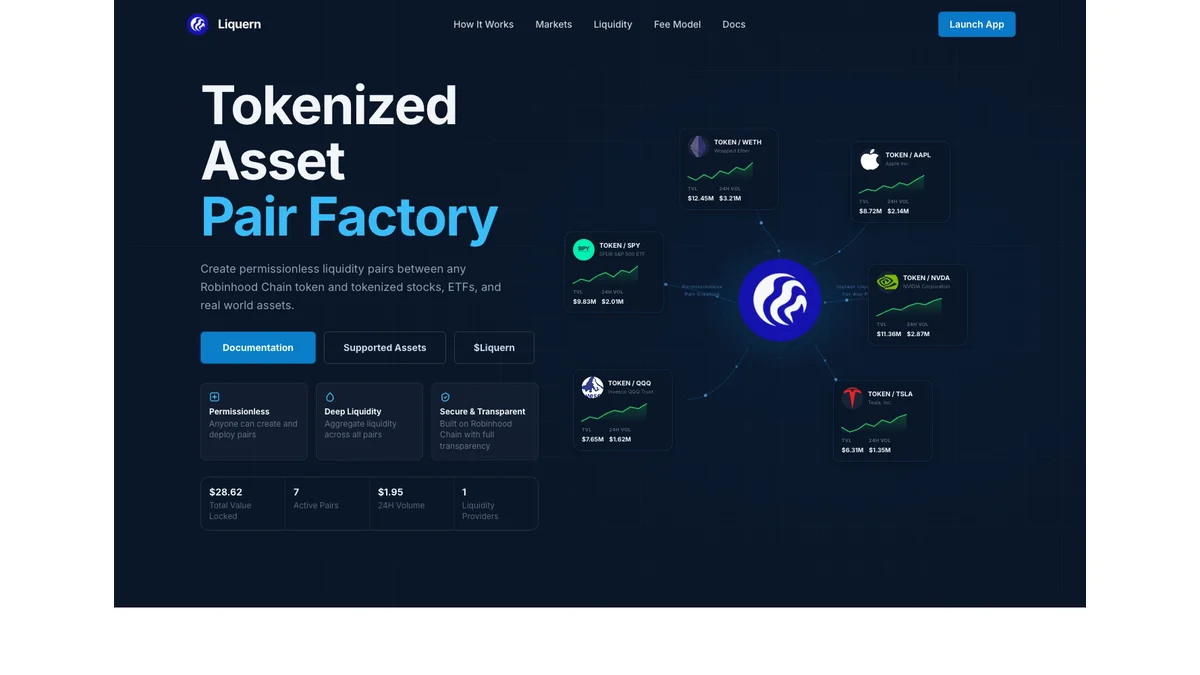 Figure 4 | Liquern's official page shows the product structure for trading pairs of stock tokens and crypto assets (source: Liquern, screenshot taken on 2026-09-04)
LP fees come from trading inside the pool, but principal gradually turns into the pool's other asset as buying and selling continue. When Meme coins rise, the LP may gradually sell Meme; when Meme coins fall, the LP may end up holding more of the declining asset. Stock-token pools also have to deal with price gaps between U.S. stock market open and closed sessions, so you cannot look only at fee APY.
Leveraged stock-token pools magnify volatility further. Leveraged tokens usually have rebalancing or holding costs, and putting them into an LP adds impermanent loss and liquidity risk on top. Before participating, you should first check the issuer's leverage multiple, rebalancing schedule, and extreme-market handling rules, then judge whether the fees can cover those costs.
Quick look at current hot projects
- PONS: the token associated with the Pons launchpad; focus on token allocation, contract permissions, platform activity, and actual liquidity.
- AI: a Meme paired with the NVDA stock token on Long.xyz; it does not represent NVIDIA equity, and there is no 1:1 stock redemption.
- CASHCAT: one of the earliest and most representative community Memes on Robinhood Chain, with no official affiliation to Robinhood.
- DELTA: a liquidity management project where users can manage price ranges themselves or hand assets over to strategy-based LP positions.
- HMM and YOLO: both gained attention from the Pons ecosystem, corresponding to "thinking cat" and WallStreetBets culture respectively.
- microduck: a Meme priced against the NVDA stock token, but with no official relationship to NVIDIA, Hugging Face, or other companies.
- BONER and SPACEHOOD: stock-coin pair projects on Long.xyz, linked respectively to HIMS and SPCX stock tokens; neither represents equity in the related company.
Use OneKey Market to find hot Robinhood tokens
Open the "Market" tab at the bottom of OneKey App, switch the network to Robinhood, and you can view hot tokens, Meme coins, and price information in the Robinhood section. Start with "Market" to understand projects and market conditions; after selecting an asset, open the details page to trade, or open "Trade -> Swap & Bridge" to set the trading pair. When you encounter tokens with the same name, verify them using the full contract address announced by the project.
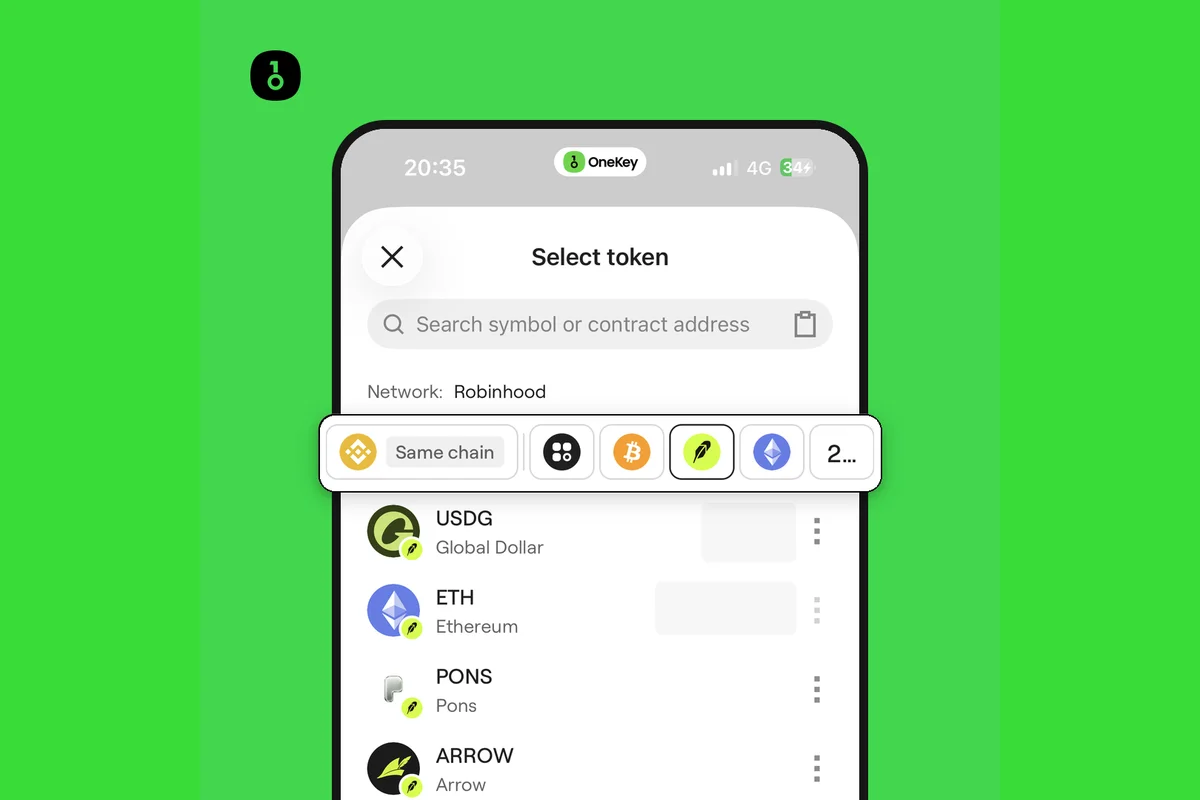 Figure 5 | In OneKey, after entering Trade and switching the network to Robinhood, you can continue setting the trading pair from the token selection list (wallet balance masked)
The shortest path to using OneKey
When using Robinhood Chain for the first time, you can start by checking the Robinhood section and hot tokens in the "Market" tab at the bottom of OneKey App. When you need to move funds in, open "Trade -> Swap & Bridge", choose the network where the money is currently located and the asset you want to receive. This article uses USDC on BNB Chain -> USDG on Robinhood Chain to demonstrate the full bridging flow.
Understand the full route in 30 seconds
- Select the network, asset, and amount where the money is currently located.
- Set the receiving network to Robinhood Chain, then choose the coin you want to receive.
- Check the estimated arrival, fees, slippage, and the provider executing the bridge.
- For the first transfer, use a small amount for testing, then sign and wait for arrival.
- After arrival, first confirm the network and asset, and keep a small amount of ETH for fees.
First, understand the 6 words on the page
- Source network: the chain where the money is currently located, such as BNB Chain.
- Source asset: the coin you are about to spend; in this example, USDC.
- Target network: the chain where the money should go; here, Robinhood Chain.
- Target asset: the coin you want to receive after bridging; in this example, USDG.
- Gas: the fee paid to the blockchain network. BNB is used on BNB Chain, and ETH is used on Robinhood Chain.
- Provider: the service that actually executes the bridge. The screenshot shows Li.fi.
Robinhood Chain uses ETH to pay fees. OneKey already includes Robinhood Chain in its network list, so ordinary users do not need to manually enter a Chain ID or RPC. The parameters below are for checking the network or troubleshooting problems.
Table 1 | Robinhood Chain mainnet verification table
Four things to prepare before you start
A usable OneKey wallet
First update OneKey App. When using a new chain or a third-party on-chain application (DApp) for the first time, you can use a separate small-value wallet; do not directly use your main wallet that stores large assets. Seed phrases and private keys should only be stored offline, and no website, support agent, or chat group needs them.
Source-asset and source-chain Gas
Whatever chain your funds are on, you need to prepare that chain's fee token. For example, starting a transaction on BNB Chain requires BNB, and starting one on Ethereum requires ETH. If you only have a USDC balance and no small amount of BNB, the bridge transaction shown in this article's screenshots cannot be submitted.
A small test amount
When using a new route for the first time, do not put in the full amount directly. Confirm the target network, target asset, and actual arrival result first, then decide whether to continue.
ETH on Robinhood Chain
Robinhood Chain network fees are priced in ETH, and trading, approvals, and transfers usually require reserving a small amount of ETH. Here, "approval" means allowing a bridging or trading service to use the amount of token you specify; it does not mean handing over control of the wallet. If OneKey explicitly shows "sponsored" and "pay 0 network fee" on a transaction confirmation page, that means the network fee for that transaction is sponsored by OneKey; whether sponsorship is available must be determined by the actual page, and you cannot assume it is always free.
Once ready, open "Trade -> Swap & Bridge" in OneKey App. The image below shows the entry point.
Bridge to Robinhood Chain with OneKey
Step 1 Open Swap & Bridge
Enter OneKey App and open the following in order:
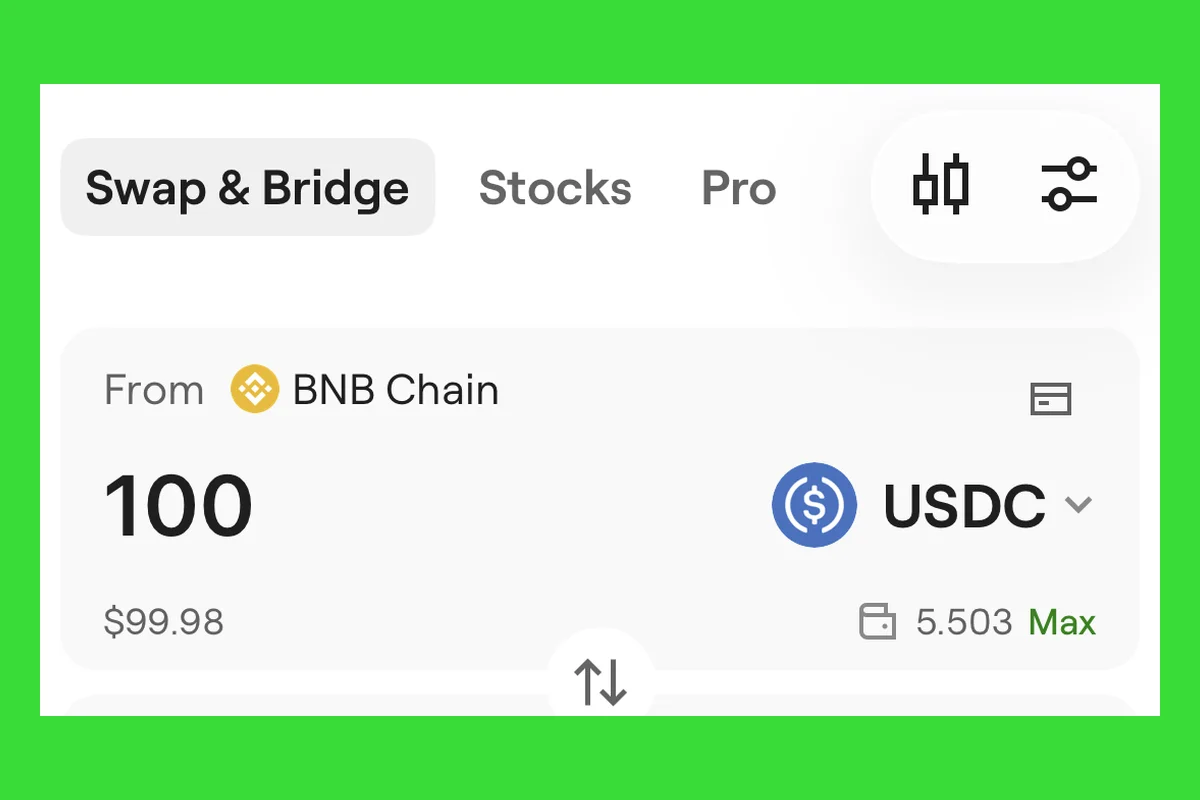 Figure 6 | Start from the "Trade -> Swap & Bridge" entry in OneKey App (wallet balance masked)
Trade -> Swap & Bridge
Choose the wallet you want to use for this transaction. After confirming the address is correct, begin setting the route.
Step 2 Choose the source network, asset, and amount
In the upper input box, choose the network and asset where your money is currently located, then enter the amount. The screenshot in this article selects BNB Chain and USDC. OneKey will query currently available bridging services and then provide a quote.
If there is no quote on the page, first check the network, asset, and amount. You can also switch to a more common asset, or try again later. Do not rush to click bridge links from search ads, comment sections, or private messages.
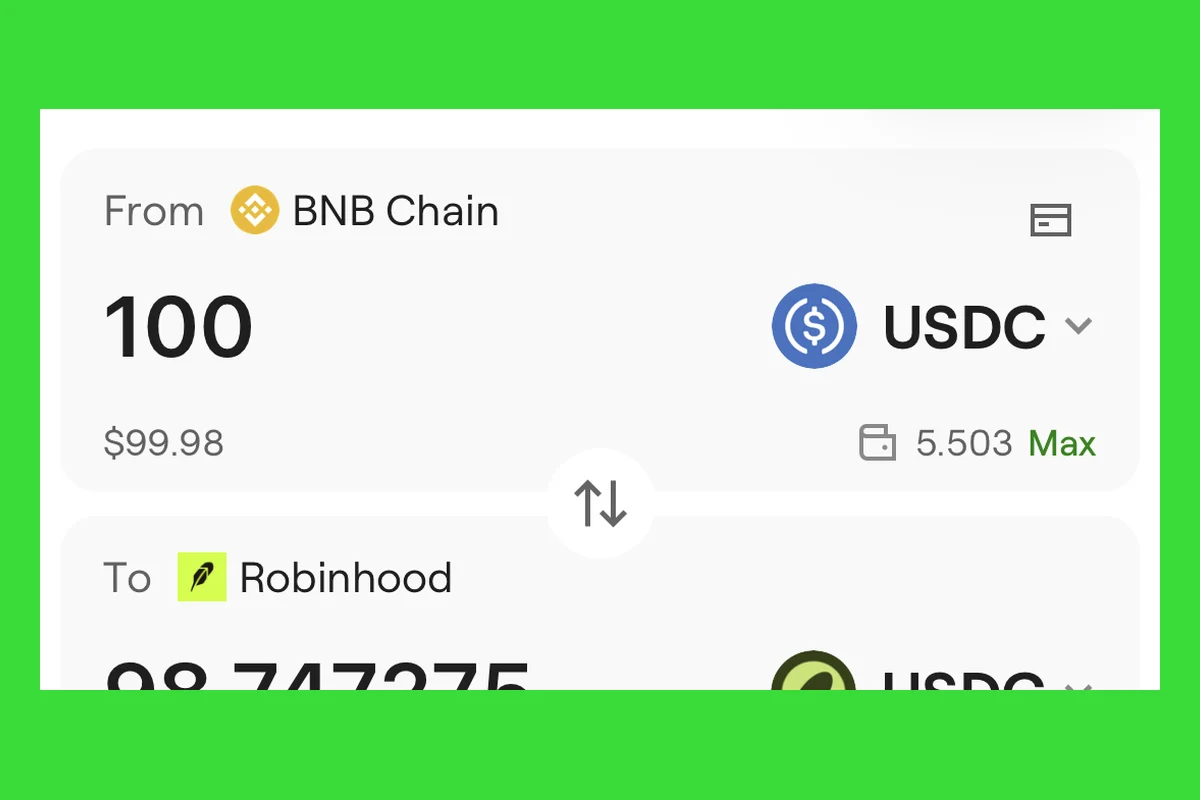 Figure 7 | Choose BNB Chain and USDC as the source network and asset (wallet balance masked)
Step 3 Select Robinhood Chain as the target network
Open the network list in the lower input box, search for and select Robinhood. Then choose the coin you want to receive; the screenshot in this article uses USDG.
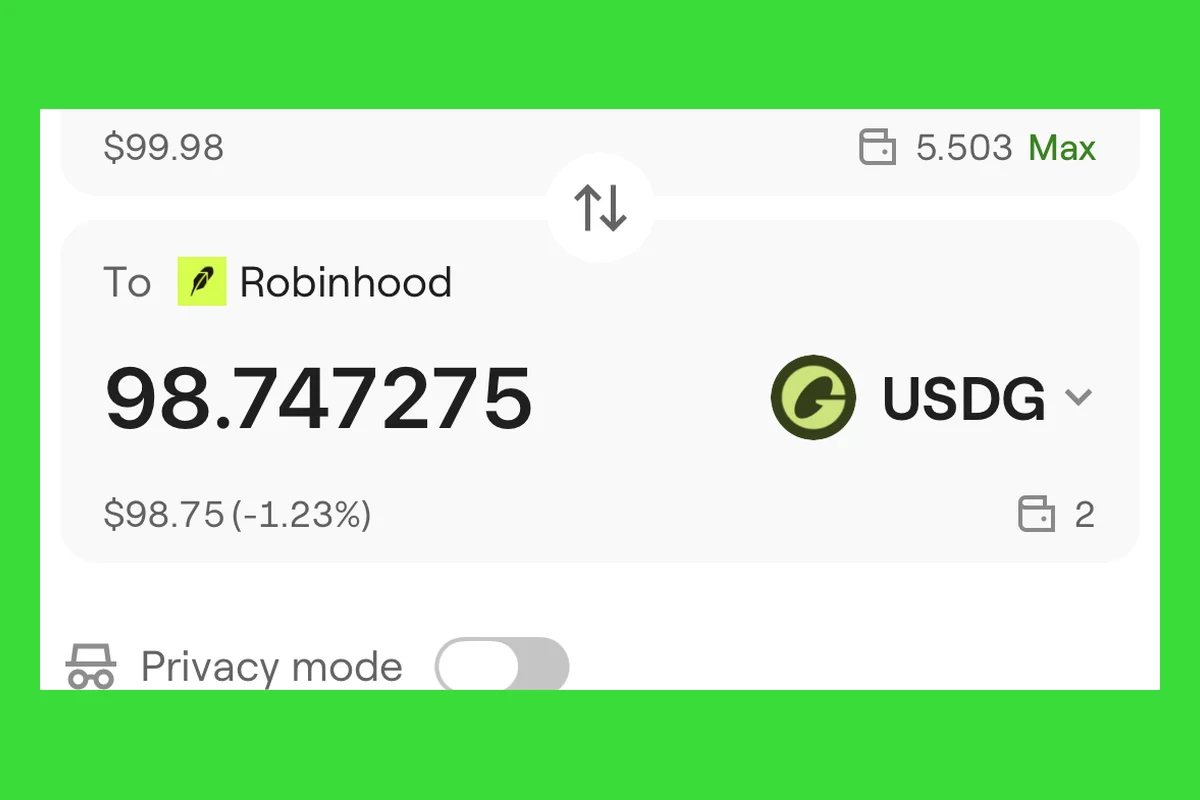 Figure 8 | Switch the target network to Robinhood, then select USDG and other currently supported assets (balance masked)
The current interface lets you set BNB Chain USDC -> Robinhood Chain USDG. Before submitting, verify the current quote, estimated amount received, and fees.
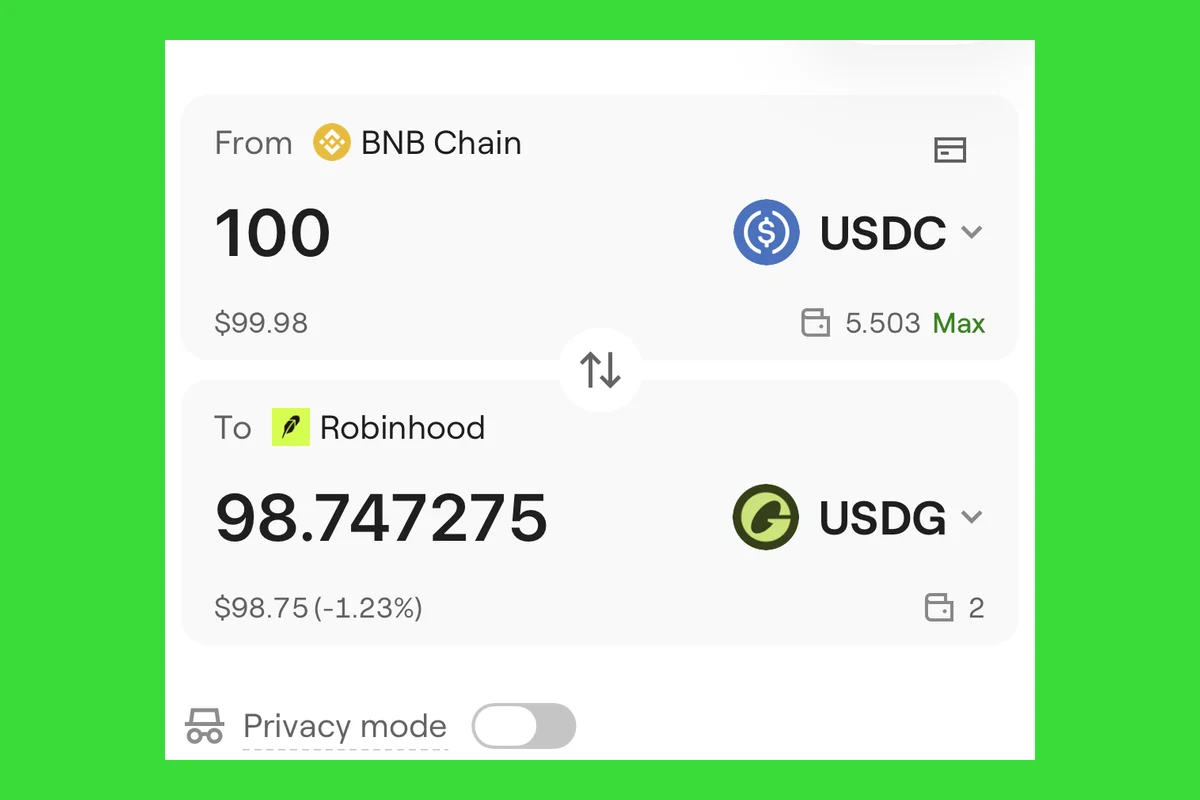 Figure 9 | USDC on BNB Chain -> USDG on Robinhood Chain (wallet balance masked)
If you still need to trade tokens or transfer after arrival, the wallet usually needs a small amount of Robinhood Chain ETH. The screenshot shows USDG being received, and USDG cannot directly replace ETH to pay Gas; only if the confirmation page explicitly shows network-fee sponsorship should you follow the page for that transaction.
Step 4 Read the quote before signing
After the page provides a route, do not rush to sign. "Provider" is the service that actually executes the bridge; "slippage" is the range of quote change you are willing to accept. Check the following list:
- The target network is indeed Robinhood Chain;
- The target asset and the "estimated received" amount are correct;
- The "provider" is the route you are willing to use;
- The "estimated transaction time" fits your funding plan;
- The network fee, service fee, and slippage are acceptable;
- The wallet still has enough source-chain Gas.
The same asset may be executed by different providers at different times. When comparing routes, focus on how much you will finally receive, how long you need to wait, and what the total cost is.
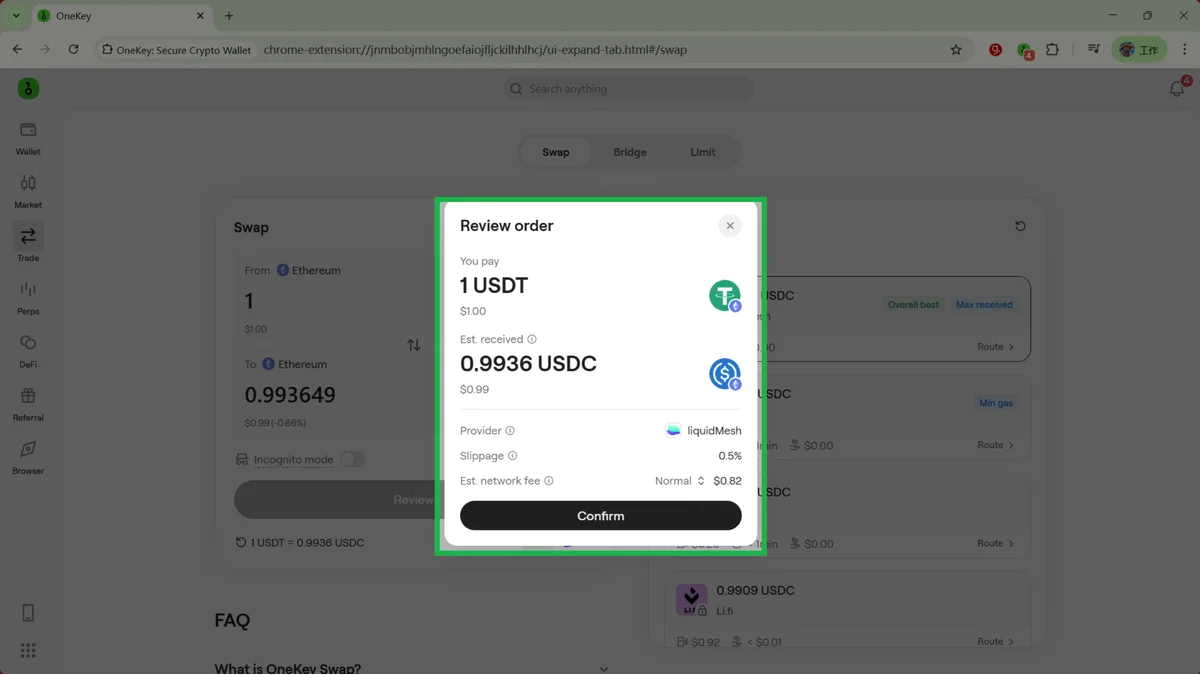 Figure 10 | "Preview Order" before signing: verify the payment and estimated received amounts, provider, slippage, and estimated network fee (wallet balance masked)
Opening "Preview Order" only lets you review the final information; it will not automatically send the funds. The "confirm twice on device" shown in the screenshot usually means authorizing the service to use this USDC first, then confirming the bridge order; the actual number of confirmations varies with the asset and route. Check each step carefully before confirming.
Step 5 Submit a small amount and verify arrival
After everything is confirmed, sign in the wallet or hardware device. While waiting, you can check the status from the transaction history on the upper right of the swap page. The transaction hash can be understood as the query number for this on-chain transaction; if needed, you can copy it into the Robinhood Chain official block explorer to check.
After arrival, first confirm three things: the current network is Robinhood Chain, the received asset matches expectations, and the wallet still has ETH. Only after all three are correct should you handle the remaining amount or start trading tokens.
The block explorer screenshot below comes from the real transfer of 2 USDG in this article. The green Success means the transaction has been executed successfully on Robinhood Chain; the Tokens transferred line shows that 2 USDG was transferred from the example sending address to the example receiving address. The transaction hash is 0x1543…d277, the block number is 52,395,473, and the block time is 2026-09-02 15:26:37 (UTC+8). You can think of a transaction hash as the receipt number for an on-chain transfer: when checking your own transactions later, open the Robinhood Chain block explorer and paste your own transaction hash; there is no need to copy the number in this article.
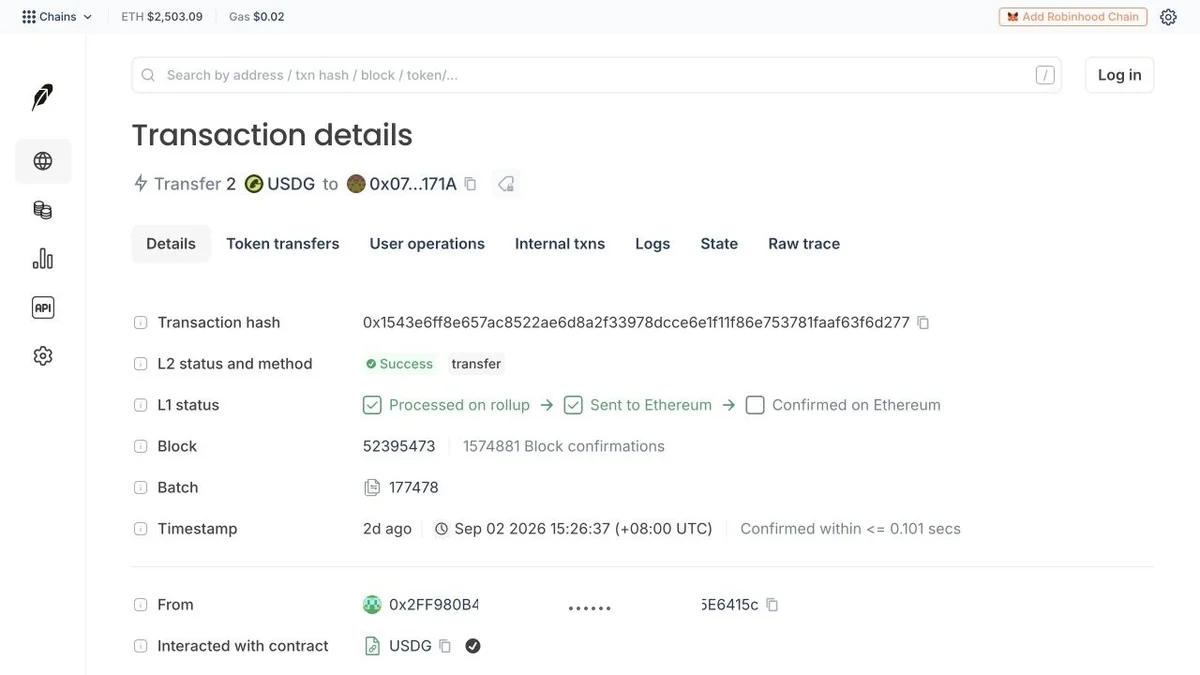 Figure 11 | Robinhood Chain block explorer shows a successful 2 USDG transfer; block 52,395,473, time 2026-09-02 15:26:37 (UTC+8; middle of sending address masked)
Transfer USDG after arrival
After funds bridge to Robinhood Chain, you can also transfer USDG to another wallet address on this chain. First distinguish this clearly: this step is a "same-chain transfer," not a bridge. Both the sender and the recipient are on Robinhood Chain, and both the outgoing asset and the receiving asset are USDG.
- In OneKey App, enter "Wallet", switch the network to Robinhood, then select USDG.
- Tap "Send", paste the recipient address, and enter the amount. When sending to a new address for the first time, use a small test amount first.
- On the sending confirmation page, verify the network, asset, amount, and recipient address. When the address is long, at minimum verify the first and last several characters carefully.
- Confirm the network fee or sponsorship information, then tap the send button on the page and complete the signature. After submission, check the status in transaction history or the block explorer.
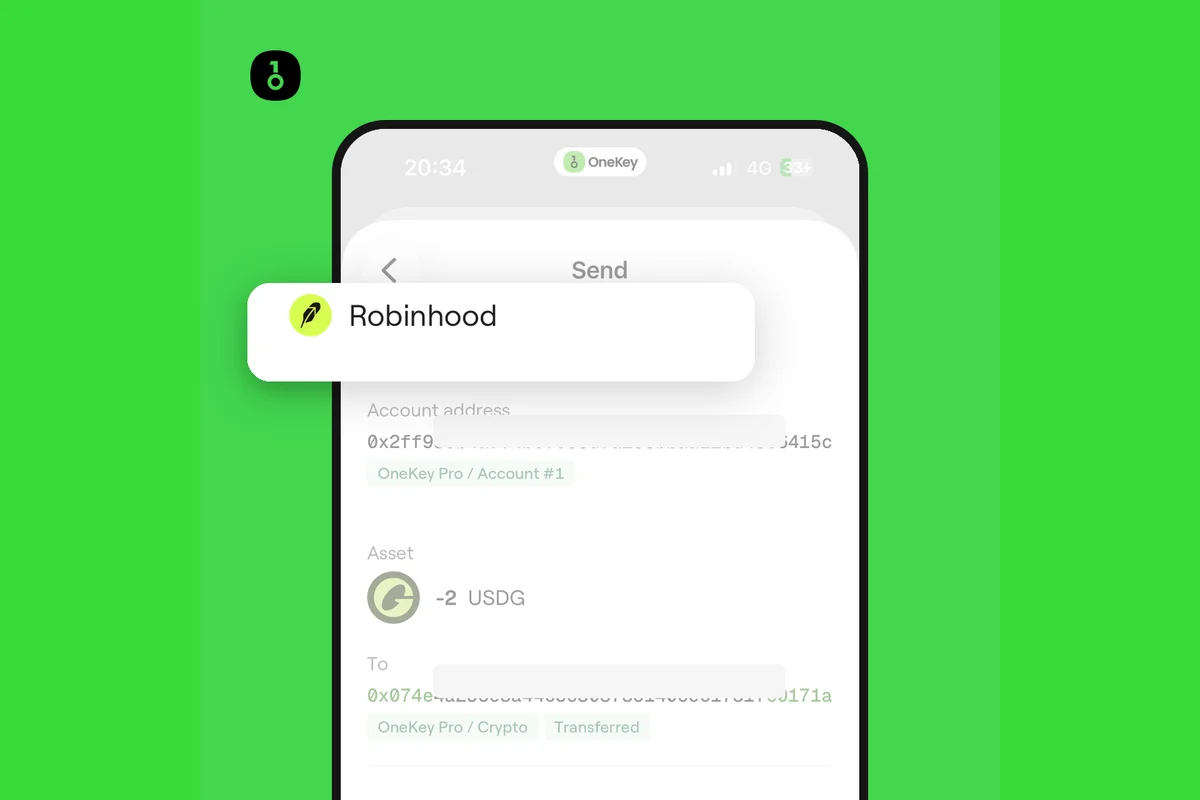 Figure 12 | Signing confirmation page for a 2 USDG transfer; OneKey sponsored the user-side network fee for this transaction, and the final status is shown in Figure 11
Do not directly send USDG to a centralized exchange deposit address unless the exchange explicitly states that it supports USDG on Robinhood Chain. If the other party requires Ethereum, BNB Chain, or another network, you need to use a bridging route; even if addresses on different networks all start with 0x, that does not mean the networks are the same.
Trade tokens after arrival
After funds enter Robinhood Chain, first open the "Market" tab at the bottom of OneKey App, switch the network to Robinhood, and view hot tokens and Meme projects in the dedicated section. After selecting an asset, enter the details page to trade; you can also open "Trade -> Swap & Bridge" and set both the source network and target network to Robinhood Chain.
- Set both the source network and target network to Robinhood Chain.
- Choose the asset to pay with and the asset you want to receive.
- Search for the token; when you encounter assets with the same name, switch to verifying with the official contract address.
- Check the provider, slippage, price impact, minimum received amount, Gas, and estimated arrival.
- Confirm with a small amount, then check the result in history or the block explorer after signing.
The token selection list helps you locate assets, but names, logos, and English abbreviations can all be imitated. The contract address is the unique identifier of a token on the blockchain; when you see coins with the same name, always use the official contract address as the reference.
Below, USDG -> PONS inside Robinhood Chain is used to show the trading page. After both the source network and target network are set to Robinhood, OneKey will display the current quote and estimated amount received. In the figure, entering 100 USDG directly triggers an insufficient balance warning; for an actual trade, adjust the amount to fit the available balance, then verify the quote and submit.
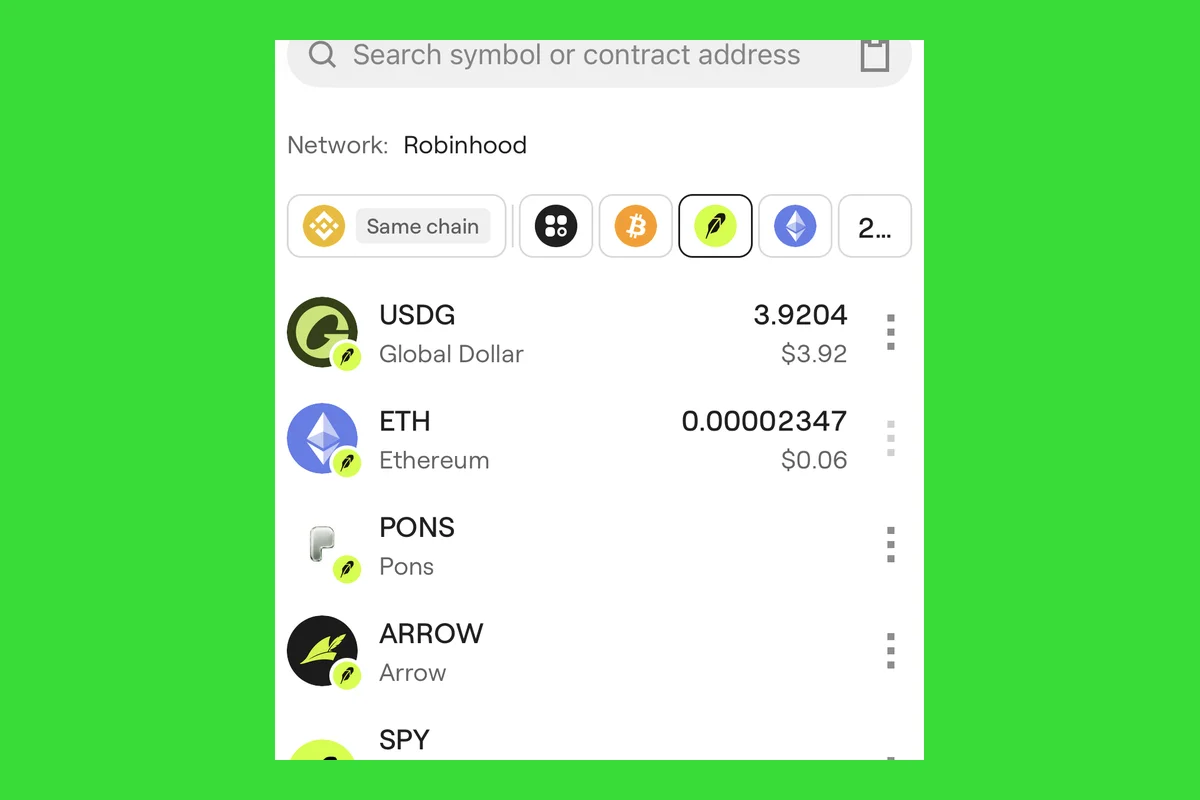 Figure 13 | In OneKey's English token list for Robinhood Chain, PONS appears alongside USDG, ETH, ARROW, and other assets (balances masked)
The higher the slippage setting, the larger the price movement you are willing to accept; it does not mean the trade is more favorable. If there are few people buying and selling the token, the actual amount received may decrease significantly.
Check the contract before trading hot tokens
Token names can be duplicated, but contract addresses cannot. If you are unsure, check in the following order:
- First confirm that the wallet network is Robinhood Chain.
- Obtain the contract address from the project's or issuer's official page.
- Go to the Robinhood Chain official block explorer to verify the contract, holding addresses, and transaction records.
- Return to OneKey and search using the full contract address, then check the name and decimals.
- If you still have doubts, do not sign; first use a separate wallet and a small test amount.
The Token Contracts page on the Robinhood Chain official site currently lists the WETH contract as 0x0Bd7D308f8E1639FAb988df18A8011f41EAcAD73 and the USDG contract as 0x5fc5360D0400a0Fd4f2af552ADD042D716F1d168. The contract table may be updated, so in actual operation you should open the official page again and verify it.
You should also check the project website, official social accounts, and block explorer for other Meme or DeFi projects. Search ads, group chat screenshots, KOL posts, or addresses sent in private messages cannot by themselves prove that a contract is real.
Stock Tokens are not the corresponding company's stock
Robinhood officially defines Stock Tokens as tokenized debt securities issued by Robinhood Assets (Jersey) Limited. Put plainly: their price references the performance of the relevant stock or ETF, but what you hold is not that stock, and you do not have the corresponding shareholder rights.
Stock Tokens are also subject to regional and sales restrictions and are not suitable for every user. Even when you see a familiar stock ticker, you still need to check the issuer, contract address, product documents, and local restrictions. The same name does not mean the same rights.
Move assets out of Robinhood Chain
Before withdrawing, keep enough Robinhood Chain ETH. In OneKey App, set the source network to Robinhood Chain, then choose the target network and asset; when a quote is available, you can see the route, fees, and estimated transaction time for that transaction.
Robinhood's official routes are mainly divided into two categories:
- Official bridge: provided by Robinhood. Start the withdrawal on Robinhood Chain, wait about 7 days, then claim on Ethereum mainnet and pay ETH fees;
- Partner bridge routes: routes such as Relay, Across, and LiFi/0x may be faster, but supported coins, fees, and available amounts change.
Use whichever route OneKey shows at the time of signing. Entering the chain only takes a few minutes does not mean leaving it will also only take a few minutes; if funds are needed in the short term, do not move everything in before confirming the exit time.
Five things most likely to go wrong when rushing into a new chain
Treating Robinhood Chain as a Robinhood brokerage account
These are not the same product. On-chain operations use wallet addresses whose keys are held by you, which does not mean you have opened a securities account, and it does not automatically give you the rights or protections of a securities account.
Preparing tokens but not Gas
Both the source chain and the target chain may require Gas. Check the source-chain Gas before bridging, and keep Robinhood Chain ETH after arrival.
Looking only at name and logo, not the contract
Tokens with the same name can be created in bulk. The contract address should come from an official source and be re-verified in the block explorer.
Assuming a fast arrival means a fast withdrawal
Official bridge inbound and outbound waiting times are different. When transferring back to Ethereum, you need to wait about 7 days before claiming on Ethereum mainnet.
Repeatedly retrying while a transaction is still processing
First confirm the original transaction status in OneKey history and the block explorer. If the status is unclear, submitting again and again may cause duplicate transactions or additional fees.
References
- OneKey: Use Swap and Bridge in OneKey App
- OneKey App Trade introduction; see OneKey App update log for Market features: https://help.onekey.so/en/articles/11461391-onekey-app-update-log
- Robinhood: About Us
- Robinhood Chain official homepage
- Robinhood Chain official ecosystem directory
- Robinhood Chain Blockscout block explorer
- Robinhood: Robinhood Chain mainnet introduction
- Robinhood: July 1, 2026 mainnet launch announcement
- Robinhood Chain: Add network to your wallet
- Robinhood Chain: Bridging
- Robinhood Chain: Gas & Fees
- Robinhood Chain: Stock Tokens
- Robinhood Chain: Token Contracts
- Odaily: Robinhood Chain hot projects and Pons, Long.xyz feature coverage (link)
- Pons Launchpad: issuance and trading entry for fixed-supply tokens on Robinhood Chain (link)
- Long.xyz: Robinhood Chain stock-token launch entry (link)
- Liquern: Robinhood Chain AMM for stock tokens and crypto assets (link)
Risk Notice
This article explains only the product operations of OneKey App and does not constitute investment, legal, or tax advice. Bridging services, smart contracts, Meme coins, DeFi tokens, and Stock Tokens can all result in asset loss. Before operating, verify the network, contract address, fees, slippage, estimated arrival time, and regional restrictions, and start with a small test amount.
FAQ's
Robinhood Chain's Gas is priced in ETH. After arrival, you usually should not swap away all of your ETH, otherwise later token trades, transfers, or withdrawals may fail to submit; if the send confirmation page explicitly shows OneKey sponsorship and "pay 0 network fee," then that transfer can be carried out according to the page prompts, but do not assume a single sponsorship means it is free forever.
Usually not. OneKey App's network list already supports Robinhood Chain, so you can select it directly when bridging. If it is not in the list, update the app first and do not copy network parameters from unfamiliar pages.
The assets and routes available for bridging change with liquidity. Please set the source network, target network, asset, and amount in OneKey App, and rely on the real-time quote shown on the page.
First check the OneKey confirmation page, which shows the route, fees, and estimated arrival for that transaction. If you use the official Robinhood bridge, transfers from Ethereum usually take about 10 minutes; bridging back to Ethereum requires waiting about 7 days, then claiming on Ethereum mainnet. For other routes, use the timing shown in the page quote.
No. Stock Tokens reference the performance of the underlying stock or ETF, but what you hold is not that stock itself and you do not have the corresponding shareholder rights. The product is also subject to regional and sales restrictions.