How to Borrow with Kamino Directly in the OneKey App

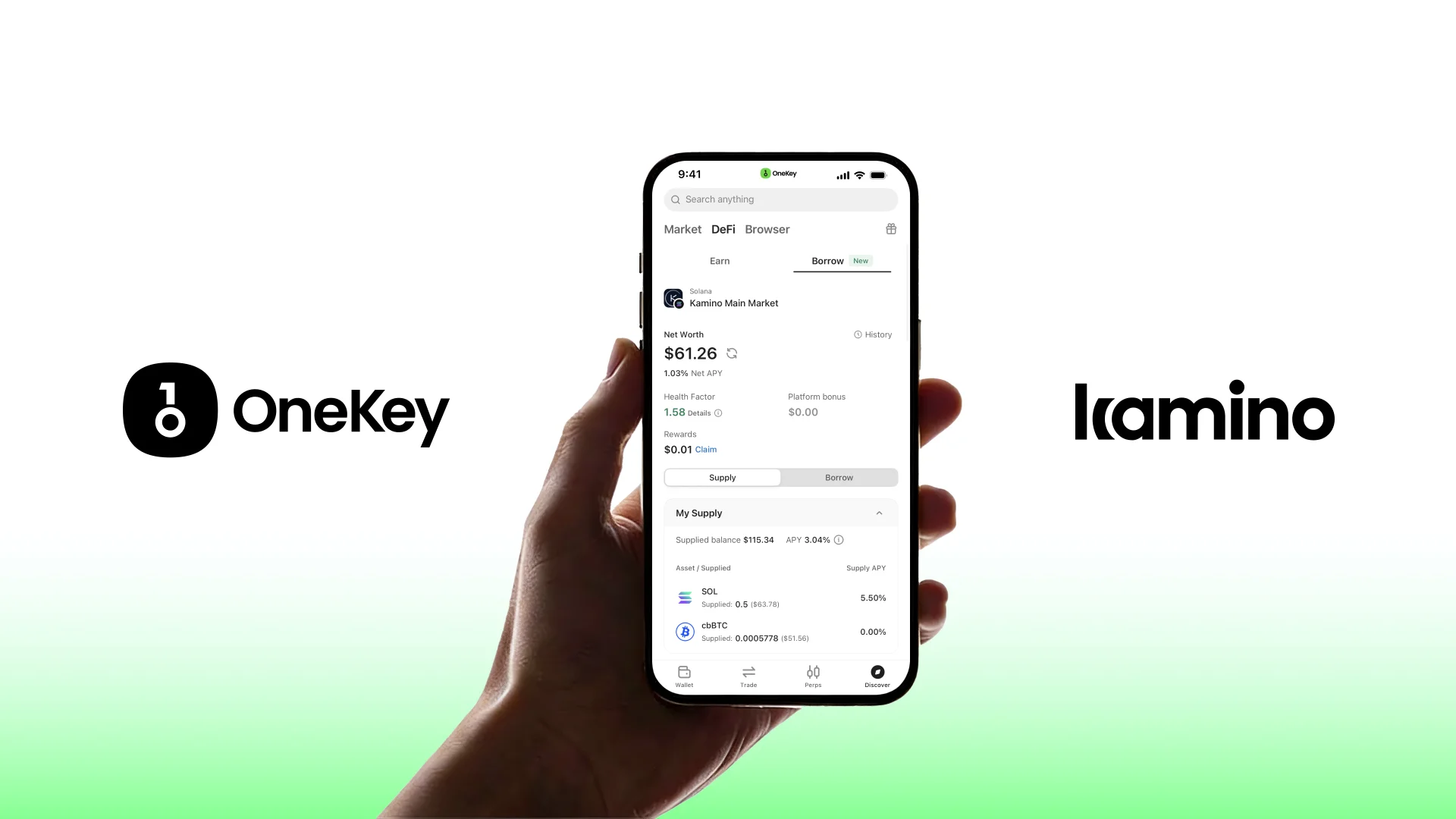
The OneKey App has integrated Kamino’s lending markets as its exclusive lending partner on Solana, allowing users to borrow directly from Kamino while maintaining full self-custody inside the OneKey App.
To support the launch of OneKey’s borrowing feature, we are introducing a one-month $KMNO incentive campaign. During the campaign, users who borrow USDC via Kamino in the OneKey App may receive KMNO token rewards.
Campaign Details
During the campaign period, users who borrow USDC through Kamino in the OneKey App will be eligible for KMNO token rewards. Up to $20,000 worth of KMNO rewards will be distributed each week. (Based on the KMNO price at the time of publication ($0.04), weekly incentives equal approximately 500,000 KMNO.)
Campaign period: January 27, 2026 – February 26, 2026
Reward distribution: Automatically sent to the borrowing address daily between 12:00-13:00(UTC+8)
How to Participate
Before using the borrowing feature, please make sure the following requirements are met.
Ensure your OneKey App is updated to version 5.20 or later.
Make sure your wallet holds assets that can be used as collateral, along with a small amount of on-chain gas for transactions.
Step 1: Enter the Borrowing Page
Open the OneKey App.
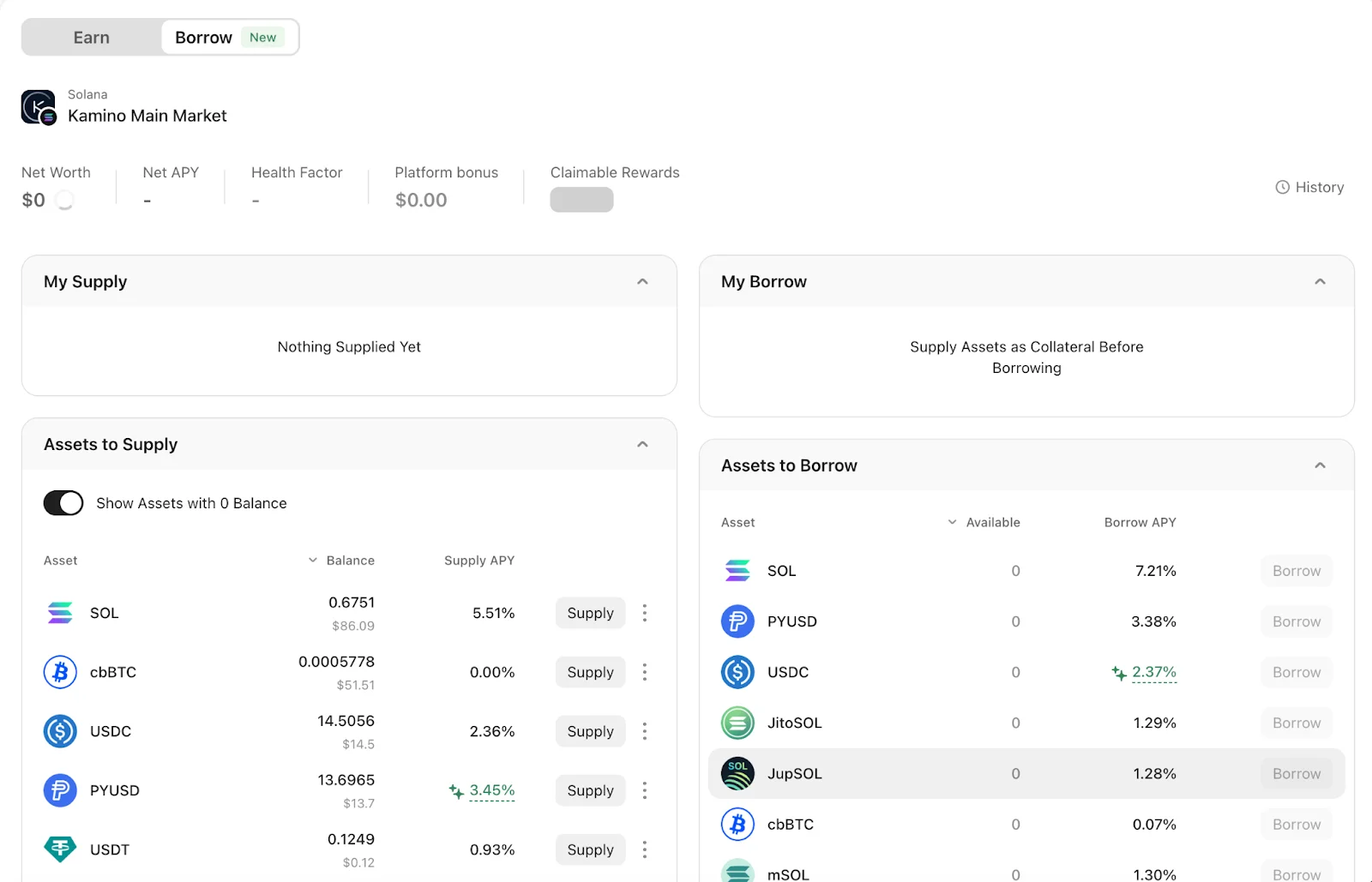
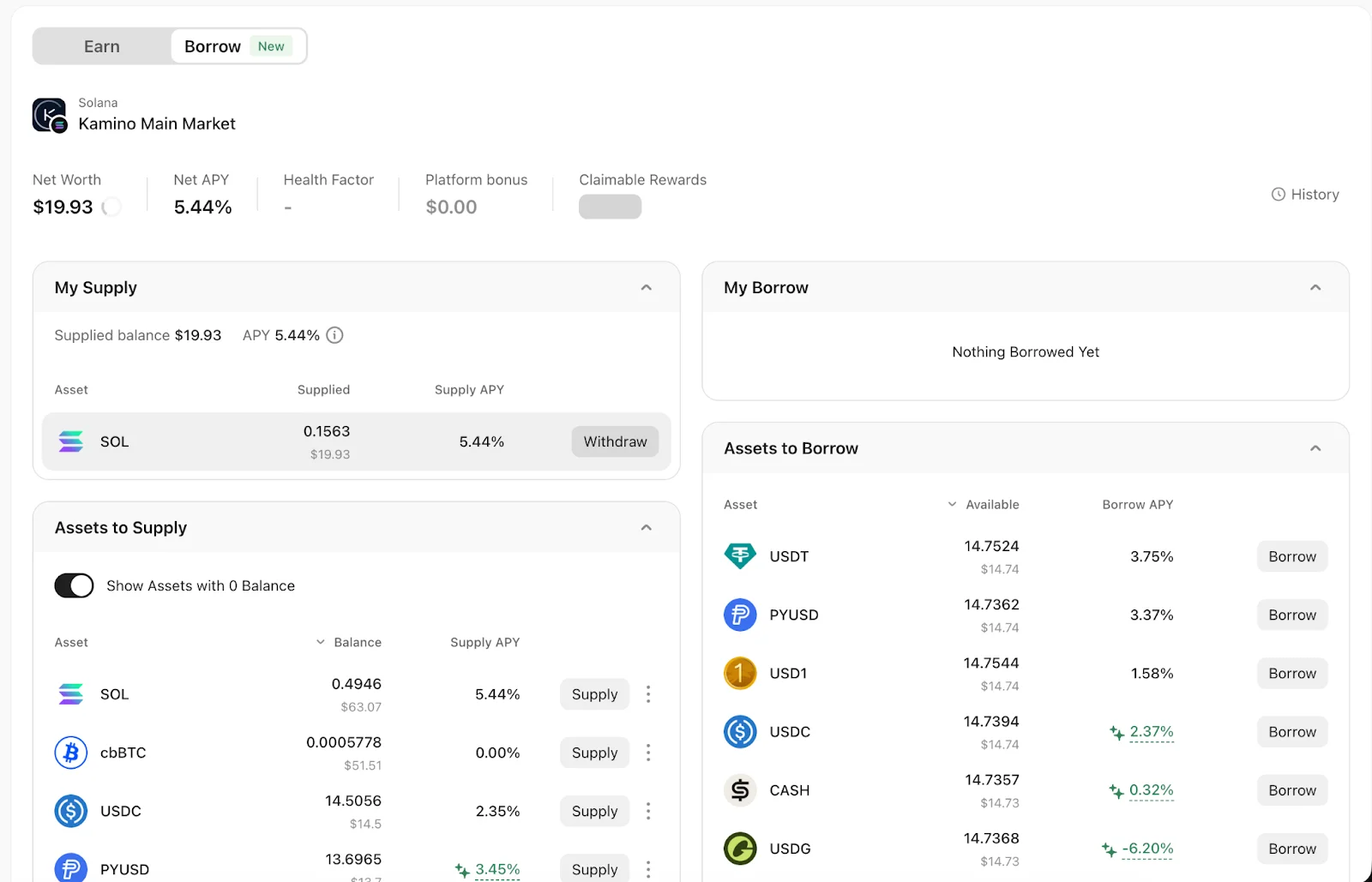
Navigate to Discover → DeFi → Borrow to access the Kamino lending interface.
Step 2: Supply Collateral
Borrowing requires collateral.
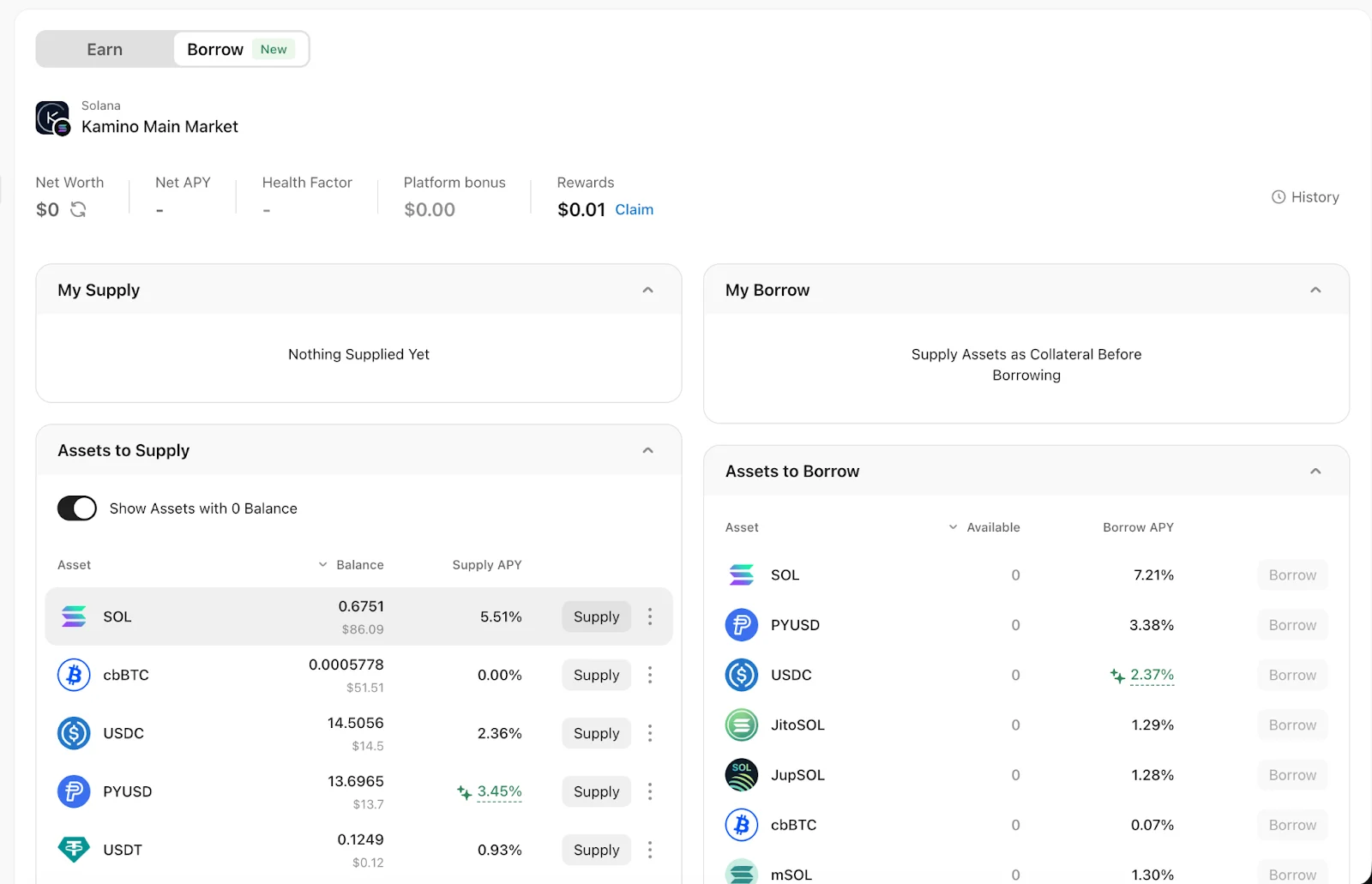
In the Assets to Supply section, select the asset you want to use as collateral and tap Supply to enter the deposit page.
If the required asset is not available in your wallet, you can swap tokens directly on this page or bridge assets from another network before continuing.
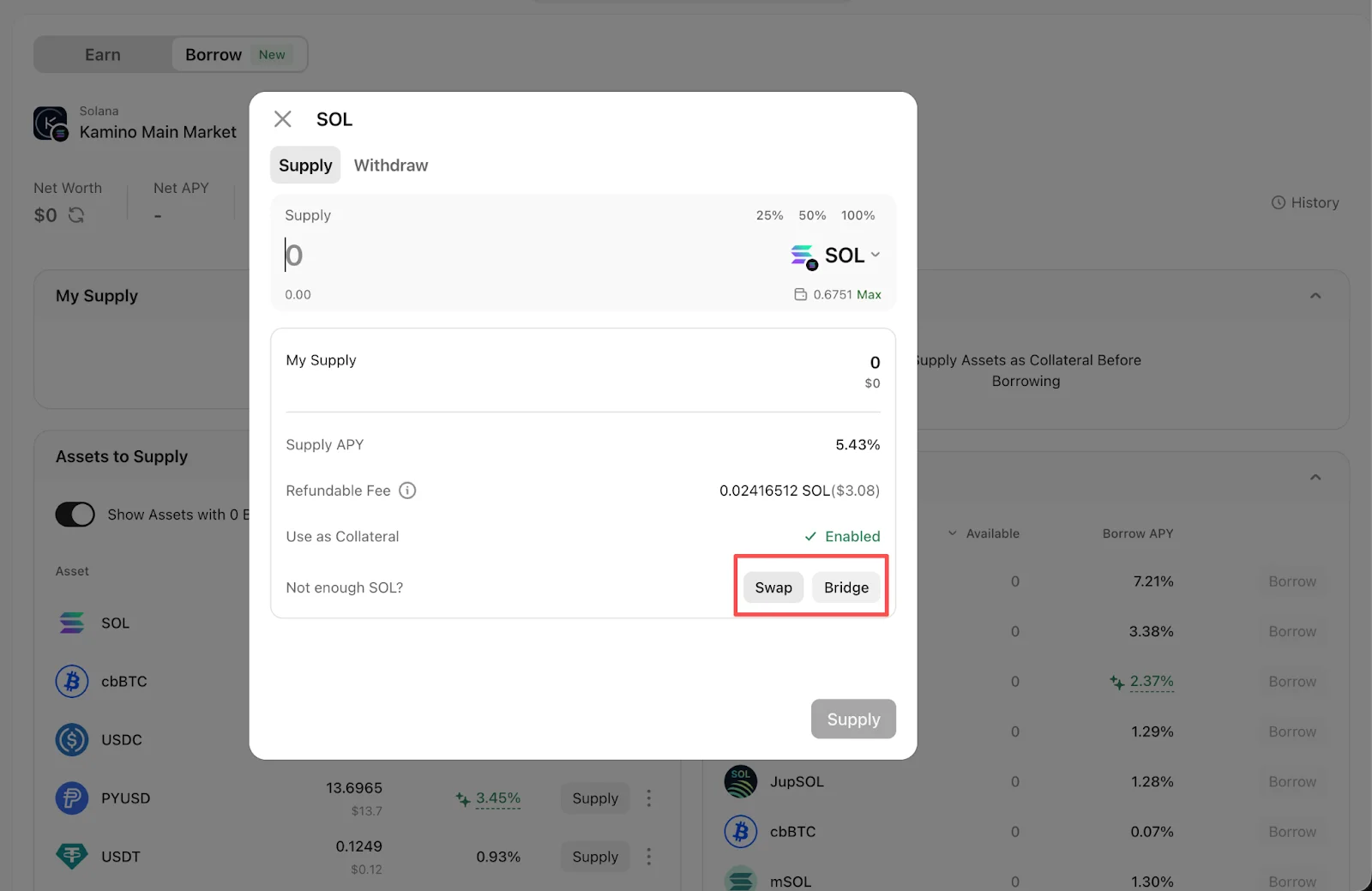
After confirming that your balance is sufficient, enter the amount to supply and submit the transaction.
When supplying collateral for the first time, Kamino will charge a refundable setup fee to initialize your position. This fee will be returned in the final transaction after all supply positions in Kamino’s main market are fully closed.
Step 3: Borrow and Confirm Funds
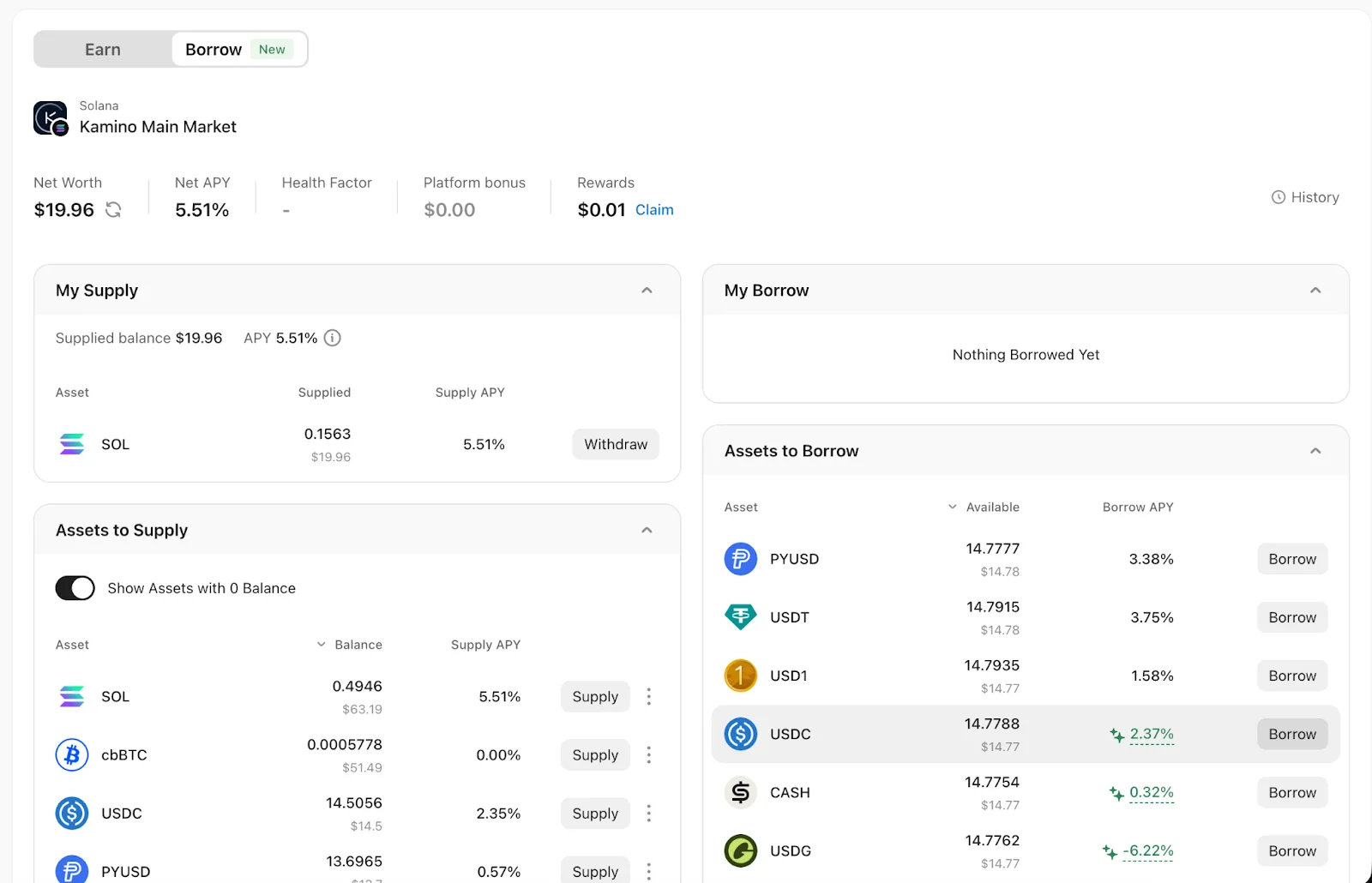
Once collateral has been supplied, the Assets to Borrow section will display the maximum amount available for each asset.
Select the asset you wish to borrow and tap Borrow. Enter the borrowing amount, which must not exceed the displayed maximum.
While adjusting the borrowing amount, pay close attention to the Health Factor. The closer your borrowing amount is to the maximum, the closer the Health Factor moves toward 1, increasing liquidation risk.
After confirming the borrowed asset, amount, and Health Factor indicators, submit the transaction.
Once completed, the borrowed USDC will be credited directly to your wallet balance.
Frequently Asked Questions
Is the borrowing rate fixed? Why is it sometimes shown as negative?
Both supply and borrowing rates on Kamino are variable, adjusting dynamically based on market supply and demand.
During the campaign, OneKey distributes KMNO token incentives to eligible borrowers. In certain periods, the value of the KMNO rewards may exceed the interest paid on borrowing. When this happens, the interface may display a negative borrowing rate, indicating that incentives temporarily offset borrowing costs.
This condition depends on market dynamics and incentive levels and is not guaranteed or permanent.
What is the Health Factor?
The Health Factor is a core indicator used to assess the safety of a borrowing position. It reflects the margin of safety between the value of your collateral and the amount you have borrowed.
When the Health Factor is above 1, the position is considered safe. If it falls to 1 or below, the position becomes eligible for liquidation under Kamino’s rules. In this case, part or all of your collateral may be sold to repay the debt, and liquidation fees may apply.
When borrowing via Kamino, it is recommended to maintain a sufficient safety buffer. In most cases, keeping the Health Factor at 1.5 or 2.0 or higher can help reduce the risk of liquidation during periods of market volatility. If highly volatile assets are used as collateral, an even higher buffer is advisable.
To further reduce liquidation risk, you can add more collateral, repay part of the borrowed amount, or consistently maintain an adequate safety margin.
How do I repay my loan?
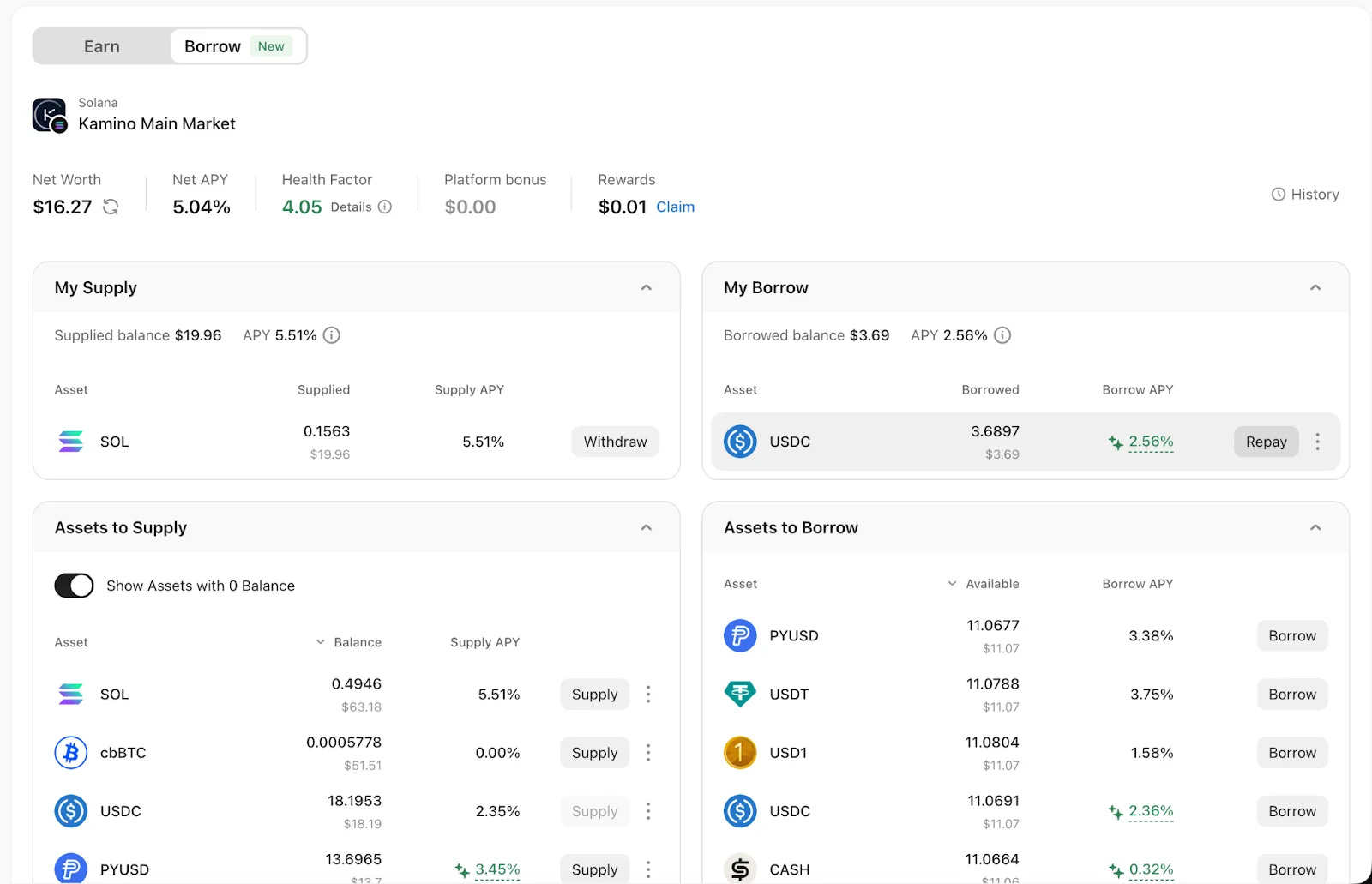
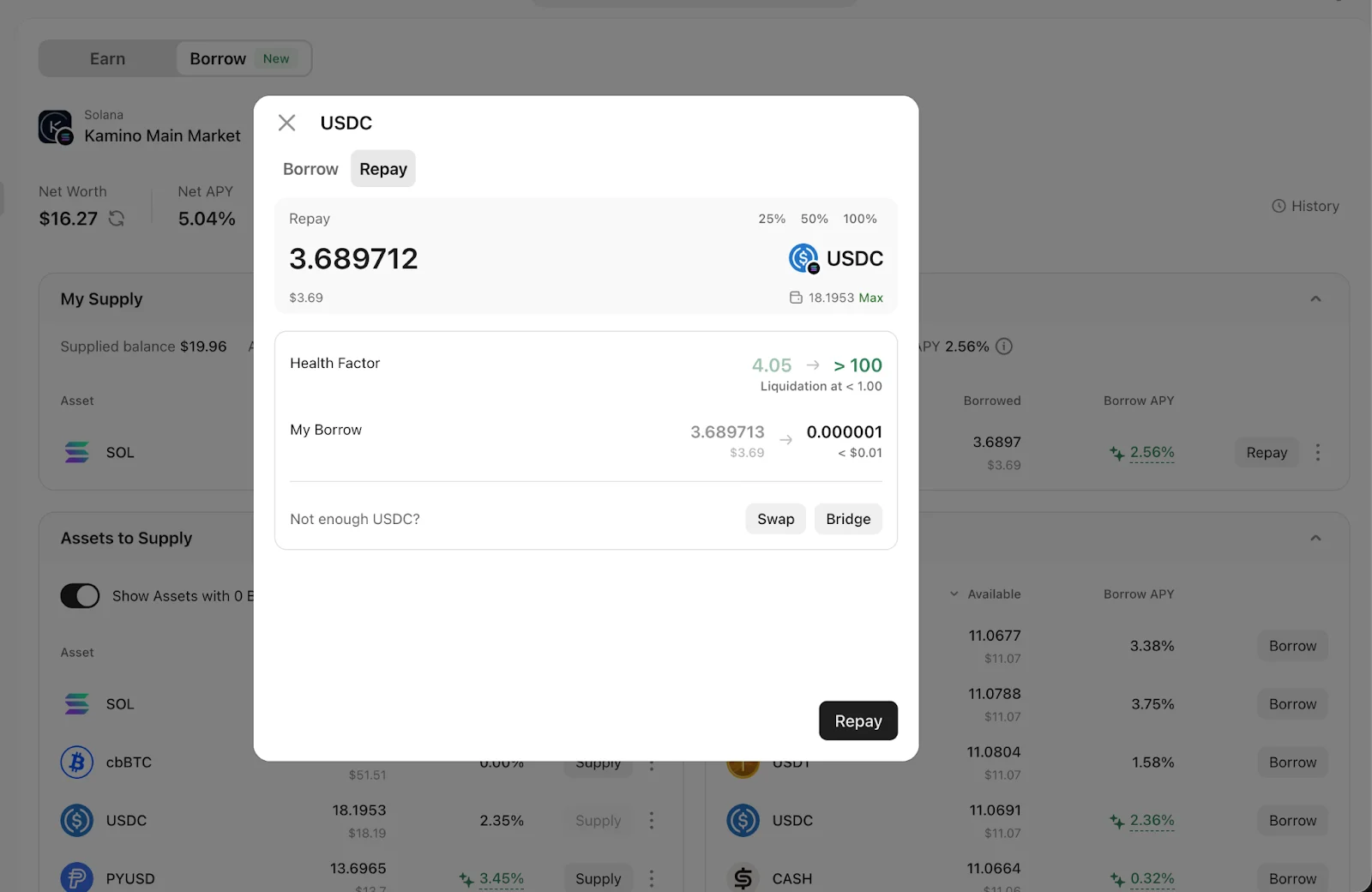
On the borrowing page, tap Repay next to the corresponding debt to enter the repayment screen. Repayments are made using assets in your wallet, so please ensure sufficient balance.
If your balance is insufficient, you can swap other tokens directly on the repayment page or bridge assets from another network before completing repayment. Successfully repaying debt will increase your Health Factor.
How do I withdraw my collateral?
On the borrowing page, tap the Repay button next to the corresponding debt to enter the repayment screen. Repayments are made using assets in your wallet, so please ensure that your balance is sufficient.
If your balance is insufficient, you can swap other tokens directly on the repayment page or bridge assets from another network before completing the repayment. Successfully repaying part or all of the debt will help improve your Health Factor and reduce liquidation risk.
On-chain lending involves market volatility, liquidation mechanisms, and protocol-level risks. Please ensure you fully understand the rules and assess your own risk tolerance before participating.