How to Do the OKX Satoshi Test: Verify a Wallet Address with OneKey
Key Takeaways
• The test funds must be sent from the same OneKey address being verified. • The coin, network, receiving address, arrival amount, and completion time must exactly match the OKX page. • Bitcoin users must confirm that the balance actually used comes from the address being verified, or the platform may not be able to recognize it.
The Satoshi test is a real on-chain transfer and will incur network fees. If the OKX page also offers “electronic signature,” you can try signing first; signing does not move assets. Only when the page requires a small transfer for verification do you need to do a Satoshi test.
Prepare before you start
Before you begin, confirm:
- The OneKey address to be verified has already been copied and checked;
- That address has enough balance to pay the specified amount and network fees;
- OneKey and OKX are set to the same network;
- You have enough time to finish before the countdown ends.
In OKX’s current instructions, the common completion time is about 180 minutes, and the test amount is commonly assets equivalent to about 5 USDC. However, you must always follow the coin, amount, address, and countdown shown in your account at that time.
If possible, try electronic signature first
When the OKX page shows “electronic signature”:
- Select this method and follow the page instructions to connect OneKey.
- If using WalletConnect, confirm the connection request in OneKey.
- Check the official website address, network, and account.
- Make sure the signing address exactly matches the address being verified.
- Read the message carefully before signing.
If the connection fails, the network is not supported, or OKX cannot recognize the signature, then switch to the Satoshi test as shown on the page. Do not repeatedly sign content you do not understand.
Use OneKey to complete the Satoshi test
Step 1: Start verification in OKX
In the OKX withdrawal process, choose “private wallet.” When the page requires additional verification, select “Satoshi test,” then start verification.
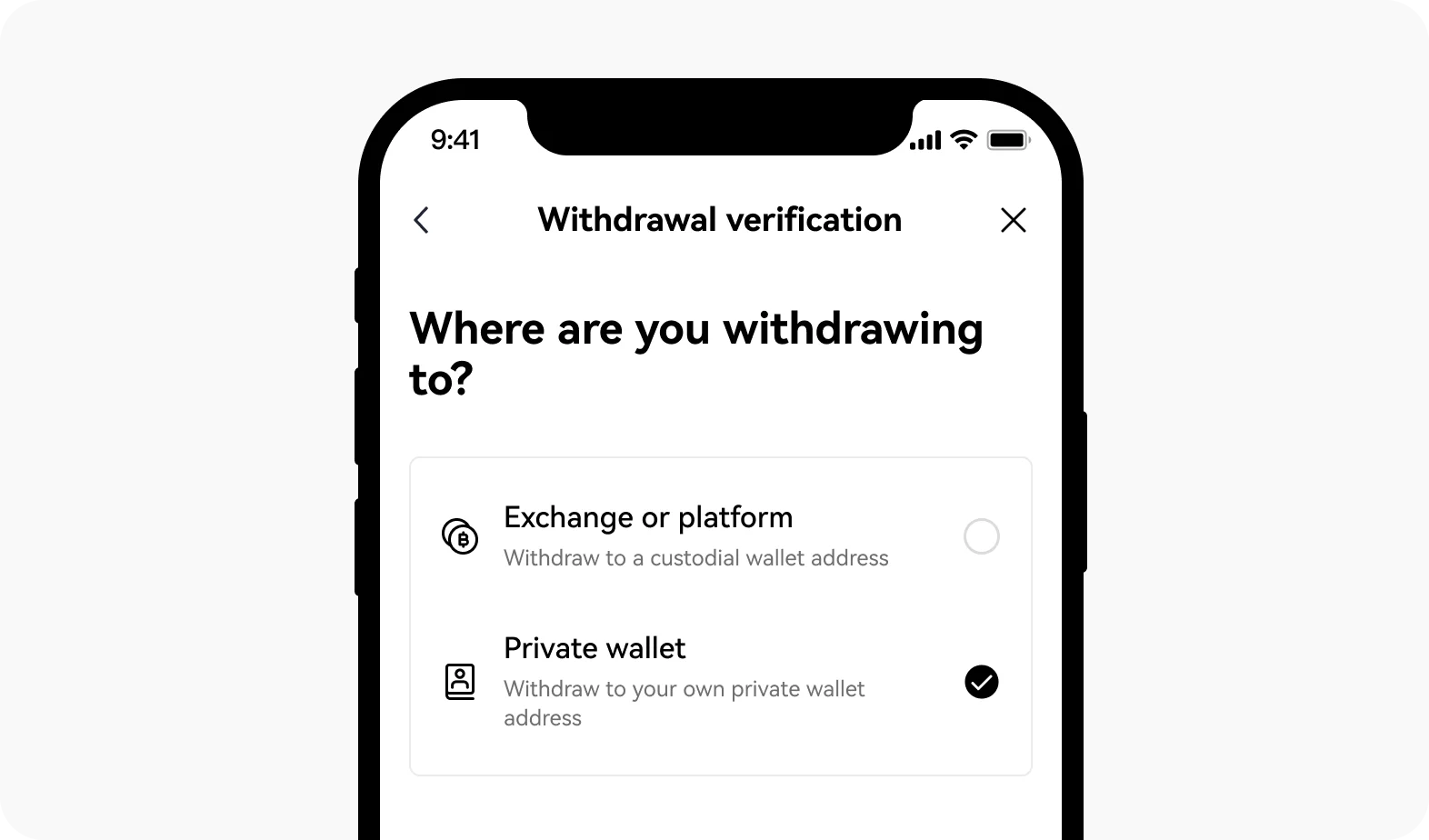 OKX private wallet verification entry
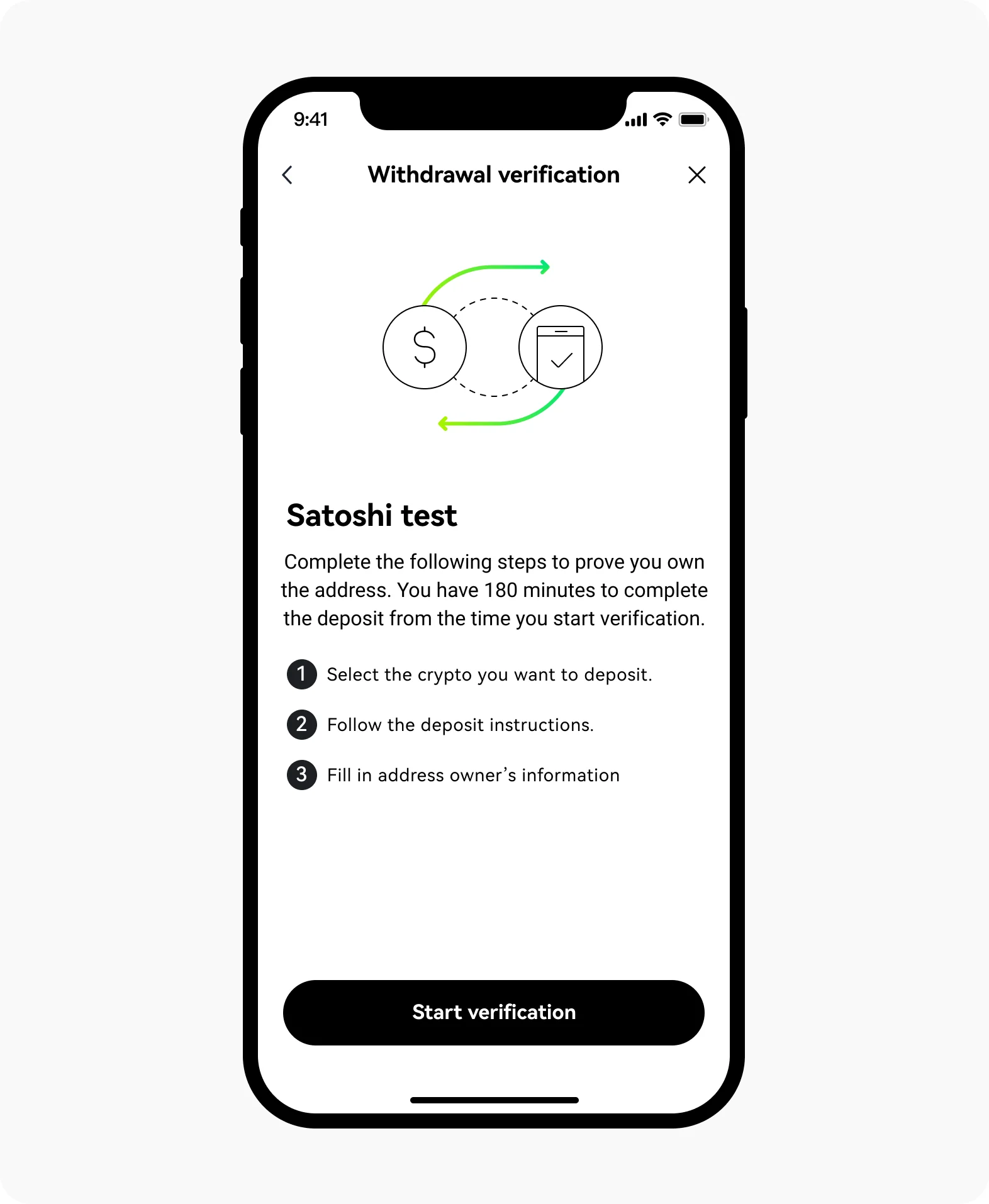 Example of the Satoshi test countdown on OKX
Step 2: Record the four pieces of information
Do not rely on memory. Write down each item one by one:
- The coin and network to use;
- The sending address being verified by OKX;
- The receiving address specified by OKX;
- The exact amount that must arrive and the remaining time.
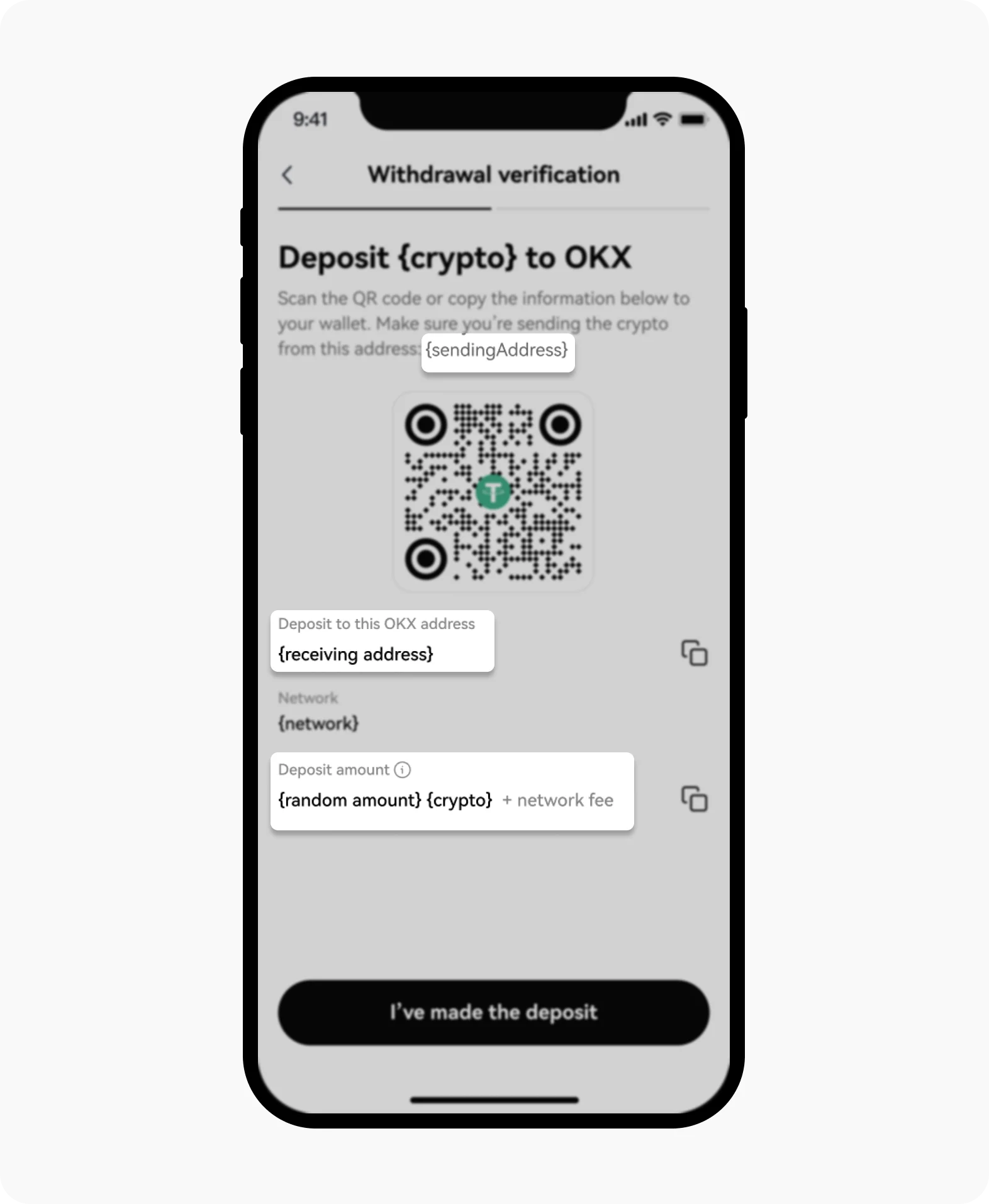 Address, network, and amount on the OKX Satoshi test details page
Network fees are not included in the specified arrival amount. For example, if the page requires 5 USDC to arrive, you must prepare network fees separately and must not let the received amount be less than 5 USDC.
Step 3: Send the test transfer in OneKey
- Open the OneKey account that holds the address being verified.
- Switch to the coin and network specified by OKX.
- Click “Send.”
- Paste the receiving address specified by OKX.
- Enter the exact amount required by the page.
- Check again the sending account, network, receiving address, arrival amount, and network fee.
- Confirm the send, and if you are using a hardware wallet, review the transaction on the device.
Do not send from another OneKey address, an exchange account, or any other wallet, even if those addresses also belong to you.
Step 4: Wait for OKX confirmation
After sending, save the TxID, which is the on-chain transaction ID. Wait for network confirmation and the OKX verification result; do not send again before checking the status clearly.
After verification succeeds, return to the original withdrawal process and continue. In OKX’s current instructions, some verified addresses may remain valid for about six months, but you should still follow the prompt in your account.
What should Bitcoin users pay attention to?
Bitcoin and similar networks split balances into multiple spendable pieces; these records are called UTXO. The wallet may automatically select balance from another address, causing the source of funds on-chain to be different from the address being verified.
Before operating, confirm:
- The address being verified has already received Bitcoin, and the balance has been confirmed.
- The balance is enough to cover the test amount and network fees.
- On the OneKey send page, use Coin Control to select the balance in the address being verified. Coin Control is the name of the feature that lets you choose a specific spendable balance.
- If the page cannot confirm the source, stop first and do not try to get lucky by sending multiple times.
A newly created Bitcoin address that has never received coins usually cannot complete the test directly. First confirm whether OKX allows you to change the address being verified, and then continue.
What to do if it fails?
- Amount is incorrect: start verification again and use the exact amount shown on the new page.
- Countdown has expired: the old test can no longer be used; start over and follow the new requirements.
- Sent to the wrong address or network: stop all follow-up actions immediately, save the TxID, and contact OKX support.
- Sending address mismatch: Bitcoin users should use Coin Control to select the correct balance and then try again.
- Test deposit is locked: first follow “What to Do When an OKX Deposit Is Locked by Transfer Rules” to provide the real sending information, then start verification again.
Network fees that have already been paid will not be returned. The amount from an old test also cannot be used to continue as a new test.
Checklist before submitting
- Are the OneKey and OKX networks the same?
- Is the receiving address from this OKX verification page?
- Does the arrival amount exactly match the page requirement?
- Was it sent from the same address being verified?
- Can you finish before the countdown ends?
Related guides
- How to Withdraw Crypto from OKX to OneKey: A Guide for European Economic Area Users
- What to Do When an OKX Deposit Is Locked by Transfer Rules
References
- OKX: What is a Satoshi test and how to complete it
- OKX: Satoshi test FAQ
- OKX: How to complete a Satoshi test with a UTXO-based wallet
- OKX: Wallet connection FAQ
- OneKey: How to use Coin Control
- OneKey: Signature verification when withdrawing from an exchange using a OneKey wallet
Risk warning: The Satoshi test is a real on-chain transfer. Incorrect amount, address, network, or source of funds will cause verification failure and additional fees. This article is for operational guidance only and does not constitute investment, legal, or tax advice. Please follow the requirements shown in your OKX account at that time.
FAQ's
Only follow the exact amount shown on the page in your account at that time. Do not copy someone else’s amount or estimate it yourself as “about 5 USDC.”
No. The specified amount must arrive in full, and the network fee must be prepared separately.
No. The platform is verifying the specified address, so the funds must be sent from that address.
A new address has no spendable balance. The test transfer must be sent from that address, and you also need to pay network fees, so you usually need an address that has already received coins.
The test is a normal on-chain transfer. The funds may reach OKX and then be temporarily locked, requiring additional information; the network fee will not be returned.