How to Withdraw Crypto from OKX to OneKey: A Guide for European Economic Area Users
Key Takeaways
• First select the asset and network in OneKey, then choose the exact same network in OKX. • If the address is controlled by you in OneKey, choose "Private wallet" for the wallet type. • When using a new address or a new network for the first time, send a small test transfer first and only send a larger amount after it arrives.
This article solves just one thing: moving crypto assets from your OKX account to OneKey. For background on the rules, see “EU Cryptoasset Transfer Rules: How to Verify a OneKey Self-Custody Wallet”; if you only need to do a small-value verification, see “How to Do the OKX Satoshi Test: Verify a Wallet Address with OneKey”.
Preparation before you begin
Please first confirm:
- The OneKey app is from an official source and can open the target account normally;
- Your OKX account can make on-chain withdrawals;
- You know which asset and network you want to withdraw;
- For the first operation, you only prepare a small amount of assets.
If you use a OneKey hardware wallet, have the device ready. No verification requires a recovery phrase or private key.
Step 1: Get a receiving address in OneKey
- Open the OneKey app and enter the target account.
- Click "Receive".
- Select the asset and network you want to receive.
- If a OneKey hardware wallet is connected, verify the full address on the device screen.
- Copy the receiving address and note the asset and network.
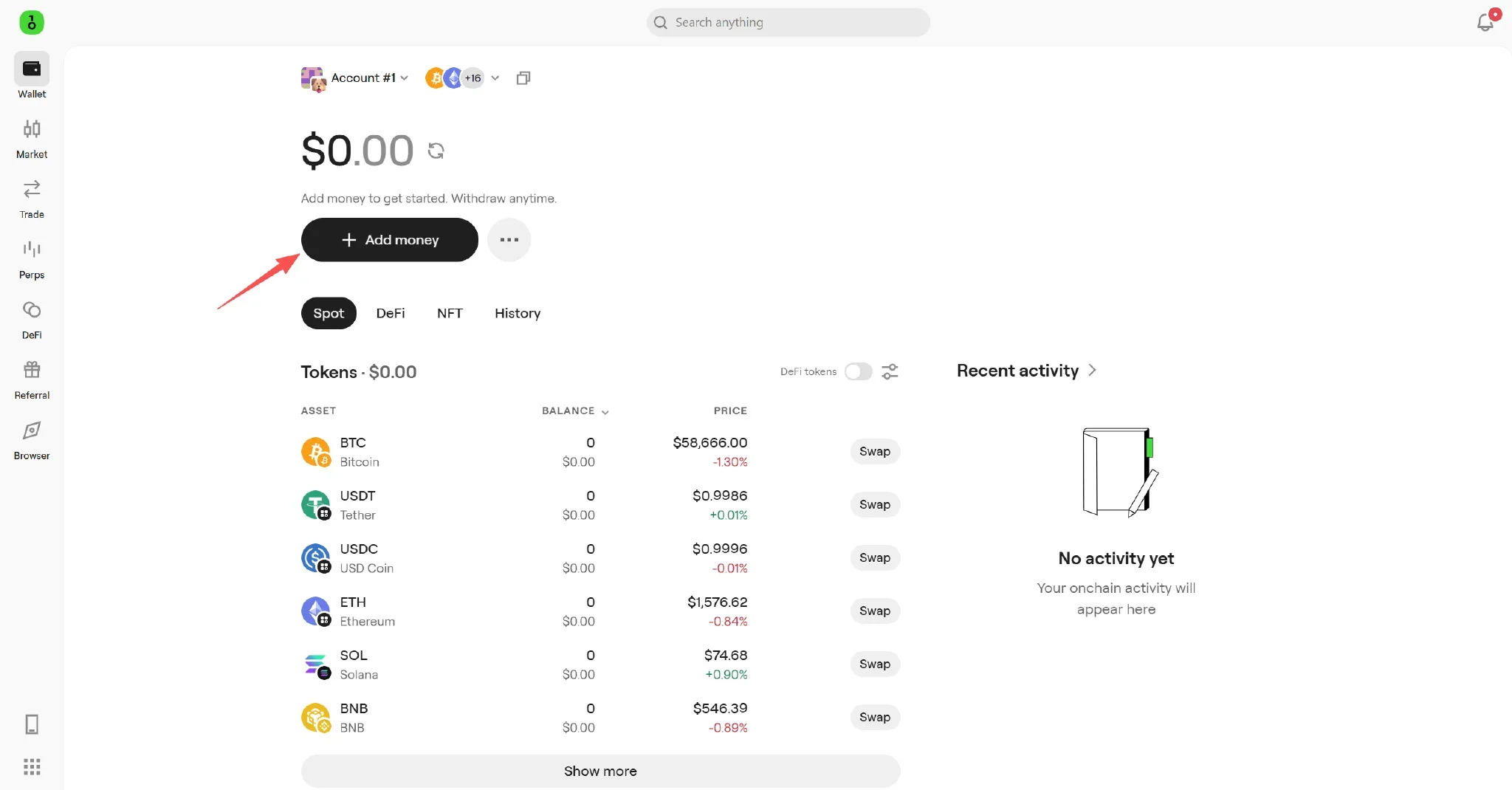 Receive entry on the OneKey Wallet home page
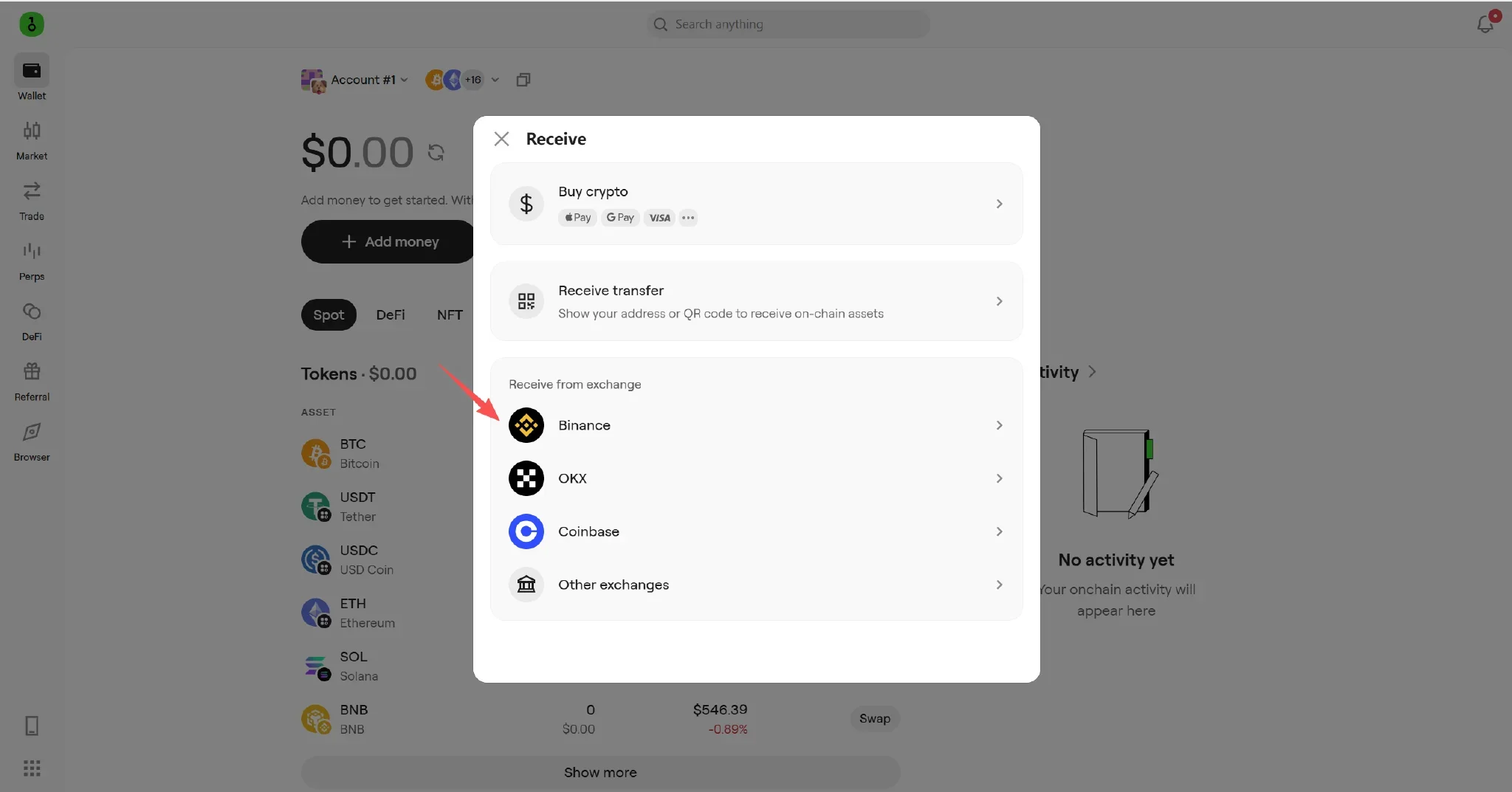 OneKey’s Receive from Exchange page includes OKX
Some assets also require a memo or tag, such as XRP and XLM. If OneKey does not show one, do not enter it yourself.
Step 2: Start an on-chain withdrawal in OKX
- Open the OKX withdrawal page.
- Select the asset you want to withdraw and choose "On-chain withdrawal".
- Paste the OneKey receiving address.
- Select the exact same network as in OneKey.
- Enter the amount, and check the minimum withdrawal amount, network fee, and estimated amount to arrive.
- For assets that require a memo or tag, fill it in accurately together with the address.
The same asset may exist on multiple networks. For example, USDT can be used on Ethereum, TRON, and other networks. A low fee does not mean networks can be mixed. Choosing the wrong network may make the assets unrecoverable.
Step 3: Choose the correct wallet type
When OKX asks where the funds will be withdrawn to:
- If you are withdrawing to a OneKey address controlled by you or someone else: choose "Private wallet".
- If you are withdrawing to a deposit address at another exchange: choose "Exchange or platform" and enter the actual platform and recipient information.
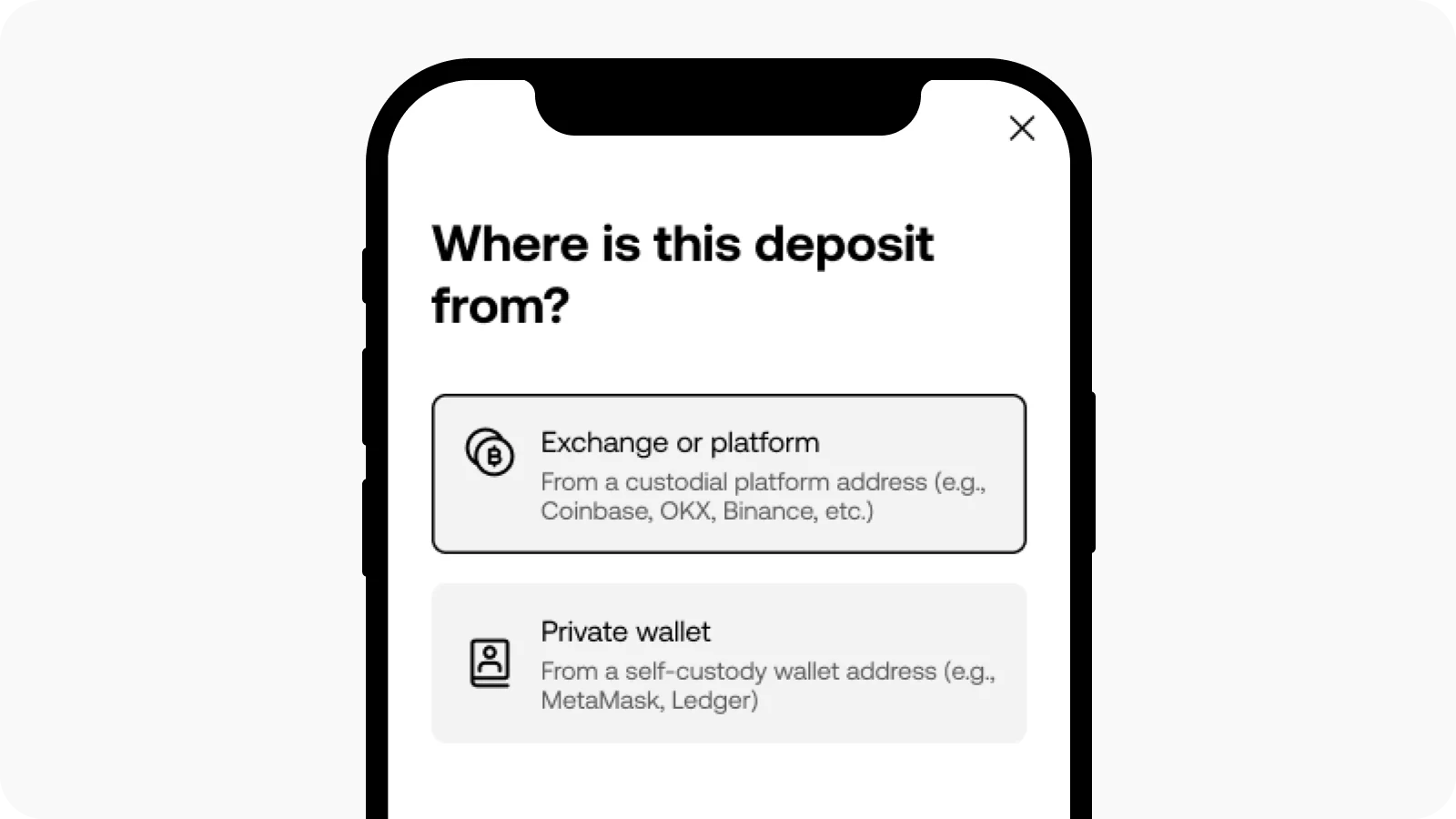 Wallet type options on the OKX withdrawal verification page
Do not enter OneKey as an exchange. What the platform needs to confirm is who controls the address, not the wallet brand name.
Step 4: Complete address verification on the page
OKX may provide two methods.
Electronic signature
If the page offers "Electronic signature":
- Connect OneKey through the connection method provided on the page; if WalletConnect is required, follow the prompts.
- In OneKey, confirm the website address, network, and account.
- Make sure the signing address exactly matches the OKX receiving address.
- Read the message carefully before signing.
If the connection fails or the current network is not supported, you can switch verification methods on the OKX page.
Satoshi test
If the page requires a Satoshi test, you need to send an exact small amount of assets from the OneKey address to be verified to the address specified by OKX. The asset, network, receiving address, amount, and countdown all follow the page, and the network fee is paid separately.
For networks such as Bitcoin, you also need to confirm that the actual funds used come from the address being verified. For detailed steps, see “How to Do the OKX Satoshi Test: Verify a Wallet Address with OneKey”.
Step 5: Start with a small withdrawal
- For the first time, withdraw only a small amount that meets OKX's minimum requirement.
- Check the status and TxID in the OKX withdrawal history. TxID is the identifier for this on-chain transaction.
- Check whether the transaction is confirmed in the block explorer for the corresponding network.
- In OneKey, switch to the same account and network and confirm receipt.
- After the small amount arrives, use the same verified address to withdraw a larger amount.
If OKX shows the withdrawal as completed but OneKey does not show it yet, first check the TxID and do not repeat the withdrawal immediately.
Common troubleshooting
- Address format error: go back to OneKey and copy it again; do not manually change address characters.
- OKX does not have the same network: stop the operation and switch to a network or asset that both sides clearly support.
- Electronic signature failed: check the website address, account, and network; if the page allows it, switch to a Satoshi test.
- Satoshi test failed: check the amount, countdown, sending address, and the address specified by OKX.
- Withdrawal keeps waiting: check whether identity verification, address verification, or additional information has not yet been completed.
Pre-submission checklist
- Do the OKX and OneKey networks match exactly?
- Has the address been verified in both the OneKey app and on the hardware device?
- Did you first do a small test transfer?
- Was the wallet type truthfully selected as "Private wallet"?
- Was address verification done with the same OneKey address?
Related guides
- EU Cryptoasset Transfer Rules: How to Verify a OneKey Self-Custody Wallet
- How to Do the OKX Satoshi Test: Verify a Wallet Address with OneKey
- What to Do When an OKX Deposit Is Locked by Transfer Rules
References
- OKX: How to withdraw crypto assets
- OKX: EEA Transfer Rules FAQ
- OKX: Wallet connection FAQ
- OneKey: How to deposit to your OneKey wallet
- OneKey: Sending and receiving crypto assets in the OneKey app
Risk warning: On-chain withdrawals are irreversible. Entering the wrong network, address, amount, or memo may make the assets unrecoverable. This article is for operational guidance only and does not constitute investment, legal, or tax advice. OKX features and verification requirements may change; please refer to what is shown in your account at that time.
FAQ's
If the address is controlled by you or the designated recipient in OneKey, choose "Private wallet". For an address at another exchange, choose "Exchange or platform".
Confirm that both point to the same blockchain. If you cannot confirm this, do not submit the withdrawal. Switch to a network or asset that both sides clearly support, or contact official support.
It is not recommended. First test with the minimum withdrawable amount, and continue only after confirming the address and network are correct.
Yes. When European Economic Area users withdraw to a private wallet, OKX may require proof that you control that address.
First use the TxID to check the on-chain confirmation status, then confirm that OneKey is currently open to the same account and network. Network congestion or data refresh delays can also cause a delay.