What Is OneKey Prime?

Key Takeaways
• OneKey Prime is a membership for the OneKey App that helps you spot risks, send in bulk and keep records
• Check requests before you sign, see where incoming funds came from, and look up any address
• Bulk Send, Bulk Revoke and Bulk Copy Addresses save repetitive work
• Export history as CSV, translate dApp pages and get notifications for up to 100 accounts
• Open Prime from the lower-left menu on desktop or the OneKey ID page on mobile
Using crypto means making many small decisions: is this request safe, where did these funds come from, how do I pay twenty people at once? OneKey Prime, a membership for the OneKey App, adds tools for exactly these moments. Below is what each tool does and how to get started.
Stay a step ahead of risk
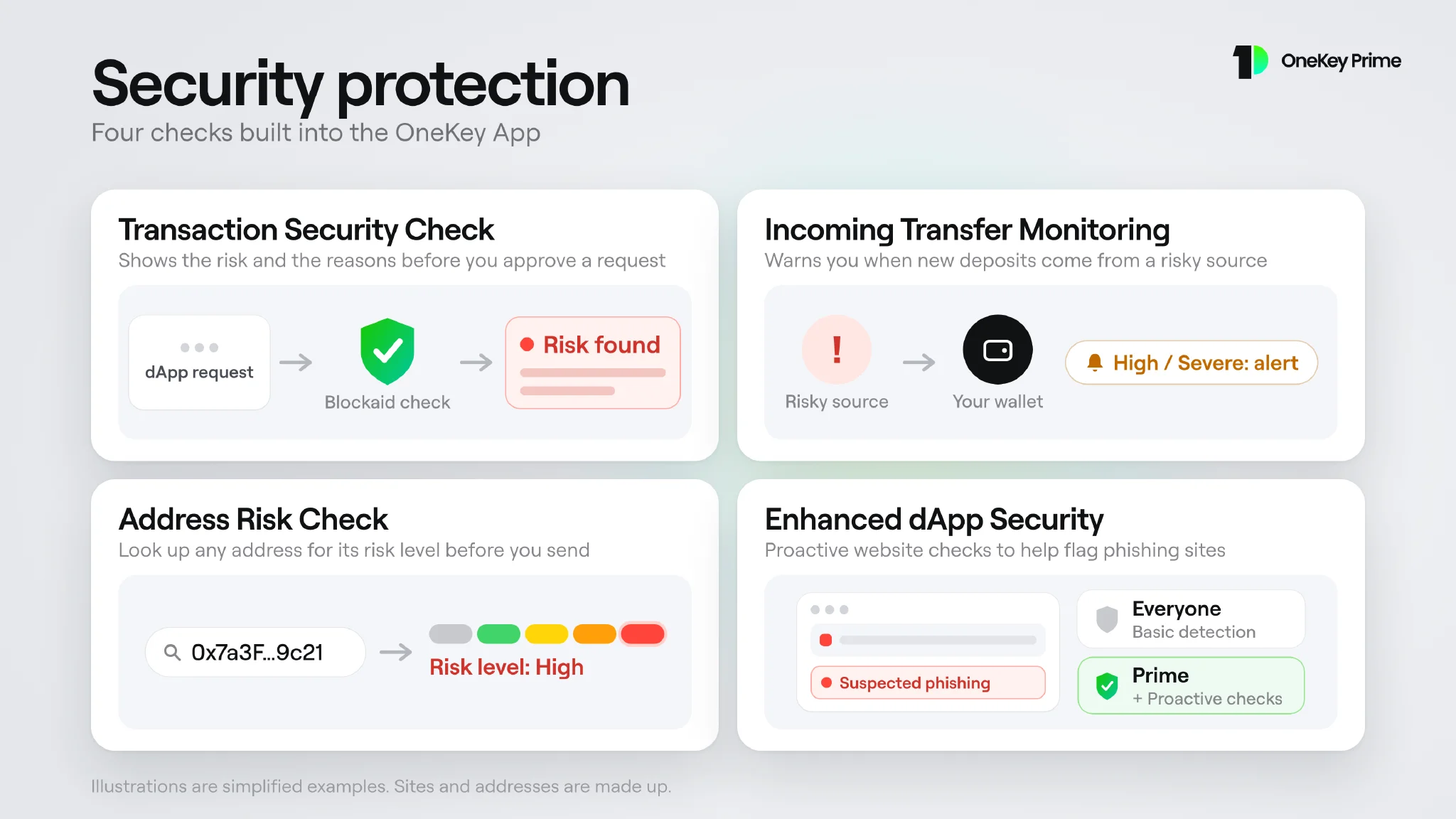 Four security checks shown as diagrams: Transaction Security Check, Incoming Transfer Monitoring, Address Risk Check and Enhanced dApp Security
Transaction Security Check: check before you sign
A swap, a token approval or a signing request is hard to judge from raw data. With Transaction Security Check, the confirmation screen shows a risk verdict from Blockaid, along with the reasons behind it, before you approve.
It covers supported EVM and Solana transactions and signing requests such as Permit. A clear result means no risk was found, not that the request is guaranteed safe. If a check cannot be completed, the app tells you instead of showing a pass. This feature needs OneKey App 6.6 or later.
Incoming Transfer Monitoring: know where funds came from
Funds from a tainted source can get an address flagged by exchanges and OTC counterparties. Incoming Transfer Monitoring checks new deposits, starting with stablecoins such as USDT and USDC, and rates them from none to severe. High and severe results trigger a notification and a marker in your history.
You choose whether to turn it on, and you can switch it off any time under Security > Protection > Monitor incoming transfers. Read the setup guide.
Address Risk Check: look up any address
Before you send funds to an address you do not know, check it. Pick a network, enter the address, and the app shows its risk level and the reasons behind it. Your recent lookups stay on your device.
Enhanced dApp Security: safer browsing
Every OneKey user gets basic website detection. With Prime, the built-in browser also runs proactive Blockaid checks as you visit dApps, which helps flag phishing sites.
Risk checks give you information to help you decide. They do not guarantee that a transaction, address or website is safe. Always verify what you are signing.
Do more in fewer steps
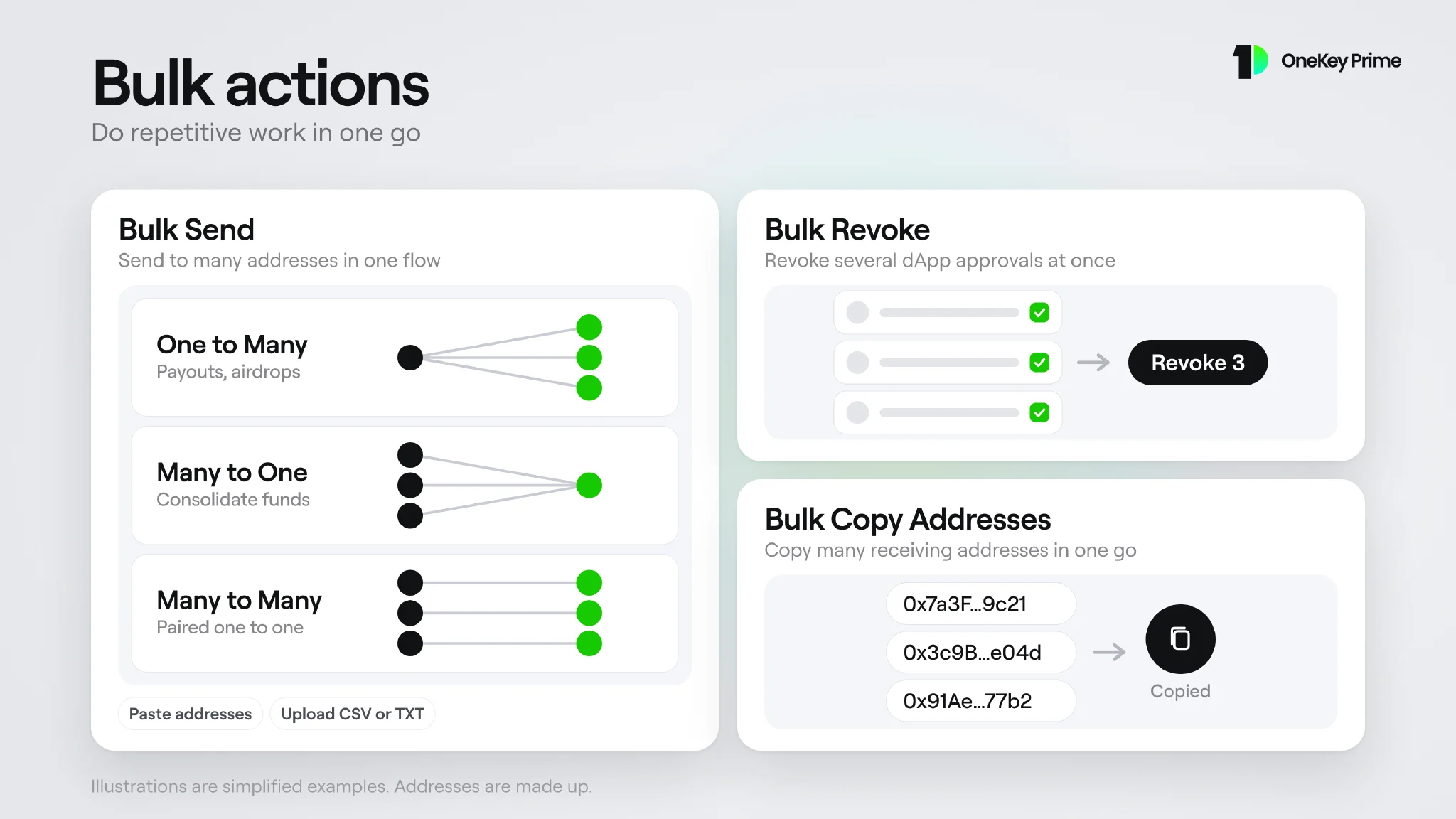 Bulk Send, Bulk Revoke and Bulk Copy Addresses shown as diagrams
Bulk Send
Send to many addresses in one flow, from the Wallet group of the app menu:
- One to Many: one account pays many addresses, for payouts or airdrops.
- Many to One: several accounts send to one address, to consolidate funds.
- Many to Many: senders and receivers are paired one to one.
Paste addresses or upload a CSV or TXT file, then choose one amount for everyone, a random amount in a range, or a custom amount per line. You review everything before you confirm.
Bulk Revoke and Bulk Copy Addresses
Revoke several dApp approvals at once instead of one by one, and copy multiple receiving addresses in one go. Network fees still apply on each chain.
Everyday tools
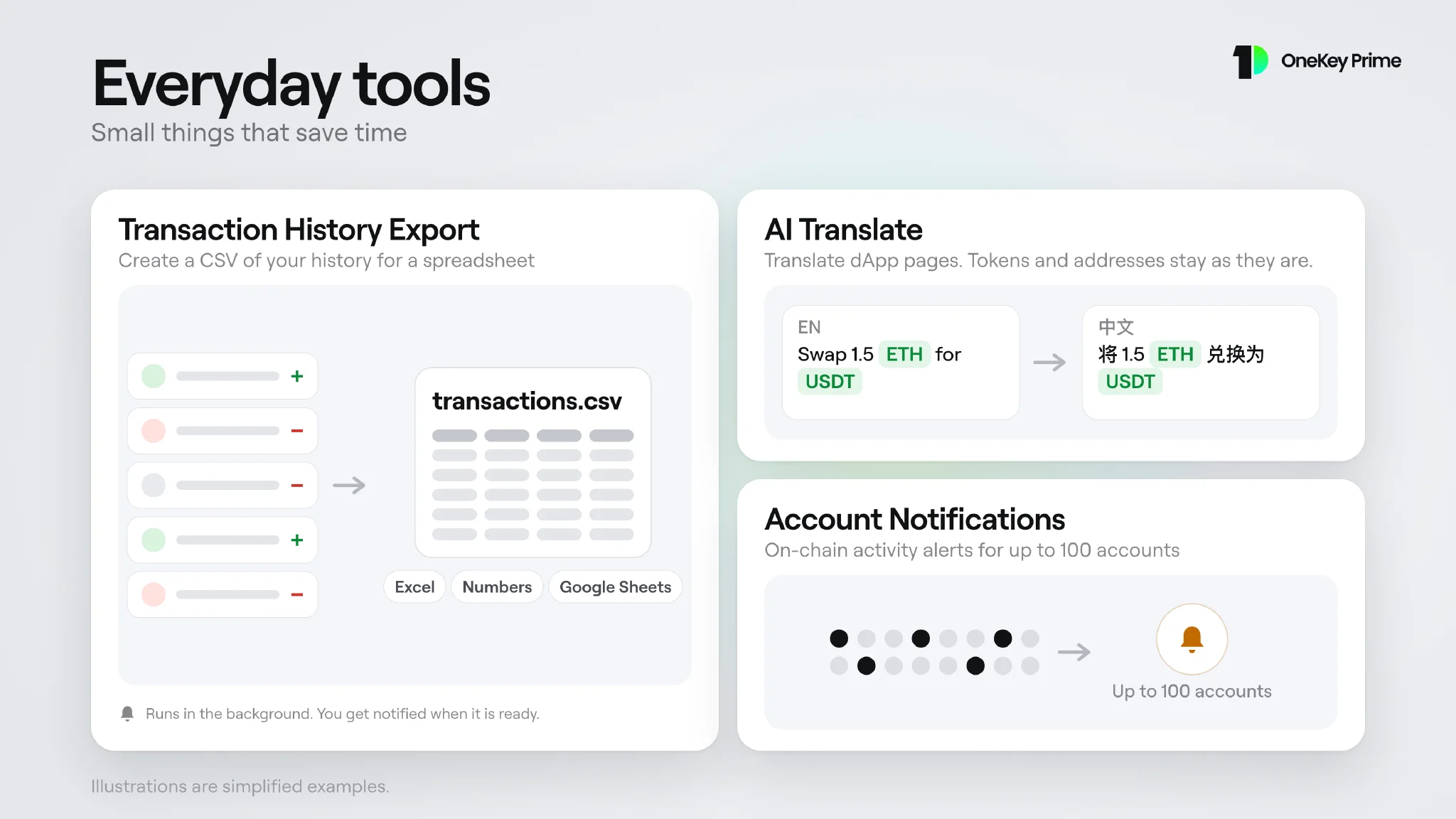 Transaction History Export, AI Translate and Account Notifications shown as diagrams
Transaction History Export
Create a CSV of your history by account, network and date range, ready for Excel, Numbers or Google Sheets. The export runs in the background and you get a notification when the file is ready. It is a transaction record for review. It does not include fiat values or tax classification. This feature needs OneKey App 6.6 or later.
AI Translate
Translate dApp pages in the built-in browser. The AI engine is tuned for Web3 content, so token symbols, addresses and transaction hashes stay as they are.
Account Notifications
Get on-chain activity notifications for up to 100 accounts, so you can follow many accounts in one place.
How to get started
- Update to the latest OneKey App.
- Sign in with your OneKey ID.
- On desktop, choose Prime from the menu in the lower-left corner. On mobile, open it from the OneKey ID page.
- Subscribe, pay with crypto, or redeem a Prime code.
To redeem a code, open the three-dot menu on the Prime dashboard, choose Redeem Prime and enter it. Codes cannot be used while you have an active App Store, Google Play or other store subscription.
For the full feature list and step-by-step guides, see the OneKey Prime Help Center.
FAQ's
OneKey Prime is a membership for the OneKey App. It includes security checks, bulk actions and everyday tools.
No. Risk checks give you information to help you decide, but they do not guarantee that a transaction, address or website is safe.
Transaction Security Check and Transaction History Export need OneKey App 6.6 or later.
On desktop, choose Prime from the lower-left menu. On mobile, open it from the OneKey ID page. You need to be signed in to your OneKey ID.
You can subscribe to a plan, pay with cryptocurrency, or redeem a Prime code.