
Tensor
Chain, NFT Marketplace
Solana's Leading NFT Marketplace...

Supported Networks

Solana
Download OneKey App

Use Tensor with OneKey App

Secure wallet with built‑in trading and dApp access. Buy, trade, and connect from desktop, mobile, or browser.

What is Tensor?

Tensor is a non-fungible token (NFT) marketplace built on the Solana blockchain, designed to cater to professional traders and collectors who require advanced functionality. It operates as a leading NFT aggregator, consolidating liquidity from various sources across the Solana ecosystem. This provides users with a comprehensive view of available listings and floor prices, enabling more efficient price discovery and trade execution. The platform is often recognized for its real-time data, fast interface, and a suite of trading tools that mirror those found in traditional financial markets and on other blockchain networks like Ethereum. Key features of Tensor include advanced order types, such as collection-wide bids and market-making orders, allowing users to automatically buy or sell NFTs at specified price points. The platform also offers powerful analytics, including historical sales data, price charts, and rarity ranking information, which helps traders make informed decisions. A "sweep" function enables the quick purchase of multiple floor-priced NFTs from a single collection. Furthermore, Tensor has implemented an automated market maker (AMM) for NFTs, a novel feature that allows users to provide liquidity by depositing their NFTs and SOL into specific pools, earning trading fees in the process. In line with recent trends toward decentralization and community ownership, the protocol introduced the $TNSR token. This governance token allows holders to participate in the platform's future development and decision-making processes. By offering a professional-grade trading experience with low transaction fees, a characteristic of the Solana network, Tensor aims to serve the high-volume segment of the NFT market and enhance overall liquidity within the Solana NFT space.

How to use Tensor

01

Open OneKey browser

how-to-use-step-1

Open Browser in the OneKey App and search for Tensor.

02

Connect wallet

how-to-use-step-2

On the Tensor page, choose OneKey and approve the connection.

03

Select operation

how-to-use-step-3

In Tensor, choose an action and enter the details.

04

Confirm and sign

how-to-use-step-4

Review the transaction in OneKey, then confirm and sign on your device.

Why use OneKey with Tensor for secure transactions

Supported on all platforms

Supported on all platforms

Desktop, mobile, and browser extension — securely connect to Tensor from any device.

Multi-chain compatible

Multi-chain compatible

Native support for the major public chains where Tensor operates (such as Ethereum, Arbitrum, Polygon, BNB Chain, Avalanche, etc.), allowing one wallet to manage assets across multiple chains.

Built-in dApp browser

Built-in dApp browser

OneKey’s secure dApp browser gives you one-tap access to Tensor, with contract and phishing checks for safer interactions.

Hardware-level security

Hardware-level security

With a OneKey hardware wallet, keys stay offline and every critical action is confirmed on the device for hardware-level protection.

Why hardware wallets make dApps safer

Private key stored offline

Your private key lives in a secure offline chip and never touches the internet.

Private key stored offline

Physically confirm every transaction.

See and approve every transaction on your hardware wallet’s screen.

Physically confirm every transaction.

Protect against malware

Even if your phone or computer is infected, the secure chip keeps your assets safe.

Protect against malware

Open-source verifiable

OneKey is fully open source, with security proven by the community.

Open-source verifiable

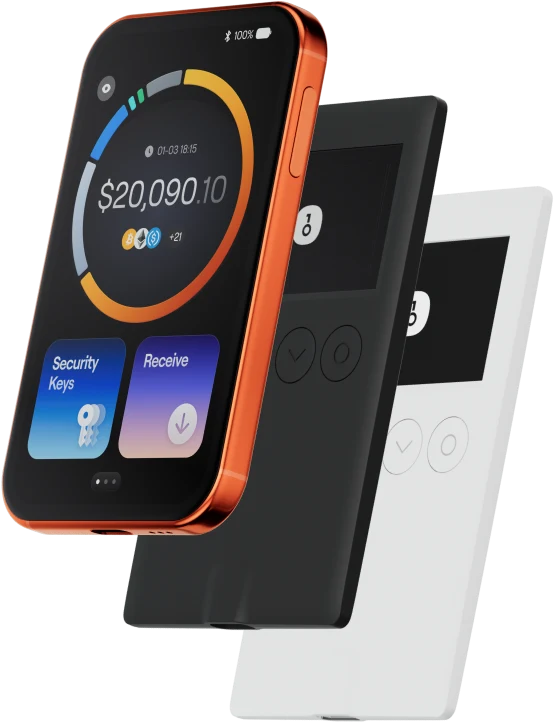
Pair with a OneKey hardware wallet to keep your keys offline and verify every transaction on-device.