
Ready to claim your BTC reward?
Tap the button below to jump straight to the redemption page in the OneKey App.
Redeem in 5 quick steps
Follow the steps below and finish in just a few minutes.
01Scratch off your voucher code
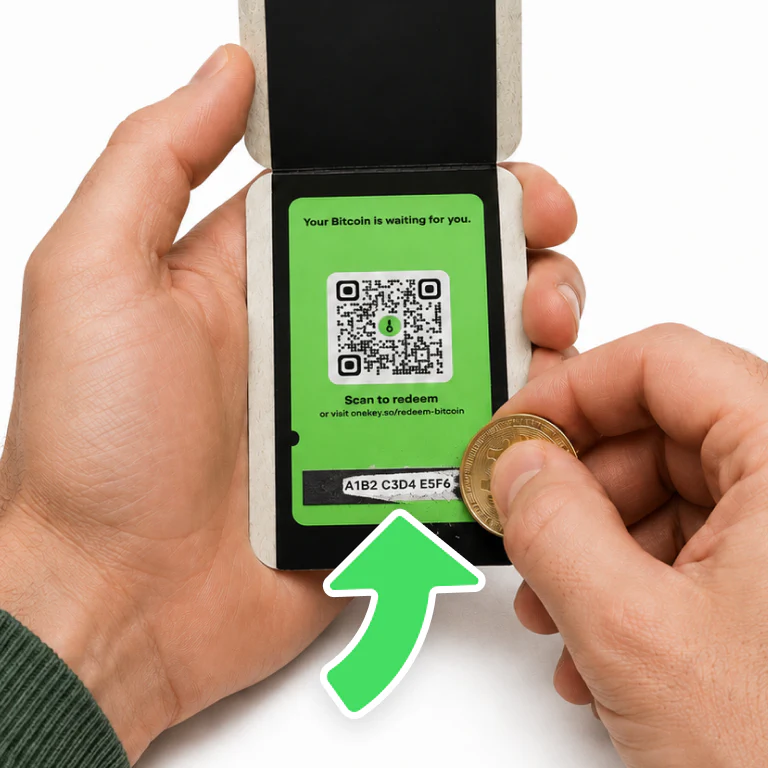
Gently scratch off your voucher code and keep it ready — you'll need it shortly.
02Open the OneKey App
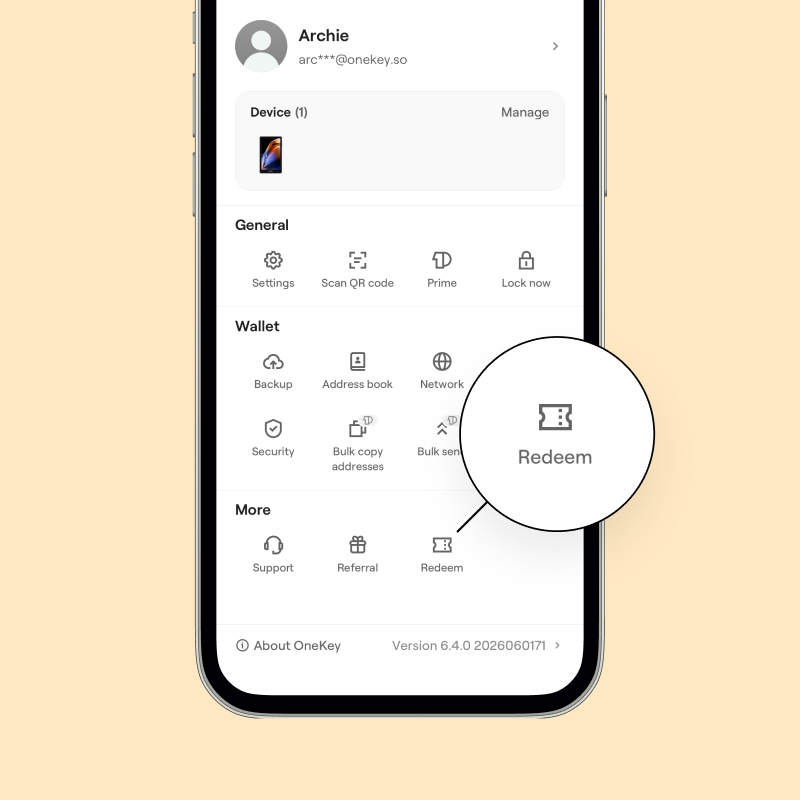
Download and open the OneKey App, tap “Redeem now” to go straight to the redemption page, and follow the prompts to get started.
03Enter your voucher code
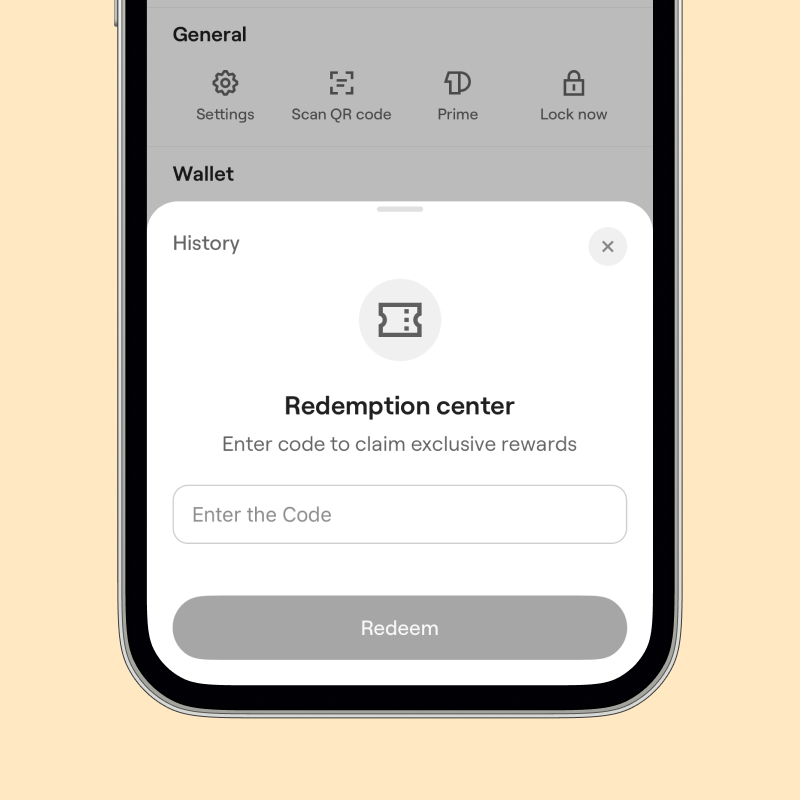
Enter your voucher code in the Redemption Center.
04Verify and choose your receiving address
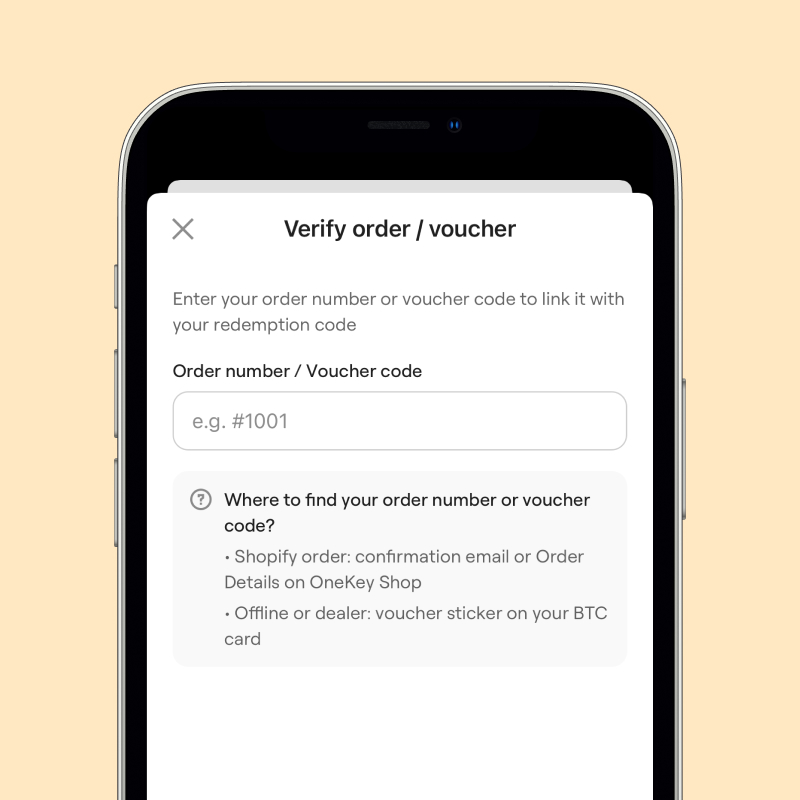
Enter your order number / supporting proof to complete verification, then choose a wallet address whose private keys you control.
05Confirm and submit
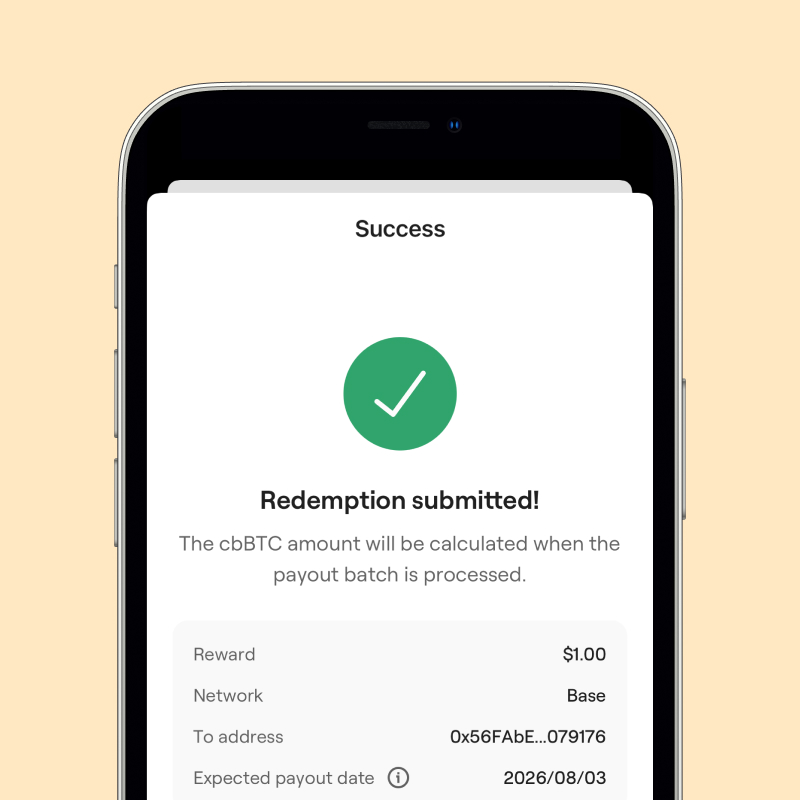
Confirm the details and submit, then just wait for your reward to be sent.

Need the full step-by-step guide?
Go to the Help Center for the full illustrated guideFAQ’s
Tap “Redeem now” at the top of the page to go straight to the redemption page in the App.
First make sure your order is within the campaign period and that you purchased a hardware wallet (accessories are not eligible). If you still haven’t received it, please contact Support.
First check for typos (watch out for easily confused characters like 0/O and 1/I). If the issue persists, please contact Support and provide your order number plus a screenshot of the error message.
By redeeming, you confirm that you have read and agree to the Terms & Conditions of this campaign.